
Best AI Ebook Cover Generators in 2026: 7 Tools Compared
We tested 7 AI cover generators on real book projects - comparing image quality, text handling, KDP-readiness, and price. Here is which tools produce covers that actually sell and which ones produce obvious AI slop.
Quick Answer
The best AI ebook cover generator in 2026 is Inkfluence AI's cover designer, which combines advanced AI image generation with a 5-tab design editor for text, layout, and styling - then exports at 1600x2560px, ready for Amazon KDP. For standalone AI image generation, Midjourney produces the highest-quality cover backgrounds but requires separate text overlay and formatting. Canva's AI tools are best for non-designers who want templates with drag-and-drop editing.
Your ebook cover is the most important marketing asset you own. On Amazon, readers see a thumbnail smaller than a postage stamp - and they decide whether to click in under two seconds. A professional cover can double your click-through rate. A bad cover kills sales no matter how good the writing is.
AI has made professional-looking covers accessible to self-publishers who cannot afford a $500+ designer. But not all AI cover tools are equal. Some produce stunning backgrounds but cannot handle typography. Others nail the text but generate generic stock-photo-quality images. We tested 7 tools to find the best options for every budget and skill level.
What Makes a Good AI Cover Generator?
We evaluated each tool on 5 criteria that matter for ebook covers:
- Image quality - Does the AI produce high-resolution, professional-looking images? Are they generic or can you get genre-appropriate visuals?
- Typography - Can you add title, subtitle, and author name with professional fonts and positioning? AI-generated text in images is almost always unreadable - the tool needs a separate text layer.
- Export resolution - Amazon KDP requires minimum 1000px on the shortest side for ebook covers and 300 DPI for paperback. Many AI tools output low-resolution images.
- Design control - Can you adjust colours, positioning, and layout? Or are you stuck with whatever the AI generates?
- Price - What does it cost per cover? Some tools charge per generation, others are subscription-based.
Quick Comparison: 7 AI Cover Generators
| Tool | Best For | Image | Text | Resolution | Control | Price |
|---|---|---|---|---|---|---|
| Inkfluence AI | All-in-one (write + cover) | ★★★★☆ | ★★★★★ | ★★★★★ | ★★★★★ | Free / $9.99+ |
| Midjourney | Best raw image quality | ★★★★★ | ★☆☆☆☆ | ★★★★☆ | ★★★☆☆ | $10/mo+ |
| Canva (Magic Design) | Templates + drag-and-drop | ★★★☆☆ | ★★★★★ | ★★★★☆ | ★★★★☆ | Free / $13/mo |
| DALL-E 3 | Quick concept generation | ★★★★☆ | ★☆☆☆☆ | ★★★☆☆ | ★★☆☆☆ | $20/mo (ChatGPT+) |
| BookBrush | Book-specific templates | ★★☆☆☆ | ★★★★☆ | ★★★★★ | ★★★★☆ | $8/mo+ |
| Adobe Firefly | Stock-style images | ★★★★☆ | ★★☆☆☆ | ★★★★☆ | ★★★☆☆ | Free / $5/mo+ |
| Ideogram | Text-in-image generation | ★★★☆☆ | ★★★☆☆ | ★★★☆☆ | ★★☆☆☆ | Free / $8/mo |
Detailed Reviews
1. Inkfluence AI - Best All-in-One Cover Designer
Inkfluence AI's cover designer is unique because it is built into a full book-writing platform. You write your book and design the cover in the same tool. The cover designer has 5 tabs:
- Images tab: Upload your own images or browse stock photos as backgrounds.
- Text tab: Add and style your title, subtitle, and author name with full font control, sizing, colour, and positioning.
- AI tab: Generate cover images with the built-in AI image engine. Choose from 3 styles - Modern (clean, minimalist), Bold (dramatic, high-contrast), and Minimal (typography-focused). The AI uses your book's title, subtitle, and genre to generate relevant imagery automatically.
- Style tab: Apply colour overlays, gradients, and filters to your background image.
- Adjust tab: Fine-tune brightness, contrast, saturation, and blur.
Key advantage: Exports at 1600x2560px - well above KDP's requirements. The text is rendered as a proper overlay (not baked into the AI image), so typography is always clean and professional. The 3-style AI generation means you can iterate quickly without writing complex prompts.
Limitations: Image generation is tied to the platform (you cannot use it standalone). The AI styles, while good, are more limited than what you can achieve with Midjourney using detailed prompts.
Design a professional book cover with AI - no design skills needed.
Try the Cover Designer Free →2. Midjourney - Best Raw Image Quality
Midjourney produces the most visually stunning AI images available. For cover backgrounds - especially fantasy, sci-fi, romance, and thriller genres - nothing else comes close. The v6 model handles lighting, composition, and mood exceptionally well.
What works: Unmatched image quality for illustration and photorealistic styles. Aspect ratio control lets you generate images in book cover proportions (--ar 2:3). Strong community sharing prompts specifically for book covers.
Limitations: No text overlay capability - you must add title and author name in a separate tool (Canva, Photoshop, etc.). Requires Discord. Requires learning prompt syntax. The subscription cost adds up if you are generating many options. No direct KDP export - you handle formatting yourself.
Best workflow: Generate the background in Midjourney → import into Inkfluence AI's cover designer or Canva → add text and export at the correct resolution.
3. Canva (Magic Design) - Best for Non-Designers
Canva's strength is templates. They have thousands of book cover templates that you can customize with drag-and-drop editing. The "Magic Design" AI feature generates template suggestions based on your title and genre. The text tools are excellent - full font library, precise positioning, professional typography.
What works: Easiest learning curve of any tool. Huge template library. Great text and typography tools. Free tier is usable. Export at custom dimensions including KDP specs.
Limitations: AI-generated images (via their built-in generator) are lower quality than Midjourney or Inkfluence AI. Templates can look generic if you do not customize them significantly. The best templates and AI features require Canva Pro ($13/month).
4. DALL-E 3 (via ChatGPT) - Best for Quick Concepts
DALL-E 3 is accessible through ChatGPT Plus and produces good images from natural language descriptions. It is the easiest AI image generator to use because you just describe what you want in plain English.
What works: Natural language prompts (no special syntax). Good composition and colour. Accessible if you already pay for ChatGPT Plus. Quick iteration - describe changes in chat and get updated images.
Limitations: Cannot generate readable text in images. Maximum output resolution is limited (requires upscaling for KDP print). Less artistic control than Midjourney. Content filters block some genre-appropriate imagery (dark thriller covers, romance covers).
5. BookBrush - Best Book-Specific Templates
BookBrush is designed specifically for book marketing. Their cover templates are organized by genre, their export presets match KDP and IngramSpark requirements exactly, and they have features for creating 3D book mockups, social media graphics, and ad images alongside covers.
What works: Genre-organized templates. KDP-ready export presets. 3D mockup generator. Specifically built for self-publishers. Reasonable pricing.
Limitations: No AI image generation - you use stock photos or upload your own images. The interface feels dated compared to Canva. Limited AI features (mostly template suggestions, not generation).
6. Adobe Firefly - Best for Stock-Style Images
Adobe Firefly generates high-quality images that look like professional stock photos. Its training data is commercially licensed, which makes it the safest option for copyright-cautious publishers. Integrates directly into Photoshop for seamless editing.
What works: Clean, commercial-quality images. Copyright-safe training data. Photoshop integration for professional editing. Good for non-fiction and business book covers.
Limitations: Images tend toward a "stock photo" aesthetic - less artistic and distinctive than Midjourney. Text handling is minimal. Requires Adobe subscription for best features. Less effective for genre fiction covers (fantasy, romance, horror).
7. Ideogram - Best for Text-in-Image
Ideogram's unique strength is generating readable text within images. Where every other AI tool produces garbled text, Ideogram can render a book title legibly within the generated image. This matters for covers where text is integrated into the design rather than overlaid.
What works: Readable text generation in images. Free tier available. Good for covers where text and image are tightly integrated.
Limitations: Overall image quality is below Midjourney and DALL-E 3. Text is legible but not professionally typeset - you still get better results adding text separately. Limited resolution output. Less control over artistic style.
What We See Across 79,000+ Book Covers
From running a platform where people design and export real books, one pattern stands out: the cover is one of the steps authors iterate on most before they hit export. It is rarely one-and-done. Most people regenerate or tweak the cover several times to match the tone of the finished book rather than settling for the first result. The lesson for choosing a cover generator is simple: pick the one that makes iterating fast and painless, because you will almost certainly make more than one version before you are happy with it.
KDP Cover Requirements
Before you design, know the specs:
- Kindle ebook: Minimum 1000px on the shortest side. Recommended 1600x2560px (1:1.6 ratio). JPEG or TIFF. Maximum 50MB.
- KDP paperback: 300 DPI minimum. Dimensions depend on trim size (e.g., 6x9 inch = 1800x2700px at 300 DPI). Must include spine width (calculated by page count) and back cover for full wrap.
- Content requirements: Title on cover must exactly match the title in your book details. No pricing, promotional text, or review quotes on the cover. No blurry, pixelated, or stretched images.
- AI disclosure: If any part of the cover image was AI-generated, select "AI-generated" for images in the KDP publishing flow.
Genre-Specific Cover Tips
Readers judge books by genre conventions. Using the wrong style for your genre will lose sales even if the cover is technically well-designed.
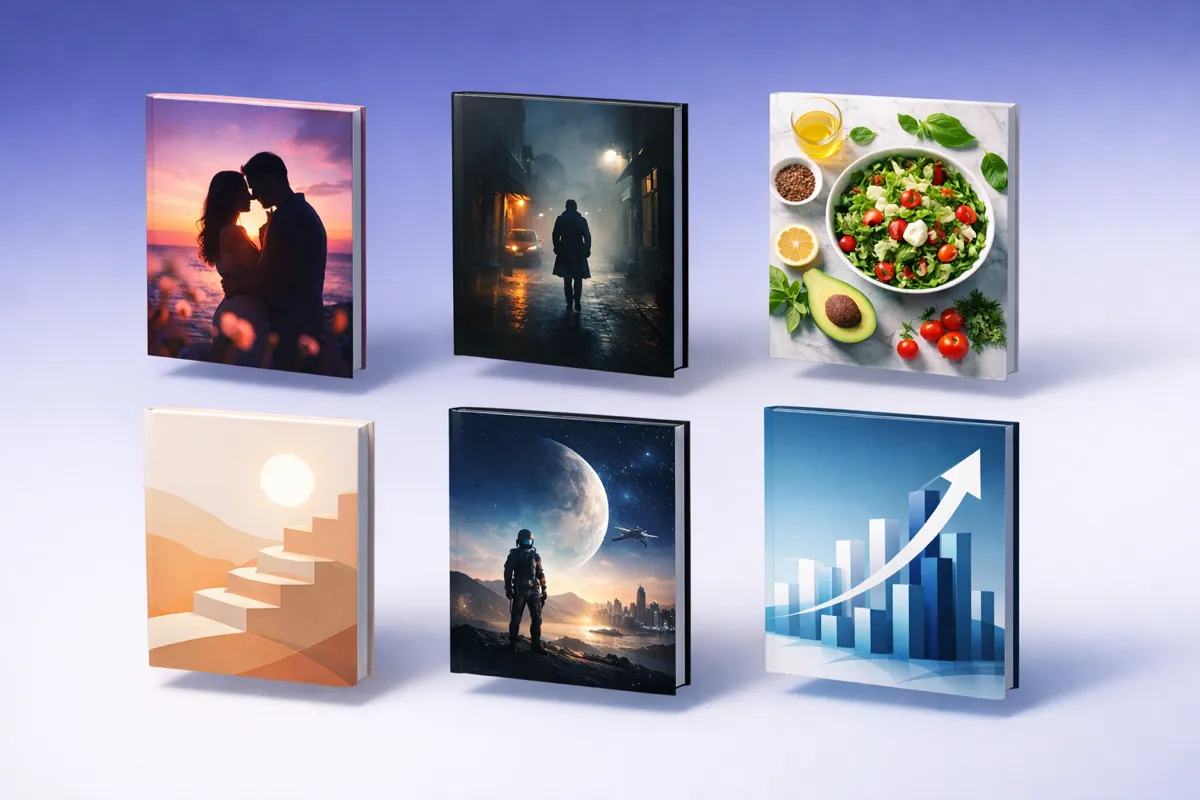
- Romance: Illustrated couples, warm colour palettes (pinks, golds, reds), script fonts for titles. AI tools handle this well since romance art styles are well-represented in training data.
- Thriller/Mystery: Dark backgrounds, bold sans-serif fonts, single dramatic image (knife, silhouette, cityscape at night). High contrast. Midjourney excels here.
- Fantasy: Detailed illustration, ornate borders, serif fonts with decorative elements. Epic landscapes or character art. Midjourney and DALL-E 3 are strongest for fantasy.
- Non-fiction/Business: Clean, minimal design. Bold title, solid background or simple geometric pattern. Professional fonts. Canva templates work well. Inkfluence AI's minimal style is designed for this.
- Self-help: Bright, optimistic colours. Clean sans-serif fonts. Simple imagery (sunrise, path, mountain). Avoid busy compositions - self-help covers should feel calm and aspirational.
- Sci-fi: Space imagery, futuristic cityscapes, neon colour accents on dark backgrounds. Display or geometric serif fonts. AI tools produce good sci-fi art but watch for cliche elements (generic spaceship, earth from space).
Create a genre-perfect cover with AI - choose from Modern, Bold, or Minimal styles.
Design Your Cover Free →Cover Quality Checklist: Does Your Cover Pass?
Run every cover through this checklist before publishing. If you cannot tick all 10, redesign.
Tip: Send your cover to 3 people who read in your genre. Ask them what genre they think the book is, and whether they would click. If they guess wrong or say no, redesign.
Cover Design Workflow
Here is the workflow that produces the best results regardless of which tool you use:
- Research your genre. Open Amazon, search for books in your exact category, and study the top 20 covers. Note colours, fonts, imagery, and layout patterns. Your cover needs to fit these conventions while standing out.
- Generate multiple options. Create at least 5-10 different cover concepts. Use different prompts, styles, and compositions. Do not commit to the first result.
- Choose the background image. Select your strongest AI-generated image. If it needs refinement, adjust colours, contrast, and cropping.
- Add text separately. Never rely on AI to render text. Use a tool with proper typography - Inkfluence AI's text tab, Canva, or Photoshop. Title should be readable at thumbnail size.
- Test at thumbnail size. Shrink your cover to 100x160px (Amazon search result size). If you cannot read the title or the image is unclear, redesign. Most sales happen at thumbnail size.
- Export at correct resolution. 1600x2560px for Kindle ebook, 300 DPI at trim dimensions for paperback. JPEG format.
Frequently Asked Questions
Can I use AI-generated images on my book cover?
Yes. Amazon KDP, IngramSpark, and other publishing platforms allow AI-generated cover images. Amazon requires you to disclose that images are AI-generated during the publishing process. There are no restrictions on selling books with AI covers.
Do I own the copyright on AI-generated cover art?
Copyright for AI-generated images is evolving. In the US, purely AI-generated images (no human creative input beyond a prompt) generally cannot be copyrighted. However, a cover that combines AI-generated elements with human-arranged text, layout, and design choices may qualify for copyright protection on the overall composition. Consult a lawyer for your specific situation.
What resolution do I need for a KDP ebook cover?
Amazon KDP requires a minimum of 1000 pixels on the shortest side for ebook covers. The recommended dimensions are 1600x2560 pixels at a 1:1.6 aspect ratio. For paperback covers, you need 300 DPI minimum. Inkfluence AI exports at 1600x2560, which exceeds KDP's requirements.
Can readers tell if my cover is AI-generated?
A well-designed AI cover with proper text overlay is difficult to distinguish from a professionally designed cover. The main tells are: distorted hands or faces, garbled text baked into the image, and the overly polished "AI look" in illustration styles. Using separate text overlay (not AI-generated text) and choosing appropriate compositions avoids most tells.
Which AI tool produces the most realistic cover images?
Midjourney v6 produces the highest quality images for book covers, especially for photorealistic and illustrated styles. For cover backgrounds specifically, Midjourney excels at fantasy, thriller, and romance genres. Inkfluence AI uses an advanced AI image generation engine that produces strong results and has the advantage of being integrated with text overlay and the full book-creation workflow.
Is Canva or Inkfluence AI better for book covers?
Canva is better if you want to start from a template and customise with drag-and-drop editing. Inkfluence AI is better if you want AI-generated cover imagery integrated with your book writing workflow, with one-click export at KDP-ready resolution. Canva has more templates while Inkfluence AI has better AI image generation and tighter integration with manuscript creation.
How much should I spend on a book cover?
AI cover tools range from free to around $10-20 per month. A professional human designer costs $200-$1,000+ depending on genre and experience. For self-publishers starting out, AI-generated covers are a cost-effective way to get professional results. As your books earn revenue, reinvesting in a human designer for your bestsellers can be worthwhile.
Can I use Midjourney images commercially on book covers?
Yes. Midjourney's paid subscription includes commercial use rights for generated images. You can use them on book covers sold on Amazon and other platforms. Free tier users have more limited rights - check Midjourney's current terms for specifics.
Related guides

Founder, Inkfluence AI
Sam is the founder of Inkfluence AI. He built the platform to make book creation accessible to everyone - from first-time authors to seasoned publishers.
Helpful links
Ready to Create Your Own Ebook?
Start writing with AI-powered tools, professional templates, and multi-format export.
Get Started FreeRelated Articles
 Tools
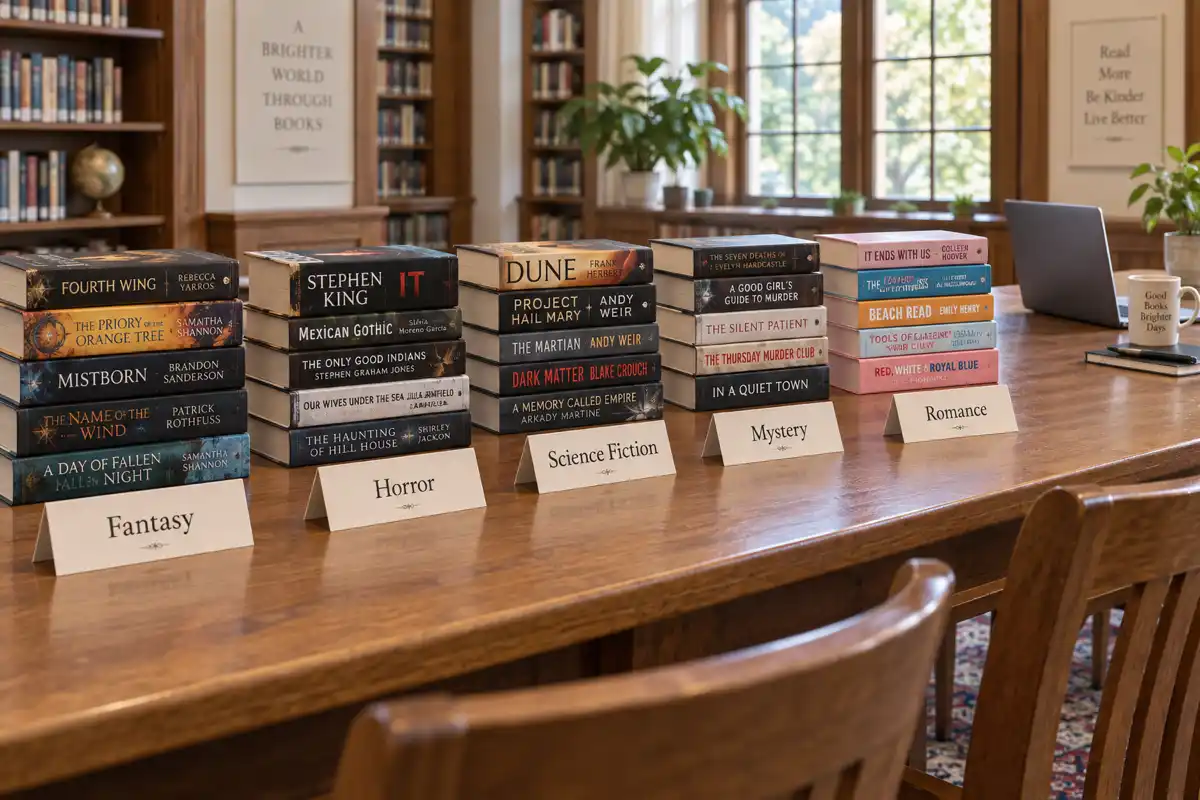
Tools Best AI for Writing Fantasy, Horror, Sci-Fi, Mystery and Romance Novels in 2026, Genre by Genre
The best AI for writing a novel depends on the genre. Fantasy needs world memory, mystery needs clue tracking, romance needs heat rules, horror needs restraint. We judged eight AI tools genre by genre, with first-party data on what 32,482 fiction authors actually wrote in the last six months.
 Guides
 Selling AI Coloring Books on Amazon KDP: The 2026 Rules, Specs, and Math
Are AI coloring books allowed on KDP? Yes, with disclosure. The part nobody covers: the AI workflow that passes review, style consistency across 30 pages, the interior specs that cause rejections, and the royalty ladder that decides your price.
 Guides
 How to Make an Adult Coloring Book in 2026: From Idea to Printed Pages
The modern walkthrough: what makes line work read as "adult", the three ways to create pages (draw, convert, generate), how to assemble a real book instead of a stack of pages, and the fork between KDP paperbacks, Etsy printables, and printing at home.
Get ebook tips in your inbox
Join creators getting weekly strategies for writing, marketing, and selling ebooks.