
Updated October 2026 · 7 tools that run on a PC · prices checked 31 Oct 2026
Vellum Alternative for Windows (2026): 7 Tools That Run on a PC
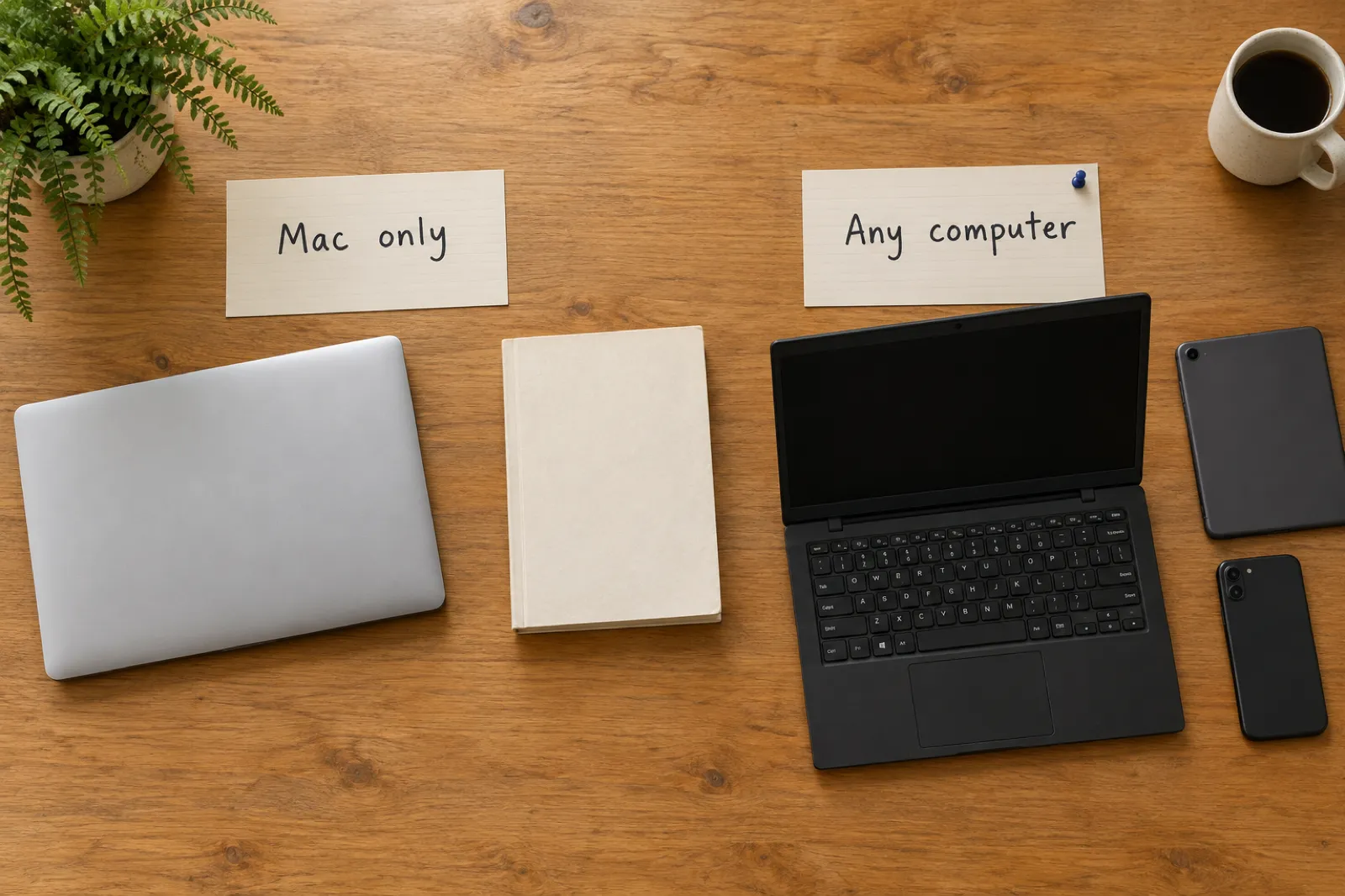
Vellum only runs on a Mac. If your book lives on a Windows laptop, these are the seven tools that will turn it into KDP files without one, Atticus included. Each entry says what the tool makes, what it costs today, and what it leaves for you to do.
By Sam May, founder of Inkfluence AI. Our own product is ranked here, and its limits are listed too.

Is there a Vellum for Windows?
No. Vellum's own site says "Vellum is only available for Mac" and asks for macOS 13 or newer. Its Windows guide suggests renting a Mac in the cloud and running Vellum there, which works but means paying for two things and formatting your book through a remote screen.
So the real question is what you want the tool to do. Atticus and Vellum are formatting tools: they lay out a manuscript you have already written and export the interior files. If that is all you need, Atticus, Lacuna and Cambric do it on a PC for a one-time price. If you also need the book written, the paperback cover wrap, an audiobook or a translated edition, Inkfluence AI does all of it in one place, in any browser, and exports the same KDP files.
We make Inkfluence AI, so weigh our ranking accordingly. We do not claim it out-typesets Vellum; Vellum's whole product is the interior. Our case is narrower: on a Windows PC, it is the one tool here that takes you from idea or Word file to every KDP file, without a second app.
Best overall on Windows
Inkfluence AI
Writes, formats, wraps the cover and exports the KDP package on any device.
Best for a Word file
Inkfluence AI
Import the .docx, choose a trim, download the numbered KDP files.
Desktop formatter
Atticus
$147 once, on Windows, Mac, Linux and Chromebook. Interior only.
Free in a browser
Reedsy Studio
Free core editor with EPUB and print PDF export.
What changed for Windows authors in 2026
Several of the pages that rank for this search still describe 2024. Each card below was read from its source on 31 Oct 2026.
Vellum is still Mac only
No Windows build has appeared. Vellum asks for macOS 13 or newer, so an older Mac will not run it either. Prices: $199.99 for ebooks, $249.99 with paperbacks.
Two more paid-once desktop formatters
Cambric ($199, Windows and Mac) and Lacuna ($149, Windows, Mac and Linux) are newer desktop formatters that run on a PC; Cambric markets itself directly as a Vellum alternative for Windows. Neither writes or designs covers.
Draft2Digital charges to distribute
Its FAQ lists a $20 one-time activation for new accounts and $12 a year for accounts earning under $100. The formatter itself stays free, even if you never distribute through it.
Affinity is free on Windows
Affinity, now part of Canva, is free for individuals on Windows and Mac and exports PDF with bleed and EPUB. You design every page yourself.
KDP takes two new titles per format a week
KDP's Create a Book page reads "Up to 2 titles per book format each week", reset every Sunday at 12:00 AM UTC. A file that bounces now costs you a slot.
Print-book details tightened
Page numbers now sit on the outside corner of left-hand pages in the KDP interior, the contents page lists each chapter's page, and Download PDF on a computer makes the same server-built file a phone gets.
The seven Vellum alternatives for Windows at a glance
Every tool below runs on a Windows PC without a Mac. They are ranked for a self-publisher who wants finished KDP files with the least extra work. Each name links to its section.
| Tool | Writes the book | Files for KDP | Price, checked 31 Oct 2026 |
|---|---|---|---|
| 1. Inkfluence AIWrites, formats and exports the bookRuns on: Any browser on Windows, Mac, Chromebook or Linux; iPhone and iPad app | YesYes, or import your own | Print PDF, EPUB, Word, numbered KDP package with full-wrap cover | Free plan; Creator $9.99/mo; credit packs from $9.99 once |
| 2. AtticusFormatting tool with an editorRuns on: Windows, Mac, Linux, Chromebook | NoYou type every word | EPUB, PDF, DOCX | $147 one-time |
| 3. CambricDesktop formatting toolRuns on: 64-bit Windows and Mac | NoFormats a finished file | Print PDF, EPUB 3, Word | $199 one-time |
| 4. LacunaDesktop formatting toolRuns on: Windows, Mac, Linux | NoFormats a .docx file | EPUB, print PDF | $149 one-time |
| 5. Reedsy StudioWeb editor and formatterRuns on: Web browser | NoYou type every word | EPUB, print-ready PDF | Free core; add-ons $4.99 and $7.99/mo |
| 6. Kindle CreateAmazon's formatting appRuns on: Windows 10 or later, Mac | NoFormats a Word file | Kindle ebook and print file for KDP | No price on the KDP pages we read |
| 7. Draft2DigitalFree formatter inside a distributorRuns on: Web browser | NoFormats a Word file | EPUB, paperback PDF | Formatting free; fees only to distribute |
Sources, checked 31 Oct 2026: Atticus, Cambric, Lacuna, Reedsy Studio, Kindle Create (KDP help), Draft2Digital FAQ. Inkfluence prices from our pricing page.
How we checked, and what we did not do
We did not buy every licence and run one manuscript through all seven tools. Here is what we did, so you can weigh the ranking yourself:
- Read every competitor's price, platforms and export formats on the vendor's own site on 31 Oct 2026. Where a page did not state a price (Kindle Create), we left it out rather than copy one from a list.
- Read KDP's own help pages for trim, bleed, margins, ebook formats and the AI questions, and quoted them in the KDP section.
- Checked every Inkfluence feature named here against the app itself and its help centre, not our marketing.
- Priced one finished novel through each route in a worked example, from published numbers. It is arithmetic, not a timed test.
If you want the wider field, Mac tools included, our best book formatting software roundup covers thirteen tools. For a straight Atticus against Vellum comparison of price, platforms and print output, read Atticus vs Vellum (2026). This page stays on one question: what to use on a PC.
1 of 7 · Best overall on Windows
Inkfluence AI: write, format and export the KDP files on any computer
Inkfluence runs in the browser, so a Windows laptop, a Mac, a Chromebook and a Linux machine all get the same app, with nothing to install and no fonts to set up. On iPhone and iPad there is an iOS app. Write on the sofa, publish from your desk.
It does the job of a formatter, and the jobs before and after it. Start from an idea and it plans and writes the chapters, fiction or non-fiction. Or bring your own manuscript: Import a document takes Word, EPUB, PDF, text or Markdown, detects chapters from your headings, and lets several files come in as one book. Either way you end up in a full editor where you can rewrite anything by hand.
When the book is ready, the Export window builds the print PDF at any of nine trim sizes, the Kindle EPUB and a Word file, with a live preview beside the settings. The AI book formatter page walks through every setting.
What the KDP package holds
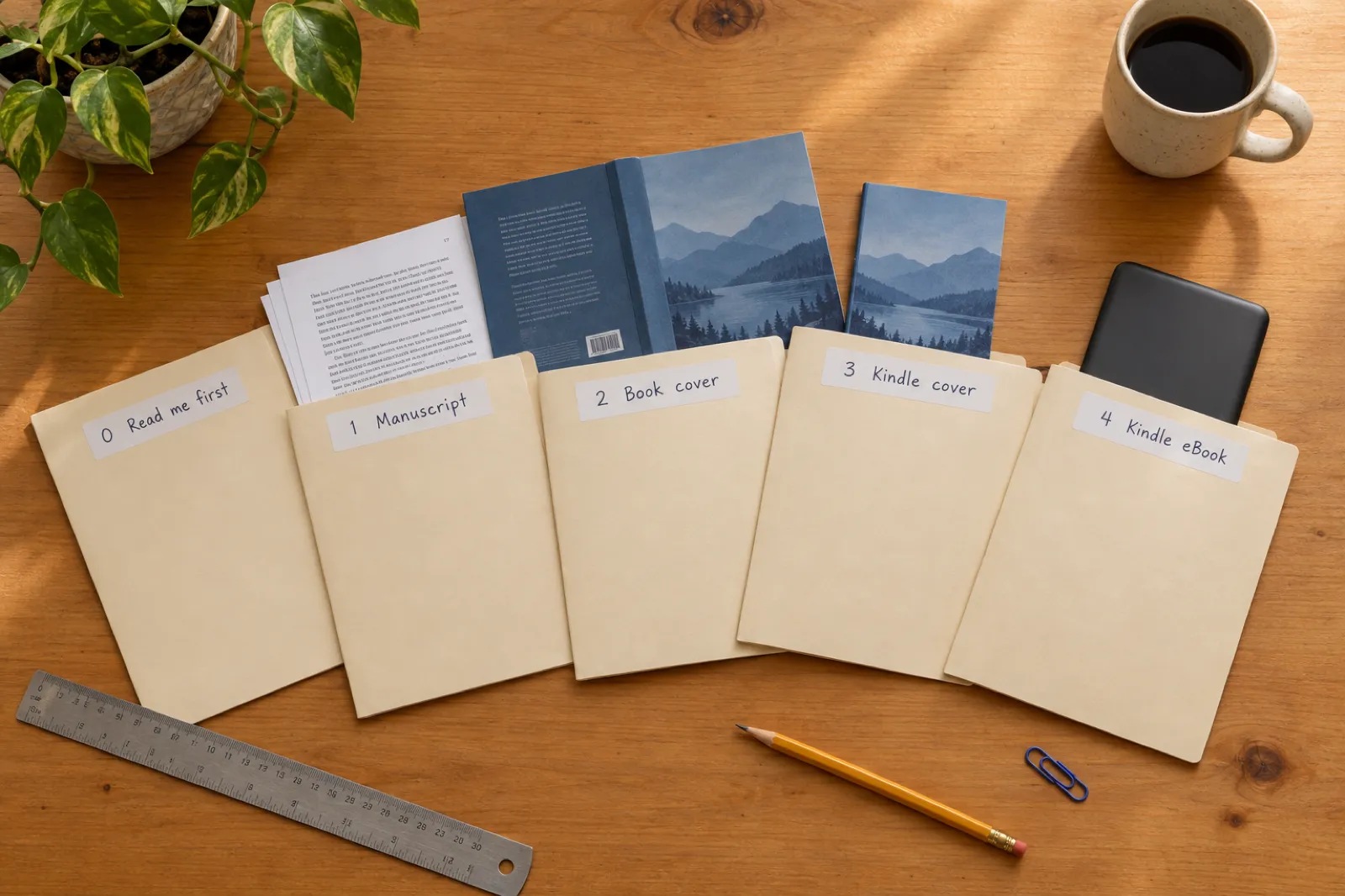
Export, then the KDP tab, then Export KDP Package downloads one zip, built to the book's real page count:
- 1Upload to MANUSCRIPT: the print-ready PDF at your trim, with the gutter sized from the page count. Text books are made with No bleed; picture books and books with full-page photos are made with bleed.
- 2Upload to BOOK COVER: one full-wrap PDF with back, spine and front, 0.125 inch bleed, and the spine width worked out from the page count and the paper you chose (the KDP spine width calculator shows the same sum).
- 3Kindle eBook COVER: the front cover as a JPG.
- 4Kindle eBook MANUSCRIPT: the EPUB.
- 0READ ME FIRST: which file goes in which box, plus the trim, page count, spine width, paper, print cost and royalty.
How much control you get over the look
Five book styles (Standard, Classic, Modern, Structured and Workbook), three chapter-title sizes, a choice of serif and sans-serif fonts, five body text sizes, and design switches for drop caps, chapter dividers and pull quotes on every plan, with callout boxes, step badges, recipe cards and page borders on paid plans. Headers and footers, page numbers and the contents page are set in the same window. In the KDP interior, the contents list the page each chapter starts on, and page numbers sit on the outside corner of every page, away from the spine.
That is a book-sized set of choices, not a typesetter's. If you want to tune every heading ornament by hand, a dedicated formatting tool is built for exactly that. What Inkfluence adds is everything around the interior: the cover designer with the full wrap, the audiobook studio, translated editions through the book translator, and the Amazon listing kit.
Free plan
5 chapters a month and a print PDF with a small footer credit. Good for trying the editor and the preview on your own book.
Paid once
Credit packs: 15 for $9.99, 25 for $12.99, 50 for $24.99. They never expire, and any pack unlocks EPUB, Word and the KDP package.
Monthly
Creator $9.99 a month or $89 a year; Premium $19.99 a month or $179 a year, with more chapters, pictures, audio and translations.
Limits, plainly: no Windows desktop app (it is the browser), no Android app yet (the web app works in a phone browser), and no large-print or box-set presets. The one-on-one comparisons are Inkfluence AI vs Vellum and Inkfluence AI vs Atticus.
2 of 7 · The formatting tool most Windows users try first
Atticus: a formatting tool for a book you have already written
Atticus is the closest thing to "Vellum for Windows". Its homepage lists Windows, Mac, Linux and Chromebook, exports EPUB, PDF and DOCX, and costs $147 as a one-time payment ("No monthly fees. Forever."), with future updates included and a 30-day money-back guarantee, checked 31 Oct 2026.
It is a formatting tool with a writing editor built in: you can type your book in Atticus and lay it out in the same app. What it does not do is write. Its homepage makes no mention of AI, so the manuscript is yours to produce, and the paperback cover wrap is designed somewhere else.
Worth knowing: who is behind it
The Atticus homepage is signed by the "Founder of Kindlepreneur" and "Publisher Rocket". Kindlepreneur is the publishing blog that holds many of the top results for Vellum and Atticus searches, including its own Vellum-for-Windows and Vellum-alternatives articles. That does not make Atticus a poor choice. It does mean the most-read verdict on Atticus comes from its maker, so compare it against vendor pages and your own trial.
Pick it if: the words are finished, you want an installed formatter on a PC, and paying once matters more than the cover or audio.
Skip it if: you still need the book written, or you want the cover wrap and EPUB from the same place.
Looking for an Atticus alternative as well?
Plenty of Windows users land here after trying Atticus, not Vellum. The reasons we hear most are the same three, and each one points to a different tool on this list:
"I still have to write it"
Inkfluence AI
Plans and writes the chapters, then exports the same print PDF and EPUB, plus the cover wrap.
"I want a formatter, just a different one"
Lacuna or Cambric
Desktop formatters paid once: $149 (Windows, Mac, Linux) and $199 (Windows and Mac).
"I don't want to pay $147"
Reedsy Studio or Draft2Digital
Free formatting in a browser, with fewer layout choices.
One more reason comes up often: the book needs more than an interior. A paperback needs the full-wrap cover at the right spine width, a Kindle edition needs the EPUB and a front cover image, and many authors now want an audiobook or a second language as well. Atticus covers the interior part of that list. Inkfluence AI covers the whole list, which is why it sits first here and first on our best AI tools for KDP page.
If you are weighing an AI book tool against Atticus and want a head-to-head, the Inkfluence AI vs Atticus comparison goes feature by feature, and answers whether Atticus has AI.
3 of 7 · Desktop formatter, Windows and Mac
Cambric: a newer paid-once formatter aimed at Vellum users on a PC
Cambric is a native desktop app for 64-bit Windows and Mac at $199 one-time, with a 30-day money-back guarantee, checked 31 Oct 2026. It advertises more than twenty book styles, print PDF and EPUB 3 export, and a clean Word export for sending drafts back to an editor. There is no free trial; the site suggests testing it with a real manuscript inside the refund window.
It is a formatting tool, not a writer. The only AI on its homepage is a clause in its copyright-page generator. Covers are designed elsewhere.
Pick it if: you want a Vellum-style desktop formatter on Windows with a wide set of styles and do not mind the highest one-time price of the seven. Skip it if: you need the book written, a cover wrap, or a way to try before paying.
4 of 7 · Desktop formatter, Windows, Mac and Linux
Lacuna: a paid-once formatter you can try in full first
Lacuna costs $149 once for unlimited books, runs on Windows, Mac and Linux, and makes EPUBs and print-ready PDFs for paperbacks, hardcovers and ebooks, checked 31 Oct 2026. You import a .docx file (from Word, Google Docs or LibreOffice). The trial has every feature with no card needed; you pay when you are ready to export.
It runs locally and says it does no AI training. Like Atticus and Cambric, it formats a finished manuscript; writing and cover design happen elsewhere.
Pick it if: you are on Windows or Linux, want an installed formatter, and like to see the result before paying. Skip it if: the manuscript is not written yet, or you want your KDP cover from the same tool.
5 of 7 · Free, in a browser
Reedsy Studio: free writing and formatting in the browser
Reedsy Studio says its "core writing and formatting features are completely free". It runs in a web browser, so it works on Windows like everything else, and exports EPUB and a print-ready PDF. Optional add-ons are listed on the same page as Studio Essential ($4.99 a month) and Outlining ($7.99 a month), with a 30-day trial and 10% off yearly on its pricing page, checked 31 Oct 2026. Reedsy states it will never use your writing to train AI.
The trade-off for free is control: a few preset themes and trim sizes rather than a full style editor, no cover design, and no dedicated mobile app (it works in a phone browser). For a plain novel going to KDP, that is often enough.
Pick it if: you want to type and format a simple book for nothing. Skip it if: you need the book written, a cover wrap, or more than a handful of looks.
More: Inkfluence AI vs Reedsy.
6 of 7 · Amazon's own app
Kindle Create: Amazon's formatter, built for KDP only
Kindle Create is Amazon's desktop app for preparing a book for KDP. KDP's getting-started page lists Windows 10 or later and Macs from macOS 10.15 (macOS 11 on Apple M1). You import a Word file, choose a theme, and the same project prepares the Kindle ebook and the paperback. The KDP pages we read on 31 Oct 2026 do not state a price, so we do not show one.
The limits are Amazon's own words. Its themes page says "These themes cannot be edited by the user", and that tables, lists, footnotes and images inside a paragraph cannot be edited in Kindle Create; you change them in Word and re-import. There is no cover design and no writing.
Pick it if: you have a text-only novel in Word, it is going to Amazon and nowhere else, and you want Amazon's own tool. Skip it if: your book has tables or footnotes, you want a look of your own, or you plan to sell outside Amazon.
7 of 7 · Free formatter inside a distributor
Draft2Digital: free EPUB and paperback PDF, with an AI policy to read first
Draft2Digital is a distributor that sends ebooks to stores other than Amazon, and its layout tools come free. Its FAQ says you may use them "free of charge, even without ebook distribution", and download "a pixel-perfect paperback PDF or ebook EPUB file without having to publish through D2D". It runs in the browser.
Fees apply only if you distribute: a $20 one-time activation for new accounts, $12 a year for accounts earning under $100 in book sales, and a commission of about 10% of the retail price. Its content policy matters for AI books: it does not accept text "generated entirely by AI/LLMs" without substantial human editing, nor uncredentialled AI non-fiction.
Pick it if: you want a free EPUB and simple paperback PDF from a Word file, or you plan to go wide. Skip it if: you want control over the layout, or your book is AI-written and you plan to distribute through it. Our IngramSpark vs KDP guide covers the wider distribution choice.
Other routes: Vellum on a rented Mac, Affinity, and Word
Three more ways Windows users get a book formatted. None made the ranked list, for the reasons given.
Vellum through a cloud Mac
Vellum's Windows guide walks through MacinCloud, a remote Mac you control from your PC, with plans it describes as "as low as $1 USD per hour". You still buy Vellum ($199.99 for ebooks, $249.99 with paperbacks). It works, but every edit happens over a remote screen, and you pay for both.
Affinity
Free page-layout software for Windows and Mac, now from Canva (a free Canva account is needed). It exports PDF with bleed and crop marks, and EPUB. It is a designer's tool: you build every master page and style yourself, which suits illustrated books more than novels.
Word with KDP's templates
Most Windows authors already own Word, and KDP publishes Word templates per trim size. You set mirror margins and styles by hand, and there is no EPUB export. Our KDP paperback template page and Google Docs to KDP guide cover that route.
Scrivener also runs on Windows, but it is a drafting app whose Compile step can export a PDF and EPUB, not a formatter first; see Inkfluence AI vs Scrivener. If you are on a Mac after all, our best ebook creation apps for Mac list starts there.
Which tool fits which job
Find the row that sounds like you. If two rows do, the tool that appears in both is usually the right one.
| Your situation | Pick | Why |
|---|---|---|
| You have an idea, not a manuscript, and want a KDP book | Inkfluence AI | The only tool here that writes the chapters. The KDP package comes from the same place. |
| You wrote the book in Word or Google Docs and want KDP files tonight | Inkfluence AI | Import the .docx, pick a trim, download the numbered KDP package and the EPUB. Nothing to install. |
| You want the paperback cover wrap as well as the interior | Inkfluence AI | Full-wrap PDF with spine width from the page count and 0.125 in bleed, in the same zip. |
| You work on a Chromebook, a work laptop or a phone | Inkfluence AI | Runs in a browser; iPhone and iPad have an app. Atticus also runs on Chromebook. |
| You only want a desktop formatter, paid once, for many finished books | Atticus, Lacuna or Cambric | Pure formatting tools at $147, $149 and $199. They expect the words to be done. |
| You want to spend nothing on formatting | Reedsy Studio or Draft2Digital | Both format for free in a browser. Fewer layout choices; no cover wrap from Reedsy. |
| You want an audiobook or a translated edition of the same book | Inkfluence AI | Narration and translation sit beside the export. None of the formatters do either. |
Still choosing a writing tool rather than a formatter? The best AI book writing software compares the writers, and the best AI book writer with no subscription covers the pay-once options.
What a KDP paperback file has to get right, whichever tool you use
Every tool on this page is judged by the same reviewer in the end: KDP's file check. These are the rules from KDP's trim, bleed and margins page, read on 31 Oct 2026.
Trim and bleed
KDP calls 6 x 9 inches "the most common trim size for books in the US". A text-only book uses No bleed. A book with images running to the edge needs bleed: KDP trims 0.125 inch from the top, bottom and outside edge, so a 6 x 9 interior with bleed is set up at 6.125 x 9.25 inches. Our KDP trim sizes guide lists every size and its page limits.
Margins
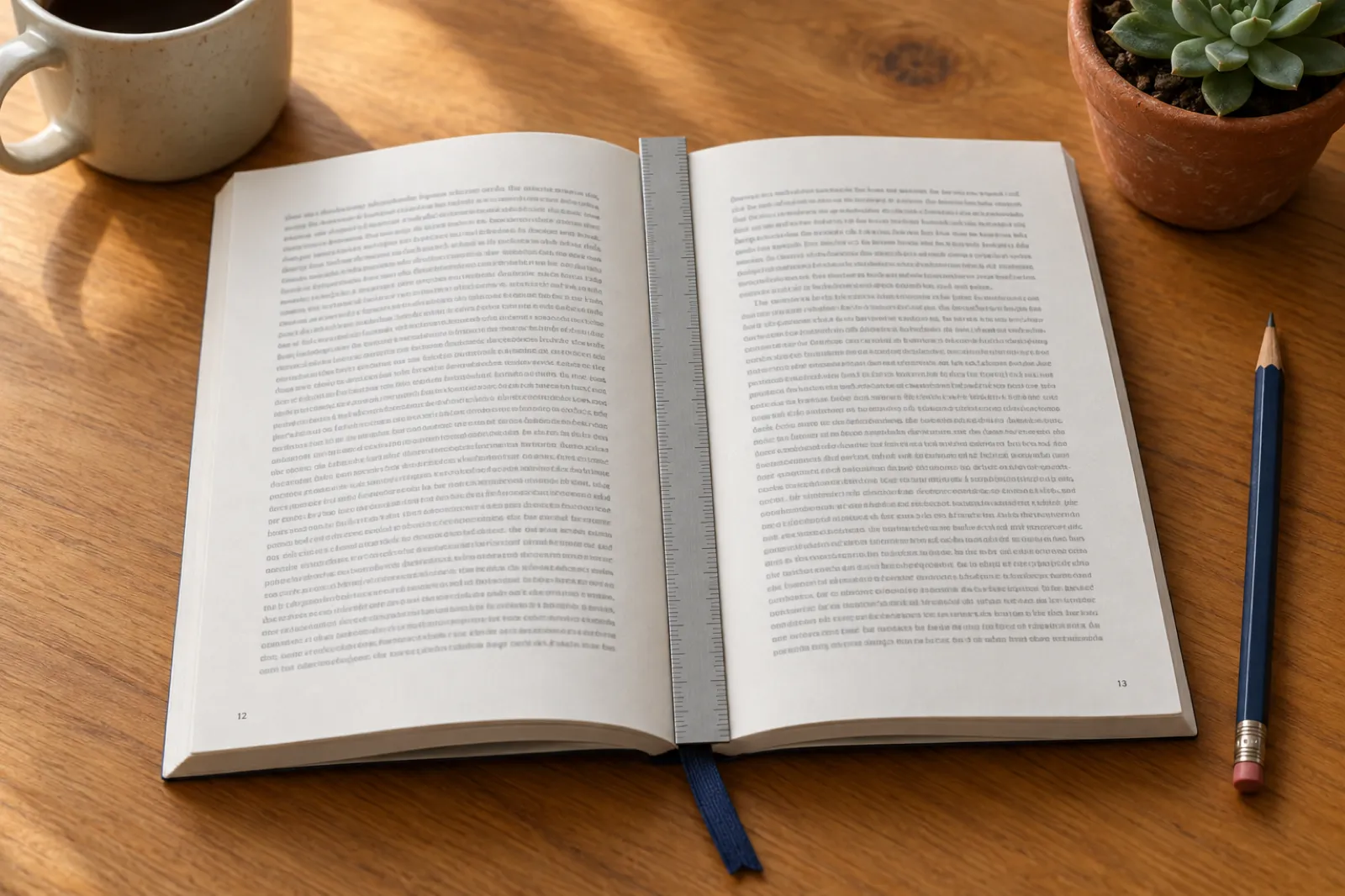
The outside margins (top, bottom and outer edge) must be at least 0.25 inch without bleed and 0.375 inch with bleed. The inside margin, the gutter, grows with the page count:
| Page count | Minimum inside margin |
|---|---|
| 24 to 150 | 0.375 in (9.6 mm) |
| 151 to 300 | 0.5 in (12.7 mm) |
| 301 to 500 | 0.625 in (15.9 mm) |
| 501 to 700 | 0.75 in (19.1 mm) |
| 701 to 828 | 0.875 in (22.3 mm) |
Inkfluence sizes the gutter from the page count for you. With a desktop formatter, check the inside margin setting once the page count is final.
The cover is a separate file
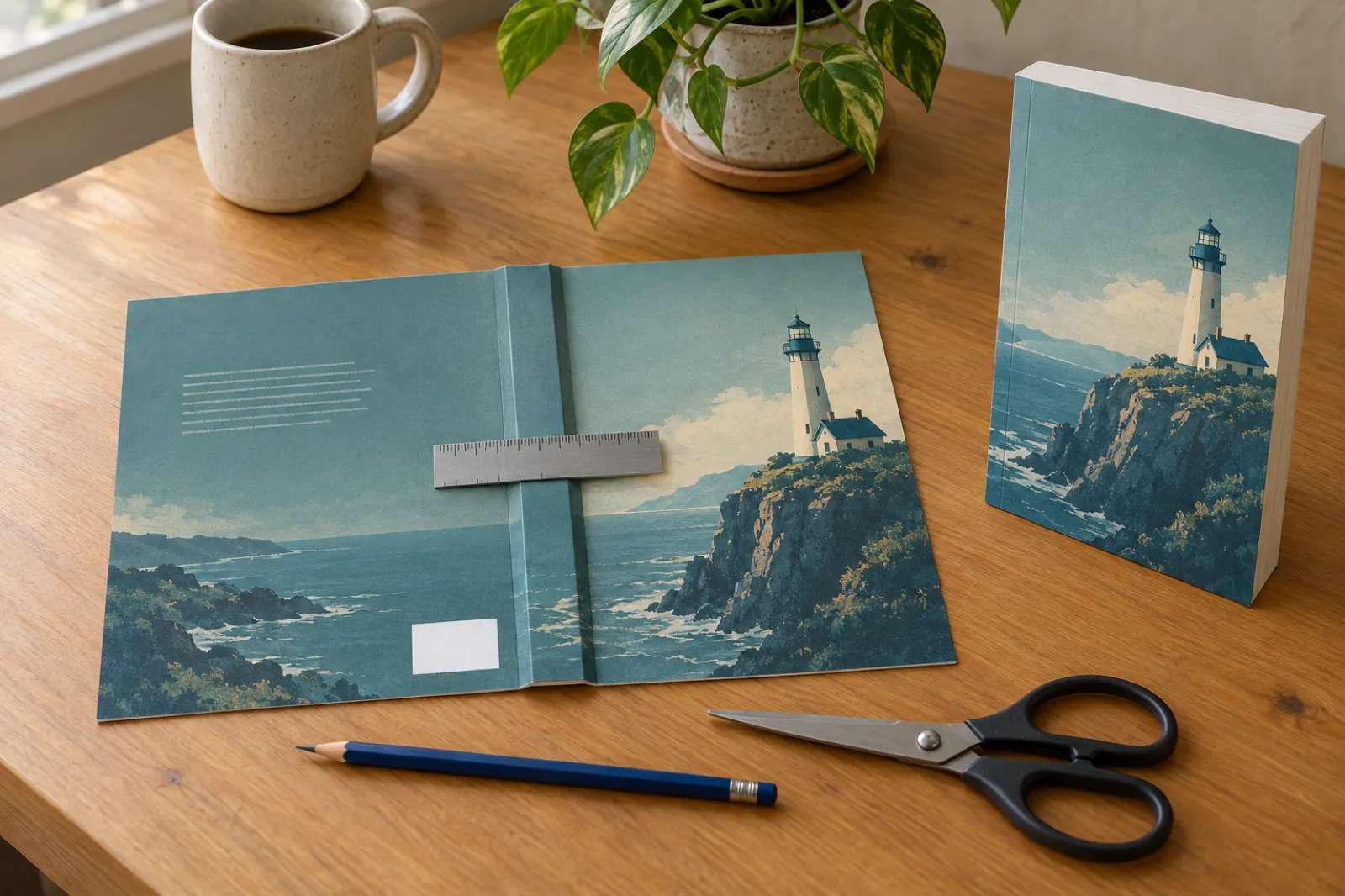
One PDF with back, spine and front, 0.125 inch bleed all round, the spine width set by page count and paper. KDP's cover page has the template; our spine width calculator does the sums.
EPUB for the Kindle edition
KDP's ebook formats page lists Word, KPF and EPUB among the main formats, with PDF accepted only in some languages. An EPUB gives the cleanest Kindle result. See how to format a book for Kindle.
Answer the AI questions
KDP's content guidelines ask you to declare AI-generated text, images and translations, even after edits; AI-assisted editing needs no declaration. Our KDP AI disclosure guide goes question by question.
For the whole upload, step by step, read how to format a book for KDP and paperback publishing on KDP. If a file has already come back, KDP rejected my book lists the usual reasons.
Worked example: one finished novel, formatted on a Windows PC
A worked example from published numbers, not a timed test. The book: a 60,000-word novel already written in Word, going to KDP as a Kindle ebook and a 6 x 9 paperback on white paper.
- 1.Page count: at about 228 words on a 6 x 9 page, 60,000 words is roughly 263 pages before front matter. Your fonts and spacing will move this.
- 2.Gutter: 263 pages falls in KDP's 151 to 300 band, so the inside margin must be at least 0.5 inch. Outside margins at least 0.25 inch, with No bleed for a text novel.
- 3.Spine: at KDP's 0.002252 inch per white page, the spine is about 0.59 inch, well over the roughly 80 pages KDP needs before it prints spine text.
- 4.Cover wrap: 0.125 + 6 + 0.59 + 6 + 0.125, so about 12.84 inches wide by 9.25 inches tall, as one PDF.
- 5.In Inkfluence: import the .docx, check the chapters it found, choose Trade 6 x 9, design or upload the cover, then Export KDP Package. READ ME FIRST repeats the page count, spine width and paper so you can match them in KDP.
- 6.With a desktop formatter: import the .docx, choose a style and trim, export the interior PDF and EPUB, then build the 12.84 inch wrap in a design tool from KDP's template.
One-time cost to get this book's KDP files on Windows
Lower is cheaper. Vendor prices checked 31 Oct 2026.
Paid once. Unlocks EPUB, Word and the KDP package, cover wrap included
One-time licence, interior only
One-time licence, interior only
One-time licence, interior only
Plus cloud-Mac time, from $1 an hour per Vellum's own guide
The formatter licences cover unlimited books; so does the Inkfluence export unlock once a pack is bought. Reedsy Studio and Draft2Digital would cost $0 for the interior, with the cover wrap still to make.
What you still need after the interior is formatted
A formatter finishes one file. A book on sale usually needs five more things, and this is where a formatter-only setup turns into four subscriptions. Here is what each job takes in Inkfluence.
The manuscript
Written from your idea, or imported. Fiction keeps a Story Bible so later chapters remember earlier ones. See the AI book writer.
The cover wrap
Front from an AI image or your own, back blurb laid out, spine sized from the page count, inside Amazon's safe area.
The Kindle edition
EPUB and front-cover JPG in the same KDP zip. More in ebook export and publishing.
The audiobook
Narration voices or your own recording. Creator includes 15 audiobook chapters a month, Premium 30. AI narration goes to stores that accept it, not ACX.
A second language
A translated copy of the whole book in more than 50 languages, with its own KDP package.
The Amazon listing
Description, seven keyword boxes and categories drafted from the book, plus A+ Content images, on the Publish page.
Our Inkfluence AI vs the usual publishing stack page adds up what the separate tools cost, and the real cost of publishing an AI book covers editing, ISBNs and proofs too.
Frequently asked questions
Is there a Vellum for Windows?+
What is the best Vellum alternative for Windows?+
Can I run Vellum on a Windows PC?+
What is the best Atticus alternative?+
Who owns Atticus?+
Is there a free Vellum alternative for Windows?+
Does Inkfluence AI format a book I wrote myself?+
Does Inkfluence AI have a one-time payment option?+
What files does KDP need for a paperback and a Kindle ebook?+
Do I have to tell KDP I used AI?+
Is Atticus or Vellum better than an AI book tool?+
Related comparisons and guides
Compare
Inkfluence AI vs Vellum
Head to head, feature by feature.
Compare
Inkfluence AI vs Atticus
Does Atticus have AI, and what it costs.
Guide
Atticus vs Vellum (2026)
Price, Windows vs Mac, print output.
Best of
Best book formatting software
Thirteen formatters, Mac included.
Tool
AI book formatter
Every export setting, explained.
Best of
Best AI tools for KDP
One pick for every publishing job.
Guide
How to format a book for KDP
Settings, files and the upload.
Guide
Format a book for Kindle
The ebook side, step by step.
Reference
KDP trim sizes
Every size, with page limits.
Tool
AI book cover generator
Front, spine and full wrap.
Guide
Self-publishing guide
From manuscript to live book.
Free tools
KDP tools
Calculators and generators for KDP authors.
No Mac needed: write, format and export your book in one place
Open Inkfluence in any browser on your PC, import your manuscript or start from an idea, and download the print PDF, EPUB and full-wrap cover as one KDP package. The free plan gives you 5 chapters a month; a credit pack from $9.99, paid once, unlocks the KDP files.