
· TikTok facts checked 11 Nov 2026
BookTok for Authors: What to Post, How to Hook and How Often
BookTok is readers telling other readers which book to pick up next. An author who joins in well sounds like a reader who happens to have written the book. This guide covers what TikTok's own numbers say, eight video types that suit authors, hooks for the first three seconds, a free generator that plans your first two weeks, and how to make the videos straight from your book.
By Sam May, Founder of Inkfluence AI
Quick answer
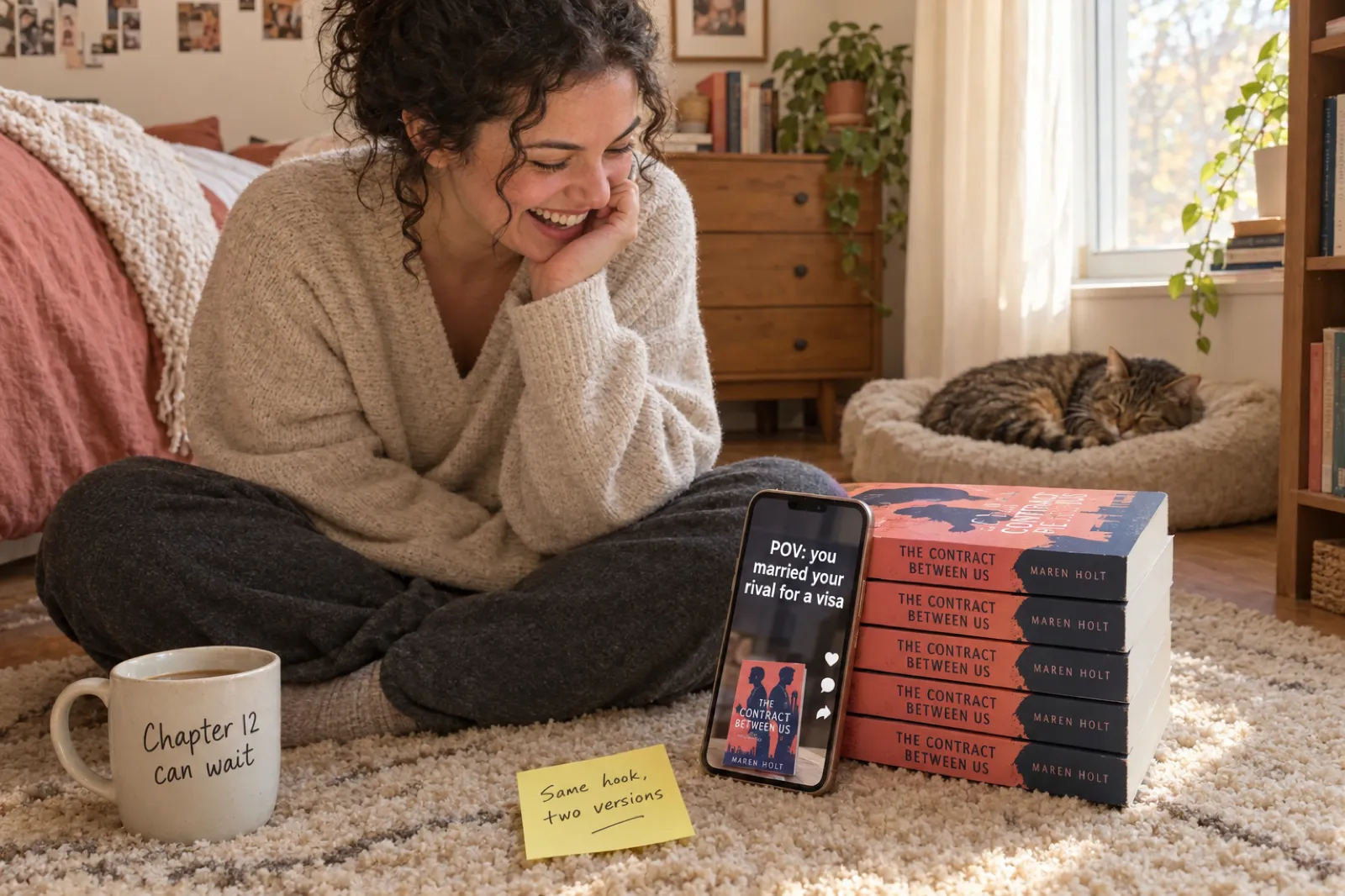
On BookTok, post as a reader of your own book. Open every video with a line a reader would react to (a POV premise, a trope, a striking first sentence), keep it to 15 to 30 seconds, show the cover, and say where the book is. Post about three times a week for two months, then remake your best video with a new opening line. Inkfluence AI makes the book-led videos for you from the book's own words and pictures: a vertical 1080 x 1920 MP4 with a voice, captions and an ending card, in about a minute, 20 a month on Creator or 60 on Premium.
75M+
Posts using #BookTok worldwide, per TikTok, 19 March 2026.
50M+
Books recommended by #BookTok sold in Europe, per TikTok citing NielsenIQ BookData and Media Control.
3 seconds
Where TikTok's own creative guidance says your proposition should land.
9:16
Vertical, 1080 x 1920: the shape TikTok recommends and every video here uses.
8 formats
Video types that suit an author, five of which the studio makes from your book.
3 a week
A pace you can keep for two months, which is how long it takes to learn what works.
What BookTok is, from an author's side
BookTok is not a separate app. It is the part of TikTok where people post about books, gathered under the #BookTok hashtag and its many neighbours: #RomanceBooks, #FantasyBooks, #ThrillerBooks, #KidLit and hundreds more. Most of the people posting are readers. They film themselves crying at the end of a novel, list the tropes in a book they could not put down, read a first line aloud, or hold up a stack of "books like the one you just finished".
That shapes what works for an author. A video that sounds like an advert ("My new novel is available now on all platforms") is scrolled past, because it sounds like nothing else in the feed. A video that sounds like a reader recommending a book ("POV: you agreed to fake-date your brother's best friend and he took it very seriously") fits in, and the cover at the end does the selling.
So the job is to make your book easy to talk about. That means knowing your book's three strongest hooks before you film anything: the premise as a single line, the tropes or promises a reader will recognise, and one passage from the opening chapters that shows how you write. The planner below turns those into two weeks of videos.
BookTok by TikTok's own numbers
TikTok has published BookTok figures for four years. They are TikTok's numbers about its own community, each tied to the date it was published, and they measure different things (views, then posts, then sales), so read them as a timeline rather than a trend line. All checked on TikTok's newsroom 11 Nov 2026.
| Date | What TikTok said | Context |
|---|---|---|
| 29 Jun 2022 | #BookTok had over 60 billion views and nearly 11 million videos | Launch of a Barnes & Noble partnership with in-store BookTok displays |
| 20 Sep 2022 | Over 77 billion views | Users in the US and UK could link Penguin Random House books inside videos |
| 17 Nov 2022 | Over 88 billion views | Books category launched on TikTok Shop UK |
| 17 Aug 2023 | 167 billion views | Winners of the first TikTok Book Awards UK and Ireland |
| 19 Mar 2026 | More than 75 million posts; more than 50 million BookTok-recommended books sold in Europe; about EUR 800 million in revenue in 2025 | Sales data from NielsenIQ BookData and Media Control; Bestseller List expanding to the UK, Italy and Spain |
| 4 Jun 2026 | Nearly 78% of young BookTokers said their interest in reading had increased | Announcement of a BookTok evening at the British Library |
What the numbers tell an author: book videos are a large, settled habit, not a passing trend, and they move real copies. What they do not tell you is how your videos will do. A community of 75 million posts is also 75 million videos to compete with. The authors who get something from BookTok post steadily, sound like readers, and give each video one clear reason to care.
Eight BookTok video types that suit an author
These are the formats readers already make, adjusted for the person who wrote the book. Five of them can be made from the book itself in the Inkfluence AI video studio; three need you, a phone and twenty seconds of honesty.
| Format | On screen | Best for | How to make it |
|---|---|---|---|
| 1. POV hook | "POV:" plus the premise, then the cover | Romance, thrillers, YA | Studio: Tropes or Suspense teaser |
| 2. Trope stack | Three tropes appear one by one | Romance, romantasy, cozy mystery | Studio: Tropes |
| 3. First page | A real passage, read aloud, words lighting up | Literary, historical, any fiction | Studio: Page excerpt |
| 4. World or character intro | The world, the stakes, the turn | Fantasy, sci-fi, series | Studio: World intro |
| 5. Three takeaways | Three numbered tips from the book | Non-fiction, how-to, memoir lessons | Studio: Key takeaways |
| 6. "If you liked..." | You holding a well-known book, then yours | Every genre | Film yourself, 10 to 20 seconds |
| 7. Behind the book | Why you wrote it, in one sentence | Memoir, debut novels, niche non-fiction | Film yourself, talking to camera |
| 8. Answer a reader | A reader's question on screen, your answer | Anyone with a few comments | Film yourself, or make a new book video that answers it |
There is a ninth that is not a format so much as a habit: the same book with a new hook. When a video does well, make it again with a different opening line and post it a week later. Most authors make one video per idea; the ones who learn fastest make two.
TikTok also has Photo Mode, which plays a carousel of still images with music (TikTok announced it in October 2022). A carousel of your cover, a page with a highlighted line and a mood picture is a quick post between videos, but the narrated video formats above are where your words get heard.
TikTok hooks for authors: the first three seconds
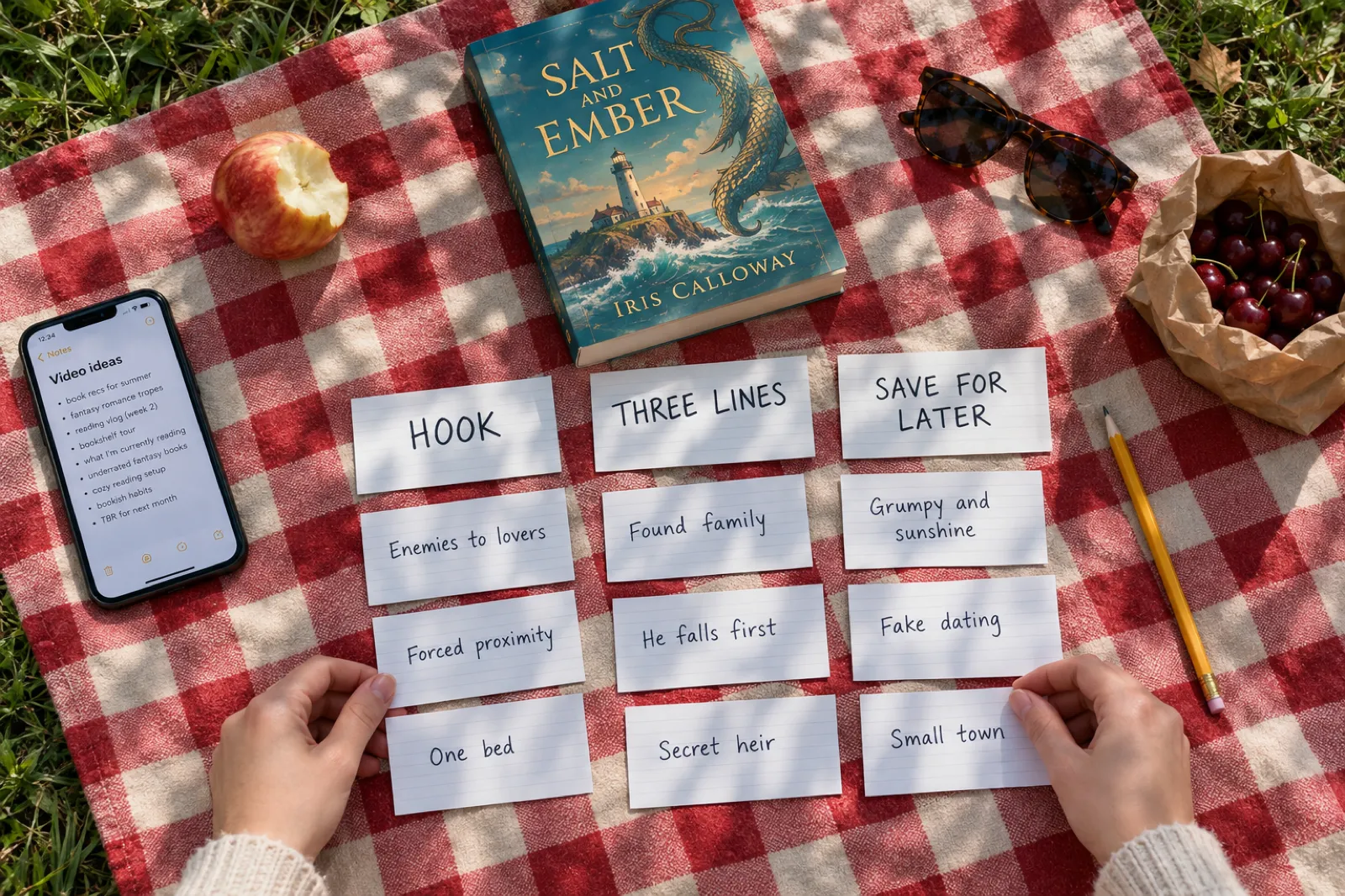
TikTok's creative guidance for advertisers says to introduce your proposition in the first three seconds and put your hook in the first six. Ads are not posts, but the reason is the same: people decide almost at once whether to keep watching. For a book, the proposition is a feeling the reader is going to have. These are the hook patterns that suit authors, each written for an invented book so you can see the shape.
The POV
"POV: you married your rival for a visa." Puts the viewer inside the premise. Romance and YA's native voice.
The trope promise
"One bed. A snowed-in cabin. Two people who hate each other." Readers search by trope; say yours out loud.
The cold open
"The ferry left at nine. Only eight of us got off." A real sentence from your opening chapter, if you have one this good.
The "what if"
"What if the tide only came in once a year?" Opens a world in one question. Fantasy, sci-fi, picture books.
The reader's complaint
"Tired of heroines who forgive everything in chapter two?" Names a frustration your book fixes.
The straight problem
"Stop guessing what your balcony can grow." Non-fiction: the reader's problem, said plainly.
The comparison
"If the last book you finished broke your heart, read this one next." Borrows a feeling the viewer already had.
The confession
"I wrote the villain to be likeable. Readers are furious." Works when it is true and a little funny.
Two rules make any of these better. Keep the hook short: the studio caps the opening line at nine words, and five or six usually reads faster. And never open on the title or "my book": the title means nothing to a stranger yet, and it is on the cover at the end anyway.
If you want more hook patterns written for longer trailers, the book trailer guide's section on opening lines goes deeper, and the book description generator is a quick way to find the sentence that sums up your premise.
BookTok video plan generator: your first two weeks
Fill in what you know about your book. The generator writes a two-week plan of BookTok video ideas, with the opening line for each one filled in from your answers, what to show, whether the studio can make it from your book, and a caption starter with tags for your genre. It runs in your browser; nothing is sent anywhere, and you can copy the plan as text.
Your two-week plan
Hashtags are common community tags, not a guarantee of reach. The studio writes its own caption for each video from your book; this is a starting point.
Four book videos ready for TikTok
Made in the Inkfluence AI video studio from four books written in the app, with nothing edited afterwards. Each is a vertical MP4 you could upload to TikTok as it is. Press play for sound.
Notice what they share: an opening line readable in two seconds, words that stay clear of the buttons TikTok lays over the right edge and bottom of the screen, and the cover at the end with where to find the book. Notice also what none of them do: say "my new book", show a price, or mention AI.
Making BookTok videos from your book, step by step
The book-led formats (POV, tropes, first page, world intro, takeaways) are all built from the same five scenes: an opening line, three lines and an ending card. Here is how that works in Inkfluence AI.
- Get the book into your account. Write it in the app, or import a Word, PDF, EPUB or text file. The studio reads the title, the description and the opening chapters (or every page of a picture book), so a clean import and a real description help. The import guide covers each file type.
- Open the studio. Choose Make a video from the book's menu, the Publish page, the Video card in Tools, or Video in the editor. It works on a phone too.
- Pick the style for the format. Tropes for a trope stack or POV, Page excerpt for a first-page video, World intro for fantasy, Suspense teaser for a cold open, Key takeaways for non-fiction, Read-aloud for a picture book. The studio marks the one that suits your book.
- Rewrite the opening line. The studio drafts one from your book; type your POV line over it if you have a better one (up to nine words). Press Hear this line to hear it read before you commit.
- Check the three lines. Each is up to twelve words. Tropes should be ones the book really delivers. Press New line for another from the book.
- Choose voice, music and ending. Six voices; music off (so you can add a sound in TikTok) or Cozy, Suspense or Playful; and an ending card that says "Out now on" your stores, "Link in bio", or up to six words of your own.
- Make, download, post. Make video takes about a minute. Download video saves the MP4; Copy caption gives you a post caption with three to five hashtags and the book's link.
For the personal formats, film on your phone in daylight, hold the book in shot, and say one sentence. Twenty seconds of you saying why you wrote the book is worth more than a minute of polish. If you want to edit those clips with captions yourself, the CapCut section of our trailer guide walks through it.
BookTok by genre: what each corner responds to
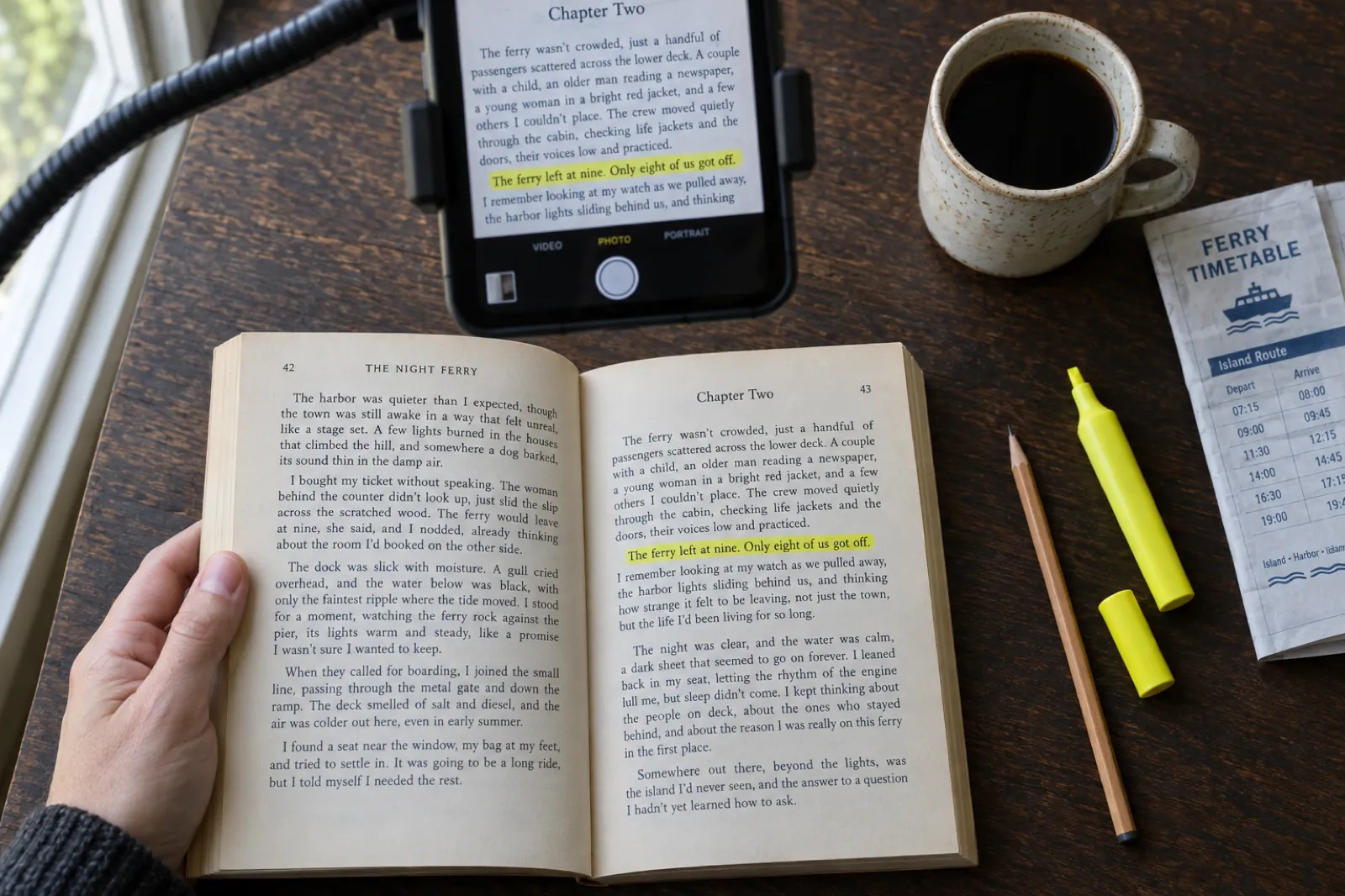
Spend twenty minutes scrolling your genre's hashtag before you post anything. You will see the same few shapes over and over. These notes are what we see in each corner, with the studio style that matches.
Romance
The biggest corner, and the most trope-literate. Readers want to know the tropes, the heat level and whether there is a happy ending, in that order. Lead with a POV or a trope stack. Style: Tropes. See how to sell romance novels and our page for romance authors.
Romantasy and fantasy
Readers buy the world and the pairing together. Name a real place or rule from the book in the first line, then the stakes. Maps and chapter art earn their keep here. Style: World intro or Tropes.
Thriller, mystery and crime
Atmosphere and a question beat plot summary. A cold first line, two clipped lines, then a question the book answers. Cozy mysteries lean on tropes instead (small town, amateur sleuth, a cat). Style: Suspense teaser.
Horror
Dark, simple pictures (a doorway, a road, a window at night) and short lines. Let the silence work: music off, the deep, steady voice. Style: Suspense teaser. Next book: the horror story generator.
Young adult
Voice is everything. A first-page video that shows how your narrator talks does more than any summary. POV lines work well too. Style: Page excerpt or Tropes.
Literary and historical
Sells on the sentences. Choose your best three consecutive sentences from the opening chapters and let a calm voice read them. Style: Page excerpt.
Children's books
Your viewer is a parent, teacher or grandparent, not a child. Show the pictures, read a page, and say the age it suits. Style: Read-aloud. Our guide on making a read-aloud video covers the longer version.
Non-fiction and memoir
Give away one useful idea per video. Memoir works as a moment, read from the page. Style: Key takeaways, or Page excerpt for memoir. See our page for non-fiction authors.
How to promote a children's book on TikTok deserves a word of its own: avoid filming children who are not yours, and remember that TikTok is for users 13 and over, so you are talking to the adults. The Read-aloud style reads three pages of your book over their own illustrations, which shows a parent exactly what bedtime with your book sounds like.
Posting on TikTok: size, caption, tags, link and AI labels
What TikTok's own pages said when we checked them on 11 Nov 2026. TikTok's help centre did not load for our checks, so this page does not quote app upload limits or caption lengths; your app shows them when you post.
| Question | What TikTok says | What to do |
|---|---|---|
| Shape and size TikTok Ads video guide | Use 9:16 vertical; export at 1080 x 1920 or higher | Every Inkfluence book video is 9:16 at 1080 x 1920 |
| Safe zone Creative best practices, June 2025 | Keep content visible within the UI safe zone | The studio keeps words between the top tenth and the bottom fifth of the frame |
| Hook Creative best practices, June 2025 | Proposition in the first 3 seconds; hook in the first 6 | The opening line is spoken and shown from the first frame |
| Captions and tags Newsroom, June 2020 | Captions, sounds and hashtags help TikTok understand a video | One or two sentences, three to five specific tags |
| Link in profile Business blog, May 2022 | Business accounts can add a website link at 1,000 followers | Until then, end on "Out now on Amazon" or the title to search |
| AI content Community Guidelines, effective 24 Sep 2026 | Label AI-generated content showing realistic-looking scenes or people; some content is labelled automatically via Content Credentials | Use the AI-generated label if unsure; the voice is made with AI |
Music. The studio leaves music off by default for a reason: TikTok lets you add a sound when you post, and a trending sound under your narration can help a video travel. If you turn on Cozy, Suspense or Playful in the studio, keep TikTok's added sound low or skip it, so the voice stays clear.
Your profile. Before your first video, make the profile a reader can act on: your author name (the one on the cover; a pen name generator helps if you write in more than one genre), one line saying what you write, and where to find the books. The author bio generator writes short bios you can trim to fit.
Hashtags that make sense for authors. #BookTok plus your genre (#RomanceBooks, #FantasyBooks, #ThrillerBooks, #HorrorBooks, #YABooks, #KidLit), plus one that describes your book (#EnemiesToLovers, #CozyMystery, #DarkAcademia). #IndieAuthor and #BookRecommendations are common too. More is not better; specific is better.
How often to post, and how long to give it
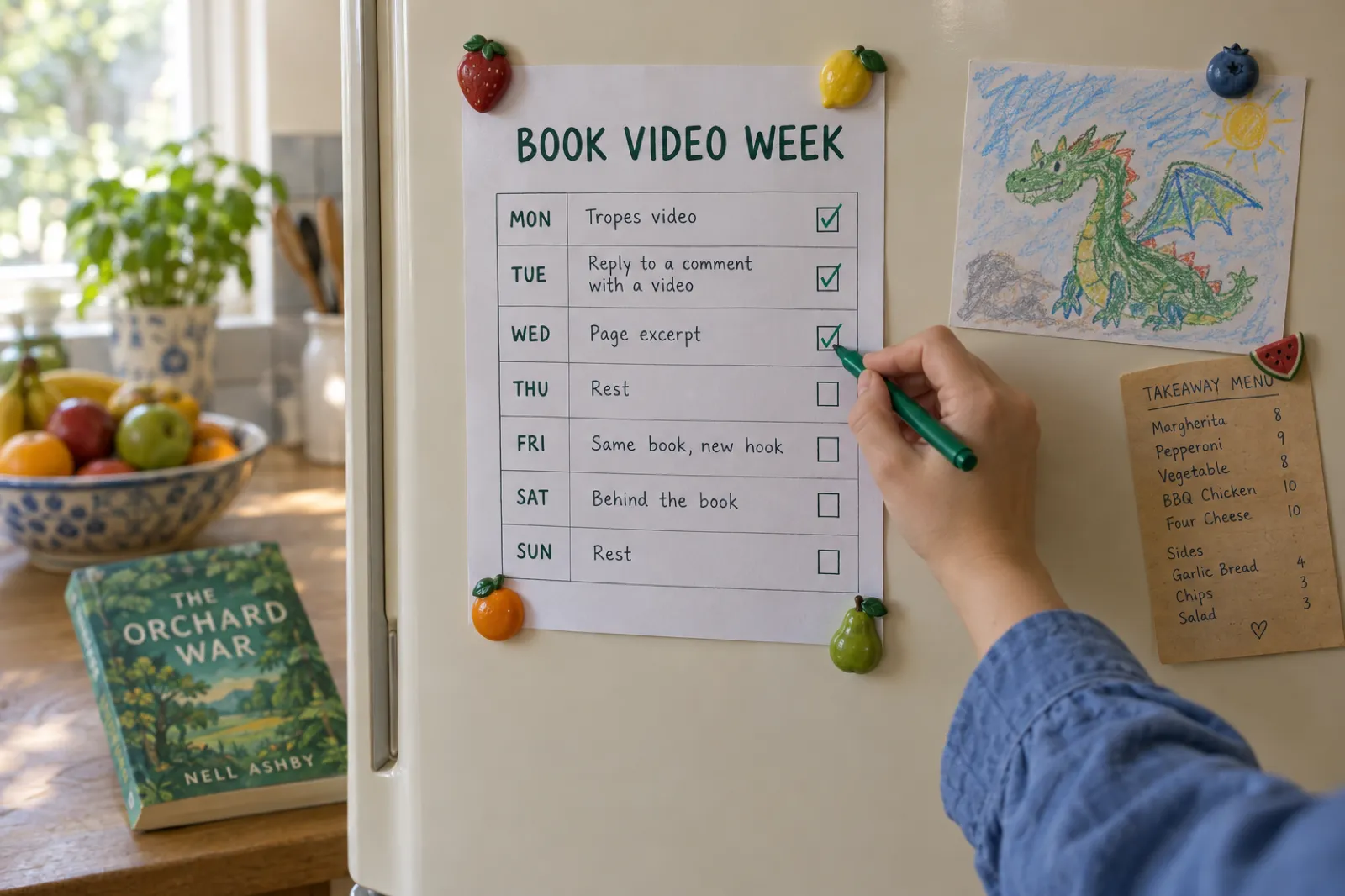
TikTok does not publish an ideal posting frequency, and anyone who quotes you an exact number is guessing. What we can say is practical: you need enough videos to see a pattern, and a pace you will still be keeping in month two.
Three videos a week for eight weeks is 24 videos. That is enough to compare hooks (POV against trope stack against first page), see which genre tags bring the right viewers, and find your one video worth remaking. Here is how that maps onto the studio's monthly allowance:
| Pace | Videos a month | Book-led share (about two in three) | Plan that covers it |
|---|---|---|---|
| 2 a week | About 9 | About 6 from the studio, 3 filmed | Creator (20 a month) |
| 3 a week | About 13 | About 9 from the studio, 4 filmed | Creator (20 a month) |
| 5 a week | About 22 | About 15 from the studio, 7 filmed | Creator, or Premium (60) for two books |
| 2 a day | About 60 | Mostly studio, several books or hook tests | Premium (60 a month) |
Batch the work. One sitting a week: make three studio videos (different styles, or the same style with three opening lines), film one personal clip, write the captions. Posting at the same times each week makes it a habit; the planner above gives you the order.
Using AI tools on BookTok without losing readers' trust
People search "booktok author using ai" because it comes up in the community, sometimes heatedly. Readers on BookTok care about honesty: about the tropes a book delivers, about who wrote it, about what is real. A few plain rules keep you on the right side of that.
- Be open about AI where it matters. If the voice in your video is made with AI, TikTok's label is there for you to use. Readers forgive a narrated video; they do not forgive feeling tricked.
- Never fake social proof. No invented reviews, ratings, awards or "bestseller" claims. The studio will not write them into a video, and you should not type them in.
- Show the real book. Your own cover, your own pages, your own illustrations. A video made from the book is a true picture of what the reader gets, which is the point of BookTok.
- Keep a human voice somewhere. Mix in the personal formats (behind the book, answering a reader) filmed by you. That is where readers decide whether they like the author.
If your book was written with AI help, the stores have their own rules about saying so; Amazon's are covered in our guide to the KDP AI disclosure policy.
What to watch after you post
Views alone will mislead you; a video can travel to the wrong people. After two weeks, compare your videos on four things TikTok's analytics show for every post: how long people watched on average, how many watched to the end, how many visited your profile from the video, and how many followed. A short book video that most people watch to the end has a hook that works.
- High views, low watch time: the opening line is good, the next three lines are not. Rewrite the lines; keep the hook.
- Low views, high watch time: the video is good and the hook is not reaching anyone. Remake it with a new opening line.
- Profile visits but no sales: check the path to the book. Is the link in your profile? Does the ending card name the store?
- One format beats the rest: make more of it. That is the whole strategy.
Book sales lag a little behind videos and arrive through the store, so watch your sales dashboard for the week after a video does well. The ebook marketing strategy guide covers the other channels to run alongside TikTok. TikTok ads need a daily budget over $50; our ad platforms guide compares cheaper places to start.
Eight BookTok mistakes authors make
- Opening on the title. Strangers do not know it yet. Open on the premise, the trope or a line.
- "My book is out now!" An announcement is not a reason to watch. Say what the reader will feel.
- Tropes the book does not deliver. "Enemies to lovers" on a book where they are friends by chapter two earns one-star reviews.
- Words under the buttons. TikTok lays its own controls over the right edge and bottom. Keep text in the middle of the frame.
- No captions. Plenty of people scroll with the sound off. Words on screen are not optional.
- Posting ten videos in week one, then nothing. Consistency beats bursts; two months is the minimum test.
- Only selling. Mix in a recommendation of someone else's book now and then. It is how readers decide you are one of them.
- Hiding where the book is. End every video on the cover and a store name or "Link in bio", and make sure the link is there.
What it costs, and what is free
Book videos are part of the Creator and Premium plans; there is no per-video charge and no share of your sales. Prices checked 11 Nov 2026.
| Plan | Price | Book videos | Also useful for BookTok |
|---|---|---|---|
| Free | $0 | Watch the examples and a moving preview of your own book; cannot make or download | Announce it on the Publish page: three launch posts and a tall story image from your cover |
| Creator | $9.99 a month | 20 a month | Small "Made with Inkfluence AI" mark on the ending card |
| Premium | $19.99 a month | 60 a month | The mark can be switched off |
A video that fails is never counted. Credit packs add chapters, not videos. Full plan details are on the pricing page. Videos work for books in languages written in the Latin alphabet (English, Spanish, French, German, Portuguese and others); Arabic, Chinese, Japanese, Russian, Hindi and other scripts cannot be made into videos yet.
Why Inkfluence is the best tool for authors on BookTok
General video apps start from a blank timeline. You bring the words, find the pictures, record a voice, time the captions and design an ending. That is fine for one video and exhausting for three a week. Inkfluence starts from the book.
- It has read your book. Opening lines and passages come from your title, description and opening chapters, never spoiling the ending.
- It speaks BookTok. Six styles built around the formats readers actually make: tropes, POV, first page, world, suspense, takeaways.
- The fiddly parts are done. Voice, word-by-word captions, safe zones, an ending card with your stores, and a caption with tags.
- One account for the whole book. The same place writes the book, makes the cover, narrates the audiobook, and now makes the videos.
Posting on Instagram and YouTube as well? The book promo video guide covers Reels, Shorts and a launch plan. Still writing? The AI novel writer, fantasy novel writer and thriller writer are where the next book starts.
BookTok for authors: frequently asked questions
Is BookTok worth it for authors?
It can be, if you treat it as a place to talk about your book the way readers talk about books they love, and post steadily for a few months. TikTok says more than 75 million posts use #BookTok and that books recommended by the community sold more than 50 million copies in Europe alone. Those are community totals, not your odds: most author videos reach a few hundred people, and the ones that travel usually lead with a feeling or a trope, not with "my book is out".
What should an author post on BookTok?
Eight formats cover most of it: a POV hook, a trope stack, the first page read aloud, a "books like" comparison, a character or world introduction, a behind-the-book clip, an answer to a reader's question, and a second version of your best video with a new opening line. Lead with what a reader feels, then show the cover.
How long should a BookTok video be?
Short. One idea takes 15 to 30 seconds. TikTok's own ad guidance says to put the hook in the first three seconds and recommends 21 to 34 seconds for most ads; for organic posts there is no magic number, but a viewer decides in the first two seconds whether to stay. Inkfluence AI book videos run 15 to 20 seconds.
How often should authors post on TikTok?
TikTok publishes no official number. Three videos a week for two months is a pace most authors can keep and enough to learn which hooks work. Posting five a day for a week and then stopping teaches you nothing. Creator's 20 videos a month covers five a week; Premium's 60 covers two a day.
How many hashtags should I use on BookTok?
TikTok does not publish a number for organic posts, and it has said captions, sounds and hashtags all help it understand a video. Three to five specific tags is a sensible habit: #BookTok, one genre tag such as #RomanceBooks or #FantasyBooks, and one or two that describe the book itself. The caption the studio writes for each video already includes three to five.
Can I make BookTok videos without showing my face?
Yes. Faceless book videos (the opening line, a few lines from the book, the cover, a voice) are a normal BookTok format. That is exactly what an Inkfluence AI book video is: your words and pictures, a narrator, captions, and your cover at the end.
Do I need to label a video with an AI voice on TikTok?
TikTok's Community Guidelines (effective 24 September 2026) require a label on AI-generated or significantly edited content that shows realistic-looking scenes or people, and TikTok labels some content automatically when it carries Content Credentials. A narrated video over your own book art is not a realistic scene, but the voice is made with AI, so use TikTok's AI-generated label if you are unsure. It costs nothing.
Can I put a link to my book on TikTok?
TikTok's business blog (May 2022) said business accounts can add a website link to the profile once they reach 1,000 followers. Rules change, so check your profile settings. Until then, say "search the title on Amazon" or end the video on "Out now on Amazon", which the studio's ending card does for you.
Can I make BookTok videos for free with Inkfluence AI?
No. A free account can write or import a book, watch the example videos and see a moving preview of its own book, but making and downloading videos needs Creator ($9.99 a month, 20 videos) or Premium ($19.99 a month, 60). The launch posts and share images on the Publish page are free on every plan.
Does BookTok work for non-fiction and children's books?
Smaller corners of it do. Non-fiction does well when the video gives away one useful idea; children's books reach the parents, teachers and grandparents who buy them, under tags like #KidLit. Fiction, especially romance and fantasy, is where most of the BookTok you will see lives.
Sources
All read on TikTok's own pages on 11 Nov 2026. If TikTok's current page disagrees with this one, TikTok's page wins.
- TikTok Newsroom, 19 Mar 2026: 75 million posts, 50 million books sold in Europe, EUR 800 million in 2025.
- TikTok Newsroom, 4 Jun 2026: nearly 78% of young BookTokers more interested in reading.
- TikTok Newsroom, 17 Aug 2023: first TikTok Book Awards UK and Ireland; 167 billion views.
- TikTok Newsroom, 17 Nov 2022: Books on TikTok Shop UK; 88 billion views.
- TikTok Newsroom, 20 Sep 2022: Penguin Random House book links in the US and UK; 77 billion views.
- TikTok Newsroom, 29 Jun 2022: Barnes & Noble partnership; 60 billion views.
- TikTok Ads Help: Creative best practices (last updated June 2025): 9:16, safe zone, hook timing.
- TikTok for Business: Video advertising guide: 1080 x 1920, 21 to 34 seconds for most ads.
- TikTok Community Guidelines: Integrity and authenticity (effective 24 Sep 2026): labelling AI-generated content.
- TikTok Safety: AI-generated content: automatic labels via Content Credentials.
- TikTok for Business blog, 17 May 2022: website link in the profile at 1,000 followers.
- TikTok Newsroom, 18 Jun 2020: captions, sounds and hashtags as recommendation signals.
- TikTok Newsroom, 6 Oct 2022: Photo Mode carousels with music.
- Inkfluence AI help: How to turn your book into a video: studio steps, allowances, languages.
TikTok, BookTok, Instagram, YouTube and Amazon are trademarks of their owners. Inkfluence AI is an independent tool and is not affiliated with or endorsed by any of them.
Related tools and guides
Book Promo Video
Launch videos for Reels and Shorts, with a planner.
How to Make a Read-Aloud Video
Picture books on YouTube and in class.
Book Trailer Maker
Make a vertical trailer from your book.
How to Make a Book Trailer
Script, storyboard, Canva, CapCut, iMovie.
Turn Your Book Into a Video
Which style fits which kind of book.
How to Sell Romance Novels
Tropes, covers and where readers buy.
AI Romance Novel Writer
Write the book BookTok will talk about.
AI Book Series Writer
Book two, ready when readers ask.
For Fiction Authors
Everything Inkfluence does for novelists.
Book Launch Checklist
Where TikTok fits in the launch.
Book Title Generator
A title that reads well on an ending card.
Pricing
Creator and Premium, with videos included.
Your book already has its first BookTok video in it.
The premise, the tropes and the first page are all there. Open the book in Inkfluence AI, check the opening line, and have a vertical video ready for TikTok in about a minute.
Make my first BookTok video