
· Platform rules checked 11 Nov 2026
Book Promo Video: Ideas, Templates and a Launch Plan for Reels and Shorts
A book promo video has one job and a date: show the cover, open pre-orders, announce the launch, run the sale. This guide gives you ten promo video ideas, one for each moment of a launch, five fill-in script templates, a free planner that dates the whole run from your launch day, and what Instagram Reels, YouTube Shorts and Facebook allow right now.
By Sam May, Founder of Inkfluence AI
Quick answer
A book promo video is a 15 to 30 second vertical video with one message tied to a moment (cover reveal, pre-order, launch day, a sale) and one action at the end. Open on a line that stops the scroll, give three short lines, end on the cover and six words or fewer that say where the book is. Post the same 9:16 MP4 to Reels, Shorts and Facebook with a caption per platform; links go in your bio, a Story link sticker or a YouTube related video, not the video itself. Inkfluence AI makes these from your book in about a minute: 20 a month on Creator, 60 on Premium.
6 videos
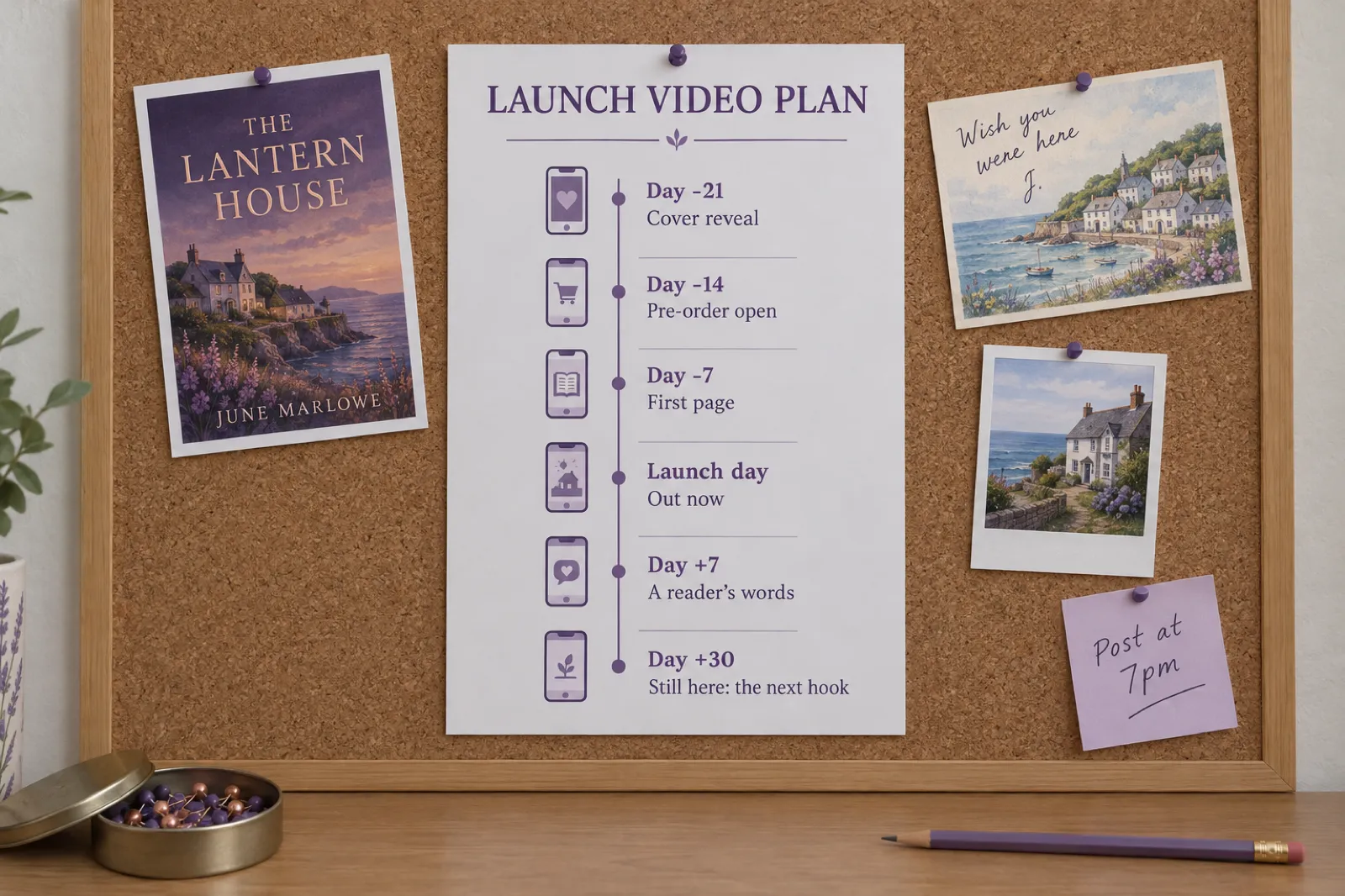
A complete launch, from a cover reveal 21 days out to a new hook 30 days after.
6 words
The most an ending card needs: "Pre-order now on Kindle" is four.
3 minutes
The longest reel Instagram still recommends to new audiences, and the longest Short.
0 clickable
URLs in YouTube Shorts descriptions and comments. Use a related video instead.
1080 x 1920
One vertical MP4 for Reels, Shorts, Facebook and TikTok.
About 1 min
To make each promo video from your book in Inkfluence AI.
What a book promo video is (and how it differs from a trailer)
A book trailer sells the feeling of a book, and you can post it any time. A book promo video does that too, but it is attached to something happening: the cover exists now, pre-orders open today, the book is out, the price drops this week, book two has arrived. That date is what makes people act instead of merely enjoying the video.
So a promo video has two extra rules. It carries one message about the moment, and it ends with one action that matches it: "Pre-order now", "Out now on Amazon", "99 cents this week only". Everything else (the hook, the three lines, the voice, the captions) works exactly as it does in a trailer.
If you post mainly on TikTok, the community there has its own habits; our BookTok guide for authors covers those. This page is about the launch calendar and the other three places most authors post: Instagram Reels, YouTube Shorts and Facebook.
Ten book promo video ideas, one for each moment
Each moment gets its own message and its own ending. The ending-card words are examples that fit the studio's six-word limit; the style is the Inkfluence AI studio style that suits it.
| Moment | The one message | Ending card | Style |
|---|---|---|---|
| Cover reveal | Here is what the book looks like | "Out 14 March" | Tropes / World intro |
| Pre-order open | You can reserve it now | "Pre-order now on Kindle" | Tropes |
| First page | This is how it reads | "Out Friday on Kindle" | Page excerpt / Read-aloud |
| Countdown | Three days to go | "Out Friday" | Suspense teaser |
| Launch day | It is here, and here is why you will love it | "Out now on (your stores)" | Genre style |
| A reader's words | Someone real liked it | "Out now on Amazon" | Page excerpt (with the quote typed in) |
| Price promotion | It costs less this week | "99 cents this week only" | Tropes / Suspense teaser |
| Audiobook or translation | Now you can listen, or read it in Spanish | "Now on audiobook" | Page excerpt |
| Series release | Book two continues the story | "Book two out now" | World intro |
| Gift season | This is a present someone will love | "A gift for ages 3 to 6" | Read-aloud / Key takeaways |
Two ideas are about more than the book itself. Audiobook or translation out works when you have a new edition: the AI audiobook generator narrates the book chapter by chapter, and a translated edition opens a new market in its own language. Series release is the easiest promo video you will ever make, because readers of book one are already waiting; the AI book series writer continues a book you own as the next volume.
Launch video planner: date every promo video
Enter your launch date and book. The planner dates six core promo videos (and two optional ones), writes an opening line pattern and an ending card for each, checks the ending against the six-word limit, and tells you where the link goes on each platform you tick. It runs in your browser; nothing is sent anywhere.
Five free book promo video templates
"Book promo video template free download" usually leads to a design: fonts, transitions, a placeholder for your cover. The part that sells is the script, so these templates are scripts. Each has an opening line of up to nine words, three lines of up to twelve, and an ending card of up to six, which is exactly what the Inkfluence AI studio holds and what reads comfortably in 15 to 20 seconds anywhere else. Every example is written for an invented book.
Cover reveal
Three weeks before launch · Tropes or World intro, over the cover
- Opening "Three years of work. Here is the cover."
- Line 1 "A lighthouse nobody has lit since 1987."
- Line 2 "A daughter who comes home for the funeral."
- Line 3 "And a lamp that is burning again tonight."
- Ending card Cover, title, author, "Out 14 March"
Let the cover sit on screen. The lines should hint at what the cover shows.
Pre-order open
Two weeks before · Tropes
- Opening "POV: you find your own name in her diary."
- Line 1 "Small town"
- Line 2 "Second chance"
- Line 3 "A secret everyone kept"
- Ending card Cover, title, author, "Pre-order now on Kindle"
Tropes as short cards read fastest. Use only tropes the book delivers.
Launch day
The day it goes live · Your genre's style
- Opening "Dinner in one pan. Forty nights of it."
- Line 1 "Rice, greens and lemon in twenty minutes."
- Line 2 "One pan to wash, even on a Tuesday."
- Line 3 "Forty dinners built from one weekly shop."
- Ending card Cover, title, author, "Out now on Amazon"
The studio's "Out now on" ending names your stores for you.
Price promotion
The day a sale or free days start · Suspense teaser or Tropes
- Opening "Nobody rows out after dark."
- Line 1 "The lamp on the quay is lit."
- Line 2 "Nobody lit it."
- Line 3 "So who is still out there?"
- Ending card Cover, title, author, "99 cents this week only"
Say the price on the ending card only if it is true on the day you post.
Gift season
Four to six weeks before a holiday · Read-aloud for picture books
- Opening "What if a fallen star needed your help?"
- Line 1 "Finn found the star under the old oak."
- Line 2 "It was cold, and very, very small."
- Line 3 "So Finn did what friends do."
- Ending card Cover, title, author, "A gift for ages 3 to 6"
The person watching is the buyer, not the child. Say the age.
To use one in Inkfluence AI, open your book's video studio, pick the style, and type your version over the lines the studio drafted. To use one in a general editor, our Canva steps and storyboard builder show how to lay the five scenes out yourself.
Book promo video examples
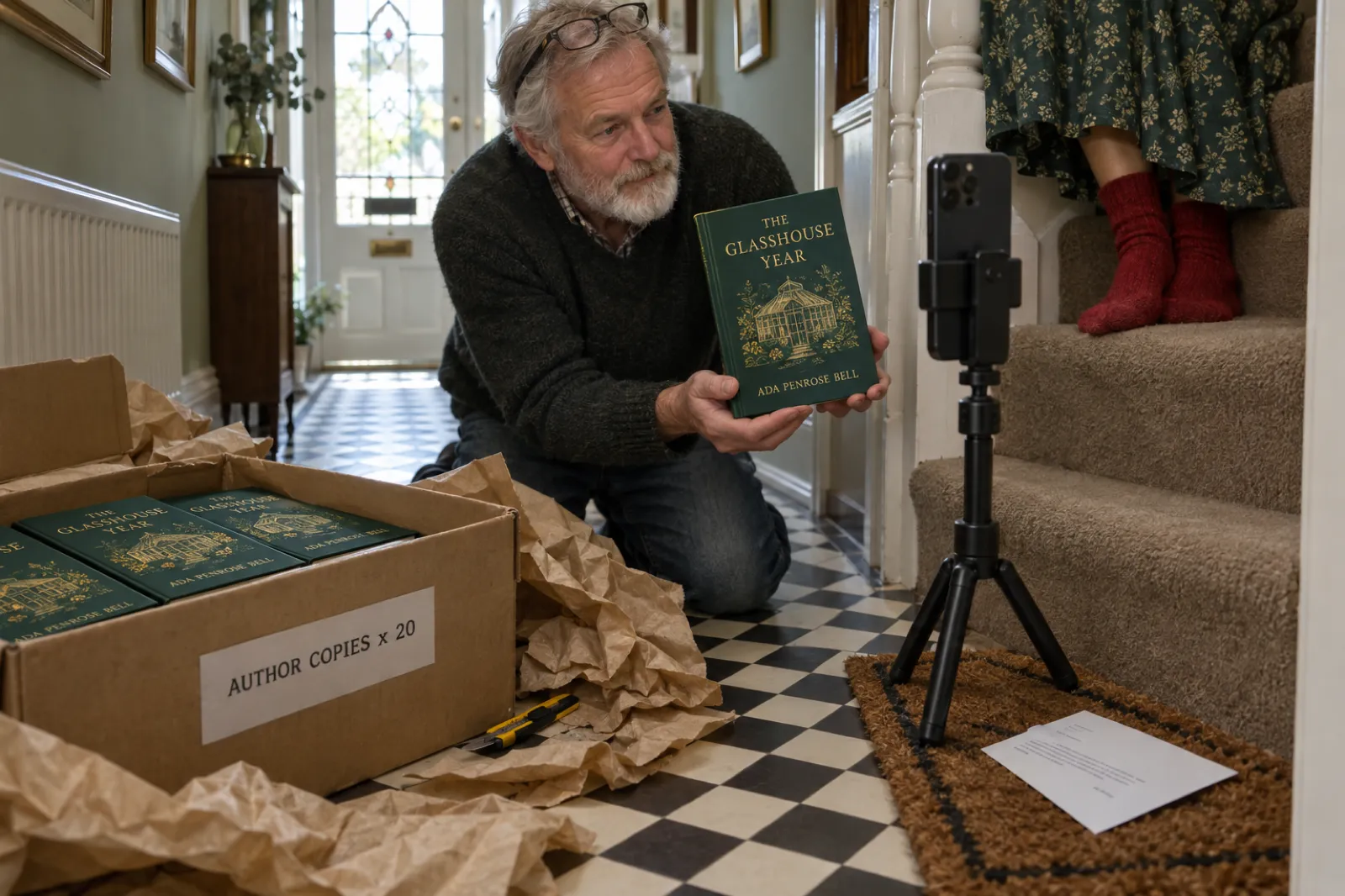
Four real videos made in the Inkfluence AI studio from books written in the app, with nothing edited afterwards. Under each is the launch moment it would suit best. Press play for sound.
The same video can serve two moments if you change only the ending card. Make the lighthouse mystery once with "Pre-order now on Kindle" and once with "Out now on Amazon", and you have the pre-order and launch-day posts from one set of lines.
Making a promo video from your book in Inkfluence AI
- Open the studio. Make a video is in every book's menu, on the Publish page, on the Video card in Tools and in the editor. On a phone, the studio has a big preview and a tool bar with Words, Style, Voice and Pictures.
- Choose the style for the moment. The table above suggests one; the studio also marks the style that suits your book as Suggested.
- Write the opening for the moment. The studio drafts an opening line from your book. For a cover reveal or a countdown, type your own (up to nine words) and press Hear this line.
- Check the three lines. They come from your title, description and opening chapters, never the ending, and never invented reviews. Edit any of them, up to twelve words each.
- Set the ending card. Out now on names your stores (click Add a store link to save your Amazon, Etsy or Gumroad link to the book); Link in bio suits Instagram; Your own words takes up to six words, with no links, for "Pre-order now on Kindle" or "Out 14 March".
- Pick a voice and music. Six voices. Music off by default (add a sound when you post) or Cozy, Suspense or Playful built in.
- Make, download, caption. About a minute. Download video saves the 1080 x 1920 MP4; Copy caption gives you a caption with three to five hashtags and the book's link. Make another version takes you back to your settings for the next moment's version.
Instagram Reels for authors
Instagram is where many authors already have readers, through their own account or bookstagram, the book community on Instagram. Reels are how those readers' friends find you. What Instagram's own pages said on 11 Nov 2026:
- Length. You can record and edit reels of up to 20 minutes, but Instagram says reels over three minutes will not be recommended to new audiences. Since January 2025, reels of up to three minutes can be shown to non-followers in the Reels tab and Explore. A 15 to 20 second promo video is well inside both.
- Trial reels. Introduced in December 2024: a reel shown first to people who do not follow you, then shared with your followers automatically if it does well in its first 72 hours. You need a professional account. Use a trial reel to test two opening lines for the same launch video before you commit.
- Cover. You can pick a frame from the clip as the reel's cover. The studio's last scene (your book cover with the title) is a natural choice for a promo video.
- Links. Put the book link in your bio and say "Link in bio" on the ending card. In Stories, the link sticker, which Instagram opened to all accounts in October 2021, takes viewers straight to the store; share the reel to your Story and add the sticker.
- AI labels. Meta requires creators to use its AI disclosure tool when posting realistic-sounding audio or photorealistic video that was digitally created or altered, and shows an "AI info" label (renamed from "Made with AI" in July 2024). A promo video narrated by an AI voice falls under that, so use the disclosure option when you post.
Instagram reel ideas for authors beyond the launch: a "bookstagram" flat-lay of your book with the reel playing on a phone in shot, a three-takeaways reel for non-fiction, a first-page reel with the words lighting up, and a reel that answers the question readers ask most. The social media strategy generator drafts a fuller posting plan around the launch.
Pair every reel with a static post. Announce it on the Inkfluence AI Publish page writes an Instagram caption with hashtags from your book and makes a square post image and a tall story image from your cover, free on every plan.
YouTube Shorts for authors
YouTube is the platform where a short video can lead to a long one, which suits books: a 15-second promo, then a longer reading or a talk about the book. What YouTube's help centre said on 11 Nov 2026:
- Length and shape. Square or vertical videos of up to three minutes uploaded after 15 October 2024 count as Shorts. A 9:16 promo video is a Short automatically.
- Links do not click. YouTube says URLs placed in Shorts descriptions and comments are not clickable, to reduce spam and scams. Do not rely on a store link under a Short.
- Related video. You can attach a related video to a Short, which shows as a clickable link under your channel handle. It needs advanced feature access, and the linked video must be public or unlisted. Link a longer video (a reading of chapter one, or a five-minute "why I wrote this") whose description carries the store link.
- AI disclosure. YouTube asks creators to disclose content that seems realistic and was made or altered with AI, such as a real person appearing to say something they did not. Its examples of content that does not need disclosure include clearly unrealistic content and production help like scripts and thumbnails. A narrated book promo over your own cover and illustrations is not a realistic depiction of a real event; disclose if you are unsure.
If the longer video is a picture-book reading, our guide to making a read-aloud video covers the made-for-kids setting YouTube requires. If it is you talking about the book, the page for YouTubers shows the other direction: turning a channel into a book.
Facebook, and where older readers are
Meta announced in June 2025 that all videos on Facebook would be shared as reels, with no length or format restrictions. In practice that means the same vertical MP4 posts to a Facebook page, a profile or a reader group as a reel.
Facebook is worth the extra minute for authors whose readers are already there: cozy mystery, historical fiction, memoir, local history, faith books, and grandparents buying picture books. A promo video posted into a reader group you belong to (where the group's rules allow it) often does more than a public post, because the people there chose the genre.
The same AI disclosure rule applies as on Instagram. Facebook posts can carry a clickable link in the text, so this is the one place the store link can sit right under the video.
One video, four places: the posting checklist
The video stays the same. The caption, the link and the label change. Checked on each platform's own pages 11 Nov 2026.
| Platform | Where the link goes | Label an AI voice? | Caption tip |
|---|---|---|---|
| Instagram Reels | Bio, plus a link sticker if you share it to Stories | Yes: Meta asks you to disclose realistic-sounding AI audio | Repeat the hook as the first line, then "link in bio" |
| YouTube Shorts | A related video, whose description has the link | Only if it seems realistic; disclose if unsure | Title with the book's genre and premise, not "my book" |
| Right in the post text | Yes, as on Instagram | A friendlier sentence; name the age or reader it suits | |
| TikTok | Profile link (business accounts at 1,000 followers, per TikTok in 2022) | Use the AI-generated label if unsure | Three to five tags; see the BookTok guide |
The caption the studio writes for each video is a sensible start for all four: one or two sentences in your voice, three to five hashtags, and the book's link if it has a public page or store link. Edit it before you copy, and drop the link on Instagram and Shorts where it will not click.
Promo videos by kind of book
Novels
The premise and the tropes do the work. Use Tropes for romance, World intro for fantasy, Suspense teaser for thrillers, and a Page excerpt the week before launch so readers hear how you write. See how to sell romance novels for where those readers buy.
Non-fiction and business books
Give away three real ideas per video with Key takeaways. A twelve-chapter book holds a month of promo videos, each pointing to the book for the rest. The business book writer helps if the book is still in progress.
Cookbooks, craft and hobby books
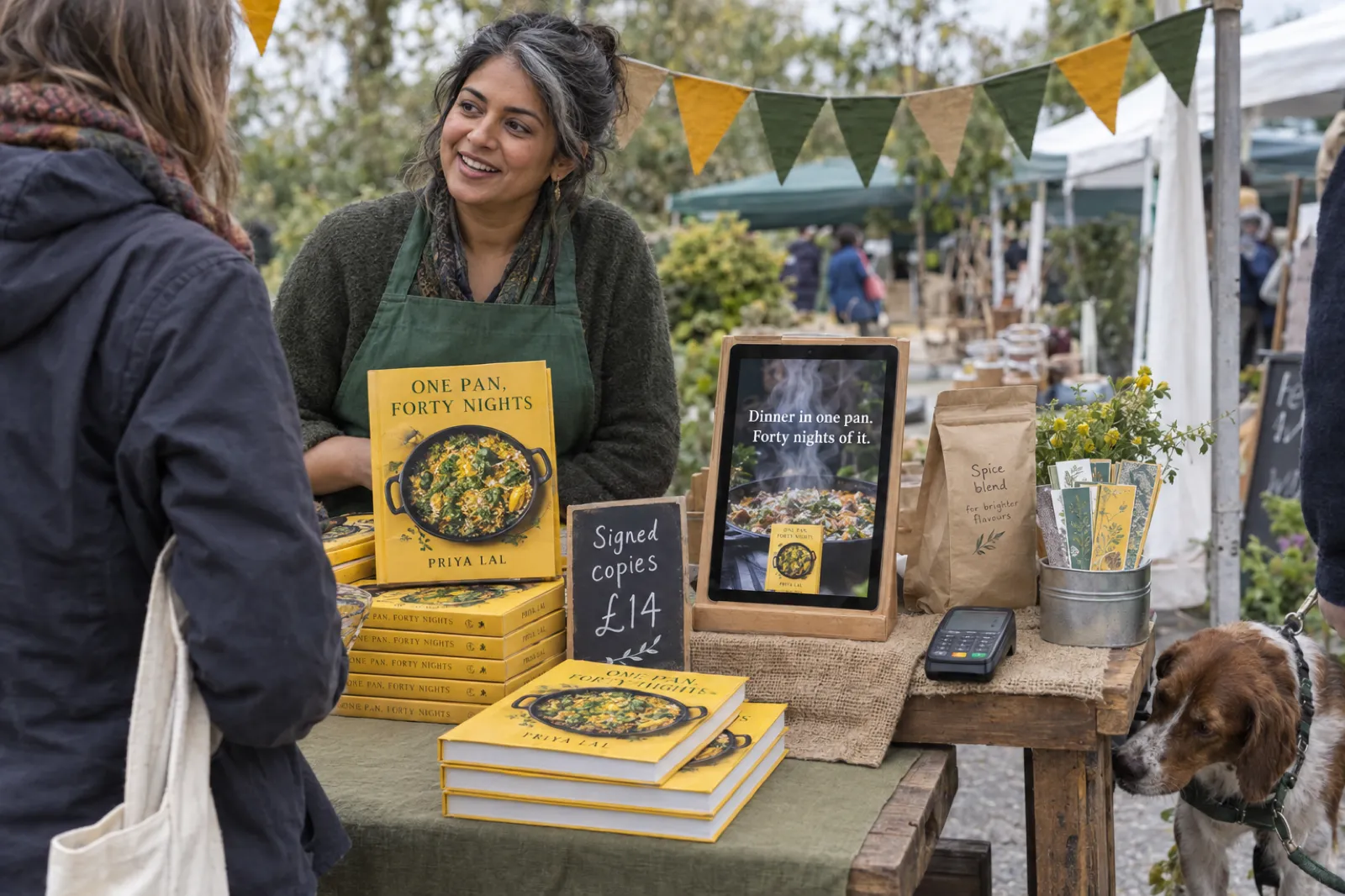
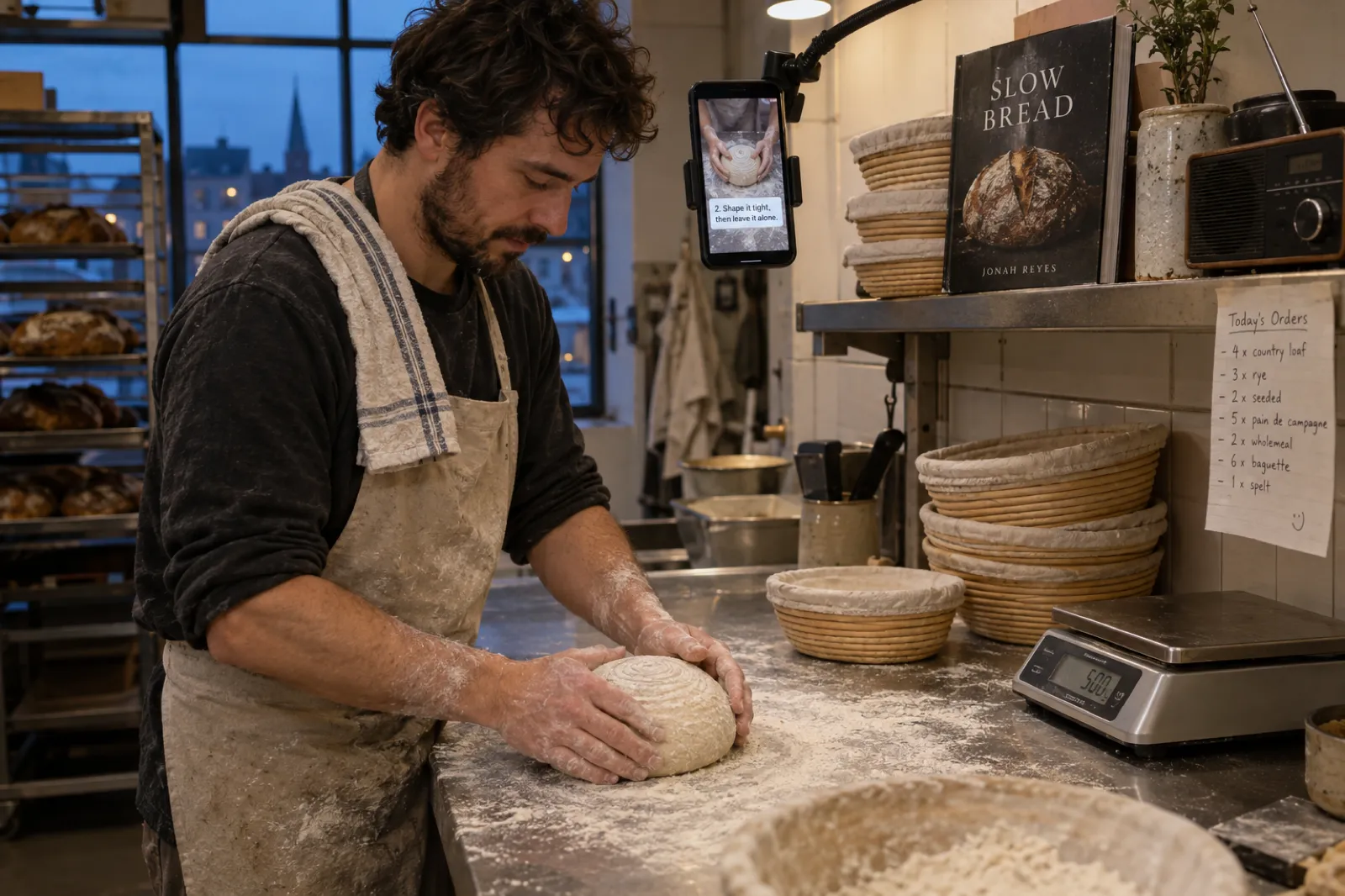
Show the result. Film your hands for one video; for the next, put three tips over your own photos with Key takeaways. Market stalls and craft fairs are promo moments too. Making one? See the AI cookbook generator.
Picture books
Gift season is your launch. Read-aloud reads three pages over their illustrations; the ending card says the age. Our guide on selling children's books covers the rest of the plan.
Series
Every new book is a promo moment for every old one. Post a World intro for book two, then a "start here" video for book one with "Book one, free this week" if you run a promotion.
Memoir and local history
One moment from the book, read from the page, does more than a summary. Facebook groups and local pages are often the best place to post.
Writing the words: opening, lines and ending
The opening line is shown and spoken in the first two seconds. For a promo video it can carry the moment ("Three years of work. Here is the cover.") or the story ("Nobody rows out after dark."). Story openings tend to hold strangers; moment openings work best on people who already follow you. Make one of each and compare.
The three lines are the reason to keep watching: three tropes, three moments, three tips. Aim for five to nine words each; the studio allows twelve. A passage of short sentences reads better than a long one cut in half.
The ending card is the action. Six words or fewer, no links, and true on the day you post. "Pre-order now on Kindle", "Out now on Amazon", "Free on Kindle Unlimited", "99 cents this week only", "Book two out now", "A gift for ages 3 to 6".
Never put a review, rating, award or bestseller claim in a video unless it is real and you can point to it. The studio will not write them; if you type a reader's words in, use their exact words and say in the caption where they came from. The book description generator is useful for finding a one-line premise, and the title generator for a title that reads well on an ending card.
What it costs, and what is free
Prices checked 11 Nov 2026. No per-video charge, no share of your sales.
| Plan | Price | Promo videos | Free launch tools |
|---|---|---|---|
| Free | $0 | Preview only: a moving sketch of your book and the example videos | Announce it: three posts plus square and story images |
| Creator | $9.99 a month | 20 a month, enough for three launches' core videos | Same, plus a small "Made with" mark on the ending card |
| Premium | $19.99 a month | 60 a month | Same; the mark can be switched off |
A failed video is never counted. Credit packs add chapters, not videos. Videos work for books written in the Latin alphabet. Full details on the pricing page; the whole launch, from cover to KDP listing, is in the book launch checklist.
Honest limits
- 15 to 20 seconds, five scenes. No two-minute promo or a full reading in the studio.
- Vertical only. 9:16 for Reels, Shorts, Facebook and TikTok. For a landscape ad or website banner, use an editor.
- Pictures come from the book. Cover-only books get videos built on the cover and on-screen words; upload extra pictures with Add a picture.
- No posting for you. You download the MP4 and post it yourself, which keeps your accounts in your hands.
- Latin-alphabet languages only, for now.
Why Inkfluence is the best book promotion video maker for authors
A general video app makes you rebuild your book's pitch for every moment of the launch. Inkfluence AI already has the book, so each promo video starts from your own words, cover and pictures, and the next version is one ending card away.
- Built for the moment. Ending cards for stores, link in bio or your own six words; Make another version for the next date.
- Honest by default. No invented reviews, awards or sales figures, and never the ending of your book.
- Ready for every platform. 1080 x 1920 with words kept clear of the apps' buttons, captions that light up as they are read, and a caption to paste.
- The whole launch in one place. Book, cover, KDP listing kit, launch posts, audiobook and videos.
Compare it with the other tools authors use in our roundup of AI book writing apps, or see the book trailer maker and turn your book into a video pages for the styles in detail.
Book promo videos: frequently asked questions
What is a book promo video?
A short video that promotes a book at a particular moment: a cover reveal, pre-orders opening, launch day, a sale, the next book in a series. It is a book trailer with a job and a date attached. In 2026 most are vertical, 15 to 30 seconds long, and posted to Instagram Reels, YouTube Shorts, Facebook and TikTok.
How long should a book promo video be?
15 to 30 seconds for one message. Instagram lets you record and edit reels up to 20 minutes but says reels over three minutes are not recommended to new audiences, and YouTube treats square or vertical videos of up to three minutes as Shorts. Those are ceilings. A promo video says one thing; Inkfluence AI promo videos run 15 to 20 seconds.
Is there a free book promo video template?
The five templates on this page are free: each is a script with an opening line of up to nine words, three lines of up to twelve and an ending card of up to six, which you can fill in and build in any editor. A design template from a video app gives you a look; a script gives you the words, which is the part that sells.
What should a book promo video say?
One thing, tied to the moment. A cover reveal shows the cover and one line about the story. A pre-order video gives the date. A launch video gives the reader a reason (a premise, a trope, a tip) and then "out now". Always end on the cover and where to get the book.
Where do I put the link in a Reel or a Short?
Not in the video. On Instagram, put it in your bio and say "link in bio", or use a link sticker in a Story, which Instagram opened to all accounts in October 2021. On YouTube, URLs in Shorts descriptions and comments are not clickable; use the Related video link to send viewers to a longer video whose description has the link.
Do I have to label a promo video with an AI voice?
Meta requires you to use its AI disclosure tool when you post photorealistic video or realistic-sounding audio that was digitally created or altered, so on Instagram and Facebook, disclose a video narrated by an AI voice. YouTube asks for disclosure when content seems realistic; its examples exclude clearly unrealistic content. When in doubt, disclose.
Can I make book promo videos for free?
Not videos with Inkfluence AI: they need Creator ($9.99 a month, 20 videos) or Premium ($19.99 a month, 60). Free on every plan: Announce it on the Publish page writes three launch posts for X, LinkedIn and Instagram from your book and makes a square post image and a tall story image from your cover.
Can I quote reviews in a promo video?
Only real ones, with the reviewer's permission where the platform or the reviewer requires it, and never a review you wrote yourself. The studio never invents reviews, ratings or awards. Type a real line from a real reader into a line of the video, and name where it came from in the caption.
Should I post the same promo video on every platform?
Yes, with a different caption each time. The same 9:16 MP4 works on Reels, Shorts, Facebook and TikTok. What changes is where the link goes and how you tag the post, which the table on this page sets out.
How many promo videos does a book launch need?
Six is a good core: cover reveal, pre-order, first page, launch day, a reader's words a week later, and a new hook a month later. Add a countdown and a behind-the-book clip if you have time. The planner on this page dates them from your launch day.
Sources
All read on the platforms' own pages on 11 Nov 2026. If a platform's current page disagrees with this one, the platform's page wins.
- Instagram: Reels: up to 20 minutes; over 3 minutes not recommended to new audiences; choosing a cover.
- Instagram for Creators, 21 Jan 2025: 3-minute reels eligible for non-followers.
- Meta Newsroom, 10 Dec 2024: trial reels and the 72-hour window.
- Instagram for Creators: Reels: trial reels need a professional account.
- Instagram, 27 Oct 2021: link sticker in Stories for all accounts.
- Meta Transparency Center: Manipulated media: disclosure of realistic AI video and audio.
- Meta Newsroom: Labeling AI-generated content: "AI info" label from July 2024.
- Meta Newsroom, 17 Jun 2025: all Facebook videos shared as reels.
- YouTube Help: three-minute Shorts: square or vertical, up to three minutes.
- YouTube Help: links in Shorts: URLs in Shorts descriptions and comments are not clickable.
- YouTube Help: Related video in Shorts: clickable link to a public or unlisted video.
- YouTube Help: Disclosing altered or synthetic content.
- Inkfluence AI help: How to turn your book into a video: studio, ending card, allowances.
Instagram, Facebook, Reels, YouTube, Shorts, TikTok, Kindle and Amazon are trademarks of their owners. Inkfluence AI is an independent tool and is not affiliated with or endorsed by any of them.
Related tools and guides
BookTok for Authors
TikTok formats, hooks and a two-week plan.
How to Make a Read-Aloud Video
The longer video your Short can link to.
Book Trailer Maker
The tool behind every promo video here.
How to Make a Book Trailer
Script, storyboard and editor steps.
Turn Your Book Into a Video
Which style fits your kind of book.
Book Launch Checklist
Every launch step in order.
KDP Publishing Calendar
When to launch for each season.
Ebook Marketing Strategy
The channels around your videos.
How to Sell Ebooks on Amazon
The listing your videos point to.
Sell Ebooks on Gumroad
A direct link for your bio.
Book Cover Design
The cover every ending card shows.
Pricing
Creator and Premium, with videos included.
Six moments. One book. A video for each.
Open your book in Inkfluence AI, make the cover reveal, and keep the next five a new ending card away. Write or import the book free; videos come with Creator and Premium.
Make my book's promo videos