· Facts checked 1 Nov 2026

AI Script Writer: Free Script Generator for Scenes, Videos and Trailers

Pick a format and a genre and get a script you can read aloud straight away: a film or TV scene in proper screenplay format, a stage scene, a YouTube or short video script with timings, or a 15-second book trailer. Add a character, a location or one object the scene must include. Click again for a different script. It runs in your browser, there is nothing to sign up for, and there is no limit.

By Sam May, Founder of Inkfluence AI

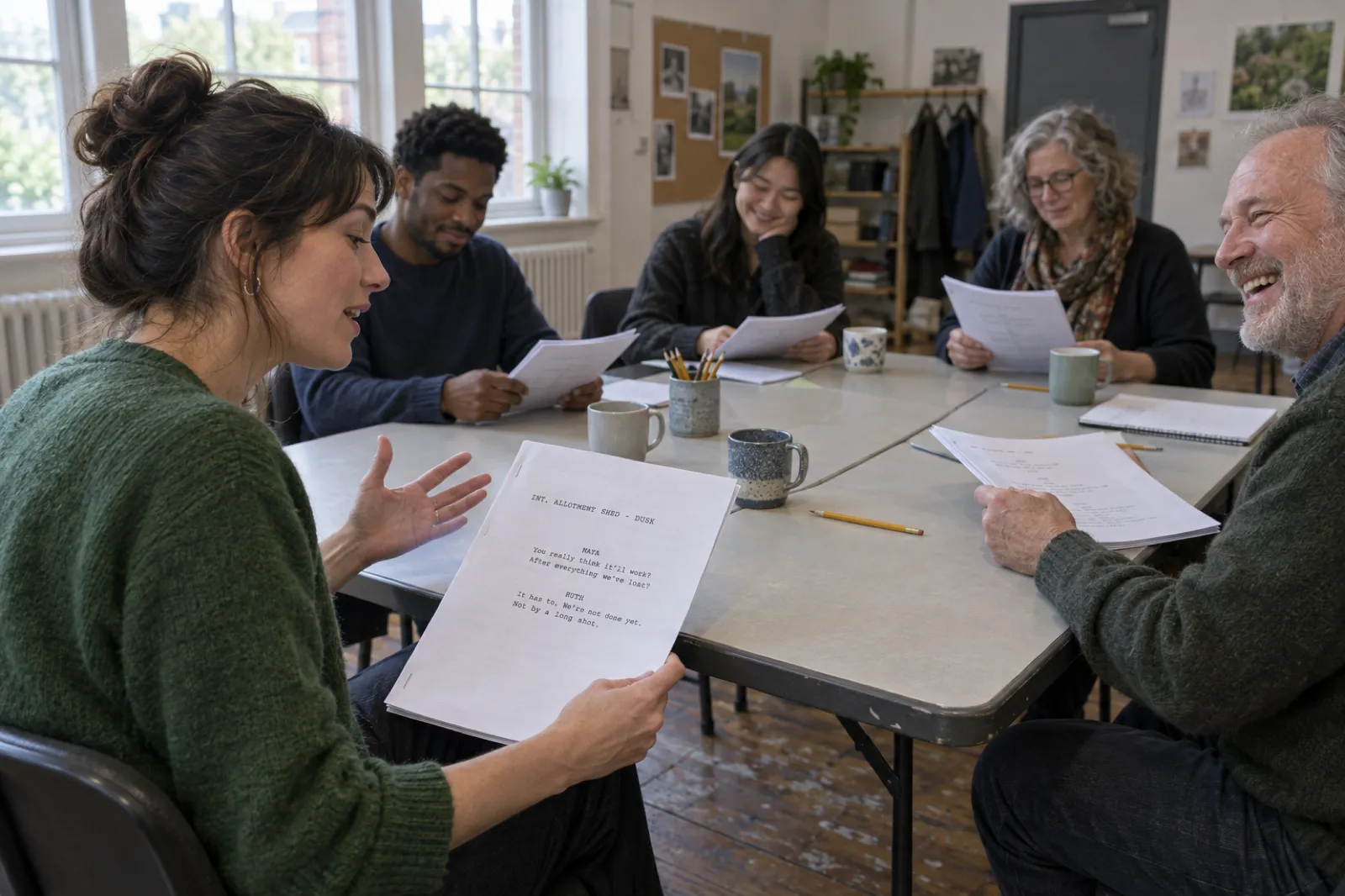
A table read in a rehearsal room with tall windows: five actors around pushed-together tables hold stapled scripts, mugs and a pot of pencils between them; a woman in a green cardigan reads a line with one hand raised while a grey-bearded man opposite laughs, and the page she holds shows the scene heading INT. ALLOTMENT SHED - DUSK with the character names MAYA and RUTH above short lines of dialogue.
A scene is only finished when someone has read it aloud. The script and characters are invented for this page.

Quick answer

The script writer below is free, unlimited and needs no account. It writes a one-page film or TV scene in screenplay format, a stage scene, a one-minute or five-minute video script, or a 15-second book trailer script, in six genres, from 90 hand-written scene beats. It is built for scenes, practice and premises, not feature-length screenplays. When a premise is worth a whole story, send it to the Inkfluence AI writer, which turns it into a book, then an audiobook and a book trailer.

Generate a script

Choose a format first; the boxes change to suit it. Everything except format and genre (or topic, for video) is optional. Leave the boxes empty and the generator picks a cast, a location and an object that suit the genre.

Example below. Press New script for your own; every click writes a different one.

Film or TV scene · Drama · about 1 page, roughly 1 minute

Eleven Years

INT. ALLOTMENT SHED - DUSK

Rain on the window. MAYA (30s) sits alone in the allotment shed. On the table in front of her: a cassette tape labelled DO NOT TAPE OVER.

The door opens. RUTH (50s), Maya's older sister, stops dead at the sight of her.

RUTH

I didn't think you'd actually come.

MAYA

Neither did I.

RUTH

Is that the tape?

MAYA

(beat)

You know it is.

Ruth picks up the tape and holds it for a long moment.

RUTH

I was meant to give you this the day you left. I kept it instead.

Maya pockets the tape, walks to the door, and stops.

MAYA

(without turning)

Same time next week?

Off Ruth, who has waited eleven years to hear that.

CUT TO:

Logline

When Maya comes home with a cassette tape labelled DO NOT TAPE OVER, one conversation with her older sister reopens everything the family agreed never to discuss.
Turn this into a book Opens the dashboard with this premise in the start box. Free plan: 5 chapters a month.

Three more ideas in this genre

  • When Jules comes home with a cracked wristwatch that stopped at 4:17, one conversation with their mother reopens everything the family agreed never to discuss. Write this as a book
  • Eleven years after leaving, Tom is asked to clear out the family house, and finds a photograph with one face torn away where nobody should have kept it. Write this as a book
  • Tom has one weekend to tell his oldest friend the truth about a shoebox of unsent letters, and every reason to leave it unsaid. Write this as a book

Runs entirely in your browser from hand-written templates. Nothing you type is sent anywhere until you press a link to the app.

The script writer in numbers

4

script formats: screen, stage, video and book trailer

90

hand-written scene beats across 6 genres, before names, places and objects change

243

beat sequences per genre, each with its own cast, location and object

100,000+

books created on Inkfluence AI (as of 15 September 2026)

The first three figures are counted from the generator's own template file. The last is the platform total from our book corpus count.

What is an AI script writer?

An AI script writer is a tool that drafts a script for you: a scene for the screen or the stage, a video script, a podcast or a trailer. The phrase covers two quite different things. Some tools send your prompt to a language model and print what comes back, which can be anything from inspired to unusable. Others, like the one on this page, assemble a script from parts a person wrote, in the order scenes have always worked. Knowing which kind you are using tells you what to do with the result.

The generator above is a sketchbook. It is instant, free and unlimited because it does no remote work: every scene is built in your browser from 90 beats that were written and read aloud by hand, six genres of openings, entrances, exchanges, turns and buttons. The order never changes, so a scene always sets up, complicates, turns and closes. Your character's name and pronouns, your location and your must-include object are woven through the scene heading, the action and the dialogue cues. What it cannot do is invent a scene no template anticipated. It is for practice, warm-ups, auditions, classes, short videos and finding the premise you care about.

Here is the plain truth about the rest of Inkfluence AI, because a page called "AI script writer" should say it: Inkfluence AI does not write feature-length screenplays. It writes books. If the scene you generate makes you want to know what happens to these people, the Inkfluence AI writer will turn the premise into a novel, with an outline, a story bible and chapters written in order. And if you already have a book, it makes the trailer script and the trailer itself. The table shows where each tool fits.

Script writer on this pageInkfluence AI (in the app)Screenwriting software
Best forScenes, practice, short videos, premisesBooks, audiobooks and book trailersWriting a full screenplay yourself
CostFree, unlimitedFree plan 5 chapters a month; Creator $9.99; Premium $19.99 a monthFree tiers with limits, then paid (see below)
How the words are madeHand-written beats, assembled in your browserNew prose written from your idea and outlineYou write them; the software formats them
LengthOne scene, one video or one trailerAs many chapters as you ask forWhole scripts
Screenplay file exportCopy as plain textNo (books: PDF, EPUB, Word, KDP print)Yes, industry formats

Which script format do you need?

"Script" means different things to a filmmaker, a theatre group, a YouTuber and an author. Each format has its own building blocks and its own way of measuring length. Pick the row that matches where the words will end up.

FormatBuilt fromHow length is measuredPick above
Screenplay (film or TV)Scene heading, action, character, dialogueAbout 1 page per minute of screen timeFilm or TV scene
Stage playStage directions, character, dialogue, lighting cuesVaries by production; read it aloud to time itStage play scene
YouTube or short videoHook, sections, on-screen text, B-roll notes, call to actionRoughly 130 to 160 spoken words a minuteYouTube or short video
Book trailerHook, three lines, end card15 to 20 seconds, about 30 to 45 wordsBook trailer (15 seconds)
Novel or story (not a script)Chapters of proseSet by the number of chaptersThe Inkfluence AI writer, in the app

If the words will be read rather than performed, you do not need a script at all. A short story belongs in the AI story generator, and a whole story in the AI story writer. If you are not sure what happens yet, the plot generator gives three complete plots per click, with a midpoint and an ending, before you write a line.

How do you format a screenplay?

A screenplay is laid out so that anyone on a production can find what they need at a glance: the location manager reads the scene headings, the actors read their names, the editor reads the transitions. Six elements do almost all the work. Every example below comes from the sample scene at the top of this page.

ElementExampleWhat it does
Scene heading (slugline)INT. ALLOTMENT SHED - DUSKSays inside or outside, where, and when. Every new location or time gets a new one.
ActionRain on the window. MAYA (30s) sits alone in the allotment shed.What the camera sees, in the present tense. A character's name is in capitals the first time they appear.
CharacterRUTHThe speaker's name in capitals, set in towards the middle of the page, above their line.
Parenthetical(beat)A short note on delivery or a pause. Use it sparingly; actors and directors prefer to decide.
DialogueI kept it instead.What is said, in a narrower column under the character name.
TransitionCUT TO:How one scene moves to the next, set to the right. Many modern scripts use them rarely.

Screenplays are traditionally set in a 12-point Courier-style typewriter font. That is not nostalgia: with a fixed-width font, one formatted page plays for roughly one minute on screen, which lets a producer estimate running time and budget from a page count. It is an average, not a law. A page of rapid-fire dialogue plays faster than a page of dense action, and a long silence can stretch a short page. Feature scripts commonly run about 90 to 120 pages; a television drama hour is shorter.

A few habits mark a script as written by someone who knows the form. Action is written in the present tense and describes only what can be seen or heard. A character's name is in capitals the first time they appear, with an age range. Parentheticals are short and rare. Camera directions ("CLOSE ON", "PAN TO") are left to the director unless the shot is the story. And a new scene heading appears every time the location or the time of day changes, even if it is only the next room.

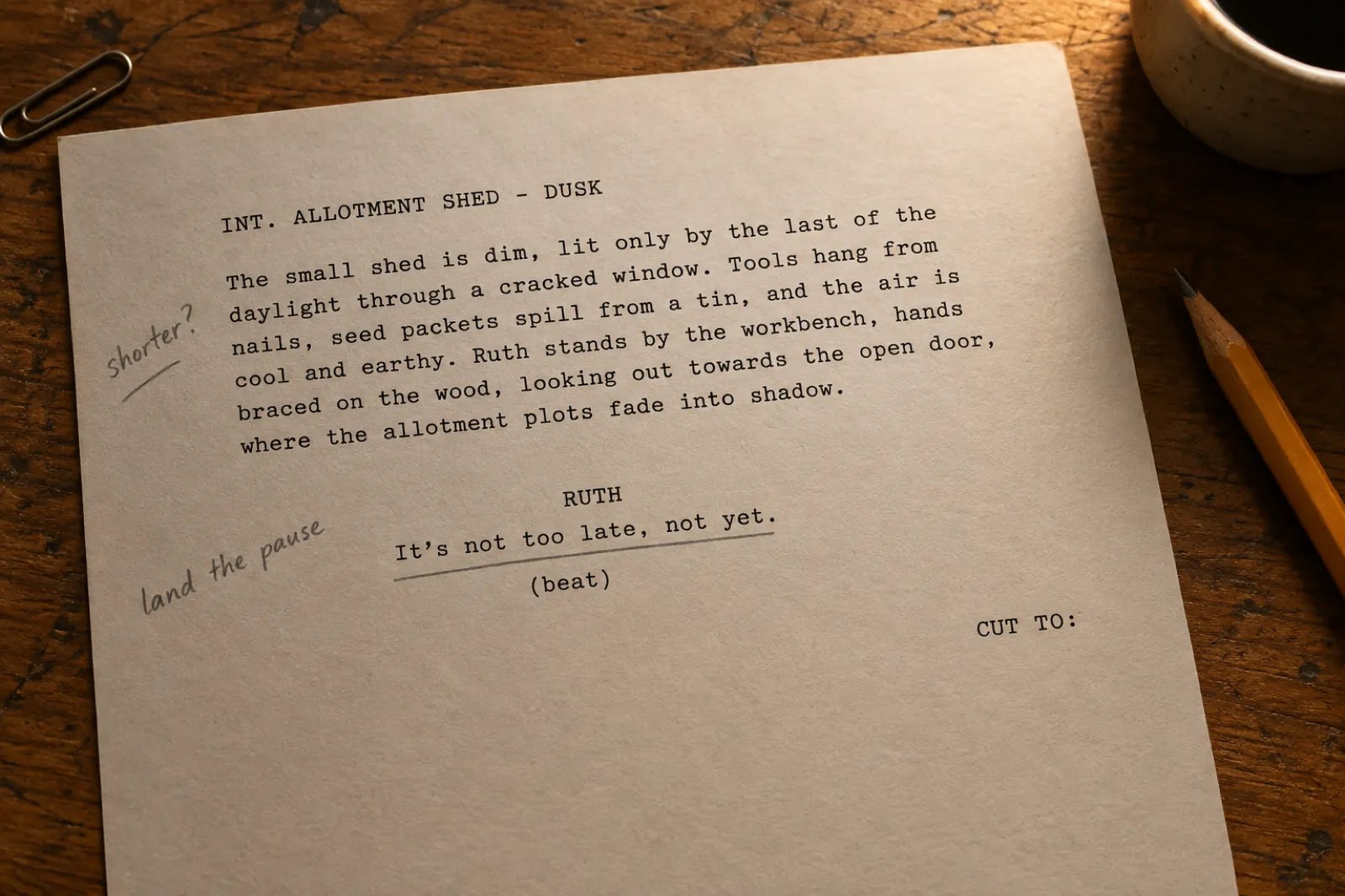
A single printed screenplay page on a worn oak desk in a typewriter font: the scene heading INT. ALLOTMENT SHED - DUSK, a paragraph of action describing a dim shed with tools on nails and seed packets spilling from a tin, the character name RUTH centred above the line It's not too late, not yet, with (beat) beneath it and CUT TO: on the right, pencil notes in the margin reading shorter? and land the pause, beside a pencil, a paperclip and a coffee cup.
Scene heading, action, character, dialogue, parenthetical, transition: the whole toolkit on one page. The pencil note is the most useful part. The scene is invented for this page.

How do you write a scene that works?

Formatting makes a script readable. These five habits make it worth reading. The generator is built on them, which is why the scenes it writes feel like scenes rather than conversations, and they are the same habits to keep when you rewrite a generated scene in your own voice.

Enter late, leave early

Start the scene after the small talk and end it before anyone says goodbye. In the sample above, Ruth's first line is the third thing she would have said in real life.

Give the scene an object

A tape, a ring, a fake certificate. An object gives the actors something to do and the audience something to watch while the real conversation happens underneath.

Let people avoid the point

Nobody says "I am angry that you left". They say "Is that the tape?" Subtext is the gap between what is said and what is meant, and it is where scenes come alive.

Turn the scene

Something must be different at the end: a secret out, a power shift, a decision. If the last line could be the first line, the scene has not turned.

End on a button

A short final line or image that closes the scene: a joke, a threat, a quiet "Okay." It tells the audience the moment is over and lets the cut land.

Weak and strong lines, side by side

The fastest way to improve dialogue is to take out the information and leave the feeling. Compare these pairs.

Weak (says the point)Strong (shows it)
"I'm still angry that you left eleven years ago.""Same time next week?"
"I am lying to you about the goldfish.""Define 'that'."
"I suspect you are working for the people chasing me.""I never told you what it was."
"I still have feelings for you.""You were always here first."
"This house is haunted and dangerous.""Allowed isn't the same as safe."

Every strong line above comes from the generator's own templates. To build a cast whose voices differ, the random character generator gives each person a want and a secret, and the character name generator finds names that suit them. For a longer project, write the people down before the scenes: the story bible page shows how to keep characters, places and rules straight across a whole work.

Found a scene you want to keep going? Send the premise to the Inkfluence AI writer and it becomes an outline, a story bible and chapter one.

Start the story

Stage play scenes: what changes

Choose Stage play scene and the same beats come out shaped for a theatre. Scene headings become lighting cues ("Lights up. The kitchen, night."), action becomes stage directions in italics, and transitions become "Blackout." or "Lights fade." The dialogue is unchanged, because on stage, as on screen, people talk around the thing they mean.

Two differences matter when you rewrite for the stage. First, the audience sees the whole space the whole time, so an object has to be visible from the back row and a reveal has to happen in plain view. Second, there is no close-up. A look that would carry a film scene needs a line, a move or a pause on stage. Stage formats also vary more than screenplay format does; publishers, competitions and schools each have their own house style, so check theirs before you submit.

Drama teachers use the stage format for two-hander exercises: generate a scene, give the class five minutes, then perform it twice with the subtext played two different ways. Our page for teachers has more classroom uses of the writing tools, and the page for students covers practice and coursework.

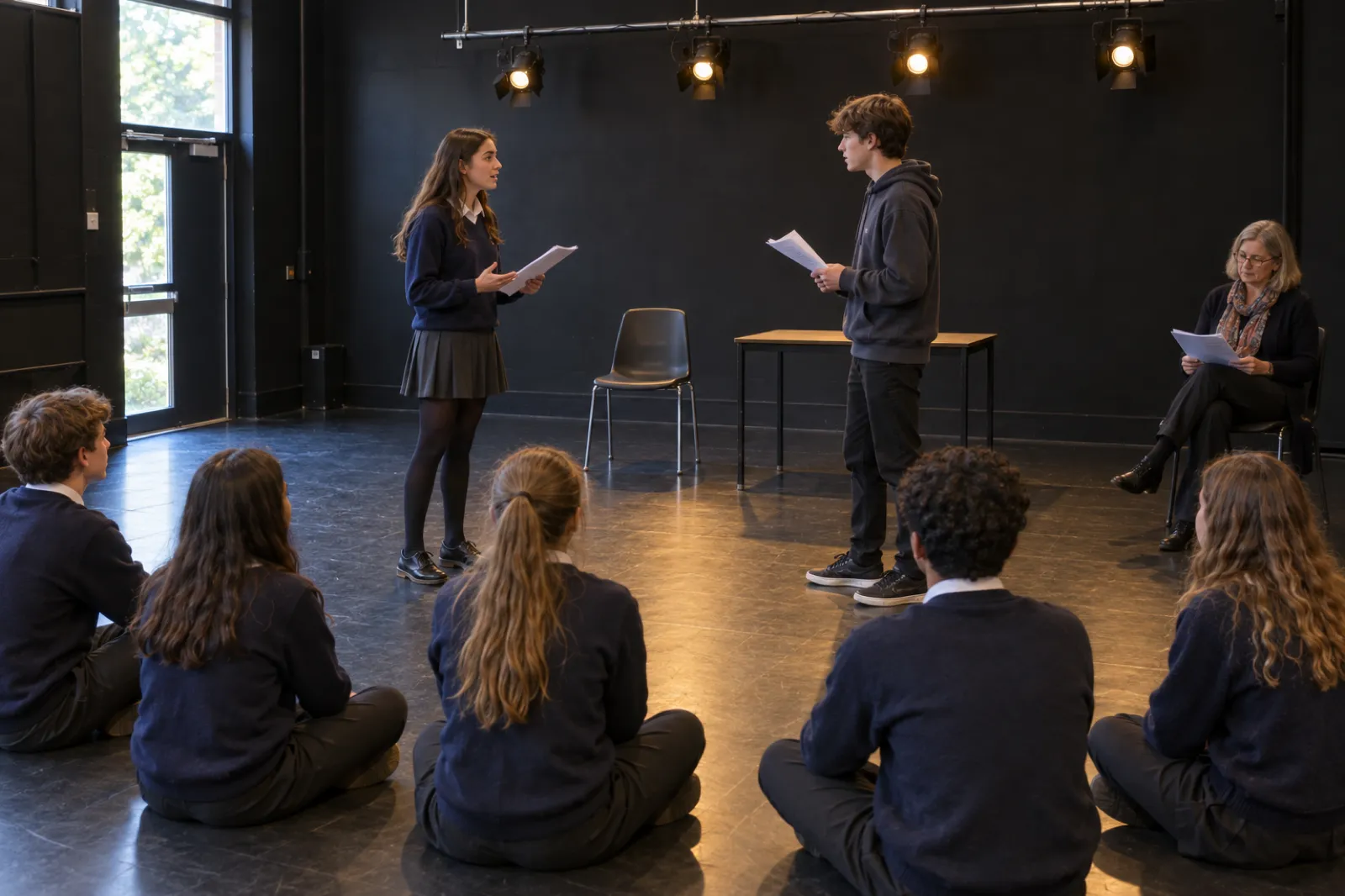
A school drama studio with black walls and a lighting bar: a girl in a school jumper and skirt and a boy in a hoodie face each other holding printed script pages, a chair and a small table as the set, while classmates sit cross-legged on the floor watching and a teacher with reading glasses and a scarf follows the scene in her own copy.
A two-hander, two chairs, five minutes to rehearse: the oldest drama exercise there is. The scene they are reading is invented for this page.

How do you write a YouTube or short video script?

A video script is a different animal from a screenplay. It is spoken straight to the viewer, usually by you, and it has to earn every few seconds of attention. Choose YouTube or short video above, type a topic such as "sourdough baking" or "saving for a house", pick a style and a length, and you get a script laid out the way a creator actually uses one: labelled sections with timings, the words to say, the text to put on screen, and B-roll notes for the shots you will need.

  1. Hook in the first three seconds. A problem, a promise or a surprise. "If sourdough feels complicated, watch this" beats "Hi everyone, welcome back".
  2. Say what they will get. In a long video, one sentence after the hook that sets out the sections. In a short one, the hook does this job.
  3. Two to four sections, one idea each. Steps, mistakes or the parts of a story. Each section gets one on-screen line and one shot.
  4. Plan the pictures. B-roll notes stop you filming a talking head for five minutes. Write them while you write the words.
  5. One call to action. Follow, comment or save. Asking for three things gets you none.

For length, most narrators speak roughly 130 to 160 words a minute. A 60-second short is about 150 words, which is why the short scripts here are tight; a five-minute video is about 700 words, which is why the long version adds an intro, extra lines per section and a recap. Read your script aloud with a timer before you film. If you run over, cut words, not sections.

The three styles suit different channels. How-to is the reliable workhorse for teaching channels. Three mistakes is the format that tends to get shared, because viewers want to check whether they are making them. Story time is for personal channels and works best when the turn is real: the moment you nearly quit and what changed. Our page for YouTubers and the one for content creators show how creators turn a run of videos on one topic into a book, which is the natural next step for a channel with a following.

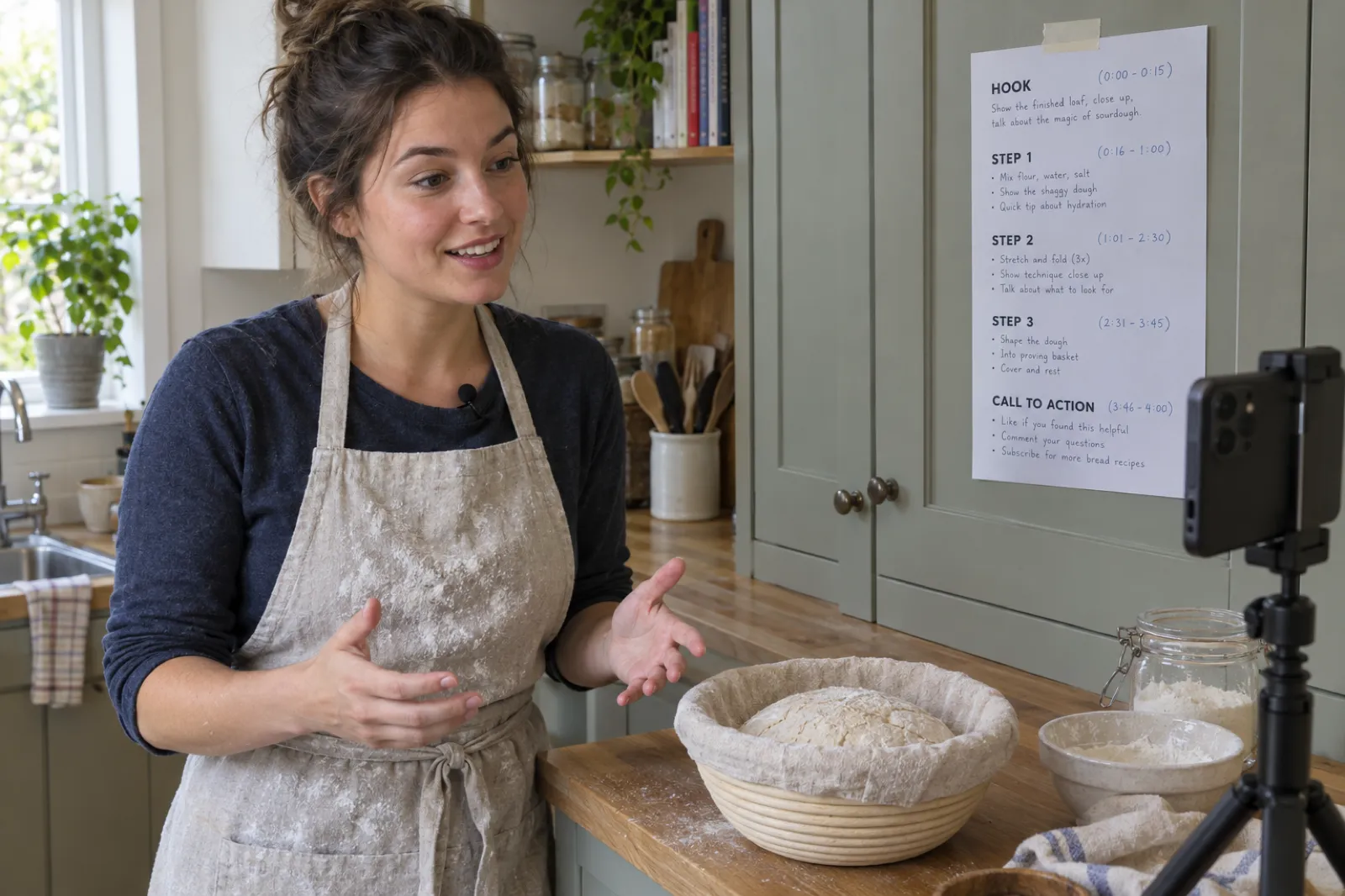
A home baker in a floury linen apron talks to a smartphone on a small tripod in a sage-green kitchen, a ball of sourdough in a proving basket on the wooden counter, with a printed one-page video script taped to the cupboard behind the phone showing the sections HOOK, STEP 1, STEP 2, STEP 3 and CALL TO ACTION with timings and bullet notes.
Hook, three steps, one call to action, taped at eye level next to the lens. The script and the channel are invented for this page.

Ten videos on one topic is a book. Send your topic to the Inkfluence AI writer and get a practical guide, with an outline, chapters, a cover and export.

Turn my topic into a guide

Book trailer scripts, and where Inkfluence AI does the whole job

This is the one kind of script Inkfluence AI writes from start to finish. A book trailer for TikTok, Reels or Shorts is tiny: a hook in the first two seconds, three short lines, and an end card with the title. Choose Book trailer above, pick a genre and, if you have one, type your book's title, and you get that shape with timings, ready to read over a shot of your cover.

If your book is in Inkfluence AI, you do not need the generator for this at all. The book trailer maker reads your book's title, description and opening chapters and drafts the words for you: a hook, three lines and a caption for the post. You edit any line you like, and it renders a 15 to 20 second vertical video with captions, a narrator's voice and your cover. A picture book gets a read-along version built from three of its own pages. Turn your book into a video shows every format, and if you would rather shoot it yourself, how to make a book trailer walks through it by hand.

  • Hook: one line a stranger would stop scrolling for. A question, a rule, a number. Never the book's title.
  • Three lines: the situation, the pressure and the turn, each short enough to read in about three seconds. Never the ending.
  • End card: the title and where to get it. "Out now" is enough.

Book videos are on paid plans: Creator includes 20 a month and Premium 60, read from the app's plan settings on 1 Nov 2026. The free plan does not make videos, but the trailer scripts on this page are free and unlimited.

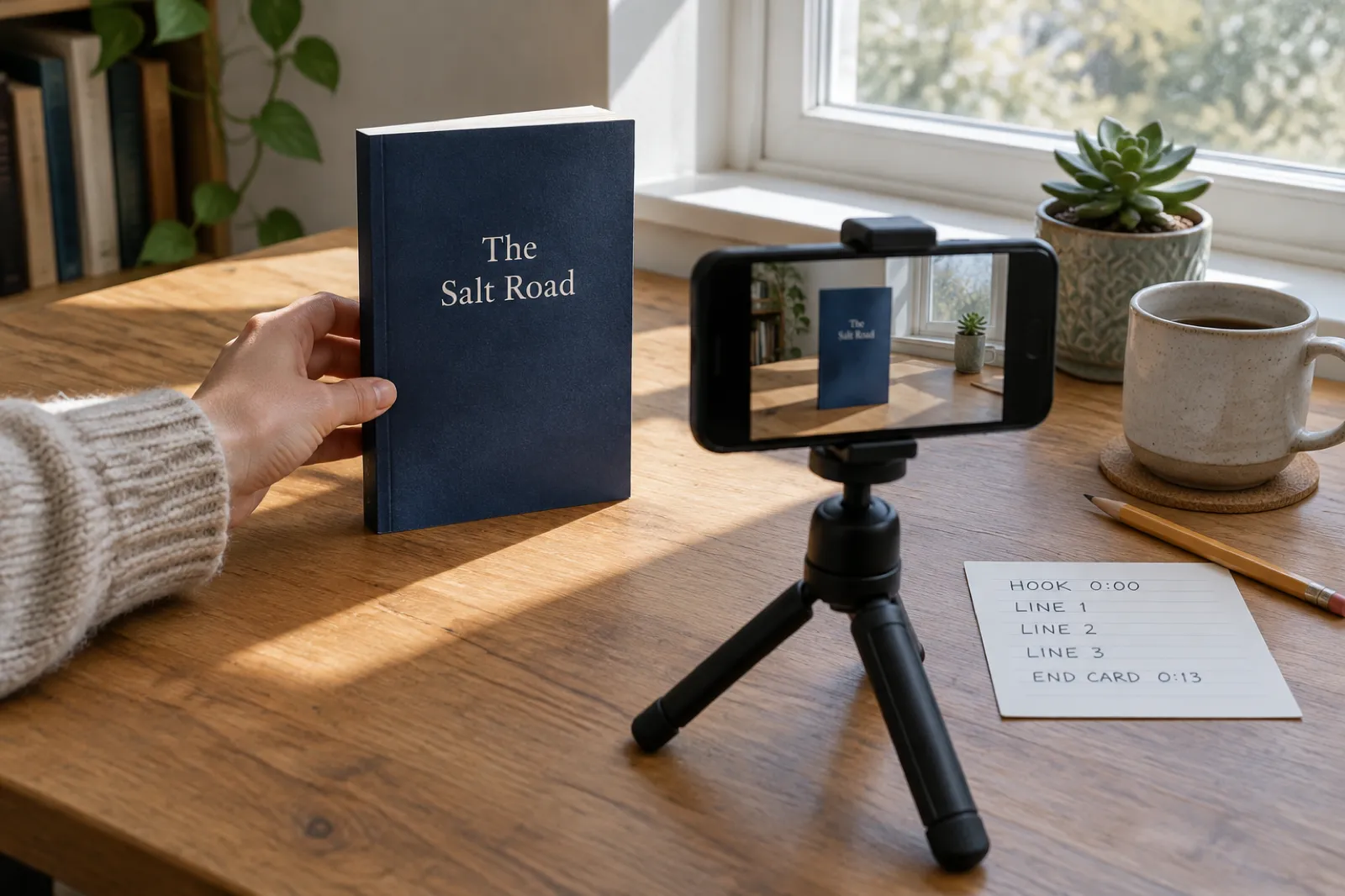
An author's desk by a window: a hand in a cream knitted sleeve holds up a navy paperback titled The Salt Road in a pool of sunlight, a smartphone on a mini tripod frames the book on its screen, and an index card beside it reads HOOK 0:00, LINE 1, LINE 2, LINE 3, END CARD 0:13, next to a pencil, a stoneware mug and a potted succulent.
The whole script fits on an index card. The book and title are invented for this page.

Already written a book? Import it or write it in Inkfluence AI, then make the trailer from the book itself.

See the trailer maker

From a script idea to a book, an audiobook and a trailer

Plenty of novels began as scenes the writer could not stop thinking about. A screenplay leaves almost everything to the actors and the camera; a novel has room for the inside of a character's head, the history of the allotment shed and eleven years of silence on one page. If a generated scene leaves you wanting more of these people, the book is the bigger canvas, and it is the canvas Inkfluence AI is built for.

  1. Hand it over. Turn this into a book opens the dashboard with the premise and logline already in the start box. Add a chapter count, a point of view or a reading age if you like.
  2. Outline and story bible. The writer plans the book chapter by chapter and records the characters, places, objects and rules, so chapter twelve still knows what the tape was.
  3. Chapters in order. Fiction is written one chapter after another, each reading what came before. Edit or regenerate any chapter.
  4. Cover and export. The AI book cover generator makes a front cover; export a PDF free, or EPUB, Word and a print-ready KDP interior on a paid plan.
  5. Audiobook. The AI audiobook generator narrates the chapters in a choice of voices: 15 chapters a month on Creator, 30 on Premium.
  6. Trailer. The book trailer maker writes and renders the 15 to 20 second video from your opening chapters.

The genre pages go deeper on each kind of book: the mystery and thriller writer for clocks and fair clues, the romance novel writer for tropes and heat level, the horror story generator for dread, and the sci-fi story generator for one big idea followed all the way. For a full-length novel in any genre, start at the AI novel writer; for a planned chapter list before any prose, the book outline generator.

One scene in, ready for more? The first 5 chapters are free every month, and the story bible starts with chapter one.

Turn my scene into a book

What it costs

The script writer on this page costs nothing, ever. The book side has a free plan and two paid plans. These are the allowances that matter here, read from the app's own plan settings on 1 Nov 2026.

FreeCreator, $9.99 a monthPremium, $19.99 a month
Scripts on this pageUnlimitedUnlimitedUnlimited
AI-written book chapters5 a month35 a monthUnlimited
ExportPDFPDF, EPUB, Word, KDP printPDF, EPUB, Word, KDP print
Audiobook narrationNone15 chapters a month30 chapters a month
Book trailer videosNone20 a month60 a month

The free plan resets every month. Annual billing and chapter credit packs are on the pricing page.

Who uses a script generator, and how

Five ways people use the script writer, with the settings that suit each.

Film students and short filmmakers

Film or TV scene, any genre, with your actual location typed in Setting. Shoot the generated scene as a one-location exercise, then rewrite it in your own voice and shoot it again. The difference between the two is the lesson.

Actors preparing for auditions

Generate a two-hander in the genre you are auditioning for and practise with a reader. Fresh material means you are reacting, not reciting. Drama and thriller give the widest range of beats.

Drama teachers

Stage play scene, comedy or drama. Print a different scene for each pair, give them ten minutes, and have them play it twice: once as written, once with the subtext flipped.

YouTubers and short-video creators

YouTube or short video, your topic, Three mistakes for reach or How-to for search. Keep the section labels and timings, rewrite the words in your own voice, and film the B-roll first.

Authors promoting a book

Book trailer, your genre and your title, to try hooks before you film. When you are ready to post, let the book trailer maker draft the lines from the book itself and render the video. Novelists using scenes to find their story will find the drafting workflow on our page for novelists.

Screenwriting software for full scripts, checked 1 Nov 2026

For a whole screenplay that you will send to producers, competitions or a production team, use software built for it. This is not a ranking; it is what each tool says about itself on its own site, read on 1 Nov 2026, so you can match the tool to the job.

ToolWhat it says it doesPrice on its own site
Final Draft 13Desktop screenwriting software with automatic formatting, a Beat Board, an outline editor, tracked revisions and PDF export.One-time licence listed at $249.99 (on sale for $199.99 when checked); subscription with cloud access $16.99 a month; free trial.
Arc StudioScreenwriting in the browser with cloud sync and Final Draft and Fountain export; paid credit add-ons for table reads, character images and research.Free plan: 2 scripts, watermarked PDF. Essentials $69 a year, Pro $99 a year. 7-day Pro trial.
CeltxScreenplay, stage play and audio-visual script editors, with production planning add-ons on paid plans.Free plan: 1 project, 1 seat. Paid plans listed without prices on the page; yearly billing saves up to 25%.
Inkfluence AIThis free script writer for scenes, videos and trailers, plus a writer for whole books, with covers, export, audiobooks and book trailer videos in the same account. No screenplay export.Script writer free; app free plan, Creator $9.99, Premium $19.99 a month.

Different tools for different jobs. A screenwriter writing a feature belongs in screenwriting software. A writer who has found a story and wants to finish it as a book, then hear it and promote it, belongs in Inkfluence AI. For the wider field of AI writing tools for fiction, see the AI story writing tools comparison and our guide to the best AI story generators.

Can you use or sell a script you generated?

You can use anything this page generates, for anything, with no credit to us: a class, a shoot, an audition, a channel. Selling or registering a script raises a separate question: who owns the words.

In its January 2025 report on copyrightability, the US Copyright Office concluded that outputs of generative AI are protected "only where a human author has determined sufficient expressive elements", that "the mere provision of prompts" is not enough, and that creative arrangements or modifications of the output by a person can be protected. The scenes here are assembled from templates rather than written by a model, but the practical advice is the same: treat a generated scene as a starting point and rewrite it until the choices are yours. If you turn a premise into a book and publish it on Amazon, read our explainer on the KDP AI disclosure policy first.

None of this is legal advice; if a lot rides on it, ask a lawyer where you live.

What this script writer will not do

  • Write a feature-length screenplay. It writes one scene, one video or one trailer at a time. For a full script, use screenwriting software; for a full story, use the book writer in the app.
  • Invent beyond its templates. Every line was written in advance. Your inputs change who, where and what, not the shape of the scene.
  • Export screenplay files. Copy gives you plain text laid out like a script. Paste it into your screenwriting software and it will reformat it.
  • Know your topic. Video scripts give you a proven structure and sensible general advice. The specifics of your topic, your examples and your numbers, are yours to add.
  • Write in other languages. Scripts here are in English. The book writer in the app writes books in other languages directly.
  • Remember anything. Nothing is saved. Copy a script you like before you press New script.

If you need a premise before a scene, the writing prompt generator has open prompts for practice, and our collection of AI writing prompts shows prompts that get good results from AI tools. For branching stories your players choose their way through, try the interactive fiction generator.

AI script writer: frequently asked questions

Is this AI script writer free?

Yes, and it is unlimited. There is no sign-up and no cap: every script is built in your browser from hand-written templates, so another one costs nothing. If you want the Inkfluence AI writer to turn a script idea into a book, the free plan writes 5 chapters a month with PDF export. Creator is $9.99 a month for 35 chapters a month, and Premium is $19.99 a month for unlimited chapters.

What kinds of script can it write?

Four: a film or TV scene in screenplay format, a stage play scene with stage directions, a YouTube or short video script with a hook, sections, on-screen text, B-roll notes and a call to action, and a 15-second book trailer script with a hook, three lines and an end card. Scenes and trailers come in six genres: drama, comedy, thriller, horror, romance and science fiction.

Is the script written by AI?

Not by a language model. The scene generator assembles each scene from 90 hand-written scene beats, written separately for each genre, and fills in your character, setting and must-include detail. That is why it is instant, free and unlimited, and why openings stay openings and endings stay endings. The writer inside Inkfluence AI is different: it writes new prose from your idea, chapter by chapter, for books.

Can Inkfluence AI write a full screenplay?

No. Inkfluence AI writes books: novels, non-fiction, children's books, plus audiobooks and book trailers made from them. It does not write feature-length screenplays or export industry screenplay files. For a full screenplay, use dedicated screenwriting software such as Final Draft, Arc Studio or Celtx, and use this page for scenes, practice and premises.

How long is one page of a screenplay on screen?

The usual rule of thumb is one page per minute of screen time, which is why feature scripts tend to run 90 to 120 pages. It is an average: a page of fast dialogue plays quicker than a page of dense action. The scenes here run about one page.

How do I write a YouTube script?

Open with a hook that earns the next three seconds, say what the viewer will get, deliver it in two to four clear sections, show something on screen for each point, and finish with one call to action. Most narrators speak roughly 130 to 160 words a minute, so a one-minute script is about 150 words and a five-minute script about 700. Pick YouTube or short video above, type a topic and choose one minute or five.

Can I use the scripts I generate?

Yes, for anything: a class exercise, an audition, a short film, a video, the start of a book. No credit is needed. If you plan to sell or register the work, rewrite it in your own words first. The US Copyright Office said in January 2025 that AI-generated material is protected only where a human has contributed enough expressive elements.

Can I put my own character and location in the scene?

Yes. Type a name in Main character and choose she, he or they, type a location in Setting (for example "a lighthouse in Maine"), and add one object in Must include. The scene heading, action lines and dialogue cues all use what you typed.

Can I turn a script idea into a book?

Yes. Turn this into a book opens the Inkfluence AI dashboard with the premise and logline in the start box. The writer then plans an outline, keeps a story bible of characters, places and objects, writes the chapters in order and gives you an editor, covers and export.

Can Inkfluence AI make the book trailer video too?

Yes, once your book is in the app, on a paid plan. The book trailer maker drafts the words for a 15 to 20 second vertical video from your book (a hook, three lines and a post caption), you edit them, and it renders the video with captions, a voice and your cover. Creator includes 20 book videos a month and Premium 60. The free plan does not make videos.

Sources

All read on 1 Nov 2026. Other tools change their pages and prices; if a figure here and the tool's own page disagree, the tool's page wins.

Final Draft, Arc Studio, Celtx, YouTube, TikTok, Instagram and Amazon are trademarks of their owners. Inkfluence AI is independent and not affiliated with or endorsed by any of them.

Related tools and guides

A scene takes a click. A book takes one more.

Take the premise you liked best, and let the Inkfluence AI writer outline it, write it chapter by chapter with a story bible, and hand you an editor, a cover, an audiobook and a trailer. Free to start, no card.

Start my book free