
AI Book Publishing: From Generator to Amazon KDP in 7 Steps (2026)
Complete guide to going from AI book generator output to a published listing on Amazon KDP. Covers formatting, copyright ownership, cover requirements, marketing, pricing, royalties, and distribution.

Quick Answer
Publishing an AI-generated book on Amazon KDP requires 7 steps: (1) generate your manuscript with an AI book generator, (2) edit and refine, (3) export to KDP-ready formats (PDF for print, EPUB for Kindle), (4) create a professional cover, (5) write your book description and choose categories, (6) set pricing and royalty structure, (7) publish and market. Tools like Inkfluence AI handle steps 1-5 in one platform.
AI book generators have removed the hardest part of publishing - writing the manuscript. But going from a generated draft to a live Amazon KDP listing requires understanding formatting requirements, copyright rules, cover specifications, pricing strategy, and marketing basics.
This guide walks through every step of the process, from choosing the right AI tool to your first KDP upload. For context on where each AI tool fits across the broader stack, see our piece on AI integration across publishing workflows.
Step 1: Choose the Right AI Book Generator
Not all AI book generators produce KDP-ready output. You need a tool that:
- Exports to PDF and EPUB - KDP requires EPUB/KPF for Kindle ebooks and PDF for paperbacks
- Generates professional covers - KDP has strict cover dimension requirements
- Grants commercial rights - Some tools restrict how you can use generated content
- Supports genre-specific formatting - A cookbook needs different formatting than a novel
Inkfluence AI handles all of these with 20+ genre-specific blueprints, AI cover design, multi-format export, and 100% commercial rights on all plans. See the full tool comparison to evaluate alternatives.
Step 2: Edit and Refine Your Manuscript
AI-generated first drafts are a starting point, not a final product. Budget time for:
- Factual accuracy - Verify any statistics, dates, or claims
- Tone consistency - Ensure all chapters sound like the same author
- Repetition - AI sometimes reuses phrases or ideas across chapters
- Personal touch - Add your own experiences, examples, and voice
- Structure - Ensure each chapter logically flows into the next
Use the AI rewriting tools in your generator (Inkfluence has per-chapter regeneration and AI tone adjustment) plus a manual editing pass. For fiction, the AI book editor can help catch continuity issues.
Step 3: Export to KDP-Ready Formats
Amazon KDP accepts specific formats:
| Product | Accepted Formats | Inkfluence Export |
|---|---|---|
| Kindle ebook | EPUB, KPF, DOCX | EPUB + DOCX |
| Paperback | PDF (print-ready) | |
| Hardcover | PDF (print-ready) |
Inkfluence exports all three formats natively. If your tool only exports PDF, you may need a conversion step for the Kindle ebook edition. For a detailed walkthrough of paperback PDF requirements (trim sizes, gutter margins, bleed, and cover specs), see our print-ready PDF guide for KDP paperback.
Step 4: Create a Professional Cover
Your cover is the single most important marketing element. KDP specifications:
- Kindle ebook: 2,560 x 1,600 pixels (1.6:1 ratio), RGB, JPEG or TIFF
- Paperback: Varies by trim size + page count (includes spine width), at least 300 DPI
- Front cover content: Title, subtitle, and author name must match your listing exactly
The Inkfluence AI cover designer generates covers at KDP-appropriate resolution. It includes AI generation from a prompt plus a 5-tab manual editor for fine-tuning typography, layout, and images.
Step 5: Write Your KDP Listing
A strong listing converts browsers into buyers. Key elements:
- Title + subtitle: Include your primary keyword naturally
- Book description: 4,000 characters max. Use HTML formatting for bold, bullets, and paragraphs. Lead with a hook, describe benefits, and end with a call to action
- Categories: Pick 2 relevant BISAC categories (you can request up to 10 total via KDP support)
- Keywords: 7 keyword slots of up to 50 characters each. Use long-tail phrases, not single words
For book descriptions, the book description generator can create KDP-optimized copy. For keyword research, see the KDP SEO guide.
Step 6: Set Pricing and Royalties
KDP offers two royalty tiers for ebooks:
| Royalty | Price Range | Delivery Cost | Best For |
|---|---|---|---|
| 35% | $0.99 - $200 | None | Low-price lead magnets, short ebooks |
| 70% | $2.99 - $12.99 | $0.15/MB | Standard-length books (most books) |
Pricing strategy: Most AI-generated non-fiction ebooks perform well at $2.99-$4.99 (qualifying for 70% royalty). Fiction novels typically price at $3.99-$6.99. Premium non-fiction (business, technical) can go up to $9.99.
For paperbacks, KDP calculates a minimum price based on page count and printing costs. You set your list price above that and earn 60% royalty on the difference.
Step 7: Publish and Market Your Book
Once published, your book appears on Amazon within 24-72 hours. Initial marketing actions:
- Request additional categories - Email KDP support to add up to 10 BISAC categories
- Set up your Author Central page - Add bio, photo, and blog feed on Amazon Author Central
- Launch promotion - Consider a 5-day Kindle Countdown or Free Promotion (requires KDP Select enrollment)
- Collect early reviews - Send copies to readers in your network
- Create an audiobook edition - Use AI audiobook generation to create an audio version for ACX or direct sale
For a more comprehensive launch strategy, see the ebook marketing strategy guide and launch checklist.
Copyright and AI-Generated Content - What You Need to Know
This is the #1 question authors ask about AI book publishing. Here is the current landscape:
Can you publish AI-generated books on Amazon?
Yes. Amazon KDP accepts AI-generated content. As of their 2024 policy update, KDP requires you to disclose whether AI was used during creation. They distinguish between "AI-generated" (AI created the content) and "AI-assisted" (AI helped but human is the primary creator). Both are allowed.
Do you own the copyright?
Copyright law around pure AI output is evolving. The safest approach: use AI to generate a first draft, then substantively edit and add your own voice and expertise. This "human authorship" layer strengthens your copyright claim. With Inkfluence AI, you retain 100% commercial rights on all plans - you can publish, sell, and distribute however you choose.
KDP disclosure requirements
When uploading to KDP, you will be asked whether AI tools were used for text, images, or translations. Answer honestly. Non-disclosure can result in account issues.
Understanding KDP Royalties in Detail
Common scenarios for AI-generated books:
| Book Type | Typical Price | Royalty Rate | Your Earnings |
|---|---|---|---|
| Short ebook (30 pages) | $2.99 | 70% | ~$2.05/sale |
| Standard non-fiction | $4.99 | 70% | ~$3.44/sale |
| Fiction novel | $3.99 | 70% | ~$2.74/sale |
| Premium non-fiction | $9.99 | 70% | ~$6.94/sale |
| Paperback (200 pages) | $14.99 | 60% minus print | ~$4-5/sale |
With AI-generated content, your cost of creation is dramatically lower than traditional publishing. Even at modest sales volumes, the ROI is substantial - especially when you can produce multiple books using AI ebook generation.
Marketing Your AI-Generated Book
The biggest gap in most AI book generators is what happens after the book exists. Here's what effective marketing looks like:
On-Amazon marketing
- Amazon Ads (AMS) - Sponsored product ads targeting related books and keywords
- Category strategy - Target smaller categories for Best Seller badges
- KDP Select promotions - Free/countdown deals to boost ranking
- A+ Content - Enhanced product descriptions (available to brand-registered sellers)
Off-Amazon marketing
- Social media - Share excerpts, behind-the-scenes creation process
- Email list - Use a lead magnet to build a reader list
- Book showcase - Inkfluence's public showcase gives you a shareable landing page
- Audiobook edition - Reach listeners on a different platform
The most successful AI-published authors treat it as a content business: produce multiple titles in a niche, cross-promote between books, and build an email list of readers.
7 Common Mistakes to Avoid
- Publishing without editing - AI first drafts need human review for accuracy, tone, and repetition
- Using a low-quality cover - Covers drive click-through. Invest in proper cover design or use an AI cover generator
- Ignoring KDP keyword slots - All 7 keyword fields should be filled with long-tail phrases
- Choosing wrong categories - Target categories where you can realistically reach the top 20
- Pricing too high or too low - Stay in the $2.99-$12.99 range for 70% royalty on ebooks
- No book description optimisation - Your description is a sales page. Use bullets, bold, and hooks
- Publishing one book and stopping - Multiple titles in a niche compound each other's visibility
Ready to publish your first AI book?
Inkfluence AI handles steps 1-5 of this guide in one platform: AI writing, editing, cover design, export, and book descriptions. Free to start, no credit card required.
Start Creating Free →Related Guides

Founder, Inkfluence AI
Sam is the founder of Inkfluence AI. He built the platform to make book creation accessible to everyone - from first-time authors to seasoned publishers.
Helpful links
Ready to Create Your Own Ebook?
Start writing with AI-powered tools, professional templates, and multi-format export.
Get Started FreeRelated Articles
 Guides
 Selling AI Coloring Books on Amazon KDP: The 2026 Rules, Specs, and Math
Are AI coloring books allowed on KDP? Yes, with disclosure. The part nobody covers: the AI workflow that passes review, style consistency across 30 pages, the interior specs that cause rejections, and the royalty ladder that decides your price.
 Guides
 How to Make an Adult Coloring Book in 2026: From Idea to Printed Pages
The modern walkthrough: what makes line work read as "adult", the three ways to create pages (draw, convert, generate), how to assemble a real book instead of a stack of pages, and the fork between KDP paperbacks, Etsy printables, and printing at home.
 Guides
 Consistent Characters in AI Children's Books: Why They Drift, and Every Method That Fixes It (2026)
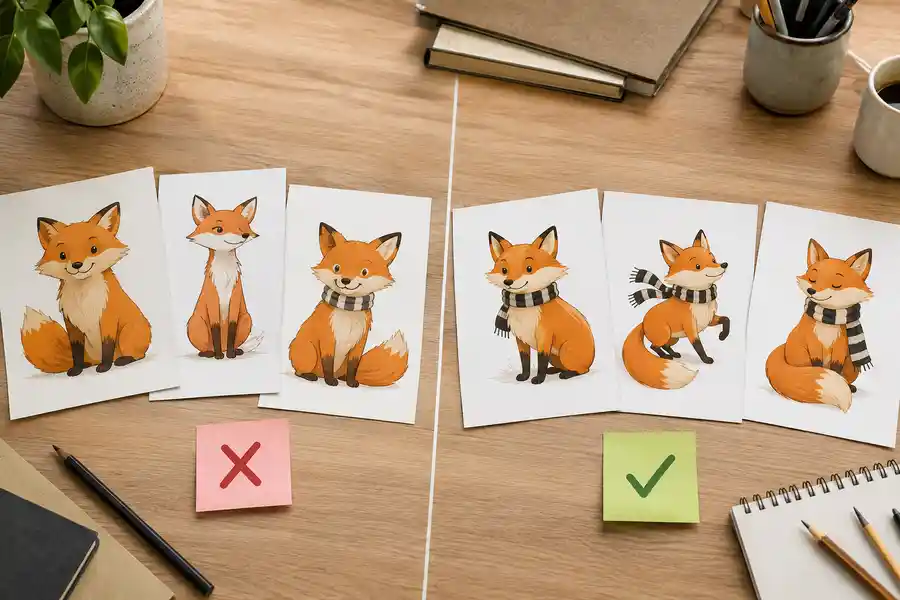
The fox on page 3 never matches the fox on page 7, until you understand why. The four methods for character consistency in AI illustration, compared honestly, plus the page-7 test to run before trusting any tool's claim.
Get ebook tips in your inbox
Join creators getting weekly strategies for writing, marketing, and selling ebooks.