
Will an AI picture book print sharp? What we measured at 117 and 307 dpi
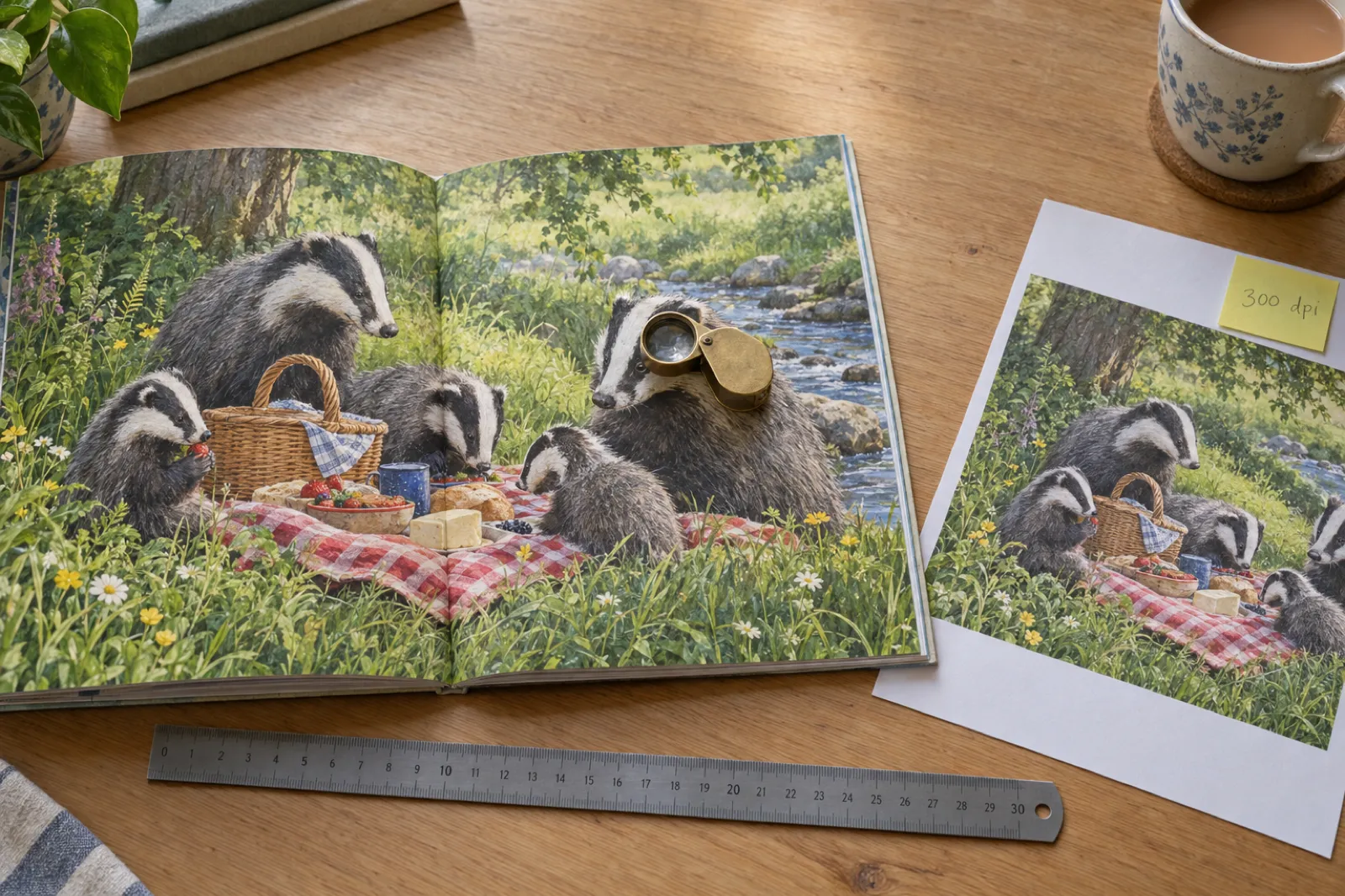

Most AI image tools hand you a picture about 1,024 pixels across. That looks lovely on a phone. Printed across a full page of a square picture book, it comes out at about 117 dots per inch, less than half the 300 dpi Amazon KDP asks for, and on paper you can see it: soft fur, fuzzy outlines, eyes without their sparkle. On 16 November 2026 we changed how Inkfluence AI paints picture books so the print file gets pictures at 2,688 pixels instead, and we measured the same 14-page book before and after. This page shows those numbers, the maths behind them, and a calculator that tells you whether your own pictures will print sharp.
The short answer
An AI picture book prints sharp only if each picture has about 300 pixels for every inch it fills on the page. KDP asks for at least 300 DPI for every image and calls anything under 200 DPI low resolution (KDP image help). A full-bleed page in an 8.5 x 8.5 inch picture book is 8.625 x 8.75 inches with bleed, so it needs about 2,588 x 2,625 pixels. A typical 1,024 pixel AI picture gives only 117 dpi there. In our test on a real 14-page picture book, painting every page at 2,688 pixels raised the KDP print file from 117 to 307 dpi on every page, and the file got smaller, from 31 MB to 15 MB.
117 to 307
dpi on every page of the KDP interior
31 to 15 MB
interior PDF size, sharper and smaller
6.5 to 5.5 s
to build the KDP interior file
31 to 148
cover sharpness score (higher is sharper)
Will my picture print sharp?
Type the pixel size of your picture (your image viewer shows it, or right-click the file and look at its details), pick your trim size and where the picture goes on the page. The calculator works out the dpi it will print at and compares it with KDP's numbers. Everything runs on this page; nothing is uploaded or saved.
Blurry: 117 dpi
Under 200 dpi, which KDP calls low resolution. Fine lines, fur and lettering will look soft on paper.
For 300 dpi here you need about 2,588 x 2,625 pixels.
This picture is sharp at 300 dpi up to 3.41 x 3.41 inches.
Edge-to-edge sizes include KDP bleed: 0.125 in on the width (outside edge) and 0.25 in on the height (top and bottom), from KDP's trim and bleed page. A picture that is not the page's shape is cropped to fill it, so the side that has to stretch furthest decides the dpi. Thresholds: 300 dpi or more is sharp, 200 to 299 is borderline, under 200 is what KDP calls low resolution.
Want the pixel sizes for every KDP trim, spread and cover in one table? The KDP image size calculator lists them all. Have the file itself? The print checker on our AI image generator for KDP page reads the size from the picture for you.
Skip the maths
Inkfluence AI writes your picture book, paints every page at 2,688 pixels and exports a KDP paperback file at about 307 dpi. Describe the story in one sentence to start.
What dpi means for a picture book
A digital picture has no size in inches. It is a grid of pixels: 1,024 across and 1,024 down, say. It only gets a physical size when you decide how big to print it, and the moment you do, those pixels are spread over that many inches. Dpi (dots per inch) is the answer to one question: how many of the picture's pixels land in each inch of paper?
dpi = pixels / inches printed
That is the whole formula. A picture 2,688 pixels tall printed 8.75 inches tall is 2,688 / 8.75 = 307 dpi. The same picture printed 4 inches tall would be 672 dpi; printed 17 inches tall across a poster, 158 dpi. The picture never changed. Only the paper did.
Strictly, pixels per inch (ppi) is the term for a digital picture and dots per inch is the printer's ink dots, but KDP, most printers and most authors use dpi for both, so this page does too (the difference is explained here).
KDP's numbers, in its own words
- 300 dpi minimum. "All images (both cover and manuscript) should be at least 300 DPI" (KDP, Save Your Manuscript File). Its image help page recommends inserting images "at a minimum resolution of 300 DPI" (KDP, Format Images in Your Book).
- Under 200 dpi is low resolution. The same image help page defines low resolution as "Any image containing less than 200 DPI".
- 600 dpi is plenty. KDP's paperback submission guidelines recommend no more than 600 DPI, because bigger files gain nothing on paper and can slow processing (KDP paperback guidelines).
- The cover too. KDP's cover help asks for cover images at 300 DPI as well (KDP cover help).
Other print services agree on the 300 figure. IngramSpark asks for 300 ppi for colour and greyscale pictures and 600 for one-bit black-and-white line art (IngramSpark File Creation Guide), and Lulu asks for 300 to 600 (Lulu Book Creation Guide). Our print-ready PDF checklist sets all three printers' rules side by side.
Why 300, and why picture books feel it most
300 is the long-standing standard for printed pictures because, at reading distance, it is enough that the eye does not pick out the steps between pixels. Below about 200 you start to see softness: lines lose their crisp edge, fine texture like fur or grass melts into a smooth wash, and small highlights blur. A novel with one map at the front barely notices this. A picture book is nothing but pictures, printed large, in colour, on bright white paper, and read up close by a child pointing at things. It is the book where low resolution shows the most.
Picture books also usually print in premium colour. KDP's standard colour ink needs at least 72 pages, while premium colour starts at 24 (KDP print options), so a typical 24 or 32 page picture book prints on premium colour and white paper, which KDP says shows images with more contrast. More contrast helps a sharp picture, and makes a soft one easier to spot.
The maths for an 8.5 x 8.5 inch picture book
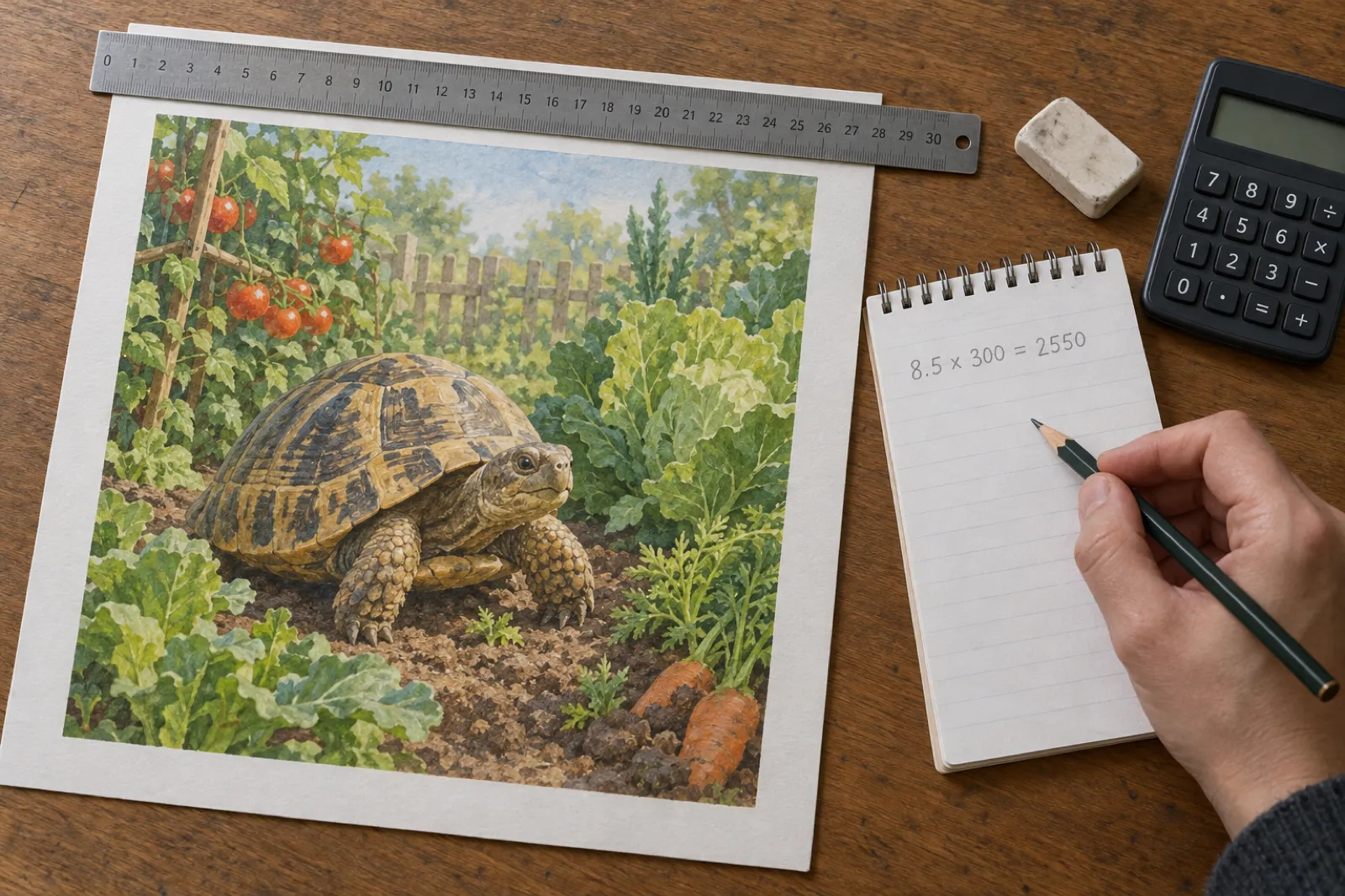
The 8.5 x 8.5 inch square is the most common picture-book size on KDP, so it is the one to get right first. Three steps:
- Add the bleed. A picture that runs to the edge of the paper needs a little extra that gets trimmed off. KDP adds 0.125 inch to the outside edge and 0.125 inch to the top and to the bottom, so each page in the file is 8.625 inches wide and 8.75 inches tall (KDP trim and bleed). There is no bleed on the spine edge. The picture-book bleed guide shows how to set up the art.
- Multiply by 300. 8.625 x 300 = 2,588 pixels wide and 8.75 x 300 = 2,625 pixels tall. Without bleed, the plain 8.5 inch square would be 8.5 x 300 = 2,550 pixels each way.
- Check the longer side. A square picture has to stretch to fill the taller side of the page (8.75 inches), so that side decides the dpi. A 1,024 pixel square gives 1,024 / 8.75 = 117 dpi. Without bleed it would be 1,024 / 8.5 = about 120 dpi; either way it is less than half of 300.
Here is what the usual AI picture sizes print at on that page, with the largest size each one prints at 300 dpi:
| Square picture | Full page with bleed, 8.5 x 8.5 in | Verdict | Largest size at 300 dpi |
|---|---|---|---|
| 1,024 x 1,024 px | 117 dpi | Blurry | 3.4 x 3.4 in |
| 1,536 x 1,536 px | 176 dpi | Blurry | 5.1 x 5.1 in |
| 2,048 x 2,048 px | 234 dpi | Borderline | 6.8 x 6.8 in |
| 2,560 x 2,560 px | 293 dpi | Borderline | 8.5 x 8.5 in |
| 2,688 x 2,688 px | 307 dpi | Sharp | 9 x 9 in |
Two things stand out. First, 2,048 pixels, a size many tools call "high resolution", still lands at about 234 dpi on a full page: better, but under KDP's 300. Second, a 1,024 pixel picture is perfectly sharp if you print it small. At 300 dpi it covers 3.41 inches, which is a good size for a spot illustration beside the text. The problem is only ever the combination of a small picture and a big page.
Other trims change the numbers. Taller pages stretch a square picture further, so it gets softer:
| Trim | Page with bleed | Pixels for 300 dpi | 1,024 px square | 2,688 px square |
|---|---|---|---|---|
| 8.5 x 8.5 in (square) | 8.625 x 8.75 in | 2,588 x 2,625 | 117 dpi | 307 dpi |
| 8.25 x 8.25 in (square) | 8.375 x 8.5 in | 2,513 x 2,550 | 120 dpi | 316 dpi |
| 8 x 10 in (portrait) | 8.125 x 10.25 in | 2,438 x 3,075 | 100 dpi | 262 dpi |
| 8.25 x 6 in (landscape) | 8.375 x 6.25 in | 2,513 x 1,875 | 122 dpi | 321 dpi |
| 8.5 x 11 in (large) | 8.625 x 11.25 in | 2,588 x 3,375 | 91 dpi | 239 dpi |
On the portrait and large trims, even a 2,688 pixel square falls short when it has to fill the whole page, because a square picture is cropped heavily to fill a tall page. Those books need a picture painted in the page's own shape. Two-page spreads need twice the width: an 8.5 x 8.5 inch spread with bleed is 17.25 x 8.75 inches, about 5,175 x 2,625 pixels. The KDP image size calculator has the full table for every trim, and the KDP paperback template covers the margins.
What we measured: the same book at 117 and 307 dpi
Until 16 November 2026, Inkfluence AI painted picture-book pages at 1,024 x 1,024 pixels, like most AI image tools. We knew the maths said that was about 117 dpi on the page, so before changing anything we built a test on a real 14-page, 8.5 x 8.5 inch picture book and ran its KDP paperback export twice: once with the pictures as they were, and once with every page painted at 2,688 x 2,688 pixels from the same prompts.
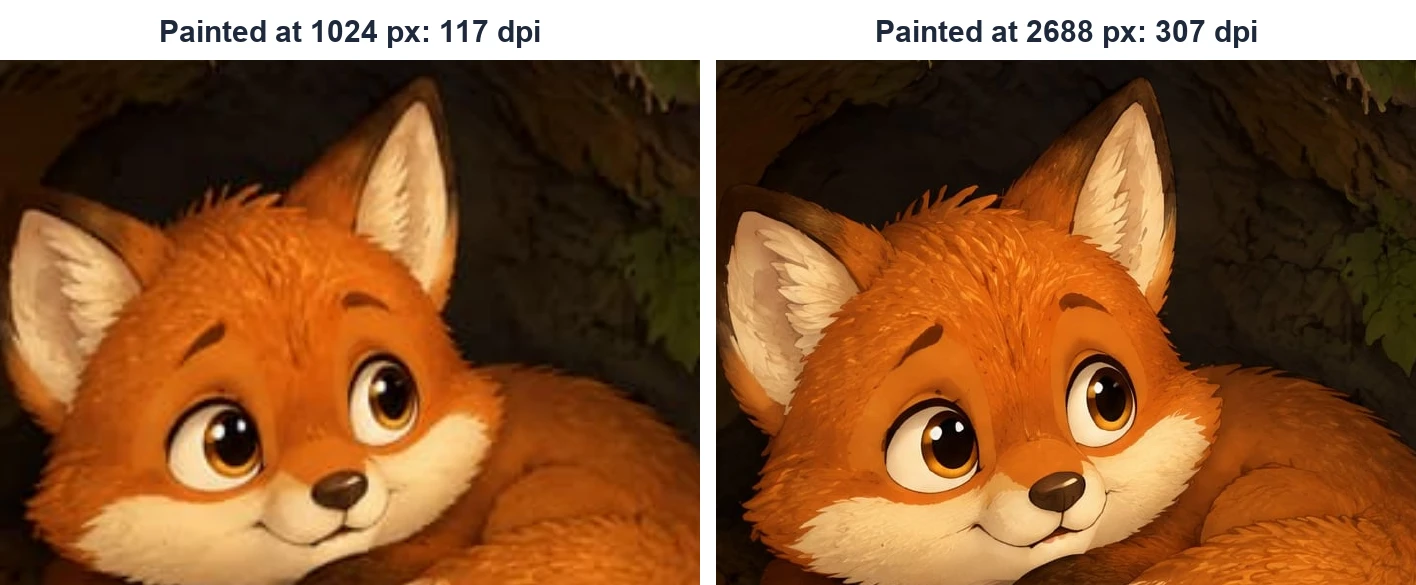
We then measured the two print files the way a printer would see them: the pixel size and resolution of every picture inside the PDF, the file size, how long the file took to build, and what each page looks like rendered at 300 pixels per inch, which is the paper's own resolution. The crops below are from that render, the same area of the same page, at the same zoom.
| Measured on the KDP paperback export | Before (1,024 px pages) | After (2,688 px pages) |
|---|---|---|
| Picture size inside the print file | 1,010 x 1,024 px | 2,650 x 2,688 px |
| Stored size of each picture | about 2.1 MB | about 1 MB |
| Print resolution on the 8.625 x 8.75 in bleed page | 117 dpi | 307 dpi |
| Pictures meeting KDP's 300 dpi | 0 of 14 | 14 of 14 |
| Interior PDF size | 31 MB | 15 MB |
| Time to build the KDP interior | 6.5 s | 5.5 s |
| Cover wrap sharpness score (picture-book cover) | 31 | 148 |
| Cover wrap sharpness score (6 x 9 AI cover) | 84 | 322 |
The headline number is the second row. Every one of the 14 pictures went from 117 dpi, under the 200 dpi KDP calls low resolution, to 307 dpi, just over the 300 it asks for. The picture inside the file is 2,650 x 2,688 pixels rather than the full 2,688 square, because the square painting is trimmed to the shape of the page with bleed (8.625 x 8.75 inches) before it goes in; the old pictures were trimmed the same way, to 1,010 x 1,024. 2,688 / 8.75 = 307, and 1,024 / 8.75 = 117.
What you see in the crops is what that number means on paper. At 117 dpi the fur is a smooth orange wash and the edges of the ears are soft. At 307 dpi you can see tufts of fur, the hairs inside the ears and the sharp highlights in the eyes. Held at arm's length the difference is smaller; held where a child holds a picture book, on their knees with their nose nearly on the page, it is obvious.
We then checked the change on a live book after it shipped: a fresh 14-page picture book exported for KDP had all 14 pictures at 2,650 x 2,688 pixels, about 307 dpi, in a 24-page interior of 17.8 MB. The test was not a one-off.
What it cost us
Painting a bigger picture takes longer. A 2,688 pixel page took about 28 seconds to paint against about 16 seconds at 1,024, and because pages paint side by side, a whole story picture book took about 13 seconds longer to finish in our first days of live timing. We decided 13 seconds was a fair price for a book that meets KDP's own resolution rule.
Every page at 307 dpi, without doing anything
New picture books and ABC books in Inkfluence AI are painted at print size automatically. Write the story, check the pages, export the KDP package.
Covers: the same test on the full wrap
The cover is the first thing a buyer holds, and it has the same problem. The front panel of an 8.5 x 8.5 inch paperback cover is the same 8.625 x 8.75 inches as a page with bleed, so a 1,024 pixel cover painting prints at the same 117 dpi. A 6 x 9 inch novel cover is 6.125 x 9.25 inches with bleed, and the common AI portrait size of 1,024 x 1,536 pixels prints at about 166 dpi there.
So covers changed on the same day:
- Picture-book covers (picture, ABC and the colour cover of a colouring book) are painted at 2,688 x 2,688 pixels, about 307 dpi on the front panel.
- AI covers for other books are painted at 1,856 x 2,784 pixels: 1,856 / 6.125 = 303 dpi across and 2,784 / 9.25 = 301 dpi down on a 6 x 9 inch front with bleed.
To check that the cover file actually got sharper, rather than just bigger, we built the KDP full-wrap cover before and after and scored the front panel with a standard sharpness measure. It looks at how sharply brightness changes from one pixel to the next across the picture: crisp edges and fine texture score high, blur scores low. (If you want to look it up, it is the variance of the Laplacian.) The score only means something when comparing versions of the same picture, which is exactly what we did.
Picture-book cover wrap
31 to 148
about 4.8 times sharper by this measure
6 x 9 AI cover wrap
84 to 322
about 3.8 times sharper by this measure
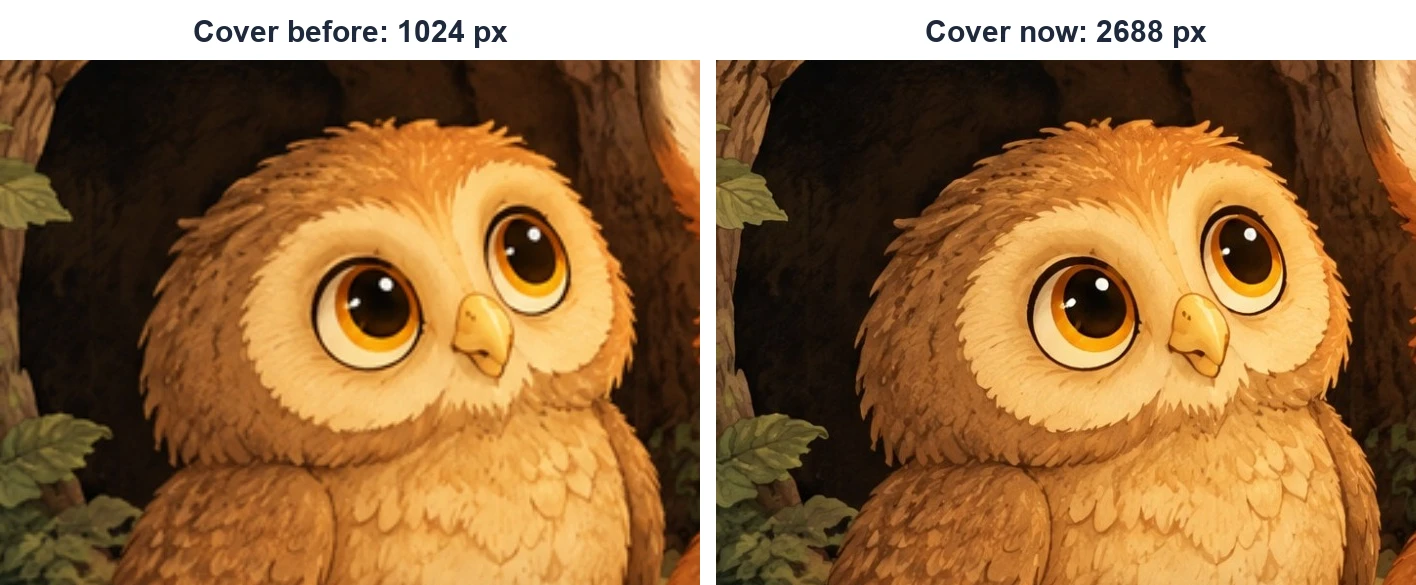
Lettering painted into a cover benefits most. A title painted at 1,024 pixels has soft letter edges when printed 8 inches wide; at 2,688 the strokes are clean. If you set your title in type on top of the art instead, the type is always sharp, because text in a PDF is not made of pixels. The AI book cover generator does either, and the spine width calculator gives the full-wrap size for your page count.
Why we did not just upscale
The obvious fix for a small picture is to make it bigger afterwards. We tried that first, because it would have been cheaper and faster than painting bigger. Two kinds of enlarging were tested on the same pages:
- A plain enlargement with sharpening. This is what an image editor does when you type a bigger size. It added pixels but no detail, so the result was barely better than the original: a larger blur with crisper edges on the blur.
- AI upscalers, which guess at the missing detail. On smooth cartoon art and clay-style pictures they looked good. On textured styles they did damage: coloured-pencil strokes smeared into flat colour, the halftone dots in comic-style art were wiped out, and watercolour turned blotchy where the pigment should have soft edges and grain.
A picture book's style is part of its charm, and the textured styles are exactly the ones authors choose to make a book feel hand-made. An upscaler that quietly flattens coloured pencil into plastic is not a fix. Painting the page at full size kept the real texture in every style we tested, so that is what we shipped.
One more trap is worth knowing about: changing the dpi number does nothing. Image editors let you set a picture to "300 dpi" without adding any pixels. The file then claims 300 dpi but prints exactly as before. KDP says the same: changing an image's DPI value in software "will not actually increase the quality of the image" (KDP image help). Only real pixels, or a smaller printed size, change the true resolution.
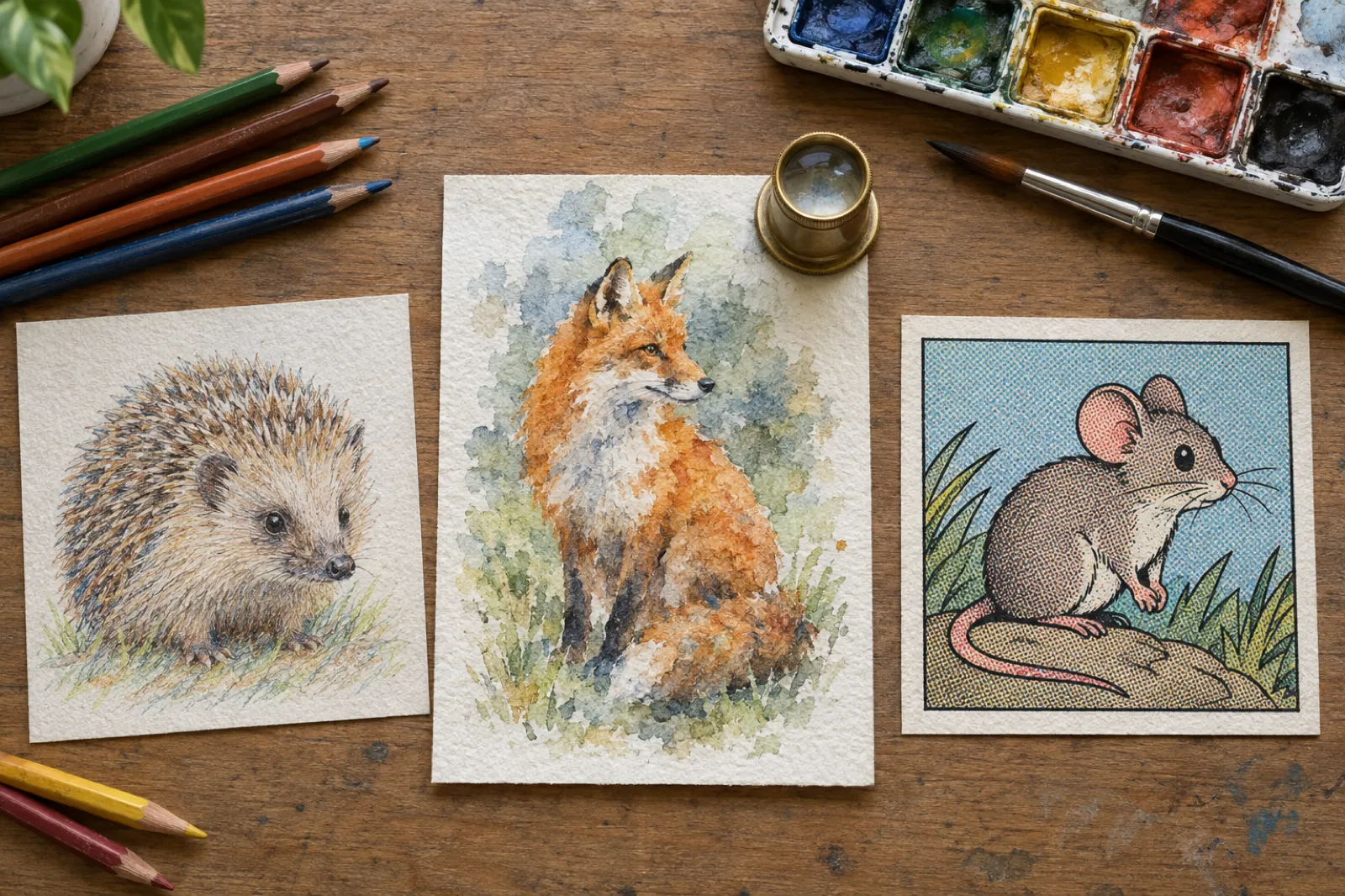
Our AI image generator for KDP page shows the upscaler tests side by side, style by style, if you want to see the smearing for yourself.
Why the sharper file is smaller
You would expect pictures with nearly seven times as many pixels to make a bigger file. Ours went from 31 MB to 15 MB. Two reasons:
- How the picture is stored. The print copy is saved as a high-quality JPEG, the same kind of compression a camera uses for photos, which is very efficient for painted pictures. The old file carried each small picture in a lossless format that keeps every pixel exactly, about 2.1 MB a page, which is a heavy way to store a painting. Each 2,650 x 2,688 print copy takes about 1 MB.
- Trimming before it goes in. Each print copy is cut to the exact page shape with bleed before it is placed, so the file holds only the part that prints.
A smaller file is not just tidier. KDP's limit is 650 MB per interior, and big picture books with many pages can approach it when pictures are stored badly; smaller files also upload faster and process faster at KDP. The file also built a second faster on our side (6.5 to 5.5 seconds), because there was less image data to push around.
If you build picture-book files yourself, the lesson carries over: a picture far above 600 dpi, or a PDF set to keep images uncompressed, can balloon the file without making anything sharper. Aim for 300 to 600 dpi at print size.
What this means if you make a picture book in Inkfluence AI
Since 16 November 2026, here is what happens when Inkfluence AI paints a book:
- Picture-book and ABC-book pages are painted at 2,688 x 2,688 pixels. Each page is kept twice: a 1,024 pixel copy for everything on screen (the editor, the preview, the ebook) and a 2,688 pixel print copy.
- The KDP paperback export uses the print copy for every full-bleed page, so each picture lands at about 307 dpi on the 8.5 x 8.5 inch page. You do not need to choose a setting.
- Covers get the same treatment for the KDP full-wrap cover: 2,688 pixels for picture-book covers, 1,856 x 2,784 for other AI covers.
- Redrawn pages are painted at print size too. Redraw a picture or ABC page in the editor and the new picture gets its own print copy.
- Books painted before 16 November 2026 keep their 1,024 pixel pictures and print as they did. Redrawing a page gives that page a print copy; the rest of the book is unchanged.
- Colouring pages are black line art and are prepared for print in their own way, so they are not painted at 2,688. The colour cover of a colouring book is.
- Your own pictures, when you make a book from images you already have, are kept at up to 2,800 pixels on the short side, which is more than a full 8.5 x 8.5 inch page needs. A smaller picture is never enlarged, so its resolution is the one you upload. Check it with the calculator above.
The rest of the KDP package is built around the same page: an 8.5 x 8.5 inch interior with bleed, a full-wrap cover sized to the real page count and paper, and a READ ME with the settings to pick at upload. The AI picture book maker page shows the whole flow, the picture book video walkthrough makes one from a single prompt, and the ABC book guide does the same for alphabet books. Keeping the same character on every page is covered in our guide to consistent characters in AI children's books.
One honest limit: the files are made for KDP. We do not export PDF/X or convert pictures to CMYK, so if you also print through IngramSpark, read its colour rules in the print-ready checklist first.
Made a picture book before 16 November?
Open it, redraw the pages you care about most (the cover and the spreads people see in the preview), and export again. Redrawn pages are painted at print size.
If your pictures come from somewhere else
Plenty of authors paint in one tool and lay out the book in another, or have a folder of illustrations already. The checks are the same wherever the pictures come from:
- Find the real pixel size. On Windows, right-click the file, choose Properties, then Details. On a Mac, select it in Finder and look in the Get Info panel or Preview's Inspector. Ignore the dpi field; it is only a label.
- Decide how big it prints. Full page with bleed, half page, a spread or a spot picture. Use the size with bleed for anything that touches the edge of the paper.
- Divide. Pixels divided by inches. 300 or more is sharp; 200 to 299 is borderline; under 200 is what KDP calls low resolution. The calculator above does this for you.
- If it falls short, change the plan, not the label. Get the picture made larger at the source (most tools have a larger size or a print option), use it smaller on the page, or give it a white border inside the margins instead of running it to the edge.
- Watch spreads and odd shapes. A picture across two pages needs twice the width. A square picture on a tall page is cropped and stretched to fill it, which costs resolution and can cut off heads and feet.
- Check the PDF, not just the pictures. Some layout programs shrink images when saving a PDF to keep the file small. KDP's file help asks for downsampling to be switched off (KDP, Save Your Manuscript File). Choose a print or high-quality export setting.
Already have finished illustrations? You can bring them in as they are: turn your illustrations into a picture book lays them out at the KDP size, and the own-images walkthrough shows the steps. If your book has AI pictures, remember KDP's disclosure question at upload; our KDP AI disclosure guide explains what to tick.
Pictures too small? Paint the book at print size instead
Describe your story and Inkfluence AI writes it, paints every page at 2,688 pixels with the same character throughout, and builds the KDP files.
Checking sharpness before you publish
A number is a good start, but the only real test of a printed book is the printed book. Three checks, from cheapest to most reliable:
- Do the sum for every full-page picture. It takes a minute with the calculator and catches the big problems, such as one page that came from a different source at a smaller size.
- Look at the PDF at print size. Open the interior PDF and zoom until a ruler held against your screen shows the page at its real width (8.5 inches for our square book). Soft pictures look soft at that zoom too. Zooming far past print size is not a fair test: everything looks blocky at 400%.
- Order a proof copy. KDP lets you order printed proofs from your Bookshelf before you publish. Look at the places low resolution shows first: fur and hair, grass and leaves, eyes and their highlights, thin outlines and any lettering painted into a picture. Then hold the book where a child would, close up, and look again.
While you have the proof in your hands, check the rest of the file too. The print-ready PDF checklist covers trim, bleed, margins and the cover; the PDF font checker confirms the text fonts are embedded (the most common rejection after resolution); and if one is not, fonts not embedded has the fix. For what each copy will cost in premium colour, try the KDP printing cost calculator.
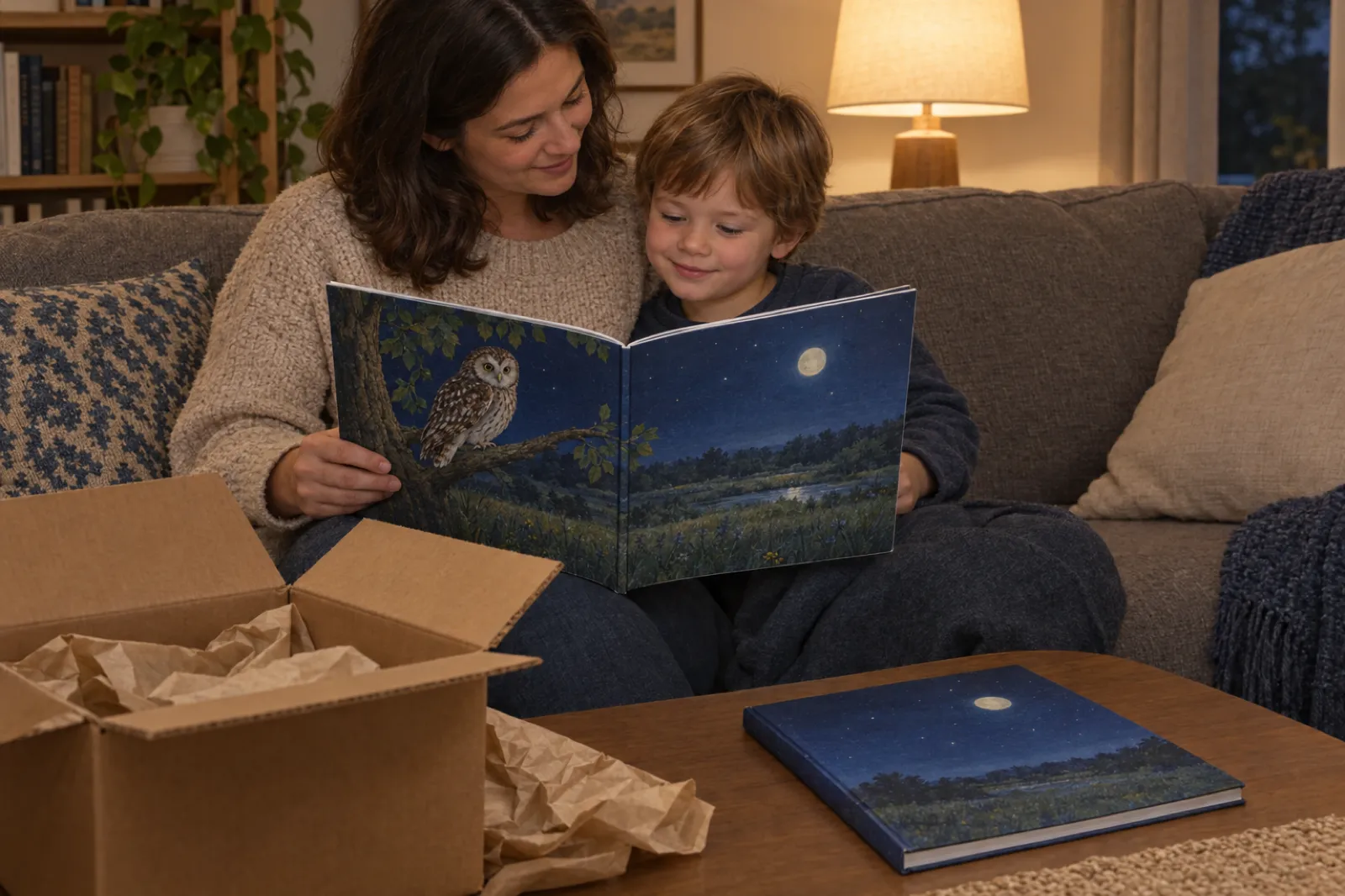
Does any of this matter for the ebook?
Much less. A screen shows a whole page in the pixels it has: a phone or an e-reader has roughly 1,000 to 1,300 pixels across, so a 1,024 pixel picture fills it at close to its own size and looks crisp. Only the largest tablets have noticeably more pixels than the picture. That is why Inkfluence AI keeps the 1,024 pixel copy for everything on screen, including the ebook: it loads quickly and looks right on the devices people read picture books on. The 300 dpi rule is about paper.
The one ebook size to know is the cover. KDP measures ebook covers in pixels and recommends 1,600 x 2,560. The KDP image size calculator lists it with the print sizes, and our guide to images in ebooks covers the rest.
Picture book print resolution: FAQ
What dpi does KDP need for a picture book?+
Will a 1024 x 1024 AI image print sharp in a picture book?+
How big will a 1024 px image print?+
How do I work out the dpi of a picture?+
Can I just change the dpi to 300 in an image editor?+
Does upscaling an AI image fix print resolution?+
Do Inkfluence AI picture books print at 300 dpi?+
What about books I made before 16 November 2026?+
Are colouring book pages painted at 2,688 pixels?+
Does picture resolution matter for the Kindle ebook?+
Sources: KDP Format Images in Your Book, Save Your Manuscript File, paperback submission guidelines, trim, bleed and margins, cover and print options; IngramSpark File Creation Guide; Lulu Book Creation Guide. Printer rules checked 19 November 2026. Inkfluence AI measurements made 16 November 2026 on KDP paperback exports of a 14-page 8.5 x 8.5 inch picture book.
Related tools and guides
KDP image size calculator
Pixels for every trim, spread and cover at 300 dpi.
Best AI image generator for KDP
Image tools checked at print size, with a file checker.
Print-ready PDF checklist
Every KDP, IngramSpark and Lulu file rule, side by side.
Free PDF font checker
Are the fonts in your interior embedded?
Fonts not embedded
The font error explained and fixed.
KDP paperback template
Page size and margins for your trim.
Make a picture book with AI
The whole book from one prompt, on video.
Best AI children's book creator
Which creator suits which book.
Picture-book bleed size
How to set up edge-to-edge art for KDP.
KDP spine width calculator
Spine and full-wrap cover size.
KDP printing cost calculator
What a colour picture book costs to print.
Paperback publishing on KDP
The whole KDP print guide.
A picture book that prints as sharp as it looks
Write the story, paint every page at 2,688 pixels with the same character throughout, and export a KDP paperback at about 307 dpi, cover wrap included.