
Smart Continue: The AI Book Writing Assistant That Picks Up Where You Left Off
Inkfluence AI's Smart Continue reads your previous chapters, detects your genre and tone, then generates the next scene or section in your voice. Here's how it works and why it's different from prompting ChatGPT.
Quick Answer
Smart Continue is an AI book writing assistant built into Inkfluence AI's chapter editor. Instead of starting from a blank prompt, it reads your previous chapters, detects whether you're writing fiction, non-fiction, a cookbook, or any of 20+ other book types, then generates the next section in the correct style with full plot and character continuity. It works for novels, self-help books, cookbooks, travel guides, and every other blueprint Inkfluence supports. The feature is available on all plans, including Free.
Every AI book writer hits the same wall. You generate five chapters, open chapter six, and the AI has no idea what happened in the first five. Characters change names. Plot threads vanish. A fiction book suddenly sounds like a self-help guide. The problem isn't the AI model. It's the context.
Smart Continue solves this by feeding your previous chapters, your book's genre, your outline, and your existing draft directly into the AI prompt. The result is a writing assistant that actually continues your book instead of starting a new one every time you click "generate." If you want the bigger picture of how AI book generators work end-to-end, our pipeline guide explains how outline, chapter context, and export fit together.
What Is Smart Continue?
Smart Continue is the AI writing panel inside Inkfluence AI's chapter editor. When you open a chapter and tap the AI button, Smart Continue analyses three things:
- Your book's genre: fiction, cookbook, biography, business playbook, children's book, or any of 33 book types. Each genre gets its own writing rules. Fiction chapters use scene-driven prose with dialogue and cliffhangers. Cookbooks follow recipe structure. Business books use actionable frameworks.
- Your previous chapters: for fiction, the last three chapters are included so the AI maintains character names, plot threads, setting details, and narrative tone. For non-fiction, the last two chapters prevent repetition and ensure each section builds on the previous one.
- Your current chapter: if you've already started writing, Smart Continue reads up to 4,000 characters of your draft and continues from exactly where you stopped.
This means when you type "continue book" on Chapter 9 of a fantasy novel, the AI knows your knight is standing in a cursed temple holding a glowing relic, not writing tips about journaling.
How Smart Continue Is Different from ChatGPT
The most common way people use AI to write a book in 2026 is copy-pasting chapters into ChatGPT and saying "write the next chapter." This works for a chapter or two, but breaks down quickly.
| Feature | Smart Continue | ChatGPT / Claude |
|---|---|---|
| Previous chapter context | Automatic (last 2-3 chapters) | Manual copy-paste |
| Genre detection | Automatic (23 types) | You must specify every time |
| Tone matching | Storytelling, educational, professional, etc. | Default chatbot tone |
| Book outline awareness | Sees full chapter list | Needs re-pasting per session |
| Character continuity (fiction) | Names, setting, plot maintained | Forgets after context window |
| Output format | Formatted HTML in editor | Plain text, needs reformatting |
| Export to PDF/EPUB | One-click export | Not available |
| Price | Free plan available | Free plan available |
The key difference is that Smart Continue doesn't require you to be a prompt engineer. You type "continue book" and the system handles the rest. With ChatGPT, you need to paste your outline, previous chapters, character list, and style instructions into every single message. Miss one detail and the output goes off track.
How It Works: Step by Step
Here's exactly what happens when you use Smart Continue inside the Inkfluence AI editor:
Step 1: Open any chapter
Navigate to the chapter you want to write or continue. Smart Continue works on both empty chapters and chapters you've already started drafting.
Step 2: Tap the AI button
The Smart Continue panel slides open. You'll see smart suggestions based on your chapter state:
- Empty chapter with a title: "Write the full chapter: [Your Title]"
- Empty chapter, generic title: "Write the next chapter following on from [Previous Chapter]"
- Chapter already has content: "Continue writing from where I left off"
Tap a suggestion or write your own instruction. Something as simple as "continue book" works.
Step 3: AI reads your context
Behind the scenes, Smart Continue builds a rich context package:
- Your book title and description
- The full chapter outline (all chapter titles)
- Which chapter number you're on (e.g., "Chapter 9 of 9")
- The last 2-3 chapters of actual content (not just titles)
- Any content already in this chapter (up to 4,000 characters)
- Your book's genre, which selects the right writing blueprint
Step 4: Genre-specific generation
The AI applies the correct writing blueprint for your book type. This is the part most people don't realise matters:
| Your Book Genre | Blueprint Applied | What the AI Focuses On |
|---|---|---|
| Fiction / Novel | Fiction Chapter | Scene structure, dialogue, character goals, tension, cliffhangers |
| Children's Fiction | Kids Fiction | Age-appropriate language, shorter scenes, clear moral arcs |
| Cookbook | Recipe Book | Recipe structure, ingredient lists, step-by-step instructions, serving sizes |
| Business / Marketing | Playbook | Actionable frameworks, case studies, ROI-focused language |
| Self-Help / Personal Development | Practical Guide | Exercises, real-world examples, actionable steps |
| Biography / Memoir | Biography | Chronological narrative, personal insights, pivotal moments |
| Study Guide | Study Guide | Key concepts, review questions, exam prep structure |
| True Crime | True Crime | Investigative narrative, evidence-based, suspense pacing |
There are 33 book types in total (including devotional, travel guide, workbook, email course, checklist pack, and more). Each one changes the AI's writing rules, formatting patterns, and content structure.
Step 5: Review and insert
The generated content appears in a preview panel. You can:
- Add to book: Appends the content to the end of your chapter
- Replace chapter: Swaps the entire chapter content
- Create new chapter: Starts a fresh chapter with the generated text
From there, you edit in the built-in rich text editor, then export as PDF, EPUB, or DOCX when your book is ready.
Try Smart Continue Free
Create a book, open any chapter, and let the AI continue your story. No credit card needed.
Start Writing FreeReal Example: Fiction Book Continuation
To show the difference Smart Continue makes, here's a real example. The book is "Cursed Relics Of Power," a fantasy novel about a knight who discovers cursed relics that erase memories. The user is on Chapter 9 and types "continue book."
What Smart Continue sends to the AI:
- Book title, description, and full 9-chapter outline
- Genre: fiction (selects the Fiction Chapter blueprint)
- Tone: storytelling (narrative-led, scene-driven)
- Content from chapters 6, 7, and 8: the ritual chamber, fragmented memories, the knight's confrontation with the curse's source, the final relic
- Chapter position: "You are writing chapter 9 of 9"
What the AI generates:
A 574-word continuation with the knight stepping beyond the threshold, fragments of memory in his fist, a hooded stranger posing a moral dilemma, a descent into a final chamber lit by flickering fire, and the relic's last temptation. Consistent character names, setting, and narrative voice. Proper scene structure with a cliffhanger ending.
Without Smart Continue (or with a generic AI chatbot), the same "continue book" prompt would yield generic content with no knowledge of the previous eight chapters, no character names, and likely a completely different tone and style.
Which Book Types Work Best with Smart Continue?
Smart Continue works across all 33 book types, but the impact is most dramatic for:
Fiction and novels
This is where Smart Continue shines brightest. Fiction requires character consistency, plot continuity, and narrative voice across every chapter. The last-three-chapters context window means the AI remembers who your characters are, what just happened, and where the story is heading. Without this, every AI-generated fiction chapter would feel disconnected.
Multi-chapter non-fiction
Self-help, business, and educational books need each chapter to build on the previous one without repeating the same advice. Smart Continue's two-chapter lookback prevents the AI from restating the same points while maintaining a consistent teaching style.
Series or long-form books
If your book has 10+ chapters, Smart Continue becomes essential. The AI always knows where you are in the outline and what the last few chapters covered, even if you wrote them weeks ago.
Cookbooks and recipe books
The recipe-book blueprint ensures every chapter follows proper recipe structure (ingredients, steps, serving sizes) instead of generating generic prose about cooking. Combined with previous chapter awareness, the AI avoids suggesting duplicate recipes.
Can AI Help Me Write a Book?
The short answer: yes, but the way you use AI matters more than which model you pick. GPT-4, Claude, and Gemini can all write decent prose. The difference is in the workflow around the model.
Most people who try to write a book with AI hit three walls:
- Context loss: the AI forgets previous chapters. Smart Continue fixes this by automatically including recent chapter content.
- Wrong tone/style: the AI defaults to a generic voice instead of matching your genre. Smart Continue applies genre-specific blueprints (23 types) and tone profiles.
- No structure: chatbots give you a wall of text with no book formatting. Inkfluence AI structures your book into chapters, generates a table of contents, and exports to PDF/EPUB.
If you've tried using ChatGPT to write a book and been frustrated by inconsistency or the manual copy-paste workflow, Smart Continue is built specifically for that problem.
How to Get the Best Results from Smart Continue
Smart Continue works well out of the box, but here are tips to get even better output:
1. Write a detailed book description
When you create your book, the description you enter feeds directly into every Smart Continue generation. "A knight discovers cursed relics" is good. "A disgraced knight in a medieval fantasy world discovers ancient relics that erase the memories of anyone who touches them, and must choose between destroying the relics or using their power to reclaim his own forgotten past" is better.
2. Use meaningful chapter titles
Smart Continue sees your full chapter outline. Titles like "Chapter 7" tell the AI nothing. Titles like "The Ritual of Remembrance: Confronting the Curse's Source" give the AI a clear direction for each chapter.
3. Edit before continuing
Smart Continue reads up to 4,000 characters of your current chapter. If the last paragraph of your existing draft ends in a specific place, the AI will continue from there. Editing the end of your chapter to set up the next scene gives the AI a strong launchpad.
4. Be specific when you can
"Continue book" works, but "Continue the scene where the knight enters the chamber and confronts the hooded stranger" works even better. Smart Continue handles both, but specificity gives you more control over direction.
5. Generate, then edit
AI-generated content is a first draft, not a final one. The best results come from generating with Smart Continue, then editing the output in the built-in editor. Adjust pacing, add personal voice, and refine dialogue. The AI gets you 80% of the way there in seconds.
Write Your Book with AI That Remembers
Smart Continue is available on every plan. Start a book, write a few chapters, then let AI pick up where you left off.
Try It FreeSmart Continue vs Other AI Book Writing Tools
Most AI book writing tools fall into two camps: general chatbots (ChatGPT, Claude, Gemini) that can write prose but have no book structure, and dedicated tools that generate an entire book from a single prompt but don't let you continue or edit individual chapters.
Smart Continue sits between these. It's not a "one-click book generator" that spits out a full manuscript in 30 seconds with no control. It's a chapter-level writing assistant that understands your book's context and lets you build iteratively.
| Approach | Pros | Cons |
|---|---|---|
| ChatGPT (manual) | High-quality prose, flexible | No structure, no memory, manual formatting |
| One-click generators | Fast, zero effort | No chapter-level control, generic output |
| Smart Continue (Inkfluence AI) | Context-aware, genre-specific, iterative | Requires chapter-by-chapter approach |
Supported Languages
Smart Continue works in 30+ languages. If your book was generated in French, Spanish, Italian, German, Portuguese, or any other supported language, Smart Continue will detect that and continue writing in the same language. The language lock applies to both the chapter content and section headings, so you won't get English subsections appearing in a Spanish book.
Frequently Asked Questions
Is Smart Continue free?
Yes. Smart Continue is available on all Inkfluence AI plans, including the free tier. Free users get 3 Smart Continue generations per day. Creator ($9.99/month) and Premium ($19.99/month) both include high-volume Smart Continue.
Does Smart Continue work for fiction?
Fiction is where Smart Continue works best. It reads the last three chapters of your novel, maintains character names and plot threads, and generates scene-driven prose with dialogue and cliffhangers. The fiction blueprint specifically avoids bullet points, instructional tone, and direct reader address that would break the narrative voice.
How many previous chapters does Smart Continue remember?
For fiction, true crime, kids' fiction, and biography, Smart Continue includes the last 3 chapters (up to 1,500 characters each from the end of each chapter). For all other genres, it includes the last 2 chapters (up to 800 characters each). It also sees your full chapter title outline and up to 4,000 characters of the current chapter's draft.
Can I use Smart Continue to write an entire book?
Yes. You can generate your initial book with Inkfluence AI's one-click flow (which creates an outline and all chapters), then use Smart Continue to extend, rewrite, or add new chapters one at a time. Many users generate a 5-8 chapter book first, then use Smart Continue to add extra chapters, expand thin sections, or take the story in a new direction.
What AI model does Smart Continue use?
AI Assist uses a fast, tuned AI model optimised for in-editor continuation across all plans. Higher-tier plans unlock higher-quality models for the initial full-book generation. The real difference in output quality comes from the context and blueprint system, not just the model.
Does Smart Continue work in languages other than English?
Yes. If your book was generated in French, Spanish, Portuguese, German, Italian, Japanese, Korean, Arabic, or any other supported language, Smart Continue will detect the language from your existing chapters and continue in the same language. Inkfluence AI supports 30+ languages for both book generation and Smart Continue.
Can I edit the AI-generated content?
Absolutely. Smart Continue inserts content into the built-in rich text editor where you have full control. Bold, italic, headings, lists, undo/redo, and word count are all available. Most users generate with AI, then spend 5-10 minutes refining the output to add their personal voice.
Is Smart Continue different from the initial book generation?
Yes. The initial "New Book" flow generates a complete outline and all chapters at once from a single prompt. Smart Continue is used after that, inside the editor, to extend, continue, or add new content to individual chapters. Think of initial generation as the foundation, and Smart Continue as the tool for building on top of it.
Start Writing with Smart Continue
Smart Continue is already built into every Inkfluence AI project. To try it:
- Go to your dashboard and create a new book (or open an existing one)
- Open any chapter in the editor
- Tap the AI button (the sparkle icon)
- Type "continue book" or tap a smart suggestion
- Review, edit, and export
No credit card required. The free plan includes 3 Smart Continue generations per day, which is enough to continue several chapters and see how the feature works with your book.
If you're looking for more AI writing tools and comparisons, check out our guide to the best free AI book writing tools in 2026, our best AI ebook generators roundup, or our step-by-step guide on how to write a book with AI.

Founder, Inkfluence AI
Sam is the founder of Inkfluence AI. He built the platform to make book creation accessible to everyone - from first-time authors to seasoned publishers.
Helpful links
Ready to Create Your Own Ebook?
Start writing with AI-powered tools, professional templates, and multi-format export.
Get Started FreeRelated Articles
 AI Writing
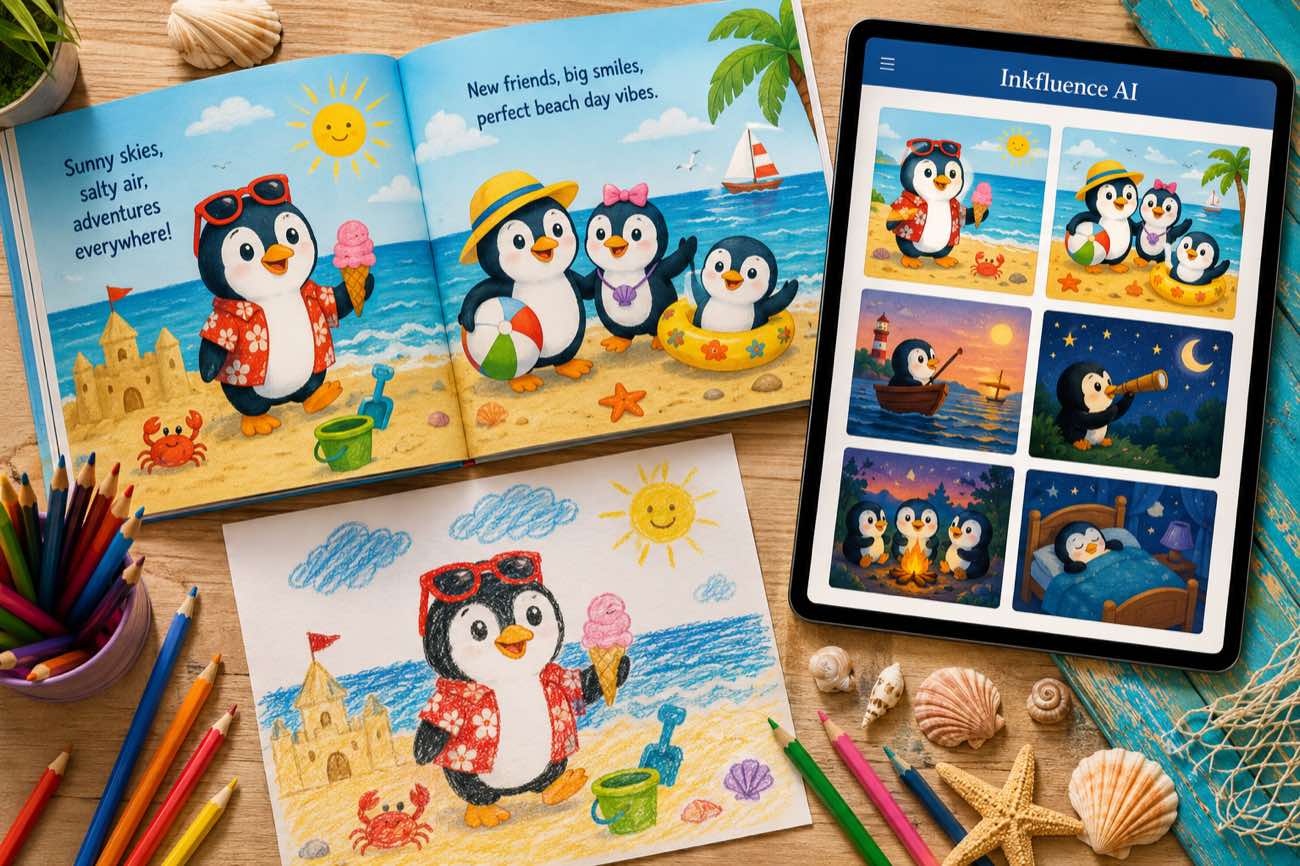
 How to Make a Children's Picture Book with AI: Idea to Printed Book in a Day
The complete 2026 workflow for making a fully illustrated children's picture book with AI: age-band word counts, page planning, consistent characters, cover design, and publishing it on Amazon KDP with the right disclosure.
 AI Writing
 The 9 Best Ebook Creators in 2026: AI, Formatting, and Design Tools Compared
Not every "ebook creator" does the same job. We compare the 9 best tools of 2026 across three categories: AI generators that write the book, formatting tools that typeset it, and design tools that make it beautiful, with verified pricing for each.
 AI Writing
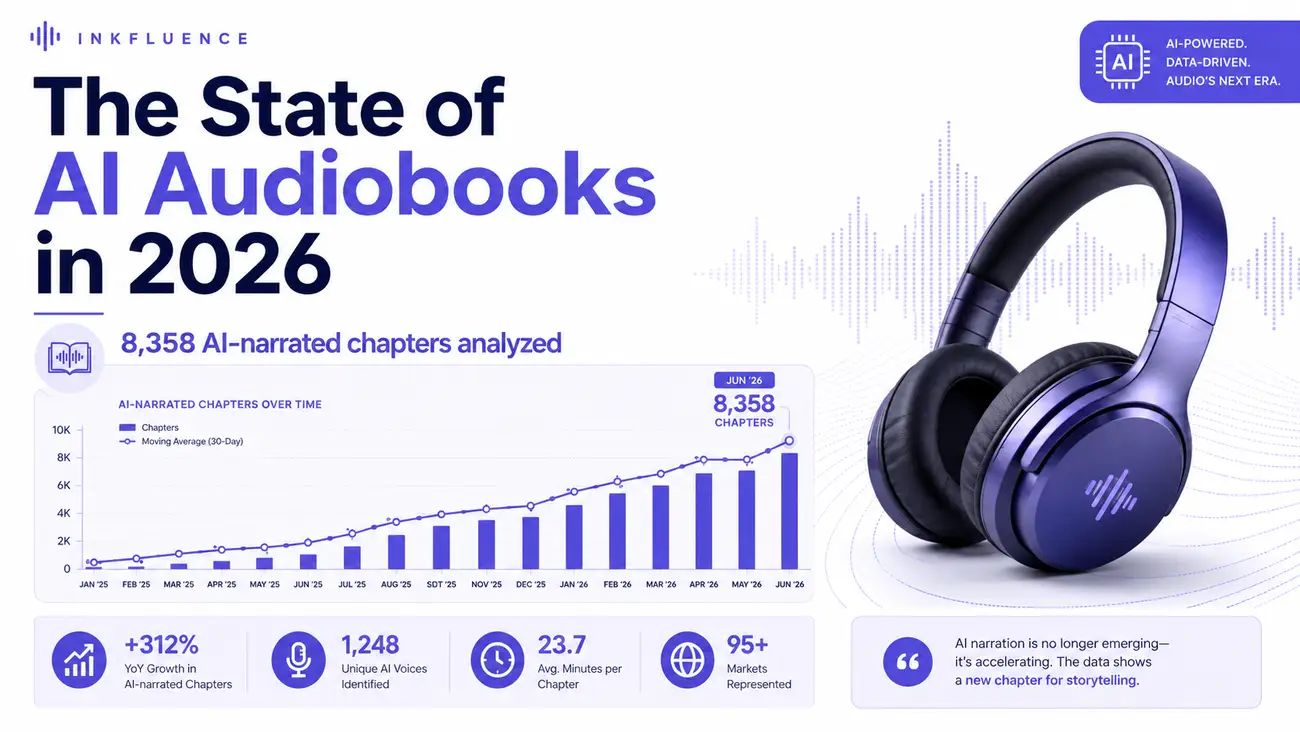
 The State of AI Audiobooks in 2026: What 8,358 AI-Narrated Chapters Reveal
We looked at 8,358 chapters our users narrated into audiobooks with AI. Monthly narration grew from a handful of chapters in late 2025 to nearly 3,000 a month by mid-2026, 99% of jobs finished cleanly, and listeners consistently pick natural, conversational voices over dramatic ones. Here is the first-party data and what it means for authors.
Get ebook tips in your inbox
Join creators getting weekly strategies for writing, marketing, and selling ebooks.