
Best AI PDF Editor & Tools 2026: Edit, Convert and Summarize
We tested the best AI PDF editors and tools of 2026 for editing, converting, and summarizing existing documents, including Adobe Acrobat AI vs competitors. Here is which ones are worth paying for and which free tiers are enough.
Quick Answer
The best AI PDF editors and tools in 2026 depend on the job. For editing and summarizing existing PDFs, Adobe Acrobat AI Assistant leads (chat with any document, summarize, rewrite, cite pages), with Foxit AI Assistant the cheaper alternative. For converting between formats, SmallPDF (quick single files) and iLovePDF (batch processing) are fastest. For summarizing or asking questions about a long document, Acrobat AI and SmallPDF's Chat-with-PDF lead. If instead you need to create a PDF from scratch (an ebook, lead magnet, or guide), that is a different job: see our best AI PDF generators comparison, where Inkfluence AI is the top pick.
Updated May 2026 · 11 min read
The phrase "AI PDF tools" covers different jobs, but the one most people actually need help with is working on a document they already have: editing it, summarizing a long report, asking it questions, or converting it to another format. This guide focuses on those jobs. We tested the leading AI PDF editors and converters of 2026, including a close look at how Adobe Acrobat AI Assistant stacks up against its competitors.
For each tool we evaluated the AI capabilities (not just the PDF plumbing), output quality, pricing, and who it is built for. If your starting point is a finished or scanned file, you are in the right place. If instead you want to create a new PDF from a topic, that is a separate workflow covered below and in our dedicated generators comparison.
Looking to create a PDF from scratch?
This guide is about editing, converting, and summarizing PDFs you already have. If you want AI to write and design a brand-new ebook, lead magnet, or guide as a finished PDF, that is a different tool category.
Read: Best AI PDF Generators 2026 (create from a prompt) or try the AI PDF generator free.
Three Categories of AI PDF Tools
Before comparing tools, it helps to understand the three distinct workflows that fall under "AI PDF tools." Mixing these up is why most people pick the wrong tool and waste time.
You upload an existing PDF. The AI helps summarize, rewrite sections, add annotations, fill forms, or extract data. Used for contracts, academic papers, manuals, and compliance docs. This is the job most people need.
You convert PDFs to Word, Excel, images, or vice versa. AI improves OCR accuracy and layout preservation during conversion. Used for digitizing documents, reformatting, and archiving.
You provide a topic or outline. The AI generates content, structures it into chapters, applies formatting, and exports a finished PDF. Used for ebooks, lead magnets, guides, workbooks, reports. Covered briefly below and in our dedicated generators guide.
This guide concentrates on the first two jobs most people actually arrive with: editing or summarizing a document they already have, and converting it to another format. Creation, going from an idea to a brand-new finished document, is a separate category with its own winner, and we point you to it where it fits. Get the category right and the tool choice is easy.
Quick Comparison: 8 AI PDF Tools at a Glance
| Tool | Best For | AI Features | Free Plan | Price |
|---|---|---|---|---|
| Adobe Acrobat AI | PDF editing and summarizing | Summarize, cross-document Q&A with citations, rewrite, form filling | Limited (7-day trial) | $19.99/mo |
| Foxit AI Assistant | Budget PDF editing and annotation | Summarize, translate, rewrite, extract data | Limited | $14.99/mo |
| SmallPDF | Conversion, compression, Chat-with-PDF | AI-assisted OCR, format detection, chat with PDF | Yes (2 tasks/day) | Free / $12/mo |
| iLovePDF | Batch PDF conversion | Smart OCR, format preservation | Yes (limited) | Free / $7/mo |
| Inkfluence AI | PDF creation (ebooks, guides, lead magnets) | Full content generation, outline, chapters, cover design, formatting | Yes (no credit card) | Free / $9.99-$19.99/mo |
| Canva | Visual PDF design | AI text generation, template suggestions, Magic Design | Yes | Free / $19.99/mo |
| ChatGPT (file upload) | Summarizing and raw content | Summarize uploads, write text (no PDF editing or export UI) | Yes (limited) | Free / $20/mo |
| Designrr | Blog-to-PDF conversion | Import from URL, template formatting, ebook layout | No | $29/mo |
Best AI PDF Editors: Adobe Acrobat AI vs Competitors
Editing is where most people genuinely need AI help. These tools work with a PDF you already have: they summarize long reports, answer questions about the contents, rewrite or polish sections, extract structured data, fill forms, and annotate. The two names that lead in 2026 are Adobe Acrobat AI Assistant and Foxit AI Assistant, and the most common question we see is how Acrobat's AI compares to everything else. Here is the short version, then the detail.
Adobe Acrobat AI Assistant: Best for Professional Editing and Summarizing
Adobe's AI Assistant, built into Acrobat, lets you chat with any PDF. Upload a 200-page report and ask "What are the key findings?" or "Summarize section 4." It generates accurate summaries, answers questions with page-level citations, can rewrite selected passages, and in the 2026 release added cross-document Q&A (ask one question across a batch of files) and AI-suggested redactions. For anyone who reads contracts, compliance documents, research papers, or long reports daily, this is the single biggest time-saver in the category.
What you are really paying for is the integration. Summarize, edit, annotate, redact, and sign all live in the same suite, so the AI is not a bolt-on chatbot but part of the editing flow. That is why, for serious document work, Acrobat AI still beats the cheaper standalone "chat with your PDF" sites on accuracy and citation quality.
Best for: Legal, finance, academic, and enterprise users who process many existing PDFs and need reliable summaries with citations.
Limitation: $19.99/mo (Acrobat Pro, AI Assistant bundled) is steep for occasional use, and AI features require the full Acrobat subscription, not just Reader. It edits; it does not generate new documents from scratch.
Adobe Acrobat AI vs competitors at a glance
| Tool | Summarize & Q&A | Page citations | Edit / rewrite | Price |
|---|---|---|---|---|
| Adobe Acrobat AI Assistant | Best in class, cross-document | Yes, page-level | Full editing suite | $19.99/mo |
| Foxit AI Assistant | Strong, single document | Partial | Full editing suite | $14.99/mo |
| SmallPDF (Chat with PDF) | Good for quick questions | No | Light edits only | Free / $12/mo |
| ChatGPT (file upload) | Good, no native PDF UI | No | No PDF editing | Free / $20/mo |
The pattern: for high-stakes documents where accuracy and citations matter, Adobe Acrobat AI leads and is worth the price. For everyday "what does this say?" questions, a free Chat-with-PDF tool or ChatGPT is enough. Foxit sits in the middle as the budget editing suite.
Foxit AI Assistant: Best Budget Editing Alternative
Foxit's AI features mirror Adobe's at a lower price point. Summarize documents, translate content, extract structured data, and rewrite sections. The AI is slightly less polished than Adobe's but covers the same core use cases.
Foxit's advantage is cross-platform consistency and lower cost. If your team needs PDF editing with AI assistance and budget matters, Foxit is the practical choice.
Best for: Teams and businesses that need AI PDF editing without Adobe's pricing.
Limitation: AI features still developing. Translation quality varies by language pair. No content creation capabilities.
Best AI PDF Tools for Conversion
Conversion tools change PDFs into other formats (Word, Excel, PowerPoint, images) or convert other formats into PDF. AI improves OCR accuracy and layout preservation during the process.
SmallPDF: Best for Quick Conversions
SmallPDF handles 20+ conversion types with a clean interface. PDF to Word, Excel, PowerPoint, JPG, and back. The AI-powered OCR handles scanned documents well, and the "Chat with PDF" feature lets you ask questions about uploaded documents.
The free plan allows 2 tasks per day, which is enough for occasional use. The $12/mo Pro plan removes limits and adds batch processing.
Best for: Anyone who needs quick, reliable format conversions without installing software.
Limitation: Free plan is very limited (2 tasks/day). Not a creation or authoring tool.
iLovePDF: Best for Batch Processing
iLovePDF focuses on batch operations: merge, split, compress, convert, watermark, and organize multiple PDFs at once. The OCR quality is solid and the batch processing handles large volumes efficiently.
At $7/mo for the premium plan, it is the cheapest option for teams that process many documents. The free tier handles basic single-file operations.
Best for: Offices and teams that process high volumes of PDFs regularly.
Limitation: Minimal AI beyond OCR. No content generation or intelligent editing.
Creating a PDF from Scratch (Where to Go Next)
Everything above works on a PDF you already have. If your starting point is a topic rather than a file, you need a creator instead of an editor: a tool that writes the content, structures it into chapters, designs a cover, and exports a finished PDF in one pass. That is a different category with a different winner.
The standout there is Inkfluence AI, which turns a single prompt into a complete, formatted document across 23 document types (ebooks, lead magnets, workbooks, guides) with PDF, EPUB, and DOCX export and a free plan. Canva suits short visual one-pagers, and ChatGPT can draft raw text if you do not mind formatting and exporting it yourself. We rank all of them, with testing notes, in the dedicated guide below.
Need to create a PDF, not edit one?
See the full creator comparison, or generate a complete, formatted document from a single topic. Free plan, no credit card.
What the Export Data Says About PDF
Here is a data point most PDF-tool roundups cannot offer, because we run a platform where people finish and export real documents. Across the 79,000+ books and documents created on Inkfluence AI, when people export, PDF is by far the most common choice, well ahead of DOCX and EPUB. For a large share of projects, the PDF is not one option among many, it is the finish line.
That shapes which tool actually matters. An AI PDF editor that tweaks an existing file is useful, but for most people the harder job is producing a clean, correctly formatted PDF in the first place, with embedded fonts, sensible margins, and a table of contents that survives export. When you compare tools, weight the ones that own that last step, because that is where most PDF projects either succeed or stall.
How to Choose the Right AI PDF Tool

The right tool depends entirely on your workflow:
Use Adobe Acrobat AI ($19.99/mo) for professional, high-stakes documents, or Foxit AI ($14.99/mo) on a budget. Both let you chat with documents, extract data, and rewrite sections. For occasional, free use, SmallPDF's Chat-with-PDF is enough.
Use SmallPDF (quick single files) or iLovePDF (batch processing). Both use AI-assisted OCR to preserve layout, and both have free tiers for occasional use.
Adobe Acrobat AI gives the most reliable summaries with page citations. For shorter documents, SmallPDF's Chat-with-PDF or ChatGPT with a file upload works for free.
That is a different category. Use Inkfluence AI to generate a full document (outline, content, cover, export), and see our AI PDF generators comparison for the ranked list.
Use Designrr ($29/mo) to import and reformat existing content, or Inkfluence AI to generate new lead magnets from scratch.
A common mistake is reaching for a conversion tool (SmallPDF, iLovePDF) when you actually need an editor with reasoning, or an editor when you only need a quick format swap. Converting a file is not the same as understanding or rewriting it. Match the tool to the verb: edit, summarize, convert, or create.
The other mistake is paying for Acrobat's full AI subscription when a free Chat-with-PDF tool would cover your occasional needs, or the reverse: relying on a free tool for sensitive, high-stakes documents where citation accuracy matters. For the latter, Adobe Acrobat AI earns its price.
AI PDF Tools for Specific Use Cases
Different professions have different PDF needs. Here is what works best for the most common scenarios:
Students and researchers: You work with existing PDFs far more than you create them. Adobe Acrobat AI or SmallPDF's Chat-with-PDF helps you summarize papers, extract citations, and find key passages fast. For a literature review across many files, Acrobat's cross-document Q&A is the standout.
Legal, finance, and operations teams: Contracts, compliance documents, and reports demand accuracy. Adobe Acrobat AI is the standard here because it cites the exact page for every answer and runs through Adobe's enterprise-grade, SOC 2 / HIPAA-capable cloud. Foxit AI is the budget alternative when citations matter less.
Anyone digitizing or reformatting documents: Scanned files, format swaps, and batch conversions are SmallPDF and iLovePDF territory. Their AI-assisted OCR preserves layout when turning PDFs into Word, Excel, or images, and iLovePDF handles high volumes in one batch.
Coaches, course creators, and marketers: Your need is usually the opposite, creating lead magnets, workbooks, and guides from scratch rather than editing files. That is a generator job: Inkfluence AI covers it, and our AI PDF generators comparison ranks the field.
Need to create a PDF, not just edit one?
Generate a complete, formatted document from a single topic. 23 document types, free plan, no credit card.
Try the AI PDF Generator Free →Frequently Asked Questions
What is the best AI to edit a PDF?
Adobe Acrobat AI Assistant is the best AI for editing PDFs in 2026. It summarizes documents, answers questions with page-level citations, rewrites passages, and lives inside the full Acrobat editing suite so you can annotate, redact, and sign in the same place. Foxit AI Assistant is the strongest budget alternative, and SmallPDF's Chat-with-PDF covers light, free editing for occasional use.
Which AI is best for editing PDFs?
For professional or high-stakes documents (contracts, research papers, compliance files), Adobe Acrobat AI leads on accuracy and citations. For everyday edits on a budget, Foxit AI Assistant ($14.99/mo) covers the same core jobs. For quick, free edits and questions, SmallPDF or a general assistant like ChatGPT with file upload is enough. Match the tool to how sensitive and how long the document is.
Is Adobe Acrobat AI Assistant worth it in 2026?
If you work with existing PDFs daily, yes. At $19.99/mo (bundled with Acrobat Pro), the AI Assistant pays for itself in time saved summarizing long reports, asking cross-document questions, and rewriting sections, all with page citations. If you only touch a PDF occasionally, a free Chat-with-PDF tool is more sensible. And if your goal is to create new documents rather than edit them, Acrobat is the wrong tool entirely: see our AI PDF generators guide.
Can AI summarize a PDF?
Yes. Adobe Acrobat AI Assistant and Foxit AI both summarize uploaded PDFs and answer questions about them, with Acrobat providing page-level citations. SmallPDF's Chat-with-PDF and ChatGPT (with a file upload) also produce solid summaries for shorter documents. For a 200-page report where accuracy matters, Acrobat AI is the most reliable.
Can AI convert a PDF to Word or other formats?
Yes. SmallPDF and iLovePDF handle 20+ conversion types (PDF to Word, Excel, PowerPoint, JPG, and back) with AI-assisted OCR that preserves layout and reads scanned documents. SmallPDF is best for quick single files; iLovePDF is best for batch conversion. Both have free tiers for occasional use.
What is the best free AI PDF tool?
For editing and questions, SmallPDF's free tier (2 tasks per day, including Chat-with-PDF) is the best free option. For conversion, iLovePDF's free plan handles basic single-file operations. If you actually need to create a PDF from scratch for free, Inkfluence AI's free plan includes full generation and PDF export with no credit card.
How much do AI PDF editors and tools cost?
Adobe Acrobat AI is $19.99/mo (Pro with AI bundled). Foxit AI Assistant is $14.99/mo. SmallPDF is free up to 2 tasks/day or $12/mo. iLovePDF is free for basics or $7/mo. For occasional editing or conversion, the free tiers from SmallPDF and iLovePDF are usually enough.
Is it safe to upload sensitive PDFs to AI tools?
Check each tool's privacy policy before uploading confidential documents. Adobe Acrobat processes files through Adobe's cloud with enterprise-grade security (SOC 2, HIPAA options). SmallPDF and iLovePDF delete uploaded files after processing. For highly sensitive documents, consider tools with on-device processing or enterprise plans with data isolation.
Can I create a PDF from scratch with AI instead of editing one?
Yes, but that is a different category of tool. An AI PDF generator writes the content, structures it into chapters, designs a cover, and exports a finished file. Inkfluence AI is the top pick there. For the full ranked comparison of create-from-scratch tools, see our best AI PDF generators guide.
Related Resources
- Free AI PDF Creator - Free-plan walk-through with no watermark and commercial rights
- AI PDF Generator - Create professional PDFs from any topic
- AI PDF Ebook Maker - Print-ready PDFs for KDP and self-publishing
- AI Ebook Generator - Full ebook creation with PDF and EPUB export
- AI Lead Magnet Generator - Create lead magnets that convert
- AI Workbook Generator - Structured workbooks with exercises
- AI Book Writer Free - Write and export books with no signup
- Best AI PDF Generators (Creator Comparison)
- Best Free Text to PDF Converters 2026 (8 Tools)
- Text to PDF Conversion: Complete Guide
- AI PDF Creation Guide 2026
- How to Create a Print-Ready PDF Book with AI
- Best AI Ebook Generators - Full comparison page
- Inkfluence AI vs Canva
- Inkfluence AI vs Designrr
- Amazon KDP AI Disclosure Policy 2026

Founder, Inkfluence AI
Sam is the founder of Inkfluence AI. He built the platform to make book creation accessible to everyone - from first-time authors to seasoned publishers.
Helpful links
Ready to Create Your Own Ebook?
Start writing with AI-powered tools, professional templates, and multi-format export.
Get Started FreeRelated Articles
 Tools
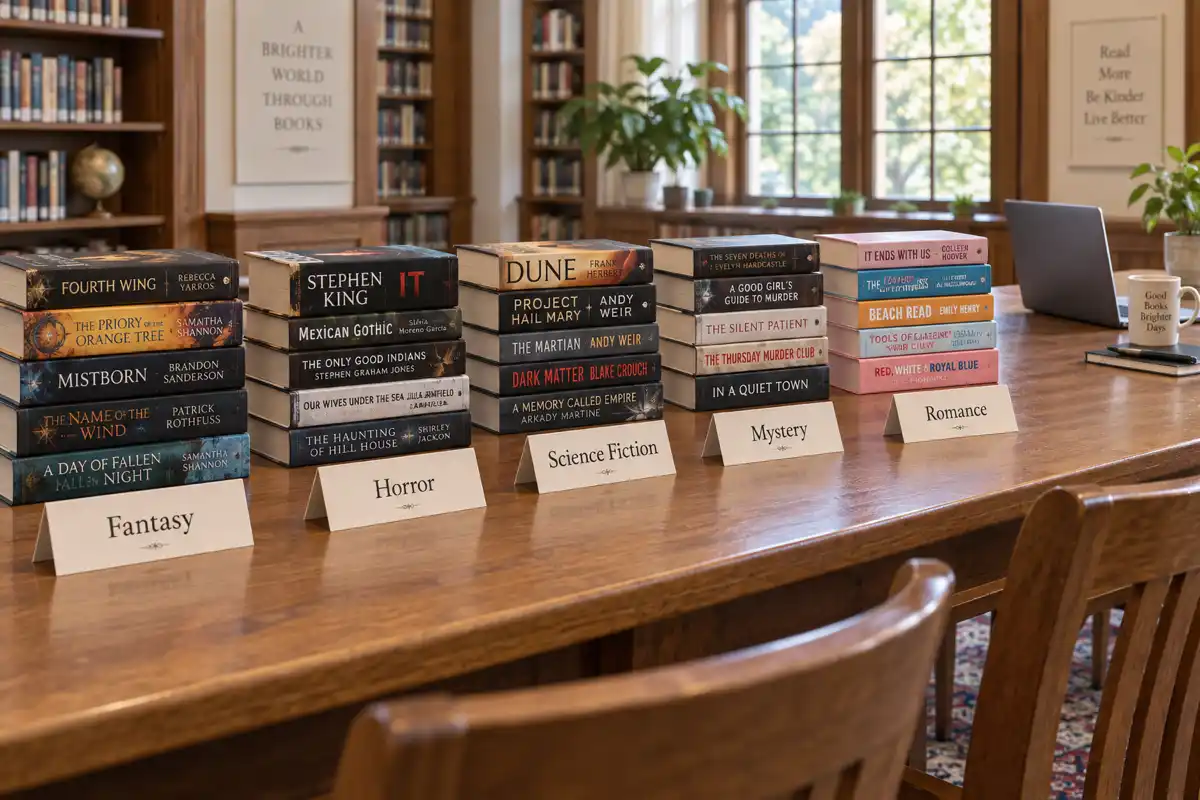
Tools Best AI for Writing Fantasy, Horror, Sci-Fi, Mystery and Romance Novels in 2026, Genre by Genre
The best AI for writing a novel depends on the genre. Fantasy needs world memory, mystery needs clue tracking, romance needs heat rules, horror needs restraint. We judged eight AI tools genre by genre, with first-party data on what 32,482 fiction authors actually wrote in the last six months.
 Tools
Tools Best AI Voice Generators for Audiobooks 2026: 11 Tools Tested
We compared 11 AI voice generators on full audiobook chapters for naturalness, cost per finished book, and distribution-ready output. Here is which tools produce narration good enough to sell commercially, and which ones sound like a GPS giving directions.
 Guides
 How to Create an Ebook Lead Magnet with AI - No Designer Needed (2026)
Learn how to create a professional ebook lead magnet using AI without hiring a designer. Step-by-step workflow from topic selection to branded PDF export, plus real examples that convert.
Get ebook tips in your inbox
Join creators getting weekly strategies for writing, marketing, and selling ebooks.