
AI PDF Generator: How Creators, Coaches, and Teams Are Building PDFs in 2026
PDFs are not dead - they are evolving. From lead magnets to client onboarding packs, AI PDF generators are replacing the tedious export-and-format workflow. Here is how modern creators approach PDF creation.
Quick Answer
AI PDF generators replace the old workflow of writing in Google Docs, designing in Canva, and exporting manually. In 2026, tools like Inkfluence AI generate structured, formatted PDFs from a text prompt - complete with chapter headings, professional layout, and brand consistency. Coaches, consultants, and course creators use them to produce workbooks, proposals, and guides in minutes.
The PDF has been declared obsolete for over a decade. And yet, in 2026, it remains the most trusted format for professional documents. Coaches send client workbooks as PDFs. Consultants deliver proposals as PDFs. Course creators package bonuses as PDFs. Real estate agents share buyer guides as PDFs. HR teams distribute policy handbooks as PDFs.
What changed is not the format - it is the creation process. The old workflow of writing in one tool, designing in another, and wrestling with export settings is vanishing. AI PDF generators now handle the entire pipeline: ideation, structure, content, formatting, and export. The creator focuses on the message. The tool handles the mechanics.
- PDF creation tool: AI PDF generator
- Lead magnets: lead magnet generator
- Design guidance: ebook design best practices
- Tool comparison: best AI PDF generators
- Free text-to-PDF tools: 8 free converters tested for 2026
- Conversion fundamentals: text-to-PDF conversion guide
This shift matters because PDF creation was always a bottleneck. The consultant who could articulate a brilliant strategy struggled to package it professionally. The fitness coach with a transformative program hesitated because formatting a 20-page guide felt like a second job. The entrepreneur with a lead magnet idea let it sit in a notes app for months because the production friction was too high.
AI PDF generators remove the friction. And when friction disappears, creation accelerates.
Why PDFs Still Dominate Professional Communication
Before exploring how AI changes PDF creation, it is worth understanding why the format persists when so many alternatives exist.
PDFs are universal. They render identically on every device, every operating system, every browser. A PDF you create today will look the same in ten years. This permanence matters for documents that need to be referenced, shared, or archived.
PDFs feel finished. A Google Doc link signals work-in-progress. A PDF signals completion. When a coach sends a workbook as a PDF, it carries implicit authority. When a consultant delivers a proposal as a PDF, it communicates professionalism. The format itself sends a message.
PDFs are portable. They can be downloaded, saved offline, printed, annotated, and shared without requiring the recipient to have specific software or accounts. This accessibility matters when your audience spans different technical comfort levels.
And perhaps most importantly, PDFs create perceived value. A well-designed PDF feels like a product. This is why lead magnet PDFs convert better than blog posts covering the same content. The packaging signals effort, which signals value.
The Old Workflow Was Broken
Traditional PDF creation followed a fragmented path. You would write in Word or Google Docs. Design in Canva or InDesign. Export, realize the formatting broke. Re-export. Adjust margins. Re-export again. Notice the fonts changed. Give up and ship something imperfect.
This workflow created three problems.
First, it was slow. A simple 15-page guide could consume an entire day - not because the content was complex, but because the production overhead was high. Every formatting decision required manual intervention.
Second, it required multiple skills. Writing ability alone was not enough. You also needed design sense, software proficiency, and patience for technical troubleshooting. Many capable experts never created PDFs because the production skills were outside their wheelhouse.
Third, it discouraged iteration. Once a PDF was "done," updating it felt like starting over. This meant outdated content stayed in circulation, and creators hesitated to experiment with new formats or approaches.
AI PDF generators solve all three problems simultaneously.
What Modern AI PDF Generators Actually Do
A true AI PDF generator is not just a file converter. It understands intent, shapes content, and handles design decisions automatically. Here is what that looks like in practice:
Content generation from prompts. Describe what you want - "a 10-page client onboarding guide for my web design agency" - and the AI drafts the structure and prose. You refine rather than create from scratch.
Automatic formatting. Typography, spacing, margins, and visual hierarchy are applied intelligently. Headings look like headings. Lists are properly formatted. Pull quotes stand out. You do not manually adjust every element.
Brand consistency. Upload your colors, fonts, and logo once. Every future PDF maintains your visual identity without manual styling.
Multi-format export. The same content exports to PDF, EPUB, and DOCX. You produce once and distribute everywhere. This matters for multi-format publishing where different platforms require different file types. For Amazon paperback publishing, the KDP export generates a print-ready PDF with correct trim sizes and gutter margins automatically.
Rapid iteration. Updating a section, testing a new structure, or creating a variation takes minutes, not hours. PDFs become living documents rather than frozen artifacts.
Real Use Cases: Who Benefits Most
AI PDF generators serve anyone who needs to package information professionally. Here are the patterns we see most frequently:
Coaches and Consultants
Client workbooks, session prep guides, onboarding documents, and framework overviews. A business coach might create a "90-Day Growth Roadmap" PDF that clients reference between sessions. A management consultant might produce a "Team Assessment Framework" that becomes part of their methodology. These PDFs add tangible value to services while reducing repetitive explanation.
Course Creators and Educators
Bonus materials, workbooks, quick-reference guides, and supplementary resources. A course on meal planning might include a "Weekly Meal Prep Checklist" PDF. A photography course might bundle a "Camera Settings Cheat Sheet." These resources increase perceived course value while being straightforward to produce with AI assistance. See the course creator workflow for detailed examples.
Service Businesses
Proposals, case study compilations, process documentation, and client deliverables. A marketing agency might generate custom strategy PDFs for each prospect. A real estate agent might create neighborhood guides for different areas. The ability to produce professional documents quickly becomes a competitive advantage.
Content Creators and Marketers
Lead magnets, content upgrades, resource libraries, and gated downloads. A food blogger might offer a "30 Quick Dinner Recipes" PDF. A productivity YouTuber might create a "Weekly Planning Template" download. These PDFs capture email addresses while providing genuine value. The lead magnet generator streamlines this entire process.
Internal Teams
SOPs, training materials, policy handbooks, and reference documentation. HR teams produce employee handbooks. Operations teams document processes. Sales teams create battle cards. AI generation means these materials get created and updated rather than languishing on someone's to-do list.
The Economics Have Changed
Consider the math of traditional PDF production. A freelance designer charges $50-150 per hour. A professional 20-page PDF might require 8-15 hours of design work. That is $400-2,250 per document - before any content writing costs.
For a solopreneur or small team, this cost was often prohibitive. The result? PDFs either did not get made, or they looked unprofessional.
AI PDF generators collapse this economics. The same 20-page PDF - with professional formatting, consistent branding, and polished design - can be produced in an afternoon by someone with no design background. The cost drops from thousands of dollars to a monthly subscription fee.
This democratization matters. The consultant competing against larger firms can now produce equally professional materials. The coach just starting out can have client workbooks that match established competitors. The small business can create the same quality documentation as enterprise companies.
Quality PDF production is no longer a function of budget. It is a function of clarity about what you want to create.
What Makes an AI-Generated PDF Actually Good
AI tools can produce PDFs quickly. But speed means nothing if the output is generic or unusable. Here is what separates effective AI-generated PDFs from forgettable ones:
Specificity of purpose. The best PDFs solve one clear problem for one defined audience. "A guide to productivity" is too broad. "A morning routine framework for remote workers with young children" is specific enough to be genuinely useful. AI generates better content when given precise direction.
Thoughtful structure. Good PDFs have logical flow. They introduce context, build understanding, provide actionable steps, and close with clear next actions. AI can generate structure, but you need to validate that the sequence makes sense for your audience.
Human refinement. AI-generated first drafts need editing. The best creators treat AI output as raw material - a starting point that saves hours of blank-page struggle, but not a finished product. Your expertise, examples, and voice transform generic content into something valuable.
Visual intentionality. Professional formatting is not decoration. It guides attention, creates hierarchy, and improves comprehension. Good AI PDF tools handle this automatically, but you should still review that the visual treatment matches your brand and serves the content.
Common PDF Types and When to Use Them
Different situations call for different PDF approaches. Here is a framework for choosing:
Lead magnet PDFs (5-15 pages). Designed to capture email addresses. Should solve a specific, urgent problem. Value must be immediately apparent. Examples: checklists, templates, quick-start guides, resource lists. See how to create lead magnets that convert for detailed strategy.
Workbooks and worksheets (10-30 pages). Designed for active use. Include fill-in sections, reflection prompts, and exercises. Often accompany courses, coaching programs, or workshops. Examples: goal-setting workbooks, assessment frameworks, planning templates.
Guides and how-tos (15-50 pages). Designed to educate comprehensively. Walk through processes step-by-step. Include examples, tips, and troubleshooting. Examples: implementation guides, technical documentation, recipe collections, how-to manuals.
Reports and whitepapers (10-30 pages). Designed to establish authority. Present research, analysis, or proprietary frameworks. Often used in B2B contexts. Examples: industry reports, case study compilations, methodology overviews.
Proposals and presentations (5-20 pages). Designed to persuade. Present solutions to specific client problems. Include pricing, timelines, and next steps. Examples: service proposals, project scopes, partnership decks.
The Workflow That Works
After observing thousands of creators use AI PDF generators, a clear workflow pattern emerges:
Step 1: Define the outcome. Before touching any tool, answer: Who is this for? What problem does it solve? What should they be able to do after reading it? What format serves that goal?
Step 2: Outline the structure. Map the logical flow. What needs to be introduced first? What builds on what? Where are the natural section breaks? AI tools generate better content when given structural guidance.
Step 3: Generate the first draft. Use AI to produce the initial content. Provide context about your audience, tone preferences, and specific points to cover. Let the tool handle prose generation.
Step 4: Refine and personalize. Edit the AI output. Add your examples, stories, and expertise. Remove generic phrasing. Ensure the content sounds like you, not like a template.
Step 5: Review the design. Check formatting, visual hierarchy, and brand consistency. Ensure images are placed intentionally. Verify that the PDF works on both desktop and mobile.
Step 6: Export and test. Download the final PDF. Open it on different devices. Check file size for sharing. Verify links work. Then distribute.
This workflow typically takes under an hour for a substantial PDF - compared to multiple days using traditional methods.
Avoiding the Pitfalls
AI PDF generation is powerful, but common mistakes can undermine the results:
Shipping without editing. AI first drafts are starting points, not finished products. Skipping the refinement step produces generic content that reflects poorly on your expertise.
Prioritizing length over value. A 50-page PDF is not inherently better than a 10-page one. Readers want transformation, not pages. Cut ruthlessly.
Ignoring mobile readers. Many people will read your PDF on phones or tablets. Ensure text is readable, margins are adequate, and the design works at smaller sizes.
Forgetting the next step. Every PDF should have a clear call to action. What should the reader do after finishing? Book a call? Join your list? Buy your course? Do not leave them hanging.
Creating once and forgetting. PDFs can and should be updated. Outdated information damages credibility. Build a review cycle into your process.
The Compounding Effect
Here is what makes AI PDF generation strategically valuable: it compounds.
A coach who creates one client workbook now has an asset that serves every future client. A consultant who produces one methodology PDF can reference it in every proposal. A course creator who builds one resource library increases the perceived value of everything they sell.
Each PDF becomes part of a system. The lead magnet captures emails. Those emails receive a welcome sequence. The sequence introduces your paid offerings. The paid offerings include more PDFs that deepen the relationship.
Creators who embrace AI PDF generation do not just save time on individual documents. They build content ecosystems that would have been impossible to produce manually.
Getting Started
If you have been putting off PDF creation because the production friction felt too high, that barrier is now gone. Modern tools handle the technical complexity so you can focus on what you actually know.
Start with something specific. Not "I should create a PDF" but "I will create a [specific type] PDF for [specific audience] that helps them [specific outcome]." That clarity makes everything else easier.
Then use the workflow: define, outline, generate, refine, review, export. Your first PDF might take a full afternoon. Your fifth will take a couple of hours. Your twentieth will feel routine.
The creators who will thrive in 2026 and beyond are those who can translate expertise into tangible assets. PDFs remain one of the most effective formats for doing exactly that. And AI has made the production accessible to everyone.
💡 Ready to create your first AI-generated PDF? Try the AI PDF Generator - go from idea to professional PDF in minutes, not days.
Frequently Asked Questions
What is the best AI PDF generator in 2026?
The best tool depends on your use case. For lead magnets, workbooks, and guides, Inkfluence AI handles end-to-end creation from outline to export. For heavy document automation at scale, PDF Generator API offers developer tools. For design-heavy one-off projects, Canva's Magic Studio works well. Match the tool to your workflow.
How long does it take to create a PDF with AI?
A 15-20 page PDF typically takes 30-60 minutes with Inkfluence AI - the actual generation is just 2-3 minutes, with additional time for input and review. Compare that to 1-3 days using traditional methods. The time savings come from automated formatting, structure generation, and eliminating the tool-switching overhead.
Will AI-generated PDFs look professional?
Yes - modern AI PDF tools apply professional design principles automatically. Typography, spacing, hierarchy, and formatting follow best practices. The result looks polished without requiring design expertise. You can further customize with brand colors, fonts, and logos.
What types of PDFs can AI help create?
Virtually any type: lead magnets, workbooks, guides, reports, proposals, checklists, templates, client materials, course bonuses, and internal documentation. AI handles structure and content generation across all these formats. The key is providing clear direction about audience, purpose, and desired outcome.
Do I need design skills to use an AI PDF generator?
No. The primary advantage of AI PDF generators is that they handle design decisions automatically. You focus on content and message; the tool handles formatting, layout, and visual polish. This makes professional PDF creation accessible to anyone, regardless of design background.
Can I update AI-generated PDFs later?
Yes - and this is a significant advantage over traditional methods. AI PDF tools make iteration straightforward. Update a section, regenerate, and export. This means your PDFs can stay current rather than becoming outdated artifacts.

Founder, Inkfluence AI
Sam is the founder of Inkfluence AI. He built the platform to make book creation accessible to everyone - from first-time authors to seasoned publishers.
Helpful links
Ready to Create Your Own Ebook?
Start writing with AI-powered tools, professional templates, and multi-format export.
Get Started FreeRelated Articles
 AI Writing
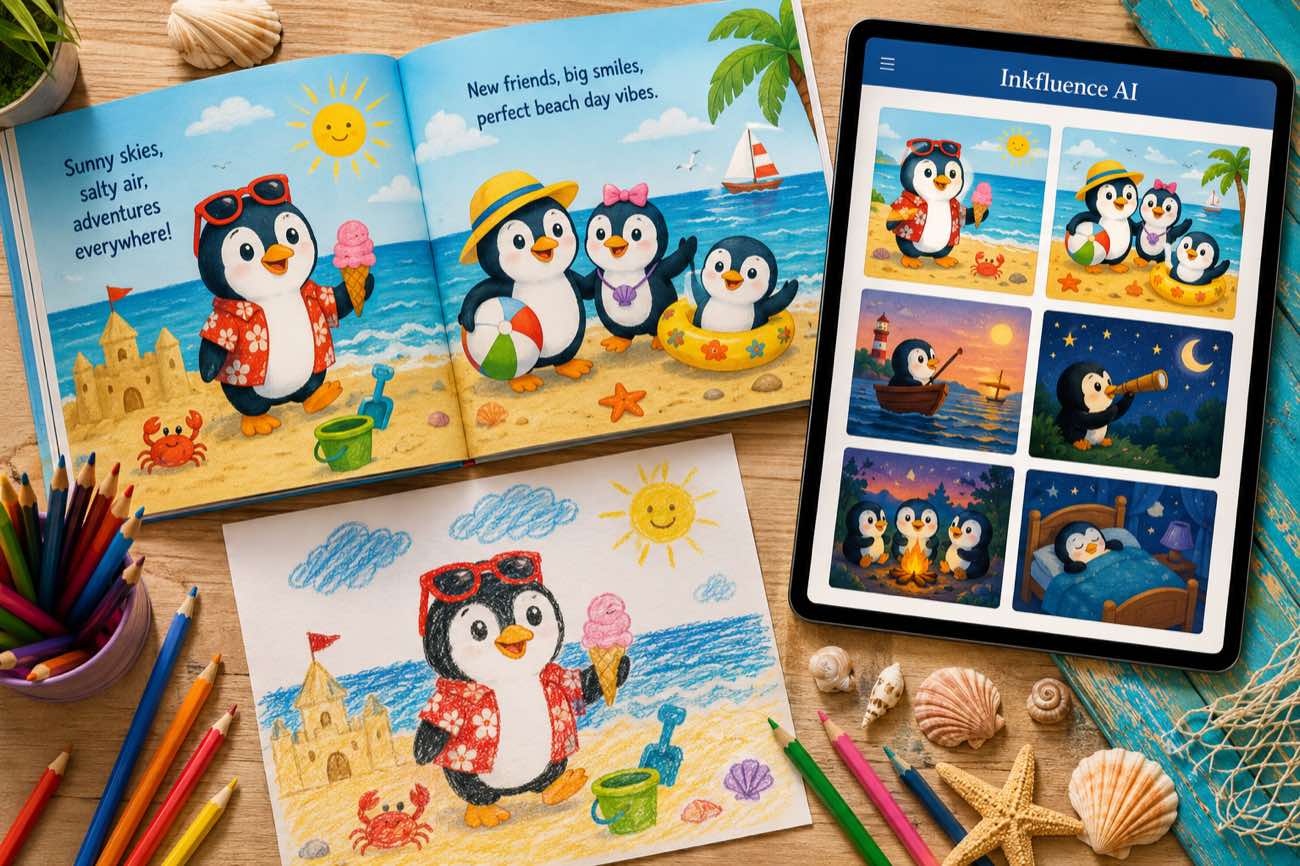
 How to Make a Children's Picture Book with AI: Idea to Printed Book in a Day
The complete 2026 workflow for making a fully illustrated children's picture book with AI: age-band word counts, page planning, consistent characters, cover design, and publishing it on Amazon KDP with the right disclosure.
 AI Writing
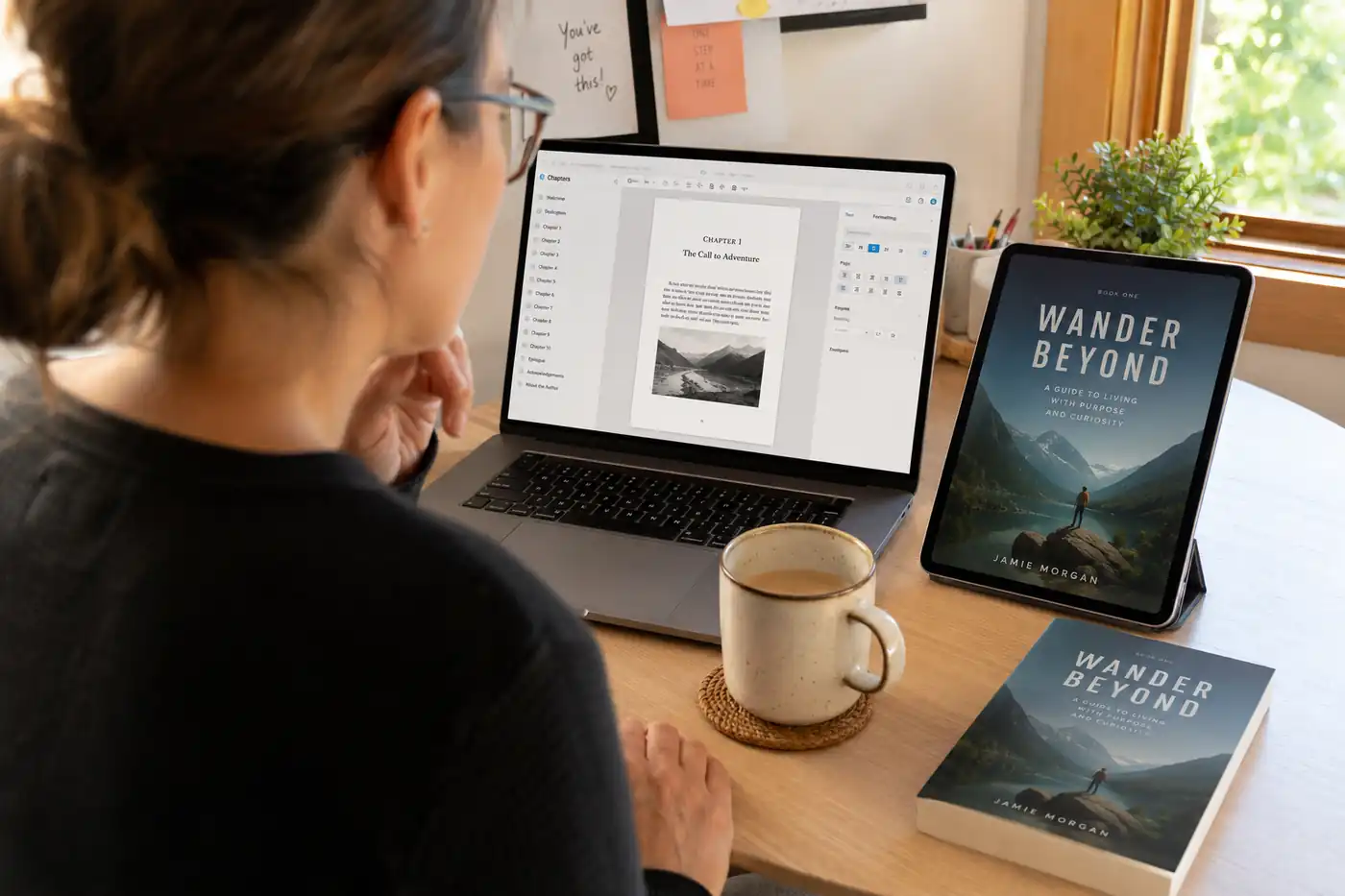
 The 9 Best Ebook Creators in 2026: AI, Formatting, and Design Tools Compared
Not every "ebook creator" does the same job. We compare the 9 best tools of 2026 across three categories: AI generators that write the book, formatting tools that typeset it, and design tools that make it beautiful, with verified pricing for each.
 AI Writing
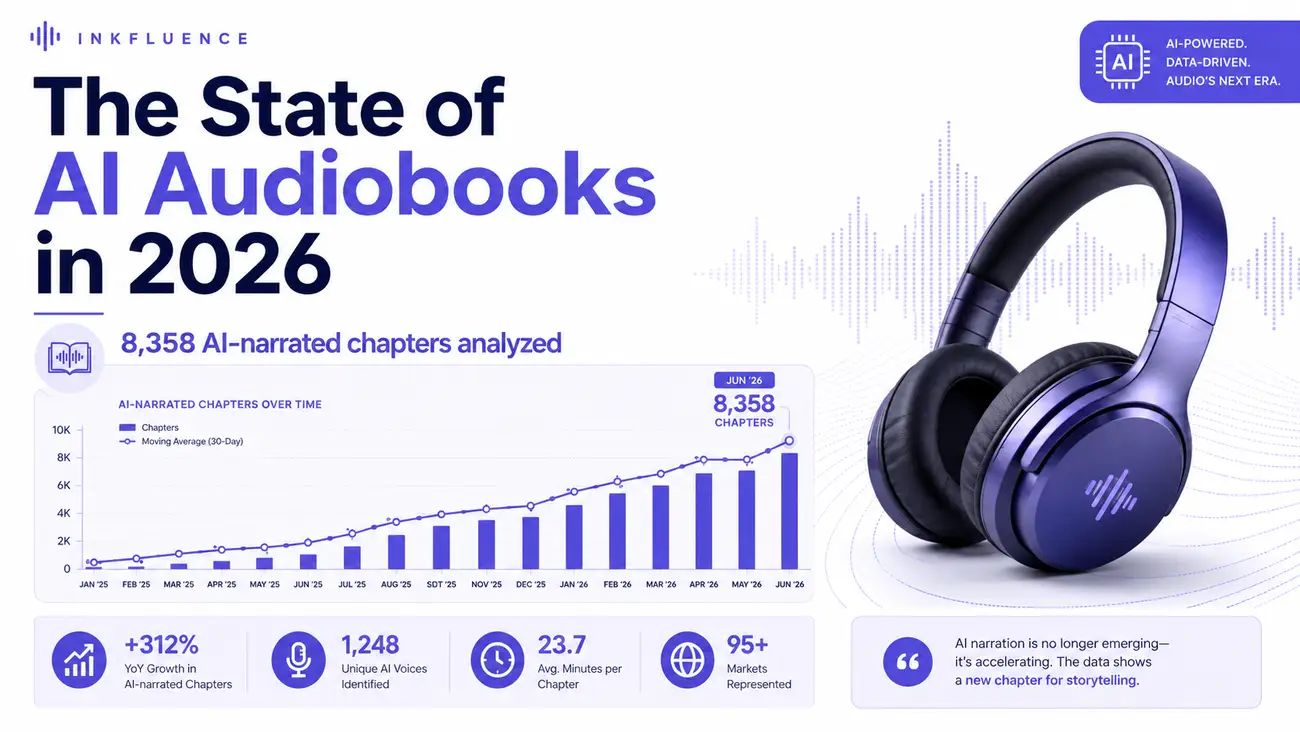
 The State of AI Audiobooks in 2026: What 8,358 AI-Narrated Chapters Reveal
We looked at 8,358 chapters our users narrated into audiobooks with AI. Monthly narration grew from a handful of chapters in late 2025 to nearly 3,000 a month by mid-2026, 99% of jobs finished cleanly, and listeners consistently pick natural, conversational voices over dramatic ones. Here is the first-party data and what it means for authors.
Get ebook tips in your inbox
Join creators getting weekly strategies for writing, marketing, and selling ebooks.