
Inkfluence AI vs Gamma
Gamma designs a beautiful PDF. Inkfluence AI writes a real book you can sell on Kindle, with EPUB export, chapters, a cover, and an audiobook.
Quick Answer
Gamma is a design and presentation tool. Its ebook feature turns your content into a polished, slide-style document and exports it as a PDF, with no EPUB and no Kindle-ready format. Inkfluence AI is a book engine: it writes a chaptered manuscript, designs a cover, exports a reflowable EPUB plus PDF and DOCX, and can produce an audiobook. In short: Gamma makes a document that looks like an ebook; Inkfluence makes a book you can publish and sell.
The Quick Verdict
Two very different tools that both use the word "ebook". One designs a document, the other builds a book.
Choose Inkfluence AI if you:
- Want a real, sellable book, not a PDF document
- Need a reflowable EPUB for Amazon Kindle
- Want chapters, a cover, and an audiobook in one place
- Are writing a full-length book, fiction or non-fiction
- Want full commercial rights on free and watermark-free exports on paid
Choose Gamma if you:
- Want a polished slide deck or presentation
- Need a visual one-pager or branded lead-magnet PDF
- Publish as a shareable web page or microsite
- Care most about on-screen visual design
- Do not need Kindle, EPUB, or an audiobook
The Core Difference: A Document vs A Book
Gamma is a brilliant design tool. You give it your content and it applies smart layouts, images, and callouts to produce a polished, slide-style document, then exports it as a PDF or publishes it as a web page. For decks, one-pagers, and visual guides it is genuinely excellent.
Inkfluence AI is built to produce an actual book. It writes a full manuscript with real chapters and continuity, generates a print-ready cover, and exports a reflowable EPUB along with PDF and DOCX. It can even narrate the whole thing as an audiobook. The output is designed to be uploaded to Amazon KDP, Apple Books, or sold direct.
That is the whole distinction. A Gamma ebook looks like a book on screen, but it is a fixed-layout PDF. An Inkfluence book is structured like a book and exports in the formats bookstores actually run on.
Why a PDF Ebook Struggles on Kindle
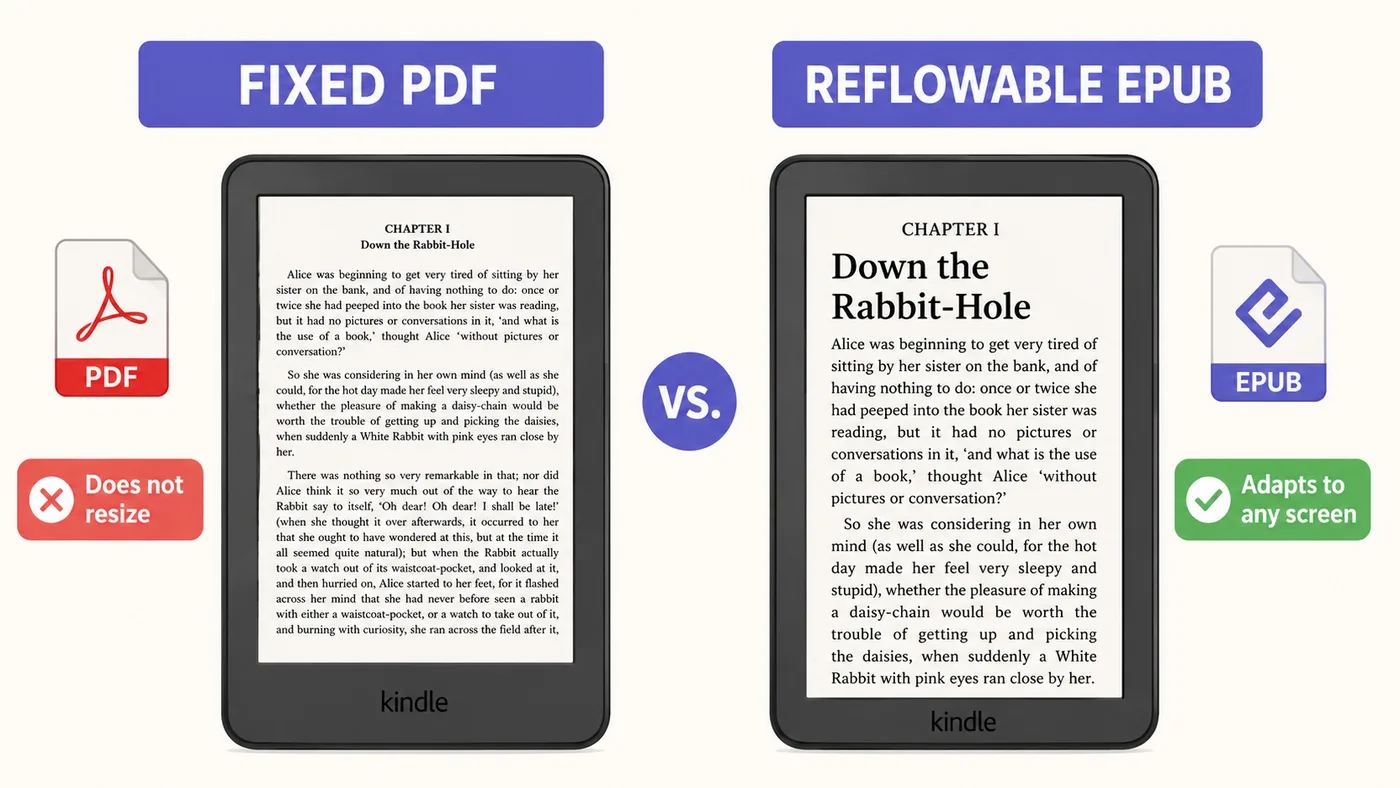
Amazon calls a normal, text-heavy book reflowable: the text rearranges itself to fit any screen and adapts to the reader's chosen font size. Kindle is built around reflowable formats, and KDP accepts and prefers EPUB.
A Gamma ebook is a fixed-layout PDF: every page is locked to one size. On a small e-reader the text turns tiny, will not reflow, and cannot resize. That is why a design-tool PDF reads poorly on Kindle unless you convert it first, and conversion often breaks the layout. Inkfluence AI skips the problem by exporting a reflowable book from the start. See our guide for Kindle publishers and the ebook vs PDF breakdown.
Try it yourself
See why EPUB wins on a Kindle
Change the reader's font size and watch what happens. A reflowable EPUB rearranges itself to stay readable. A fixed PDF just zooms and clips, which is why a design-tool PDF leaves Kindle readers pinching and panning.
CHAPTER I
Alice was beginning to get very tired of sitting by her sister on the bank, and of having nothing to do: once or twice she had peeped into the book her sister was reading, but it had no pictures or conversations in it, and what is the use of a book, thought Alice, without pictures or conversation? So she was considering in her own mind whether the pleasure of making a daisy-chain would be worth the trouble of getting up and picking the daisies, when suddenly a White Rabbit with pink eyes ran close by her.
CHAPTER I
Alice was beginning to get very tired of sitting by her sister on the bank, and of having nothing to do: once or twice she had peeped into the book her sister was reading, but it had no pictures or conversations in it, and what is the use of a book, thought Alice, without pictures or conversation? So she was considering in her own mind whether the pleasure of making a daisy-chain would be worth the trouble of getting up and picking the daisies, when suddenly a White Rabbit with pink eyes ran close by her.
A design tool exports the fixed version on the left. Inkfluence AI exports the reflowable one on the right.
What a Real Book Needs That a Design Document Cannot Give You
The word "ebook" hides two very different products. One is a visual document: a polished, on-screen layout you scroll through, ideal for a pitch deck, a one-page guide, or a branded handout. The other is a book: a long-form work with chapters that a reader buys, downloads, and reads on a Kindle, a phone, or in print. Gamma is built for the first. Inkfluence AI is built for the second. Confusing the two is how authors end up with a file that looks finished on screen but will not sell in a store, so it is worth being precise about the four things a sellable book actually requires.
1. Reflowable text, not a fixed page
Amazon KDP splits ebooks into two types. Reflowable books, which cover almost all fiction and non-fiction, let the text rearrange itself to fit any screen and adapt to the reader's chosen font size. Fixed-layout is reserved for image-heavy titles like comics and children's picture books, where every page must stay exactly as designed. A book made in a design tool is a fixed-layout PDF, so on a phone or e-reader the text becomes tiny, will not reflow, and cannot be resized. That is the wrong format for a normal book, and it is why KDP accepts and prefers EPUB. Amazon has now phased out the old MOBI format entirely (reflowable MOBI support ended in 2021 and fixed-layout MOBI in 2025), so EPUB is the format a reflowable Kindle book is built on, per Amazon's own KDP documentation. Inkfluence AI exports a reflowable EPUB from the start, so your book behaves the way readers expect on every device.
2. Chapters and continuity, not cards
A book is more than formatted text. It has a structure that carries a reader from the first page to the last: chapters that build, a voice that stays consistent, characters and ideas that stay coherent across tens of thousands of words. Design tools generate content as cards and sections optimised for visual layout, not as a continuous narrative, and their free plans usually cap how much they produce in one pass. Inkfluence AI writes a full manuscript guided by a genre-specific blueprint and a story bible that holds characters, tone, and continuity chapter to chapter, whether you are writing a romance novel, a business book, or a cookbook.
3. A cover, an audiobook, and the formats stores accept
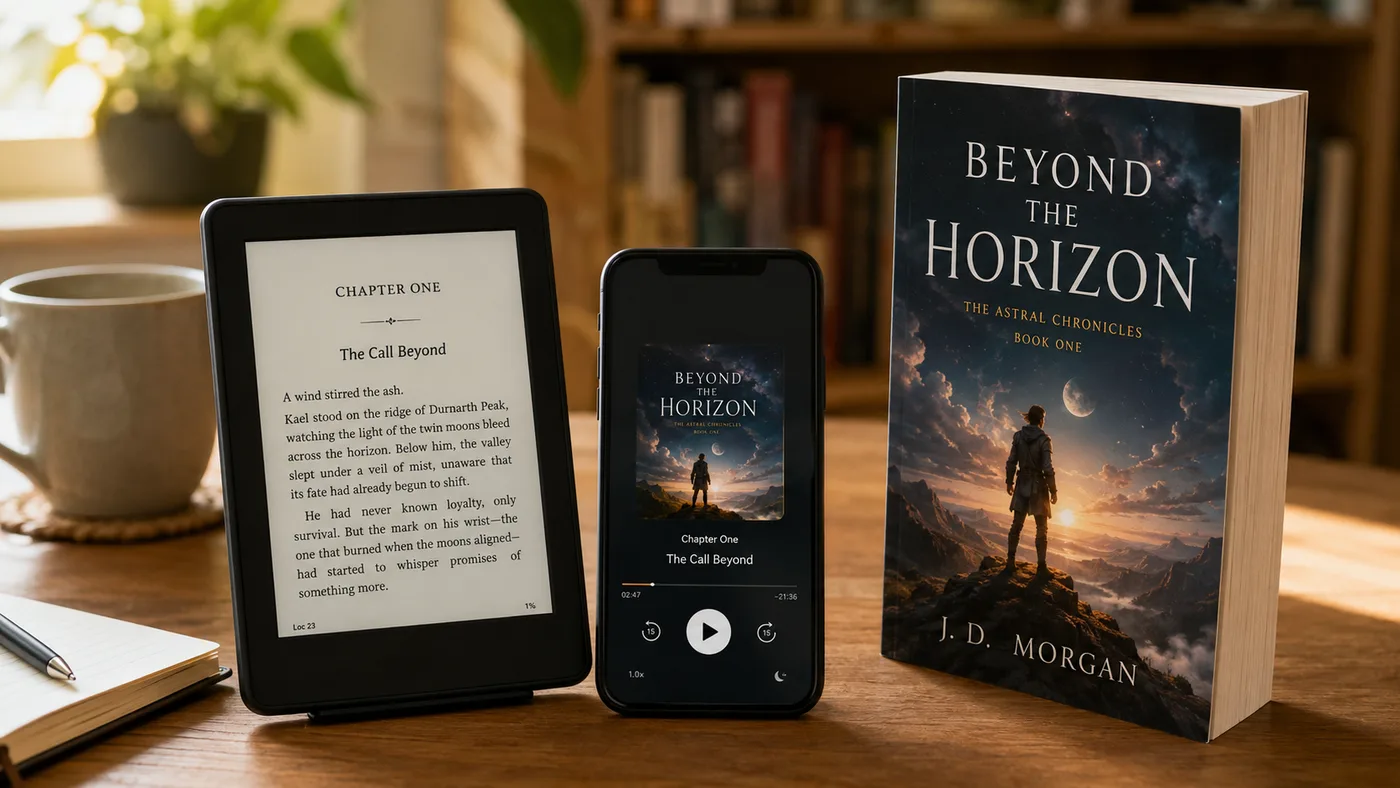
Publishing a book means more than exporting a file. You need a cover sized to publishing spec, export formats the stores accept (EPUB and DOCX, not only PDF), and increasingly an audio edition. Audiobooks are one of the fastest-growing formats in publishing, with the global audiobook market projected to keep growing at a double-digit annual rate through the early 2030s (Grand View Research, 2026). A design tool leaves you to source all of that from separate apps. Inkfluence AI generates a KDP-ready cover, exports PDF, EPUB, and DOCX from one project, and can narrate the whole book as an audiobook for Google Play Books, Kobo or your own site, all in the same place.
Can you turn a design-tool ebook into a Kindle book?
Partly, but it is more work than it sounds and the result is rarely clean. You would export the PDF, run it through a separate converter such as Calibre to produce an EPUB, then fix the formatting that breaks during conversion, since a layout designed as fixed pages does not translate neatly into reflowable text. For a short visual handout that can be acceptable. For a full-length book it is a fragile, manual detour that often leaves odd spacing, broken page breaks, and images out of place. The simpler path is to start in a tool that outputs a real reflowable book, then upload it straight to KDP. Our Kindle publishing guide and the walkthrough on publishing to Amazon KDP cover the full process.
Feature-by-Feature Comparison
Complete book engine vs slide-style design tool.
| Feature | Inkfluence AI | Gamma | Notes |
|---|---|---|---|
| AI content generation from a prompt | Both generate content; Gamma is design-led, Inkfluence is book-led with 33+ genre blueprints | ||
| EPUB export | Inkfluence exports EPUB; Gamma exports PDF, PNG, and PowerPoint only | ||
| Reflowable, Kindle-ready format | Kindle books reflow to the reader; a fixed-layout Gamma PDF does not | ||
| Real chapters + book-length continuity | Gamma builds cards and sections; Inkfluence writes continuous, chaptered manuscripts | ||
| AI audiobook | Inkfluence narrates your book with realistic AI voices, exported to ACX's audio spec | ||
| KDP-ready book cover | Gamma adds design images; Inkfluence generates a print-spec book cover | ||
| DOCX export | Inkfluence exports editable DOCX; Gamma has no native Word export | ||
| PDF export | Both export PDF; Gamma stamps a watermark on the free plan | ||
| Genre blueprints (fiction + non-fiction) | 33+ blueprints shape tone, structure, and pacing per genre | ||
| Direct path to Amazon KDP | Inkfluence exports the formats KDP accepts; a Gamma PDF is a poor Kindle fit | ||
| Free tier | Both offer free access; Gamma caps AI generation and adds a watermark | ||
| Visual design and layout polish | Gamma is best-in-class for slide-style visual documents; that is its core strength |
Full support Partial/Limited Not available
Pricing Comparison
What you get at each price point
Inkfluence AI
- Book writing, cover, and audiobook in one
- EPUB, PDF, and DOCX export
- 100% commercial rights on all plans
- No watermark on your book on paid plans
Gamma
- Excellent slide-style design
- PDF only, no EPUB or Kindle format
- No audiobook
- Free plan caps generation and adds a watermark
Gamma pricing shown is approximate and varies by billing period; check their site for current rates.
What You Will Still Need After Gamma
Gamma designs the document beautifully. But turning that into a book you can actually sell means adding tools it does not include:
A reflowable EPUB
Gamma exports PDF. You would need a separate converter to make a Kindle-ready file, and formatting often breaks.
Audiobook narration
No text-to-speech. You would need a separate tool to make an audiobook.
Real chapter continuity
Gamma builds cards and sections for visual layout, not a book-length narrative that flows across chapters.
A print-spec book cover
Gamma adds design imagery, but not a KDP-ready cover sized for publishing.
Watermark-free free tier
Gamma stamps a "Made with Gamma" watermark on free exports. Your book should carry your name, not a tool's.
Genre blueprints
Inkfluence tailors tone and structure to your genre. A design tool applies the same visual approach to everything.
Why Authors Choose Inkfluence AI to Publish
Everything you need to go from idea to a book on Kindle, in one place.
Reflowable EPUB for Kindle
Export a real EPUB that adapts to any e-reader, plus PDF and DOCX, ready to upload to KDP.
AI Audiobook Included
Narrate your book with realistic AI voices and export MP3s to ACX's audio spec for Google Play Books, Kobo or your own site.
33+ Genre Blueprints
Fiction, business, cookbooks, workbooks, devotionals and more, each shaping structure and tone for real readers.
KDP-Ready Cover Designer
Generate a book cover from a prompt and fine-tune it, exported at publishing resolution.
Multi-Format Export
One project, three formats: PDF, EPUB, and DOCX for KDP, Apple Books, or direct sales.
Full Commercial Rights
Own everything you create on every plan, including free. Sell on Amazon KDP, Gumroad, or your own site.
Design a document, or publish a book
If the goal is a real book on Kindle, start with the tool built for it. Writing, cover, EPUB, and audiobook in one place.
Try Inkfluence FreeFrequently Asked Questions
Common questions about Inkfluence AI vs Gamma for ebooks
Can Gamma create an ebook you can sell on Amazon Kindle?
What is the main difference between Inkfluence AI and Gamma?
Does Gamma export EPUB or MOBI?
Why does a PDF ebook look wrong on a Kindle?
Which tool is better for a full-length book with chapters?
Can I turn my book into an audiobook?
Is Gamma or Inkfluence AI better value for publishing?
When should I actually use Gamma instead?
Do I own the rights to what I create?
Write it, cover it, narrate it, publish it
A real reflowable book with EPUB, a cover, and an audiobook, ready for Kindle. Free to start, full commercial rights.
Start Creating Free