
Read the first chapter
The whole of chapter one, free. About 8 min. Turn the pages with the arrows, your keyboard, or a swipe.
Chapter 1
Becoming the AI-Enabled Operator
Picture This: The “Trying Harder” Trap (Talia’s Tuesday)
Talia, 34, operations manager, is three tabs deep in spreadsheets by 8:12 a.m. Her inbox is already blinking like a dashboard at a bad casino night - urgent requests from three departments, one “quick question” that turns into a full workflow, and a customer issue she swears she handled yesterday. She feels the familiar push: move faster, work harder, answer sooner. The day starts with motion, but it doesn’t feel like progress.
By lunch, she’s exhausted and strangely unsure where the time went. She did a lot. She fixed some things. But the same kind of problems keep showing up, dressed in slightly different wording. And every time she tries to solve it manually, she ends up thinking, I should just be better at this. That thought always comes with the same emotional bill: pressure, self-doubt, and the fear that she’s one slip away from falling behind again. ****
So why does “trying harder” feel like work that never actually changes the system?
The Mindset Shift: From Trying Harder to Designing Systems (Operator Identity Loop)
Old Belief: If I’m not getting results, it means I need to push more - work longer hours, be more careful, and personally handle more of the details. New Reality: If results are messy, it means my execution system is missing leverage - so I redesign how work gets done, using AI-assisted steps to reduce friction and stabilize outcomes.
Here’s what that looks like in real life for Talia. Last quarter, her team spent hours rewriting status updates because everyone’s “template” was different, and every department interpreted the same metrics in their own way. She tried to solve it by being the final editor - she’d clean up the reports herself, send them back, and hope the next version would be smoother. It wasn’t. She was basically paying herself in stress to fix a process problem.
Then she shifted into “Operator Identity” thinking: I’m not the person who saves the day. I’m the person who designs the day. Instead of rewriting everything manually, she used AI to create consistent drafts from a single source of truth (one metrics sheet and one set of definitions). Her workflow became: gather inputs → generate a clean first draft → do human judgment (what’s true, what’s missing, what needs attention) → publish. She didn’t stop caring - she stopped absorbing every detail like it was her job to carry the system.
Why does this shift matter? Because “trying harder” puts the burden on your willpower, and willpower is a limited resource. Designing systems puts the burden on design. That’s a different kind of confidence: not “I hope I can keep up,” but “the process has my back.” And when you use AI for parts of the work - drafting, summarizing, formatting, converting notes into next steps - you’re not outsourcing responsibility. You’re reallocating it to the parts that actually require your judgment.
A concrete example: Talia’s team used to waste time turning meeting notes into action items. Now she runs notes through an AI-assisted prompt that outputs tasks in a consistent format: owner, due date, and a one-sentence “why it matters.” She still reviews for accuracy, but she’s not starting from a blank page. Her day stops being a sprint and starts being a loop: produce → refine → reuse.
Operator Identity Loop means you see yourself as the system designer, not the emergency responder.
Going Deeper: Why Your Brain Keeps Choosing “More Effort” (and How the Loop Breaks It)
Your brain chooses “trying harder” for a reason. It feels immediate. It also feels like control. When something goes wrong, your mind scrambles for the fastest way to reduce uncertainty: Fix it now. AI-assisted execution can feel threatening at first because it shifts the role you’re used to playing. If you’ve been the reliable finisher - constantly catching errors, smoothing chaos - then letting AI handle drafts or formatting can trigger a quiet fear: Will I still matter if I’m not the one doing everything?
But there’s a deeper pattern here: “trying harder” is often a way of protecting your identity. If you’re the person who handles everything, then the system can’t be the problem - because admitting the system needs redesign would mean admitting you’ve been compensating for missing structure. That’s why the shift to system design can feel weirdly emotional. It isn’t just a productivity upgrade. It’s a self-image change.
Here’s the Operator Identity Loop logic in plain terms: you don’t just adopt tools - you adopt a role. Once you see yourself as the operator who builds repeatable execution, you start asking different questions. You stop “How do I do this faster?” and start “What would make this happen consistently without me?” AI becomes a co-worker for the repeatable parts, and your attention goes to decisions, exceptions, and quality.
Signs this pattern is running your life
1. You catch yourself thinking, I’ll remember next time, but the same issue keeps resurfacing in new clothing. 2. Your best work happens only when you’re overwhelmed - because urgency is what forces you into action. 3. You spend more time reformatting, rewriting, or re-explaining than you do making decisions. 4. When you try delegating or standardizing, you feel personally responsible for the outcome in a way that doesn’t match the task itself.
One-sentence summary: When you shift from effort to design, you stop paying your energy to patch the same leak - and start building a pipe that carries work reliably.
Reflection & Self-Assessment: Where Are You Still “Trying Harder”?
Let’s get specific, because vague self-awareness won’t change your calendar.
1. What task keeps returning in your week, even though you’ve “handled it” before? Look for the repeat offender. For Talia, it was status updates and action-item formatting - work that returned because the process wasn’t standardized.
2. Where are you currently acting as the final editor, even when you’re not the source of the inputs? Honest answer might sound like: “I’m the one who cleans it up because I don’t trust the system yet.”
3. If you had to cut your personal touch by half, which steps would you most fear losing - and why? Your fear usually points to what you think makes you valuable. That’s the exact identity story you’ll need to rewrite.
4. When you feel behind, do you respond by adding effort or by changing the workflow? If it’s effort first, that’s your default loop. The goal isn’t to judge it - it’s to notice it before it runs your day.
5. What would “system design” look like for one recurring problem if AI handled the repeatable draft work? Try answering with one concrete output: “a consistent summary,” “a formatted task list,” or “a ready-to-send update.” Don’t stop at “use AI” - define the deliverable.
If your answers feel uncomfortable, that’s normal. Identity shifts usually do. The good news: discomfort is often a sign you’re touching the real switch.
Growth Challenge: Build Your First Operator Identity Loop (7 Days)
You don’t need a full transformation to start. You need one loop that proves to your brain you’re not just working harder - you’re designing outcomes.
Challenge Title: The “Draft → Review → Reuse” Week
• Pick one recurring workflow that shows up at least twice in a typical week (examples: meeting notes to action items, customer update drafts, weekly status write-ups, handoff summaries). - Write down the workflow in plain language as three steps: - Inputs (where info comes from) - AI-assisted draft (what AI produces) - Human review (what only you should decide) - Create one AI prompt that generates the deliverable in a consistent format. Keep it simple and repeatable. - For the next 7 days, run the workflow using the same structure. After each run, answer: - What took the most time? - What AI got right? - What do I need to change in the prompt or inputs? - At the end of day 7, reuse the best prompt and document one “system rule” (a single sentence your future self can follow, like “Always include definitions for metrics before generating summaries.”).
Difficulty Rating: Medium
You'll know it's working when... - You feel the shift from “I’m rushing to fix” to “I’m running a loop.” - The deliverable starts looking consistent without you rewriting from scratch. - Your review time goes up in quality (you’re deciding what matters), while your drafting time goes down. - At least once, you catch yourself saying, “This is a system problem,” instead of “I’m failing.”
A small win here is huge, because it trains your identity: you’re the operator who designs repeatable execution. That’s the foundation for everything else you’ll build with AI.
Key Takeaway: You Don’t Need More Effort - you Need a Role Shift
Here’s the truth that tends to land like a quiet click: when you stop treating your workload like a personal test, you start treating it like a design problem. And once you do that, AI isn’t a magic trick - it’s a lever that turns your attention into real decisions instead of endless rework.
In the Operator Identity Loop, your confidence grows because your process becomes dependable, not because you suddenly become unstoppable.
• You’re not “bad at execution” - you’re missing leverage in your workflow. - “Trying harder” protects identity, but it drains energy and repeats problems. - AI-assisted execution works best when you define inputs, outputs, and a clear role for human judgment. - Your first goal isn’t perfection - it’s proving the loop works for one recurring task.
Next, we’ll take that identity shift and make it usable in the moment - so you can move from intention to execution without losing momentum or confidence when the day gets loud. Boldly choose design over effort, and let the loop do the heavy lifting.
End of chapter one. 7 more chapters and about 13,084 words in the full book.
Swipe or use the arrows to turn the page


What's inside: 8 chapters
- 1. Becoming the AI-Enabled Operator
- 2. Breaking the Perfectionism Prompt Loop
- 3. Turning Goals into AI-Run Workflows
- 4. Building a Personal Knowledge Vault
- 5. Writing Clear Prompts That Get Results
- 6. Using AI for Time-Blocking and Focus
- 7. Communicating Faster with AI Drafts
- 8. Staying Resilient When AI Fails
About this book
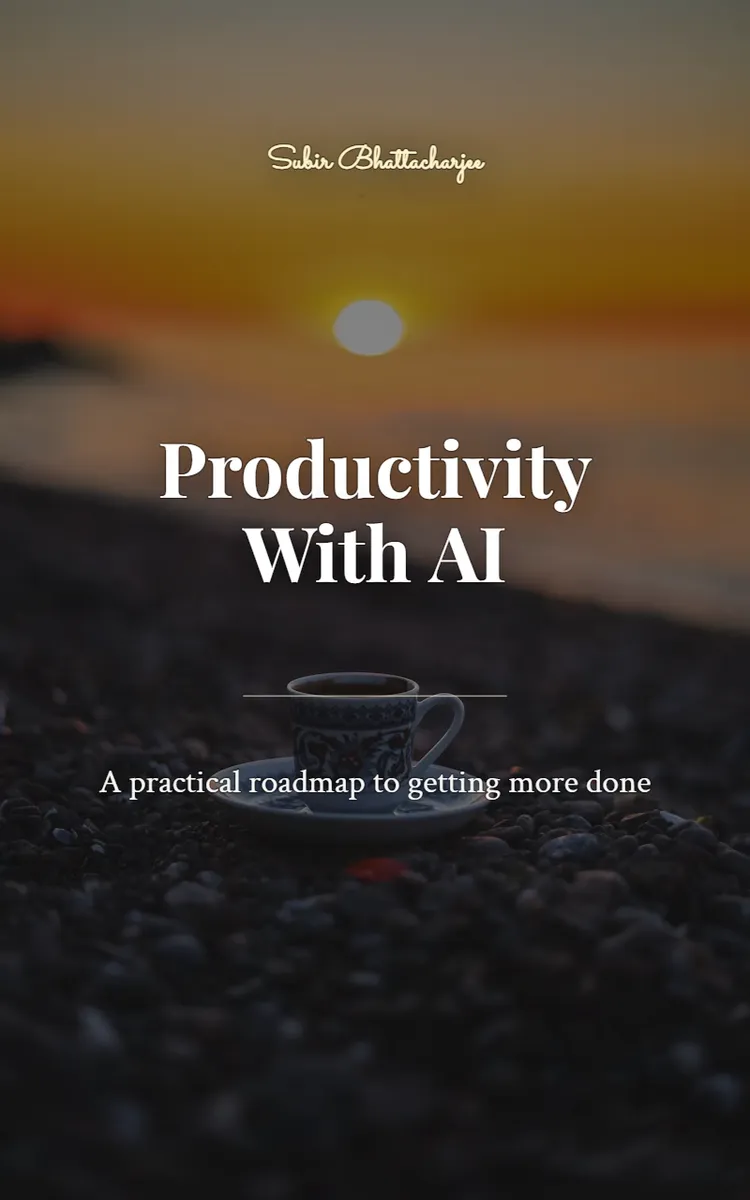
"Productivity With AI" is a self-help book by Subir Bhattacharjee with 8 chapters and approximately 13,084 words. Using AI tools and workflows to improve productivity.
This book was created using Inkfluence AI, an AI-powered book generation platform that helps authors write, design, and publish complete books. It was made with the AI Self-Help Book Writer.
Frequently Asked Questions
What is "Productivity With AI" about?
Using AI tools and workflows to improve productivity
How many chapters are in "Productivity With AI"?
The book contains 8 chapters and approximately 13,084 words. Topics covered include Becoming the AI-Enabled Operator, Breaking the Perfectionism Prompt Loop, Turning Goals into AI-Run Workflows, Building a Personal Knowledge Vault, and more.
Who wrote "Productivity With AI"?
This book was written by Subir Bhattacharjee and created using Inkfluence AI, an AI book generation platform that helps authors write, design, and publish books.
How can I create a similar self-help book?
You can create your own self-help book using Inkfluence AI. Describe your idea, choose your style, and the AI writes the full book for you. It's free to start.
Write your own self-help book with AI
Describe your idea and Inkfluence writes the whole thing. Free to start.
Start writingCreated with Inkfluence AI


