
Read the first chapter
The whole of chapter one, free. About 4 min. Turn the pages with the arrows, your keyboard, or a swipe.
Chapter 1
Days 1-2: Micro-Learning Momentum
A 10-minute practice session gives you 20 focused minutes each day - more useful than a long course you never finish. The goal is simple: use the 10-Minute Deliberate Loop to practice one prompt skill, apply it to real work, and keep the result for tomorrow.
Priya, a 34-year-old Operations Manager, doesn’t need another six-hour training block. She needs better outputs during the gaps already built into her day. These first two days set up that routine.
---
Day 1: Make Ten Minutes Count
Tip of the Day:
Long courses often fail for a practical reason: they separate learning from the moment you need to use it. You watch a lesson on prompting, take notes, and return to a crowded inbox. By Friday, the useful parts have gone missing.
The 10-Minute Deliberate Loop keeps practice attached to real work. Spend two minutes choosing a task, four minutes writing and testing a prompt, two minutes checking the result, and two minutes saving what worked. That’s the full loop. No special software. No perfect study environment.
Priya could use the loop on a weekly operations update. Instead of asking an AI tool, “Summarize this,” she gives it the update and asks for three decisions, two risks, and any missing information. The practice takes minutes, but the improvement carries into her next report.
Today's Action:
Set a 10-minute timer and run the loop on one piece of work you already need to complete:
• Choose: Select a real task, such as rewriting an email, summarizing notes, or organizing a status update. - Prompt: Tell the AI tool the task, provide the relevant content, and specify the format you want. - Check: Identify one useful part and one weak or missing part in the response. - Save: Copy the prompt into a document titled “Prompts That Work,” along with one sentence about when to reuse it.
---
Day 2: Build Your Prompting Routine
Tip of the Day:
A routine becomes useful when it has a fixed place in your day. Choose a reliable trigger rather than waiting for free time. After your first coffee. Before your daily stand-up. Immediately after closing your inbox at lunch. The trigger matters because it removes another decision.
Today, make the loop repeatable. Use the same four-part prompt structure each time: Role, Context, Task, Constraints. You don’t need a long prompt. You need enough direction for the tool to understand the job.
For example, Priya might write:
> Role: Act as an operations coordinator. > Context: This is a weekly update for a department director. > Task: Turn the notes below into a concise status update. > Constraints: Use three headings - Progress, Risks, and Next Steps. Keep it under 180 words. Mark unclear information as “[confirm].”
That prompt is easy to inspect and improve. If the response is too vague, she can adjust the context or constraints next time. Each session leaves behind a better starting point.
Today's Action:
Reserve a recurring 10-minute calendar block for the next five workdays, then use this template on one current task:
> Role: Act as a [relevant workplace role]. > Context: [Who will use this output, and what do they need to know?] > Task: [State the specific result you want.] > Constraints: [Set the format, length, tone, deadline, or rules.]
Run the prompt once. Revise one line. Run it again. Save both versions and circle the change that improved the result.
---
Quick-reference cheat sheet
Use the 10-Minute Deliberate Loop when you need a fast, repeatable practice session:
• Choose: Pick one real workplace task. - Prompt: Use Role, Context, Task, and Constraints. - Check: Look for accuracy, usefulness, missing details, and the right tone. - Save: Keep the prompt and note the improvement. - Repeat: Use the same daily trigger tomorrow.
For common workplace tasks, start with these compact prompts:
> Email: Act as a clear, professional business writer. Rewrite the email below for [recipient]. Keep the tone [direct/warm/firm], put the request in the first paragraph, and keep it under [word count] words. Do not invent details.
> Meeting notes: Act as an executive assistant. Turn these notes into Decisions, Action Items, Owners, and Deadlines. Mark any owner or deadline that is missing as “[confirm].”
> Status update: Act as an operations manager. Convert the information below into Progress, Risks, Blockers, and Next Steps. Keep it under [word count] words and separate facts from assumptions.
> Data review: Act as a business analyst. Review the table below, identify the three most important patterns, and show the calculation or rows supporting each pattern. State what cannot be concluded from the data.
> Presentation outline: Act as a presentation editor. Create a [number]-slide outline for [audience] about [topic]. Give each slide one message, three supporting points, and one suggested visual.
Ten minutes won’t turn every prompt into a perfect instruction. That isn’t the standard. The standard is a useful loop you can repeat: choose real work, give clear direction, inspect the result, and keep the improvement. Once that habit is in place, every ordinary task becomes another chance to get sharper.
End of chapter one. 6 more chapters and about 6,683 words in the full book.
Swipe or use the arrows to turn the page


What's inside: 7 chapters
- 1. Days 1-2: Micro-Learning Momentum
- 2. Days 3-4: The Core Prompt Architecture
- 3. Days 5-6: Drafting Emails Fast
- 4. Days 7-8: Analyzing Data in Minutes
- 5. Days 9-10: Meetings That Summarize Themselves
- 6. Days 11-12: Lunch-Break Advanced Prompting
- 7. Days 13-14: One-Prompt Workflow + Plan
About this book
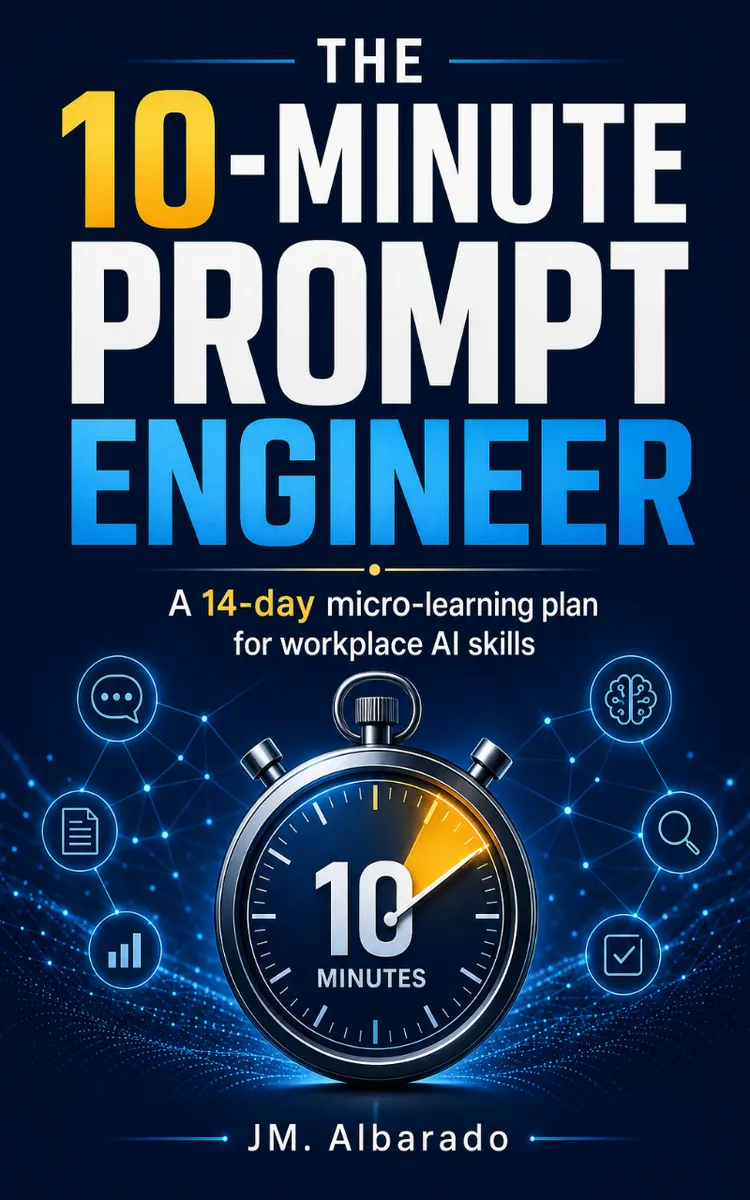
"The 10-Minute Prompt Engineer" is a day challenge book by JM. Albarado with 7 chapters and approximately 6,683 words. Daily prompt engineering routines for busy professionals.
This book was created using Inkfluence AI, an AI-powered book generation platform that helps authors write, design, and publish complete books.
Frequently Asked Questions
What is "The 10-Minute Prompt Engineer" about?
Daily prompt engineering routines for busy professionals
How many chapters are in "The 10-Minute Prompt Engineer"?
The book contains 7 chapters and approximately 6,683 words. Topics covered include Days 1-2: Micro-Learning Momentum, Days 3-4: The Core Prompt Architecture, Days 5-6: Drafting Emails Fast, Days 7-8: Analyzing Data in Minutes, and more.
Who wrote "The 10-Minute Prompt Engineer"?
This book was written by JM. Albarado and created using Inkfluence AI, an AI book generation platform that helps authors write, design, and publish books.
Write your own day challenge book with AI
Describe your idea and Inkfluence writes the whole thing. Free to start.
Start writingCreated with Inkfluence AI


