
Read the first chapter
The whole of chapter one, free. About 8 min. Turn the pages with the arrows, your keyboard, or a swipe.
Chapter 1
AI as Your Teaching Assistant
Why Trust Comes Before Speed
At 7:10 on a Tuesday morning, Tanya, a 39-year-old middle-school science teacher, has three tabs open: tomorrow’s lab instructions, a parent email about missing work, and a stack of exit tickets waiting for comments. She asks an AI tool to help draft a response. The first version sounds polished, but it also assumes that a student understood a concept Tanya knows the student has not yet mastered. Tanya catches the problem before sending it.
That small check captures the central rule for using AI at school: let it handle a first draft, not the final decision. AI can organize information, suggest wording, and offer starting points. It cannot know the trust you have built with a student, the context behind a late assignment, or whether a family needs a careful phone call instead of a quick email.
The Trust-First Teaching Assistant Model gives you a safe way to add AI to your routine without handing over your professional judgment. You will learn how to choose tasks for AI, protect private information, check every useful-looking answer, and keep relationships at the center. The goal is not to make every task automatic. The goal is to remove avoidable work while keeping the decisions that require a teacher in your hands.
Ask yourself before using AI: “Will this task benefit from a fast draft, or does it require my knowledge of this student and situation?” That question keeps the tool in its proper role.
The Trust-First Teaching Assistant Model
The model uses four actions. Complete them in order when you bring AI into a planning, communication, or classroom task.
1. Choose a bounded task. Give AI a small job with a clear beginning and end, such as drafting three discussion questions or rewriting directions in simpler language. A bounded task makes errors easier to spot and keeps AI from making broad decisions about students.
2. Remove identifying details. Do not enter a student’s name, address, student number, medical information, disability documentation, or private family details. Replace names with labels such as “Student A” and describe only the information needed for the task. This protects student privacy because the tool cannot protect details you should never have entered.
3. Request a draft with limits. Tell the tool what you want, what evidence it may use, and what it must avoid. For example: “Draft a warm, professional email in 120 words. State that the lab report is missing, invite the student to discuss support, and do not assume why the work is late.” Specific limits reduce confident guesses.
4. Review, revise, and own the result. Check facts, tone, fairness, reading level, and fit with school policy before you use the output. Your name, grade, recommendation, or message carries the responsibility. AI can suggest language; you decide whether the language belongs in your classroom.
These actions work because they separate assistance from authority. AI may suggest that a science explanation needs an analogy, but you decide whether the analogy fits the lesson. It may draft a parent message, but you decide whether the family needs more context or a personal conversation.
Use a simple prompt structure when you need a reliable draft:
> Task: What should the tool produce? > Context: What does it need to know? > Limits: What must it avoid? > Format: How should the answer look? > Check: What should you review?
Tanya could write:
> Task: Draft a message to a family about a missing seventh-grade science lab report. > Context: The report was due Friday, and the student participated in the lab. > Limits: Do not assume the reason for the missing work. Keep the tone respectful and supportive. > Format: Use 100 words or fewer, with a clear next step. > Check: Flag any statement that needs teacher confirmation.
The final line matters. It reminds Tanya that the draft contains language to inspect, not facts to accept. After reading the result, she might add the actual resubmission date, remove an overly formal phrase, and choose whether email is appropriate. The tool speeds up wording; Tanya supplies judgment and care.
Pause after each task and ask: “Could a student or family reasonably feel misrepresented by this output?” If the answer is yes, revise it yourself or choose a more personal form of communication.
Putting Trust First in a Real Classroom Workflow
Tanya decides to test the model on one low-risk task: preparing a set of review questions for a lesson on ecosystems. She wants help with wording, but she does not want AI to choose what her students must learn.
1. She defines the task in two minutes. Tanya writes the learning target in her own words: “Students will explain how a change in one part of an ecosystem can affect other organisms.” She asks AI for six review questions, including two that require students to explain their reasoning. Expected outcome: A usable first draft that supports her existing target instead of replacing it.
2. She shares only safe context. Tanya includes the grade level, the learning target, and the vocabulary students have already studied: food web, producer, consumer, and decomposer. She does not include student names, test results, or individualized education program details. Expected outcome: Questions that match the lesson without exposing private student information.
3. She adds clear limits. Her prompt says, “Use middle-school language. Avoid trick questions. Include one question about a pond ecosystem and one about a forest ecosystem. Mark each question as recall, explanation, or application.” Expected outcome: A structured list that Tanya can scan quickly for age-appropriate wording and useful variety.
4. She checks the science. AI suggests that removing all decomposers would cause plants to receive more nutrients. Tanya corrects this because the lesson requires students to understand that decomposition returns nutrients to the ecosystem. Expected outcome: The error stays out of the classroom because Tanya checks content rather than trusting fluent wording.
5. She checks the student experience. One question uses “population stability,” a phrase Tanya has not taught. She replaces it with “the number of organisms in a group.” She also removes a question that asks students to predict an outcome without giving enough information. Expected outcome: Students receive questions they can answer from the lesson, not from guesswork.
6. She keeps the final choice. Tanya uses four revised questions and saves two for a later review. She tells students that the questions came from her lesson goals and explains the reasoning behind one answer during class. Expected outcome: AI supports practice, while Tanya remains the source of instruction and accountability.
The entire process takes about 15 minutes, but the important result goes beyond saved time: Tanya knows what the tool did, what it got wrong, and why the final material fits her students. She can repeat the workflow for a parent email or planning draft, changing the review questions to match the task.
Use this quick checklist before you copy, send, post, or grade anything AI helped create:
• Define one small task. - Remove names and private details. - State the grade level, purpose, and limits. - Ask for a draft, not a final decision. - Check facts against your materials. - Check tone and reading level. - Look for assumptions about students or families. - Revise the output in your own voice. - Confirm that the result follows school and course policies. - Decide whether the task still needs a personal conversation.
If you cannot complete the checks, do not use the output yet. A fast answer that creates confusion, embarrassment, or an incorrect lesson costs more time than it saves.
What to Watch For Before You Trust the Output
A polished answer hides a wrong answer
AI can state an incorrect fact with the confidence of a well-edited textbook. In Tanya’s ecosystem review, the wording sounded smooth, but the science needed correction. The same problem can appear in a drafted email when the tool invents a date, assignment detail, or policy.
Do this: Compare every factual claim with your lesson materials, gradebook, calendar, or school policy. Replace uncertain language with facts you can confirm.
Not this: Send or post an answer because it sounds professional.
When a claim matters to a student’s grade, safety, record, or family communication, verify it yourself. If you cannot verify it, remove it.
Private information slips into the prompt
Teachers often paste the exact message they received from a family or copy a student’s writing with a name still attached. Even when the task seems harmless, the information may reveal more than AI needs.
Do this: Replace names with labels, remove contact details, and summarize sensitive circumstances in general terms. Ask for help with the wording, not with the student’s identity.
Not this: Paste a full student profile and ask, “What should I do with this student?”
For example, ask, “Draft two supportive ways to explain a missing assignment without assuming the reason,” rather than sharing the student’s health history, family situation, or disability documentation. If a decision depends on those details, consult the appropriate school professional instead of asking AI to interpret them.
AI takes over a relationship decision
A message about a routine deadline may need only a careful draft. A message about repeated absences, conflict, suspected cheating, or a serious concern requires your judgment and often a conversation. AI cannot hear hesitation in a student’s voice or understand the history between a teacher and family.
Do this: Use AI to prepare neutral questions, organize notes, or suggest a respectful opening. Then choose the communication method and make the decision yourself.
Not this: Ask AI to decide whether a student is dishonest, whether a family is responsible, or what consequence a student deserves.
You can also ask yourself, “Would I be comfortable explaining this decision directly to the student and family?” If not, the tool has moved too far into a role that belongs to you and your school team.
Trust grows when students see that their teacher notices context, corrects mistakes, and speaks to them as people. AI can help you prepare for that work, but it cannot perform the relationship for you. Start with one bounded task, protect the details, check the draft, and keep the final word where it belongs: with the educator who knows the classroom.
End of chapter one. 7 more chapters and about 15,521 words in the full book.
Swipe or use the arrows to turn the page


What's inside: 8 chapters
- 1. AI as Your Teaching Assistant
- 2. Rapid Unit and Daily Planning
- 3. Differentiation with Learner Profiles
- 4. Rubric-Based Feedback Automation
- 5. Speedy Admin and Parent Messaging
- 6. Academic Integrity and AI Policies
- 7. 7-Day AI Educator Quick-Start
- 8. Plug-and-Play Prompt Library
About this book
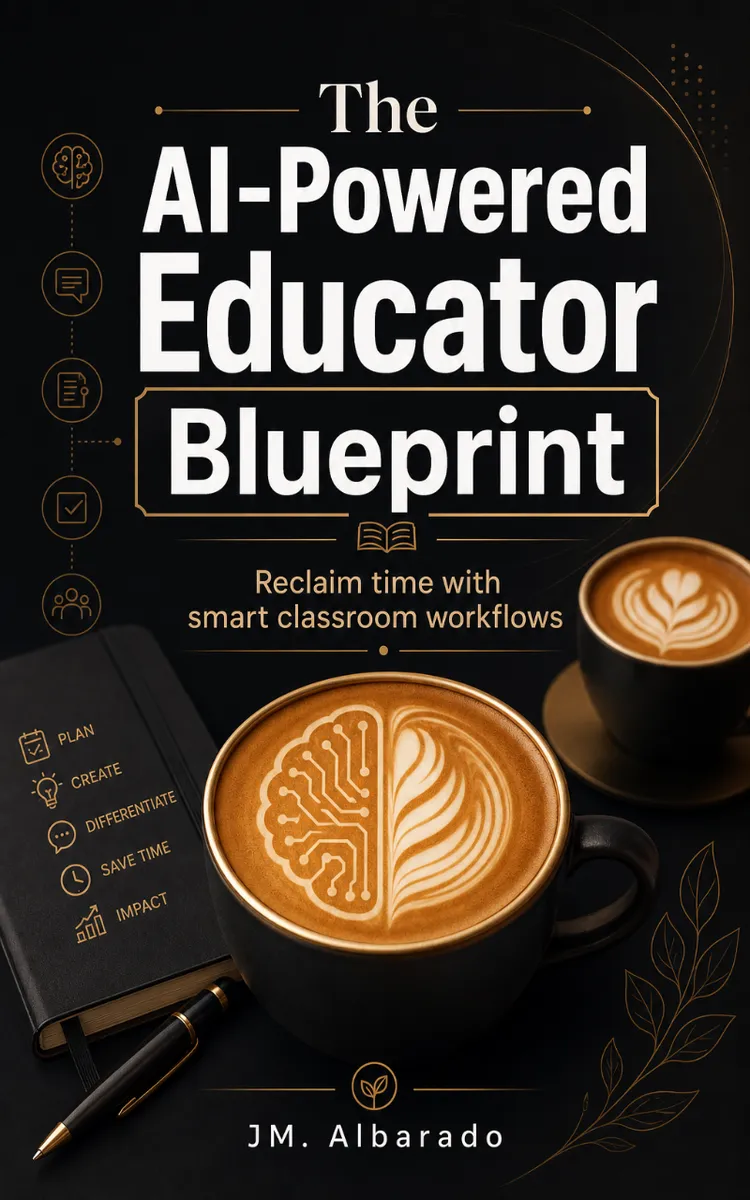
"The AI-Powered Educator Blueprint" is a how-to guide book by JM. Albarado with 8 chapters and approximately 15,521 words. Using AI to streamline lesson planning, differentiation, grading, and admin.
This book was created using Inkfluence AI, an AI-powered book generation platform that helps authors write, design, and publish complete books. It was made with the AI Ebook Generator.
Frequently Asked Questions
What is "The AI-Powered Educator Blueprint" about?
Using AI to streamline lesson planning, differentiation, grading, and admin
How many chapters are in "The AI-Powered Educator Blueprint"?
The book contains 8 chapters and approximately 15,521 words. Topics covered include AI as Your Teaching Assistant, Rapid Unit and Daily Planning, Differentiation with Learner Profiles, Rubric-Based Feedback Automation, and more.
Who wrote "The AI-Powered Educator Blueprint"?
This book was written by JM. Albarado and created using Inkfluence AI, an AI book generation platform that helps authors write, design, and publish books.
How can I create a similar how-to guide book?
You can create your own how-to guide book using Inkfluence AI. Describe your idea, choose your style, and the AI writes the full book for you. It's free to start.
Write your own how-to guide book with AI
Describe your idea and Inkfluence writes the whole thing. Free to start.
Start writingCreated with Inkfluence AI


