
Read the first chapter
The whole of chapter one, free. About 8 min. Turn the pages with the arrows, your keyboard, or a swipe.
Chapter 1
Micro-Lesson Timing and Limits
Attention drops fast: most learners don’t “quit because they’re lazy” - they quit because your lesson outlasts their brain’s ability to stay interested. When you miss the timing and text limits, you force students to keep working long after their focus has already started to fade. That turns “I’ll finish this later” into “I’m done,” and it shows up as low completion rates, slow progress through modules, and refunds you never planned for.
In this chapter, you’ll learn the exact time blocks and character caps that prevent cognitive fatigue. You’ll also get a repeatable way to cut your current lesson into micro-lessons that feel lighter, move faster, and keep students moving forward. By the end, you’ll be able to take a text-heavy page and rewrite it into timed chunks that don’t drain attention - without guessing.
The 3-Minute Retention Window (the framework you’ll use) Your goal is to keep each micro-lesson inside a single “focus arc” using the 3-Minute Retention Window: a lesson segment that delivers one clear learning outcome and stays short enough that the learner doesn’t hit cognitive fatigue. Think of it like a stoplight rhythm: green for understanding, yellow for practice, red when the brain starts to stall - then you cut.
Learn exact time blocks and character caps that prevent cognitive fatigue and raise completion rates fast
Here’s the core technique: you design micro-lessons around the moment attention starts to slip. You do that by controlling two things - time and text density - and you keep them consistent across your course. If you let one lesson run long or pack too many ideas into one screen, you raise the mental workload right when the learner’s focus is already weakening.
A simple way to sanity-check your current content: open the lesson in your course builder and ask, “How long does it take me to read this page out loud?” If it takes more than a few minutes or requires constant rereading, you’ve already built a fatigue trap. Now you’ll fix it by using exact limits.
Use these rules to build micro-lessons that fit the 3-Minute Retention Window:
1. Cap every micro-lesson at 3 minutes (max). Stop the segment at the point where the learner could reasonably answer a question or take an action. If you need more time, you split into another micro-lesson with a new outcome.
2. Use a 1-screen text target: 120-180 words per micro-lesson. Keep your main instruction, explanation, and example within that range. This forces clarity and prevents “wall of text syndrome.”
3. Set character caps for readability: 700-950 characters per screen (including spaces). When you edit, count characters in your editor or paste into a character counter. If you’re above the cap, you either cut examples, split the content, or convert explanation into a direct prompt.
4. Follow a “Teach → Do” rhythm inside each window. You deliver one idea, then you immediately ask the learner to do something with it: pick an option, answer a question, match a term, or choose the next step. You don’t wait until the end of the module.
Concrete example: if you have a lesson titled “How refunds work,” and it currently includes 4 paragraphs explaining policies, timelines, and edge cases, you don’t compress it into one longer paragraph. You split it into separate micro-lessons: “What qualifies,” “What triggers processing delay,” and “How the learner should respond.” Each segment stays inside the 3-minute window and hits the 120-180 word target so the learner doesn’t have to keep mental bookmarks for too long.
Ask yourself while editing: “Can a learner succeed after the Teach portion ends?” If the answer is no, you need one more micro-lesson, not more text. That’s the whole point - reduce cognitive load by reducing how much you ask them to hold at once.
Lila’s conversion reality check (Leila, 34) Leila, 34, works as a corporate instructional designer. She’s used to writing full-page lesson notes because stakeholders expect thoroughness. The problem: her learners read like they’re scanning a manual, not studying a course. Her original policy lesson ran 6-8 minutes and sat on one long page. Completion dropped because learners hit the fatigue point and left before practice.
Leila fixed it by rewriting the lesson into 2-3 micro-lessons. She capped each one at 3 minutes, kept each screen under 950 characters, and added a short “Do” action right after the explanation. The immediate outcome wasn’t “more engagement fluff.” It was simpler: learners reached the practice step more often because they didn’t burn attention before they got there.
Practical takeaway: treat micro-lesson size like a hard design constraint, not a style preference. When you control time and characters, you control fatigue.
Putting it into practice with the 3-Minute Retention Window
Let’s walk through a realistic rewrite you can apply today. I’ll use a common scenario: you have a lesson page with an explanation + example + “remember this” bullets. It looks polished, but it’s still heavy. Your job is to cut it into 3-Minute Retention Window micro-lessons and set character caps so the learner stays in the green zone.
Scenario: Rewrite a text-heavy lesson page into 3 micro-lessons Start with your current lesson text (copy/paste it into a doc). Then do this:
1. Pick one learning outcome for the whole page. Write it as a single sentence that starts with an action verb, like “After this lesson, the learner can ____.” Expected outcome: your cuts become obvious because you only keep content that supports that one outcome.
2. Split the page into chunks that each teach one sub-idea. Look for natural “topic breaks” inside your text: definitions, steps, exceptions, and examples. Expected outcome: you end up with 2-4 micro-lessons instead of one long page.
3. For each micro-lesson, enforce the time cap (≤ 3 minutes). Read it out loud once. If you go past 3 minutes, cut 1 idea or split into another micro-lesson. Expected outcome: each segment ends while the learner still feels “in it,” not at the moment their attention starts to sag.
4. Enforce the text target (120-180 words) and character cap (700-950 characters). Paste each chunk into a character counter. If it’s above 950 characters, do one of these: - remove a redundant sentence - shorten the example - replace a paragraph with a single direct instruction Expected outcome: the screen becomes scannable without losing meaning.
5. Add one “Teach → Do” action right after each micro-lesson. Choose the simplest action that matches the content: - If it’s a definition: quick multiple choice - If it’s a step: “order these steps” - If it’s a policy: “which scenario qualifies?” Expected outcome: learners practice before fatigue pulls them away.
Quick checklist (use this before you publish) - Each micro-lesson reads in ≤ 3 minutes out loud - Each screen lands at 120-180 words - Each screen stays at 700-950 characters - Each micro-lesson teaches one sub-idea - Each micro-lesson ends with a “Do” action - You removed “extra” context that doesn’t change the learner’s next move
If you want a fast internal validation: put your phone on a timer. Read one micro-lesson out loud. When the timer hits 3 minutes, stop. If you still feel like you “should keep going,” you’ve already learned why completion suffers - you’re building segments that outlast attention.
Practical takeaway: you don’t need fancy production to raise completion. You need strict micro-lesson sizing plus immediate practice.
What to watch for (common mistakes and edge cases)
Most teams don’t fail because they don’t care. They fail because they apply the limits inconsistently - sometimes they follow time caps but ignore character caps, or they split content but forget to add “Do,” which leaves the learner stuck reading until fatigue wins.
Tuning peg slips When you cut time but leave the same dense text, you create a different fatigue trap: the learner has to process faster than they can. - Do this: enforce both caps - ≤ 3 minutes and 700-950 characters per screen - then cut until the screen feels easy to scan. - Not this: only shorten the lesson by removing a sentence or two while keeping the same “wall of explanation” structure.
Split without a new outcome You can break a page into smaller chunks and still confuse learners if each micro-lesson doesn’t push toward a distinct “next step.” If your micro-lessons overlap, the learner rereads because they don’t know what they’re supposed to do with this chunk. - Do this: assign one learning sub-idea per micro-lesson and end it with a “Do” action that proves understanding right now. - Not this: split by layout (more headings, same content) while keeping one giant practice at the end of the page.
Practice too late in the window If you teach for 2.5-3 minutes and only ask the “Do” question at the end, you’ve already spent the attention budget. Learners often disengage before they reach the moment where the lesson becomes interactive. - Do this: place the “Do” action early - right after the Teach portion of each micro-lesson, even if the practice is small. - Not this: keep the learner reading until the final screen because you think “practice at the end feels complete.”
One more edge case that shows up with corporate content: compliance-style lessons often include “everything you could possibly need.” Those details feel responsible, but they also blow up your character caps and extend reading time. If a detail doesn’t change the learner’s decision in the “Do” action, cut it or move it into a separate micro-lesson with its own question.
Practical takeaway: the 3-Minute Retention Window only works when you enforce both measurement limits and you keep “Teach → Do” inside the window. When you do, you stop pushing learners past the point where fatigue takes over - and you start giving them reasons to keep moving.
The real win here is simple: once you standardize time blocks and character caps, your course stops being a collection of long pages and becomes a sequence of quick wins. That rhythm is what makes higher completion feel inevitable, not accidental. And once you can size micro-lessons correctly, you’re ready to make them interactive in ways that keep students coming back for the next window.
End of chapter one. 7 more chapters and about 14,796 words in the full book.
Swipe or use the arrows to turn the page


What's inside: 8 chapters
- 1. Micro-Lesson Timing and Limits
- 2. The 1-Screen Hook Formula
- 3. Chunking With the Stoplight Map
- 4. Interactive Prompts That Force Choice
- 5. Choose Your Own Adventure Script
- 6. Boss Fight End-Quiz Script
- 7. Streak Unlock Milestone Script
- 8. LMS Automation Without Coding
About this book
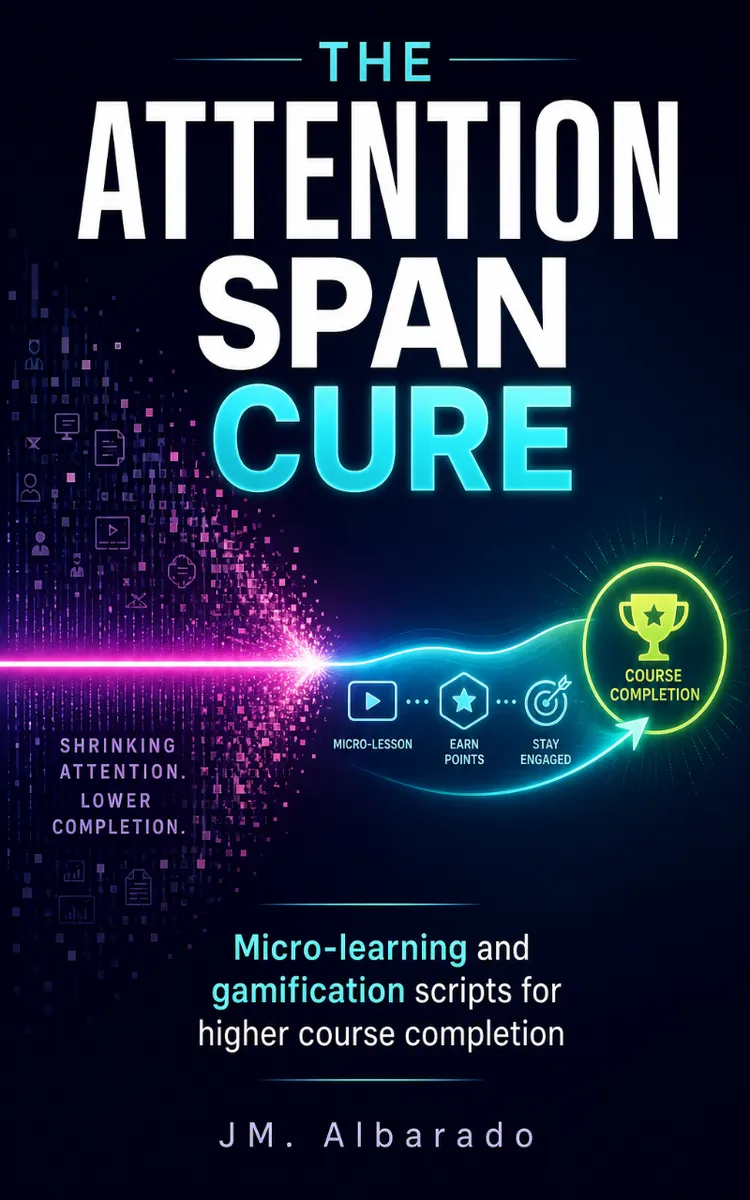
"The Attention Span Cure" is a how-to guide book by JM. Albarado with 8 chapters and approximately 14,796 words. Actionable micro-learning and gamification scripts to improve online course retention.
This book was created using Inkfluence AI, an AI-powered book generation platform that helps authors write, design, and publish complete books. It was made with the AI Ebook Generator.
Frequently Asked Questions
What is "The Attention Span Cure" about?
Actionable micro-learning and gamification scripts to improve online course retention
How many chapters are in "The Attention Span Cure"?
The book contains 8 chapters and approximately 14,796 words. Topics covered include Micro-Lesson Timing and Limits, The 1-Screen Hook Formula, Chunking With the Stoplight Map, Interactive Prompts That Force Choice, and more.
Who wrote "The Attention Span Cure"?
This book was written by JM. Albarado and created using Inkfluence AI, an AI book generation platform that helps authors write, design, and publish books.
How can I create a similar how-to guide book?
You can create your own how-to guide book using Inkfluence AI. Describe your idea, choose your style, and the AI writes the full book for you. It's free to start.
Write your own how-to guide book with AI
Describe your idea and Inkfluence writes the whole thing. Free to start.
Start writingCreated with Inkfluence AI


