
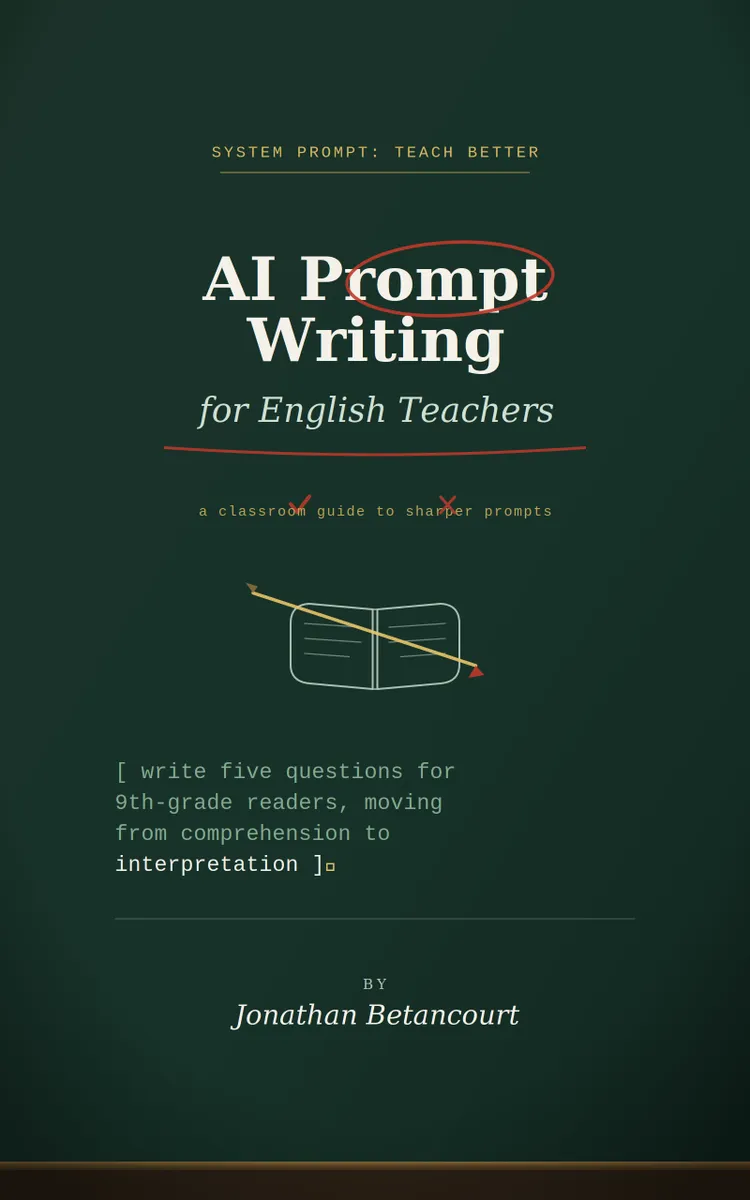

Read the first chapter
The whole of chapter one, free. About 9 min. Turn the pages with the arrows, your keyboard, or a swipe.
Chapter 1
Prompting Basics for Classroom Use
Why Clear Prompts Matter in English Class
What happens when an artificial intelligence tool gives you a polished paragraph that does not match your students’ reading level, assignment, or lesson goal? The problem usually begins before the tool produces the answer. A short request such as “Create a lesson on symbolism” leaves too many decisions open: grade level, text type, lesson length, learning target, student task, and the kind of teacher support you need.
A clear prompt solves that problem by giving the tool enough classroom information to produce a usable first draft. It does not replace your judgment. Instead, it helps you move from a vague request to a practical resource that you can review, revise, and teach. A well-written prompt can produce discussion questions, model paragraphs, vocabulary practice, feedback comments, or an exit ticket that fits a specific lesson.
By the end of this section, you should be able to identify the information an English teacher needs to include before asking for help. Ask yourself: If another teacher read my prompt, could that teacher tell who will use the material, what students will do, and what a successful result should look like? If the answer is no, the tool needs more direction.
A useful prompt also protects your planning time. When you name the class, purpose, format, length, and limits, you reduce the number of revisions. For example, “Write five questions” may produce questions that require advanced literary analysis. “Write five questions for ninth-grade students reading a short story, moving from comprehension to interpretation, with one sentence of teacher guidance after each question” gives the tool a clear target.
The practical takeaway is simple: treat a prompt as a teaching brief. Before you ask for an output, state the classroom conditions that shape that output.
The CLARITY Prompt Formula
The CLARITY Prompt Formula gives you a repeatable way to build classroom prompts. Each letter names one component. You do not need to write a long paragraph every time, but you do need to provide the details that affect the result.
1. C - Context: Identify the class, grade level, text, unit, or lesson situation. Context prevents the tool from producing a resource that sounds appropriate but does not fit your students. 2. L - Learning goal: State what students should understand or do. A goal such as “identify two examples of imagery and explain their effect” produces a more focused task than “teach imagery.” 3. A - Audience: Describe the students who will use the material. Include reading level, language needs, prior knowledge, or support needs when they matter. This helps the tool select suitable wording and difficulty. 4. R - Role: Tell the tool what kind of help you want. You might ask it to act as a lesson designer, discussion-question writer, writing coach, or rubric editor. The role directs the type of response. 5. I - Instructions: Give exact directions about the task, number of items, sequence, and limits. Specific instructions reduce unwanted extras and make the result easier to check. 6. T - Type of output: Name the format you want, such as a table, numbered activity, model paragraph, checklist, or teacher script. Format matters because you need to move the result into classroom use. 7. Y - Yardstick: Describe how you will judge the response. Ask for an answer key, success criteria, text evidence, accessible wording, or alignment with a rubric. The yardstick makes quality visible.
Consider this prompt:
> Context: I teach a ninth-grade English class beginning a unit on short-story analysis. > Learning goal: Students will explain how setting creates mood. > Audience: Students can identify setting, but many need help explaining its effect. > Role: Act as an English lesson designer. > Instructions: Create a 15-minute partner activity using a 300-word fictional passage. Include three guiding questions and a two-sentence model response. > Type of output: Use headings for “Passage,” “Student Directions,” “Questions,” and “Model Response.” > Yardstick: Use clear ninth-grade language and require students to quote one phrase from the passage.
This prompt gives the tool a manageable task and gives you several points to check. Does the passage fit the requested length? Do the questions lead students toward explaining mood? Does the model response quote evidence rather than merely name a feeling?
You can also use CLARITY for smaller requests. Talia, a 34-year-old high school English teacher, might need feedback on a student paragraph. Instead of asking, “Fix this paragraph,” she could write:
> Act as a supportive writing coach. Give feedback on the paragraph below for a tenth-grade student writing about ambition in Macbeth. Identify one strength and two revision priorities. Point to exact phrases in the paragraph, but do not rewrite the entire paragraph. Use plain language and end with one revision question for the student. Paragraph: [paste paragraph]
The instruction “do not rewrite the entire paragraph” matters because full rewriting can hide the student’s own thinking. The request for exact phrases makes the feedback specific. The final question turns feedback into a next step.
When you need a predictable response, place the most important limits near the beginning and repeat them in the output request. You can also ask the tool to separate teacher information from student-facing material. For example, “Label each section Teacher Notes or Student Handout” prevents you from accidentally giving students an answer key.
Before sending a prompt, read it as if you were checking an assignment sheet. Ask yourself three questions: What should students learn? What should they produce? What evidence will show that they met the goal? Those answers form the center of CLARITY.
A Complete Classroom Application
Talia plans a lesson for 28 tenth-grade students who will revise analytical paragraphs. Her students often make a reasonable claim but stop before explaining how their evidence supports it. She wants a short activity that helps students connect claim, evidence, and reasoning without asking the tool to grade student work automatically.
She builds the request in numbered steps:
1. Set the context. Talia writes, “I teach a tenth-grade English class during a lesson on analytical paragraph revision. Students have written claims and selected quotations from a class novel, but many need help explaining the connection.” This tells the tool what students already know and where they struggle. 2. Name the learning goal. She adds, “Students will write two or three sentences explaining how a quotation supports a claim.” The measurable action keeps the activity focused. 3. Describe the audience. She includes, “Use language suitable for tenth grade. Support students who understand the quotation but struggle to explain its importance.” This prevents overly advanced directions. 4. Assign the role and instructions. She asks, “Act as an English writing coach. Create a 12-minute individual activity with one weak model paragraph, three revision questions, and a revised model.” 5. Choose the output type. She requests four labeled sections: “Teacher Setup,” “Student Directions,” “Model Paragraph,” and “Answer Guide.” She also asks for a table with columns titled Claim, Evidence, and Reasoning. 6. Set the yardstick. She writes, “Keep the model paragraph under 120 words. Use one quotation. Make the revised version explain the quotation rather than repeat it. Include a brief note explaining why the revision works.”
Her complete prompt reads:
> I teach a tenth-grade English class during a lesson on analytical paragraph revision. Students have written claims and selected quotations from a class novel, but many need help explaining the connection. > > Learning goal: Students will write two or three sentences explaining how a quotation supports a claim. > > Audience: Use language suitable for tenth grade. Support students who understand the quotation but struggle to explain its importance. > > Act as an English writing coach. Create a 12-minute individual activity with one weak model paragraph, three revision questions, and a revised model. > > Format the response under these headings: Teacher Setup, Student Directions, Model Paragraph, and Answer Guide. In the Answer Guide, include a table with the columns Claim, Evidence, and Reasoning. > > Keep the model paragraph under 120 words and use one quotation from a made-up text about a student deciding whether to tell the truth. Do not present the activity as a graded assessment. Explain in two or three sentences why the revised model works.
The expected result should include a short setup, directions students can follow independently, a paragraph that contains a clear weakness, and questions that guide revision. The answer guide should identify the claim, quotation, and explanation separately. If the tool produces a paragraph longer than 120 words, uses a quotation without context, or asks students to complete a full essay, Talia should revise the prompt rather than accept the result.
She can improve the next version with one follow-up request: “Keep the activity structure, but replace the third question with one that asks students to explain the quotation’s effect on the reader.” This targeted follow-up works better than “Make it better” because it names the exact change.
Quick checklist
• State the class level and lesson situation. - Name one student learning goal. - Describe the students’ relevant strengths or needs. - Assign a useful role, such as writing coach or lesson designer. - Specify the number, length, and order of requested items. - Request a format you can use immediately. - Add a quality check, such as an answer guide or success criteria. - Review every example for accuracy, age-appropriate language, and alignment with the lesson.
Talia’s prompt does more than request an activity. It gives the tool boundaries and gives her a clear way to inspect the result. The practical test is whether she can copy the student directions into her lesson plan with only small edits.
Common Prompt Problems and Their Fixes
The prompt names a topic but not a task
“Create material about persuasive writing” does not tell the tool what students should do. It may return a lecture, worksheet, quiz, or essay prompt.
Do this: State the student action and the intended product: “Create a 20-minute activity in which students identify a claim, underline two supporting details, and write one sentence explaining the connection.”
Not this: “Make something about persuasive writing.”
The clearer version works because it defines both the learning goal and the classroom action.
The requested output has no usable boundaries
A request for “discussion questions” may produce ten questions, advanced vocabulary, or questions that all test recall. Without limits, you must spend time sorting and rewriting.
Do this: Ask for “four questions for an eleventh-grade discussion of conflict in a short story: one comprehension question, two interpretation questions, and one question requiring a quoted detail. Add a one-sentence teacher note after each.”
Not this: “Write some good discussion questions.”
The categories and number create balance. The teacher notes also show how each question supports the lesson.
The prompt asks the tool to replace student thinking
Requests such as “rewrite this student essay so it earns a high grade” can remove the student’s voice and conceal the skill the lesson should develop. The same problem appears when a tool gives a complete interpretation before students examine the text.
Do this: Ask for limited, visible support: “Identify the paragraph’s strongest claim, point out one place where the evidence needs explanation, and provide two revision questions. Do not rewrite the paragraph.”
Not this: “Rewrite the essay and make it excellent.”
The first request keeps the teacher and student in control of the writing process. You can then decide which feedback fits your classroom expectations.
A final edge case involves literary texts. If you ask the tool to create questions about a poem or novel without supplying the passage, it may invent details or misremember the text. Paste the relevant excerpt when accuracy matters, and ask the tool to use only that excerpt. For example: “Use only the 24-line poem below. Do not add outside information. Quote no more than eight words in any question.” This limit protects the lesson from unsupported details.
Before you use any generated material, check the text, answer key, reading level, and assumptions about your students. A strong prompt makes that review faster; it does not remove the need for it. When you build requests with context, purpose, audience, instructions, format, and a clear yardstick, the tool becomes a more dependable planning assistant - and your professional judgment remains at the center of instruction.
End of chapter one. 7 more chapters and about 16,284 words in the full book.
Swipe or use the arrows to turn the page


What's inside: 8 chapters
- 1. Prompting Basics for Classroom Use
- 2. Writing Prompts for Lesson Objectives
- 3. Generating Differentiated Reading Tasks
- 4. Creating Writing Prompts with Rubrics
- 5. Planning Grammar Practice by Error Type
- 6. Designing Discussion Questions and Socratic Prompts
- 7. Building Assessment and Feedback Prompts
- 8. Quality Control and Ethical Prompting
About this book
"AI Prompt Writing for English Teachers" is a how-to guide book by Jonathan Betancourt with 8 chapters and approximately 16,284 words. Your AI tool can generate a perfect paragraph, and still fail your students. The problem is not the technology, it is the prompt.
This book was created using Inkfluence AI, an AI-powered book generation platform that helps authors write, design, and publish complete books. It was made with the AI Ebook Generator.
Frequently Asked Questions
What is "AI Prompt Writing for English Teachers" about?
Your AI tool can generate a perfect paragraph, and still fail your students. The problem is not the technology, it is the prompt. If your request is too vague, you get polished work that ignores grade level, lesson goals, task requirements, and the kind of support your class actually needs. This fast track guide shows you how to write prompts that produce usable first drafts for English instruction. You will learn what information to include, how to turn broad standards into clear lesson objectives, and how to generate differentiated reading tasks without changing the text’s meaning. You will also build prompts for feedback, discussion, vocabulary practice, and quick checks for understanding. Stop guessing. Start prompting with purpose.
How many chapters are in "AI Prompt Writing for English Teachers"?
The book contains 8 chapters and approximately 16,284 words. Topics covered include Prompting Basics for Classroom Use, Writing Prompts for Lesson Objectives, Generating Differentiated Reading Tasks, Creating Writing Prompts with Rubrics, and more.
Who wrote "AI Prompt Writing for English Teachers"?
This book was written by Jonathan Betancourt and created using Inkfluence AI, an AI book generation platform that helps authors write, design, and publish books.
How can I create a similar how-to guide book?
You can create your own how-to guide book using Inkfluence AI. Describe your idea, choose your style, and the AI writes the full book for you. It's free to start.
Write your own how-to guide book with AI
Describe your idea and Inkfluence writes the whole thing. Free to start.
Start writingCreated with Inkfluence AI


