
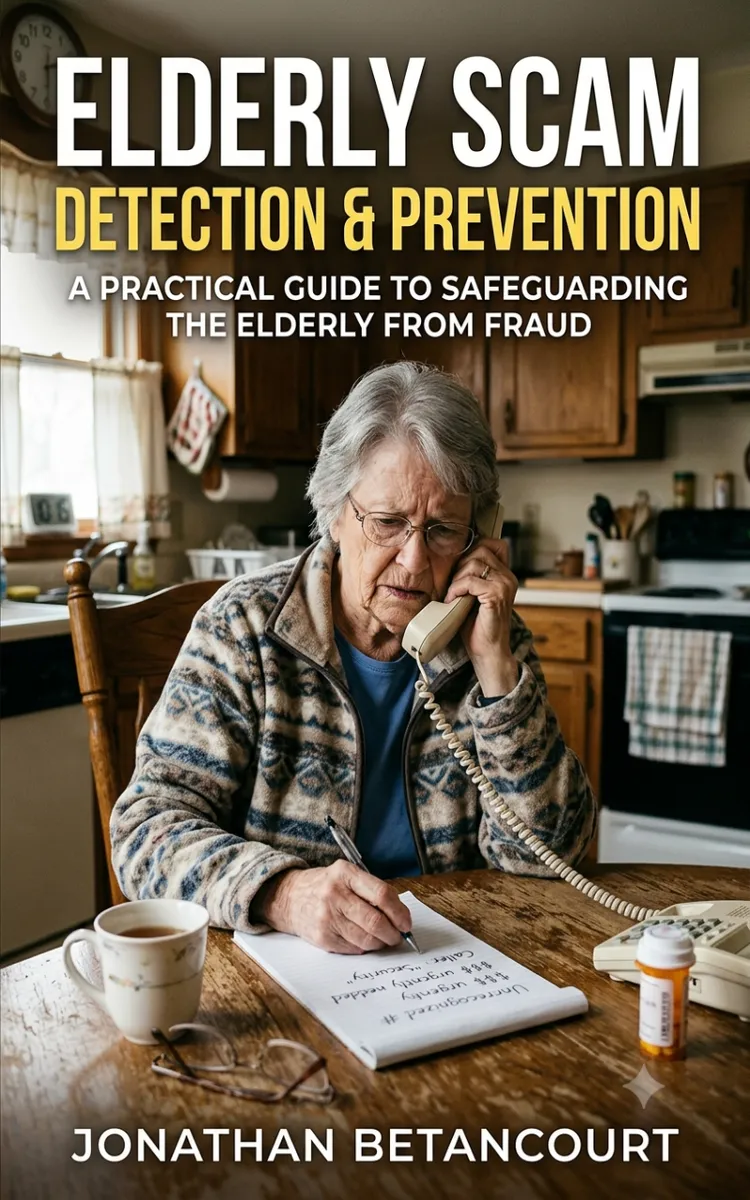

Read the first chapter
The whole of chapter one, free. About 10 min. Turn the pages with the arrows, your keyboard, or a swipe.
Chapter 1
Common Elder Scam Types
A scam can look “official” in a hundred small ways - logo on the email, a case number on the letter, a phone number that matches a real company’s website. But the promise inside is usually the same: you must act fast, you must pay now, and you must keep it quiet. That combination hits older adults especially hard because it blends urgency with authority, and it often arrives right when someone feels tired, stressed, or alone.
This chapter helps you recognize the most common scam categories and the exact promises, tactics, and red flags behind each one. After you read it, you’ll be able to sort a suspicious offer into a scam type in minutes, decide what to do next, and stop the “damage” steps (like paying, sharing codes, or giving access) before they turn into bigger losses. You’ll also get a practical way to walk through a call or letter using one simple tool: the Scam Menu Map.
Common Elder Scam Categories: What They Promise and How They Push
Most scams fall into a small number of repeating patterns. If you can name the pattern, you can predict the next move and protect the next step. Here’s the core idea: scammers don’t just sell a product - they sell a reaction. They try to trigger fear (“you’ll be arrested”), hope (“you’ll get money back”), or embarrassment (“don’t tell anyone”). Once they get that reaction, they steer you toward payment methods and secrecy.
Use the Scam Menu Map to sort what you see. Think of it like a quick menu with categories. When you spot a promise, look for the matching tactics. Then look for the red flags that show you they’re using the scam, not solving a problem.
• Imposter scams (fake authority)
• What they promise: Help from a real-seeming person - police, a bank, Medicare, Social Security, a tax office, or a “fraud department.”
• Typical tactics: They pressure you to verify identity, move money, or prevent “a lawsuit” or “account takeover.” They often ask for codes you receive on your phone.
• Red flags: They refuse to put the request in writing, they tell you not to call back using the number you find, and they demand secrecy.
• Concrete example: A caller says, “Your Social Security number is being used in a case. Stay on the line while we confirm you.” Then they ask you to read a code from a text message.
• Tech support scams (fake computer help)
• What they promise: Fix for a “virus,” “hacked account,” or “security alert.”
• Typical tactics: They claim they detected an error on your device and ask you to install software or sign into a “remote support” session.
• Red flags: They demand payment by gift cards or “instant transfer,” they won’t let you end the session and verify independently, and they insist you ignore pop-ups about scams.
• Concrete example: A pop-up says your device has a critical error. A caller tells you to open a “Remote Access” app and pay to remove the threat.
• Prize, lottery, and sweepstakes scams (false winning)
• What they promise: Money for “winning” a contest you never entered.
• Typical tactics: They ask for a fee to “release funds,” for “tax processing,” or for bank details to “deposit” winnings.
• Red flags: You must pay before you receive anything, they ask for upfront “verification,” and they won’t tell you how you won without your payment.
• Concrete example: An email says you won a sweepstakes and must pay $300 for “processing.” The sender refuses to provide a legitimate entry record.
• Investment and “guaranteed return” scams (fake growth)
• What they promise: Fast profits, steady income, or low-risk investing with “inside information.”
• Typical tactics: They push you to act quickly, move money to a new platform, or buy “restricted” assets. They may use fake charts and “limited spots.”
• Red flags: They can’t explain the investment in plain language, they refuse to provide standard account documents, and they pressure you to keep it private.
• Concrete example: Someone offers a “guaranteed monthly return” if you transfer money right away to a “broker.”
• Romance and relationship scams (emotional pressure)
• What they promise: Love, attention, and a future together.
• Typical tactics: They build trust quickly, then ask for money for emergencies - travel, medical costs, visas, or “legal fees.” They often move the conversation off-platform.
• Red flags: They avoid video calls, they ask for secrecy, and the money requests start soon after you show trust.
• Concrete example: After weeks of messages, they ask for $1,500 to “help with an urgent document,” then they say they can’t call due to “signal issues.”
• Billing, “payment due,” and account scams (make you panic about money)
• What they promise: Stop service shutoff, fix a billing error, or prevent late fees.
• Typical tactics: They push you to pay immediately, update “account info,” or use a specific payment method to “confirm.”
• Red flags: The message creates urgency, the sender doesn’t match your usual bill contact, and they ask you to send money in ways that don’t track well (like gift cards).
• Concrete example: A text claims your utility account will be turned off today unless you pay through a link.
• Charity scams (use good feelings to get payment)
• What they promise: Help for a cause.
• Typical tactics: They ask for donations through unusual channels or request payment in a way that can’t be reversed.
• Red flags: They won’t share a verifiable organization name, they ask for secrecy, or they pressure you to donate immediately.
• Concrete example: A caller asks for a donation to a “local relief fund” and says, “Pay by gift card so we can process it now.”
Ask yourself a quick question when you see a suspicious offer: “What payment or access do they want, and why can’t they explain it normally?” Most scam categories use the same pressure engine - urgency plus a path that benefits them.
Practical takeaway: If you can label the scam type and name the next push (payment, codes, remote access, secrecy), you can stop it before it moves to the “final step.”
Putting the Scam Menu Map Into Practice (with Doris’s Common Scenarios)
Let’s ground this in a real caregiving moment. Doris is a 74-year-old retired nurse. She keeps her phone nearby because she likes to stay connected - but she also gets tired quickly, and scammers know it. She recently brought a letter to the kitchen table and asked, “Is this real? They said I have to act today.”
You can use the Scam Menu Map in two passes: first identify the category by the promise, then check the red flags by the tactics.
Step-by-step: match the offer to a scam category
• Write down the promise in one sentence
• Example from Doris: “They said I will be arrested unless I pay a fee today.”
• Why this matters: The promise tells you which category you’re dealing with (imposter, billing, investment, etc.).
• Find the “method of action” they demand
• Circle what they want you to do: pay, verify identity, install software, share a code, or send gift cards.
• Why this matters: Different scam categories push different payment paths.
• Check the secrecy trigger
• Look for phrases like “don’t tell anyone,” “keep this confidential,” “stay on the line,” or “we can’t discuss this with anyone else.”
• Why this matters: Secrecy prevents verification, and verification is what stops scams.
• Compare the claim to a normal process
• Ask: “Would a real agency or company handle this without writing, without allowing me to call back, and without normal billing channels?”
• Why this matters: Scams cut out the normal checks.
Walkthrough: what Doris should do with the letter
• Do not pay, do not call the number on the letter, and do not follow links
• Expected outcome: You prevent the scam from collecting money or authorization right away.
• Get the “promise sentence” and “payment demand” from the letter
• Doris writes: “Arrest threat” + “pay today” + “gift card / instant transfer” (whatever the letter demands).
• Expected outcome: You can match it to the right menu item quickly.
• Use the Scam Menu Map to label it
• If the letter threatens legal action and demands immediate payment to “clear” the issue, you label it Imposter scams (fake authority).
• Expected outcome: You know the next likely tactic - codes, secrecy, or a fast payment path.
• Verify using a trusted number you look up yourself
• Doris finds the official number from a recent bill, a card on file, or the company’s website by typing the address herself (not clicking the letter’s link).
• Expected outcome: You confirm whether the threat matches any real case procedure.
• If you must talk to anyone, end the call and restart from a verified source
• If someone calls again, Doris says: “I will call you back using the official number.” Then she hangs up.
• Expected outcome: The scam loses the control it needs.
Quick checklist (for any suspicious call or letter)
• Write the promise in one sentence.
• Circle what they demand (pay, codes, remote access, gift cards).
• Spot the secrecy trigger (“don’t tell,” “stay on the line,” “act now”).
• Label the scam type using the Scam Menu Map categories.
• Verify using a trusted number you look up yourself - no links, no “call this number.”
• Stop the money path first (payment, codes, remote access).
Practical takeaway: When you use the Scam Menu Map this way, you stop guessing. You turn a confusing message into a clear category with clear next steps.
Common Mistakes and Edge Cases That Let Scams Slip Through
Even careful families make a few predictable mistakes. These mistakes matter because scammers count on them.
Calling back the scam’s number
Scammers often include a phone number that looks believable. If you call it, you may reach the same scam team again - or you may get transferred around until you feel worn out.
Do this: Look up the official number yourself from a recent bill, a statement, or the company’s website by typing the web address.
Not this: Call the number printed on the letter or shown in the email.
Why this works: verification breaks the scam’s control. If you use their number, you keep their control.
Reading a code you receive by text or app notification
Some imposter scams ask you to “confirm your identity” by reading a code out loud. That code often functions like a key to your account.
Do this: Tell the caller, “I won’t read codes. I’ll verify using the official number.” Then hang up.
Not this: Share any one-time code from a text message, voicemail, or authentication app.
Why this works: codes are designed to protect you, but scammers trick you into handing that protection away.
Confusing “help” with “remote access”
Tech support scams often start with “Let me fix it” and then move to software that gives them control of your device. Even if they sound polite, remote access can help them take money or install harmful tools.
Do this: If you didn’t contact them first, end the session. Contact a trusted local tech or use the official support channel for your device directly.
Not this: Let a caller guide you step-by-step into installing remote software because they sound confident.
Why this works: you stop the scam before it reaches the stage where they can change settings or move funds.
Edge case: a real problem that scammers disguise
Sometimes Doris really does have a billing issue or a security alert. Scammers exploit that by using real-looking details, then pushing one scam step: immediate payment, secrecy, or remote access.
Do this: Handle the real issue through normal channels. Verify first, then address the problem.
Not this: Treat the scammer’s instructions as the “official fix” just because the topic sounds familiar.
Practical takeaway: Your goal isn’t to be perfect - it’s to block the scam’s favorite moves: money fast, codes shared, remote access granted, and verification avoided.
If you can spot the scam category and block its usual “next step,” you turn a stressful moment into a manageable one. In the next part of this book, you’ll learn how to respond in real time - what to say, what to document, and how to protect the household the moment a suspicious offer shows up again.
End of chapter one. 7 more chapters in the full book.
Swipe or use the arrows to turn the page


What's inside: 8 chapters
- 1. Common Elder Scam Types
- 2. Spotting Red Flags in Conversations
- 3. The Verification Call Script
- 4. Protecting Phone, Text, and Email
- 5. Safe Money Handling and Limits
- 6. Scam-Proofing Technology at Home
- 7. Responding to a Suspected Scam
- 8. Building a Long-Term Family Defense Plan
About this book
"Elderly Scam Detection & Prevention" is a how-to guide book by Jonathan Betancourt with 8 chapters and approximately 15,363 words. Detecting and preventing scams targeting older adults.
This book was created using Inkfluence AI, an AI-powered book generation platform that helps authors write, design, and publish complete books. It was made with the AI Ebook Generator.
Frequently Asked Questions
What is "Elderly Scam Detection & Prevention" about?
Detecting and preventing scams targeting older adults
How many chapters are in "Elderly Scam Detection & Prevention"?
The book contains 8 chapters and approximately 15,363 words. Topics covered include Common Elder Scam Types, Spotting Red Flags in Conversations, The Verification Call Script, Protecting Phone, Text, and Email, and more.
Who wrote "Elderly Scam Detection & Prevention"?
This book was written by Jonathan Betancourt and created using Inkfluence AI, an AI book generation platform that helps authors write, design, and publish books.
How can I create a similar how-to guide book?
You can create your own how-to guide book using Inkfluence AI. Describe your idea, choose your style, and the AI writes the full book for you. It's free to start.
Write your own how-to guide book with AI
Describe your idea and Inkfluence writes the whole thing. Free to start.
Start writingCreated with Inkfluence AI


