
10 Red Flags When Choosing an AI Ebook Platform (And What to Ask Instead)
Not all AI book tools are built equal. Some have deal-breaking limitations you only discover after investing hours of work. Here are the warning signs to watch for - and the exact questions to ask before committing your next project.

Quick Answer
The biggest red flags when evaluating an AI ebook platform are: no export to standard formats (PDF, EPUB, DOCX), no way to edit AI-generated content before publishing, hidden word or project limits, no example outputs to review, and vague claims about "AI-powered" features without specifics. Before choosing a platform, test it with a short sample project, check export quality, verify you own the content rights, and confirm it handles your specific book type. Inkfluence AI offers a free plan with full export capability so you can evaluate output quality before committing.
Why This Matters
Switching platforms mid-project costs more than starting over
The AI ebook space has exploded. Dozens of tools promise to turn your idea into a finished book. But quality, reliability, and feature depth vary enormously. Choosing the wrong platform means lost hours reformatting, re-editing, or starting from scratch when you hit a wall the demo did not show you.
This guide covers the specific warning signs that experienced users have learned to watch for - plus a due diligence checklist you can use before committing any serious project to a platform.
The hardest part of choosing an AI ebook tool is not finding one - it is finding one that will not waste your time. The "build your perfect book in 60 seconds" marketing hides real limitations that only surface after you have invested hours of work.
We analyzed user feedback across forums, review sites, and our own support conversations to identify the patterns. Here are the warning signs that separate capable platforms from frustrating ones.
10 Red Flags When Evaluating AI Ebook Platforms
These are the patterns that consistently predict a poor experience. If you spot more than two of these, proceed with extreme caution.
1. No export to standard formats
If a platform only lets you share via a proprietary link or their own reader, your content is trapped. You need PDF, EPUB, and ideally DOCX export to publish on Amazon KDP, sell on Gumroad, or use as lead magnets.
Ask instead: "Can I export to PDF, EPUB, and DOCX? Can I download the files to my computer?"
2. No editing capability
AI-generated content always needs human editing. If the platform generates the book and your only option is "download" with no way to edit chapters, reorder sections, or rewrite passages, the output will feel generic and unpolished.
Ask instead: "Can I edit every chapter after generation? Can I rewrite individual sections without regenerating the whole book?"
3. Hidden word or chapter limits
Some tools advertise "unlimited books" but cap each book at 5,000 words or 3 chapters. Others limit monthly generation tokens. These restrictions often only appear after you have started a project and invested time in the outline.
Ask instead: "What is the maximum word count per book? How many chapters can each book have? Are there monthly generation limits?"
4. No example outputs to review
If the platform does not show sample books, preview pages, or example exports, they may be hiding output quality. Reputable tools are happy to show what their AI actually produces because the quality speaks for itself.
Ask instead: "Can I see a sample book or chapter before signing up? Is there a public gallery of books created with this tool?"
5. Vague "AI-powered" claims with no specifics
"Our advanced AI writes your book" is not a feature description. What does the AI actually do? Does it generate outlines? Write full chapters? Handle formatting? Create covers? Vague claims usually mean the "AI" is just a wrapper around a basic API call with minimal structure.
Ask instead: "What specifically does the AI handle? Outline generation? Chapter writing? Formatting? Cover design? What do I still need to do manually?"
6. No content ownership guarantee
Some platforms retain rights to content generated on their platform or use your content for training. If the terms of service are unclear about ownership, your book may not legally be yours to sell.
Ask instead: "Do I own 100% of the content I create? Can I sell it commercially? Is my content used to train your AI?"
7. No free trial or sample project option
Platforms that require payment before you can test the product often have something to hide. A confident tool lets you create at least one small project for free. If you cannot test the full workflow - from outline to export - before paying, they do not trust their own product enough to let you evaluate it.
Ask instead: "Can I create a complete sample project for free? Does the free plan include export, or just generation?"
8. Chapter-to-chapter inconsistency
Read chapter 1, then skip to chapter 5. Do they feel like they were written by the same author? Many AI tools treat each chapter as an independent prompt, producing wildly different tones, vocabulary levels, and writing styles within the same book. This is the fastest way to lose reader trust.
Ask instead: "How does the AI maintain consistency across chapters? Does it reference earlier content when writing later chapters?"
9. No genre or book-type awareness
A cookbook, a romance novel, and a business guide need completely different structures, tones, and formats. If the platform uses the same approach for every book type, the output will be generic at best and bizarre at worst. Watch for platforms that only offer "write a book" with no genre selection.
Ask instead: "Does the AI adjust its approach based on the type of book? How many book types or genres does it support?"
10. No update history or public changelog
A platform with no visible development history may be abandoned or a weekend project. AI tools need continuous improvement - model updates, export fixes, new features. If there is no evidence of recent development, your investment in learning the platform may be short-lived.
Ask instead: "When was the last feature update? Is there a public changelog or roadmap?"
The 5 Most Common Deal-Breakers
Based on patterns from user reviews, forum discussions, and platform-switching stories, these are the issues that most frequently cause users to abandon an AI ebook tool after their first project:
| Deal-Breaker | Why It Matters | How to Spot It Early |
|---|---|---|
| Export formatting breaks | Your book looks great in the editor but the PDF has broken fonts, missing images, or collapsed layouts | Export a test project to PDF and EPUB before investing time in a real book |
| Repetitive, filler content | The AI pads chapters with generic motivational filler, repeated points, or placeholder paragraphs instead of substantive content | Read the first and last paragraphs of 3 generated chapters. Are they saying different things? |
| No way to import existing work | You have draft chapters in Google Docs or Word but the platform only works from scratch generation | Try pasting or importing a document during the free trial |
| Slow or unreliable generation | Generation takes 15+ minutes per chapter or fails entirely, requiring you to start over | Time the generation of a 3-chapter test book. If it takes more than 10 minutes total, that scales badly |
| Pricing surprises after trial | Free trial is generous but the paid plan limits features you assumed were included, or uses per-word pricing that makes full books expensive | Calculate the actual cost of generating and exporting one full-length book on the paid plan |
Every one of these deal-breakers is avoidable with a 30-minute test before you commit. The platforms that survive this test are the ones worth investing in. Our guide to testing an AI ebook tool with a sample project walks through exactly how to run this evaluation.
Why Some AI Ebook Tools Feel Clunky
User frustration with AI book tools usually comes down to a few specific UX patterns. Here is what to watch for - and why it matters more than feature lists:
Friction Patterns
- Too many steps to start - If creating a book requires filling out 10 form fields before you see any output, most users give up. The best tools get you to a generated outline in under 60 seconds
- No preview before export - You should see how your book will look before downloading it. Tools that make you export, open in a PDF viewer, spot problems, go back, fix, re-export are wasting your time
- Confusing navigation - If you cannot figure out how to get back to your chapter list, find the export button, or switch between editing and preview, the tool was designed for demos not real work
- Desktop-only editing - Many users want to review and edit chapters on their phone or tablet. If the interface collapses on mobile, you are chained to your laptop
Smooth Patterns
- One-screen workflow - The best tools show you outline, chapters, and export in a single coherent flow rather than hiding features behind menus
- Live preview - See your formatted book as you edit, not after you export. PDF and EPUB preview within the app saves enormous time
- Progressive disclosure - Simple defaults with optional advanced settings. You should be able to create a book in 3 steps, with deeper customization available if you want it
- Responsive on all devices - Edit on desktop, review on phone, export from tablet. Your book should be accessible wherever you are
The UX of an AI ebook tool matters more than its feature list. A tool with 50 features that are hard to find is worse than a tool with 20 features that are obvious and well-designed.
How Inkfluence AI handles this
Inkfluence AI was designed around a 3-step workflow: describe your book, review the outline, generate. Chapters appear as they are written, with a full editor for every section. PDF and EPUB preview are built in - you see exactly what the export will look like before downloading. The entire interface works on mobile, tablet, and desktop.
Free plan includes full PDF export; EPUB and DOCX come with paid plans. No hidden limits on the test workflow. See pricing
15 Questions to Ask Before Choosing an AI Ebook Platform
Use this checklist when evaluating any AI book tool. A good platform should have clear, confident answers to all 15. Vague or evasive responses to any of these are a signal to keep looking.
Content & Quality
- 1. What types of books does this tool support? (Fiction, non-fiction, cookbooks, workbooks, guides, etc.)
- 2. How does the AI maintain consistency across chapters? Does it reference earlier content when generating later chapters?
- 3. Can I edit every section of my book after generation? Can I regenerate individual chapters without affecting others?
- 4. Can I import existing drafts from Word, Google Docs, or plain text?
- 5. What languages are supported? Can I translate a finished book?
Export & Publishing
- 6. What export formats are available? (PDF, EPUB, DOCX, HTML - you want at least PDF and EPUB)
- 7. Is the exported EPUB valid for Amazon KDP, Apple Books, and other distributors?
- 8. Can I preview the formatted book before exporting? Both PDF and EPUB?
- 9. Can I design or generate a book cover within the platform?
- 10. Does the platform offer audiobook generation? If so, what voice technology does it use?
Rights, Pricing & Trust
- 11. Do I own 100% of the content I create on this platform? Can I sell it commercially?
- 12. What is the actual cost of creating and exporting one full-length book? (Not just the subscription - include any per-word or per-generation fees)
- 13. Is there a free plan or trial that includes the full workflow including export?
- 14. When was the last feature update? Is there a public changelog?
- 15. What happens to my books if I cancel my subscription? Can I still access and download them?
If you want to test these questions against a real platform, try Inkfluence AI's free plan - it includes the full workflow from outline to export, no credit card required.
Signs a Platform is Mature Enough for Serious Projects
Beyond red flags, there are positive signals that indicate a platform is stable, actively developed, and safe for long-term use. Here is what experienced users look for:
Active Development
- Public changelog with updates in the last 30 days
- Feature requests being acknowledged and shipped
- Blog or social media showing ongoing development
- Version number or update dates visible somewhere
Real User Base
- User-generated content visible (gallery, testimonials)
- Community presence (subreddit, Discord, forum)
- Reviews on third-party sites (not just their own)
- Social proof beyond generic stock testimonials
Professional Operation
- Clear terms of service and privacy policy
- Responsive support (email, chat, or community)
- Data export option (you can take your content elsewhere)
- Transparent pricing with no hidden costs
A platform checking all these boxes is unlikely to disappear overnight or leave you stranded mid-project. The more boxes it checks, the safer your investment of time and content.
What Customer Support Should You Expect?
AI ebook tools are complex products. Exports break, formatting has quirks, generation sometimes stalls. What separates a good platform from a frustrating one is how they handle these moments.
Here is what you should realistically expect from different pricing tiers:
| Tier | Reasonable Expectation | Red Flag |
|---|---|---|
| Free plan | FAQ, documentation, community forum. Email support with 24-48 hour response | No documentation at all. No way to report bugs |
| $10-30/month | Email support within 24 hours. Known issues page. Feature request channel | No response after 48 hours. Form-letter replies that do not address your issue |
| $50+/month or enterprise | Priority support within hours. Live chat. Dedicated account manager for enterprise | Same support as free tier despite premium pricing |
The best indicator of support quality is not the promise - it is what happens when you actually email them with a problem before you subscribe. Send a pre-sales question and see how long they take to respond and whether the answer is helpful or generic. That response time and quality is what you will get as a customer.
How to Test a Platform Before Committing a Big Project
The smartest move is always to test with a low-stakes project first. Here is a quick evaluation workflow you can run in under 30 minutes:
- 1. Create a 3-chapter test book in the genre you actually care about. Not a random topic - use something close to your real project so you can evaluate tone and structure quality.
- 2. Read the generated output carefully. Not just the first paragraph - read the middle of chapter 2 and the end of chapter 3. Check for repetition, filler, and consistency.
- 3. Edit something. Change a paragraph, reorder a section, add your own content. Is the editor usable? Does it feel like a tool you could spend an hour in?
- 4. Export to PDF and EPUB. Open both files. Does the PDF look professional? Does the EPUB render correctly in a reader app? Are fonts, spacing, and layout preserved?
- 5. Rate it honestly. On a scale of 1-10: Would you be comfortable putting your name on this output after light editing? If the answer is below 7, keep looking.
For a detailed walkthrough of this evaluation process, see our guide to testing AI ebook tools with a free sample project.
Test Inkfluence AI risk-free
Free plan includes full outline generation, chapter writing, editing, cover design, and PDF export (EPUB and DOCX on paid plans). No credit card. No hidden limits on the evaluation workflow.
Try free - no signup requiredFrequently Asked Questions
What are the biggest red flags when choosing an AI ebook platform?
No export to standard formats (PDF, EPUB), no editing capability, hidden word limits, no example outputs, vague AI claims, and no free trial. Any of these suggests the platform will waste your time when you try to create a real, publishable book.
What questions should I ask before trusting an AI platform with my book idea?
Focus on three areas: content ownership (do I own what I create?), export quality (does the output look professional?), and consistency (does it maintain tone across 10+ chapters?). Test all three with a sample project before committing your real book idea.
What are the most common deal-breakers for AI ebook tools?
Broken export formatting, repetitive filler content, no ability to import existing work, slow or unreliable generation, and surprise costs after the free trial. Each of these only becomes apparent after you have invested time, which is why testing first is critical.
How can I tell if an AI ebook platform is mature and stable?
Look for a public changelog with recent updates, a visible user community, third-party reviews, transparent pricing, responsive support, and a data export option. A platform with all of these is unlikely to disappear or leave you stranded.
What customer support should I expect from an AI book writing tool?
At minimum: documentation, a FAQ, and email support within 48 hours. Paid plans should include 24-hour email response times. Test support quality before subscribing by sending a pre-sales question and evaluating the response.
Why do some AI ebook tools feel clunky and frustrating?
Common UX problems: too many steps to start creating, no preview before export, confusing navigation between editing and formatting, and interfaces that break on mobile. The best tools get you from idea to formatted preview in under 5 minutes.
How should I test an AI ebook tool before committing my real project?
Create a 3-chapter test book in your actual genre. Read the middle of chapter 2 (not just the first paragraph). Edit something. Export to PDF and EPUB. Open both files and check formatting. If the output scores below 7/10 after light editing, keep looking.
What makes Inkfluence AI different from other AI book generators?
20+ specialized book types with tailored writing approaches for each genre. Full chapter editing. Built-in cover designer and AI cover generation. PDF and EPUB preview before export. Audiobook generation. Free plan includes the complete workflow with no hidden limits. Your content, your copyright, always.
Related Reading
- How to Test an AI Ebook Tool With a Free Sample Project - Step-by-step evaluation guide with a decision scorecard
- AI Tools for Authors vs ChatGPT: The Real Difference - Why purpose-built tools outperform generic AI for book creation
- What to Look for in an AI Book Generator - 10 features that separate capable tools from gimmicks
- Best AI Book Writing Software 2026 - Full comparison of the top platforms
- How to Avoid Generic AI Book Output - 9 techniques to make AI-generated content feel original

Founder, Inkfluence AI
Sam is the founder of Inkfluence AI. He built the platform to make book creation accessible to everyone - from first-time authors to seasoned publishers.
Helpful links
Ready to Create Your Own Ebook?
Start writing with AI-powered tools, professional templates, and multi-format export.
Get Started FreeRelated Articles
 AI Writing
 Prix Pascal: The New Literary Prize for Novels Written with AI, and How to Enter by 30 November 2026
France's new Prix Pascal is a literary prize that asks entrants to say how they used AI instead of hiding it. The rules in plain English, what 300,000 characters means in words and chapters, the technical file, and a five-week plan to submit a French novel on time.
 AI Writing
 Sudowrite vs Novelcrafter (2026): Price, Built-in AI vs Your Own Key, Story Bible vs Codex
Sudowrite ($10 to $59 a month, AI built in) against Novelcrafter ($4 to $20 a month, AI from your own provider): price, how the AI is paid for, Story Bible against Codex, drafting, editing, export and series, read on both vendors' sites on 17 October 2026, with a picker.
 AI Writing
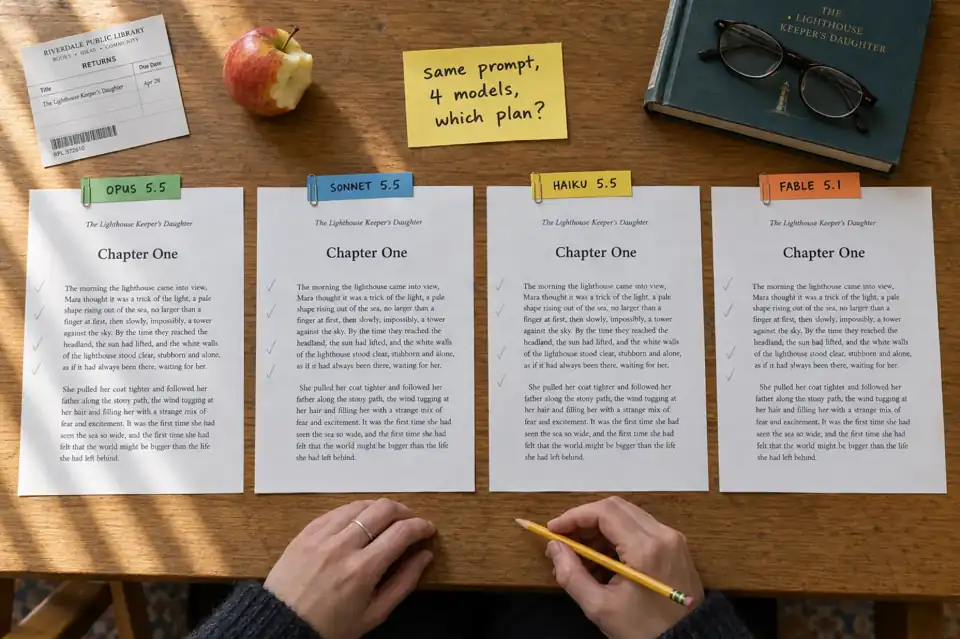
 Which Claude Model Is Best for Writing? Opus 5.5, Sonnet 5.5, Haiku 5.5 and Fable 5.1 Compared (October 2026)
Which Claude model should you write with in October 2026? Opus 5.5, Sonnet 5.5, Haiku 5.5 and Fable 5.1 compared on what Anthropic actually publishes: which plan includes each one, API prices, context and output limits, speed, and what each is built for. Plus the maths of fitting a whole book, and when a book tool is the better pick.
Get ebook tips in your inbox
Join creators getting weekly strategies for writing, marketing, and selling ebooks.