
Read the first chapter
The whole of chapter one, free. About 8 min. Turn the pages with the arrows, your keyboard, or a swipe.
Chapter 1
From Data-Blind to AI Analyst
Your sales report says “we did well,” but your inventory spreadsheet says you still have too much sitting on shelves. Your promotion file says customers bought more, but your refund log says you’re losing money on the same items. When you can’t connect those dots, you end up guessing - then you pay for it with cash tied up in slow stock and discounts you didn’t need to run.
This chapter teaches you how conversational AI removes that intimidation and turns messy business questions into actionable analysis - without you writing SQL or Python. You’ll learn how to ask messy questions in plain English, how to clean the data enough for AI to work with it, and how to get back results you can actually use in your weekly decisions. You’ll also learn a simple framework you’ll use throughout the book: The Bridge-to-Answers Map.
If you run a small business (boutique, local service, e-commerce, studio, agency), you already have the data - you just don’t have the time, the comfort, or the technical help to turn it into answers. Conversational AI closes that gap by letting you talk to your spreadsheet and ask for the next step: “What’s wrong?” “What changed?” “What should I do this week?”
The Bridge-to-Answers Map: turning messy questions into usable answers
Here’s the problem you feel when you look at a spreadsheet: the rows look correct, but the meaning doesn’t. Dates come in mixed formats. Product names don’t match across sheets. Some values are blank. Some totals don’t add up. And you don’t know whether the data is wrong, the question is wrong, or you’re just missing the pattern.
Conversational AI helps because it can follow your instructions in plain language - then it can produce a cleaned table, a calculation, or a summary you can paste into a dashboard. But you still need a way to steer it. The Bridge-to-Answers Map gives you that steering wheel. It turns “messy business questions” into a sequence of prompts that lead to concrete outputs.
Use it like this: you build a bridge from your business goal to the exact output you need. You do that by mapping (1) what you’re trying to decide, (2) what data you have, (3) what you want AI to produce, and (4) how you’ll verify it so you don’t get fooled by a confident wrong answer.
To make this practical, you’ll use this exact “How-To Guide” playbook as the overall structure for your work across the book: The AI Data Analyst for Non-Techies: Using conversational AI tools to clean messy spreadsheets, build data dashboards, and extract business insights without knowing a single line of SQL or Python. You’ll apply the same idea in each task - ask for the right output, then verify before you act.
How conversational AI removes intimidation (and what you do with it)
Conversational AI doesn’t “read your mind.” You remove intimidation by giving it a clear job and a clear format to return. When you do that, you stop wrestling with technical tools and start directing the work like you would a trusted assistant: you provide the inputs, you set the rules, and you check the result.
Start by preparing your question in business language. Then add the constraints that protect you from bad output. Finally, request a structured result you can plug into your workflow.
Follow these steps, in order:
1. State the decision you need. Say the outcome in one line: “I need to decide which products to discount next week” or “I need to know why sales dropped in February.” This matters because AI will pick a different analysis path depending on whether you want causes, comparisons, or recommendations.
2. Name the fields you have and the fields you need. Example: “My sheet has Order Date, Product Name, Quantity, Sale Price, Cost, Channel, and Refund Amount. I need Profit by product and refund rate by product.” This matters because AI can’t calculate what you don’t define.
3. Force the output format. Ask for a table, not a paragraph. For example: “Return a markdown table with columns: Product Name, Units Sold, Revenue, Cost, Profit, Profit Margin.” This matters because you paste tables into Looker Studio or your own charts and you avoid copy-paste cleanup.
4. Add a verification request. Tell AI to show the math checks: “Recompute totals and show a row for Grand Totals.” This matters because it gives you a way to catch errors quickly - especially when data has missing dates, extra spaces, or duplicate products.
When you run these steps, you stop thinking “How do I use AI?” and start thinking “What exact result do I need, and what should the output look like?” That shift is what removes intimidation.
Putting Tanya’s boutique inventory and promotions into AI-ready answers
Let’s make this real with Tanya, 41, who runs a boutique and manages inventory and promotions using Excel. She tracks purchases, sales, and markdowns across a few sheets. Some product names include extra spaces, and the date format changes between exports. She wants a clean answer to a question she actually asks every week: “Which products should I promote next, and which ones should I stop discounting?”
She decides to use conversational AI with The Bridge-to-Answers Map. She also keeps one practical rule: she only asks AI for outputs that she can verify in under five minutes.
Step-by-step: from messy files to a decision-ready table
1. Pick one question with a measurable output. Tanya writes: “I need the top 10 products by Profit Margin for the last 30 days, and I need to see which of those products also have refunds.” Expected outcome: AI returns a single table with profit and refund information, not a vague summary.
2. Export or copy the relevant rows into a single CSV. She uses a CSV because it loads cleanly into most conversational AI tools and keeps formatting predictable. Expected outcome: AI can read one consistent dataset instead of guessing across mismatched sheets.
3. Make sure your columns line up before you ask. Tanya checks that these columns exist (even if some rows are blank): - Order Date - Product Name - Quantity - Sale Price - Cost - Refund Amount Expected outcome: AI doesn’t invent columns or miscalculate because it can’t find the inputs.
4. Run a cleanup prompt to fix the most common spreadsheet traps. She starts with broken dates and extra spaces in product names. She uses this prompt template:
text Clean my dataset for analysis. Rules: - Standardize Order Date into YYYY-MM-DD. - Trim extra spaces in Product Name. - Convert Quantity, Sale Price, Cost, and Refund Amount to numbers. - If Refund Amount is blank, treat it as 0. Return a cleaned table with the same columns as input plus: - Revenue = Quantity * Sale Price - Profit = Revenue - (Quantity * Cost) - Profit Margin = Profit / Revenue Show the first 20 rows and also a Grand Totals row.
Expected outcome: You get a cleaned table and a totals row you can verify.
5. Ask for the decision output in a forced format. Now Tanya asks the exact question she needs for promotions:
text Using the cleaned table, answer this: - For the last 30 days, list the top 10 products by Profit Margin. - For each product, include Units Sold, Revenue, Profit, Profit Margin, and Total Refund Amount. - Sort by Profit Margin descending. Return a markdown table with columns: Product Name | Units Sold | Revenue | Profit | Profit Margin | Total Refund Amount
Expected outcome: a table Tanya can paste into her notes or a charting tool without rewriting.
6. Verify quickly before acting. Tanya checks three things: - Profit Margin values look reasonable (not negative for products she knows are profitable). - Grand Totals match what she expects for Revenue and Profit from her sheet. - Refund Amount looks plausible (blank treated as 0, and refunds only on orders that had them). Expected outcome: she catches format issues before she discounts inventory.
Quick checklist (Tanya’s weekly flow)
• Confirm your dataset has the fields AI needs (Order Date, Product Name, Quantity, Sale Price, Cost, Refund Amount). - Ask AI to clean dates, trim product names, and treat blank Refund Amount as 0. - Force AI to return a markdown table with exact columns. - Request a Grand Totals row and cross-check it. - Only decide after the table passes quick math checks.
Practical takeaway: You don’t need to “learn data science.” You need to learn how to ask for the right output and verify it fast.
What to watch for: the 3 issues that cause wrong answers
Conversational AI can sound confident even when it’s guessing. Your job is to steer it away from guessing and catch when it still slips.
Hallucinated calculations AI may produce a Profit Margin or Grand Totals row that doesn’t match your data - especially if it interprets a column incorrectly (like treating Cost as per-unit vs total). Do this: Ask for the formulas and require a Grand Totals row. Then spot-check 3 rows by hand: Revenue = Quantity * Sale Price, Profit = Revenue - (Quantity * Cost). Not this: “Trust the summary.” If you can’t verify the math on a few rows, you don’t have an answer - you have a story.
Date filtering confusion AI may misread Order Date if your dates mix formats (like “01/02/2025” where the day/month order changes). Do this: First run a cleanup prompt that standardizes Order Date into YYYY-MM-DD. Then ask your “last 30 days” question. Not this: Jump straight into “last 30 days” without forcing a date standard. You’ll filter the wrong range and make the wrong promo calls.
Duplicate product names If “Product Name” includes inconsistent spacing or different spellings, AI may split one product into multiple rows - or combine unrelated items. Do this: Trim extra spaces in Product Name, then ask AI to dedupe (remove duplicates) based on Product Name after cleaning. Not this: Ask for “top products” using raw names. Your ranking will be broken before analysis even starts.
Practical takeaway: You prevent bad decisions by setting rules for cleaning and demanding checkable totals.
Closing: what you should do next to build momentum
Right now, your biggest win isn’t “understanding AI.” It’s replacing guessing with a repeatable bridge: you state the decision, name the fields, force a table output, and verify the math. When you do that, messy spreadsheets stop feeling like a wall and start feeling like a working tool.
Next, you’ll build on this by learning how to prepare your data for AI - so your prompts don’t trip over formatting traps and privacy issues. That’s where the real confidence comes from: fewer errors, faster answers, and a cleaner path from question to action.
End of chapter one. 8 more chapters and about 16,866 words in the full book.
Swipe or use the arrows to turn the page


What's inside: 9 chapters
- 1. From Data-Blind to AI Analyst
- 2. Sanitize Excel for AI Reading
- 3. Spreadsheet Cleanup Prompt Framework
- 4. Descriptive Analytics for Hidden Gold
- 5. Build Dashboards with AI Tables
- 6. Next-Quarter Forecasting Without Coding
- 7. Verify AI Answers Before Acting
- 8. Plug-and-Play Prompt Library
- 9. 60-Minute Weekly Data Pulse Routine
About this book
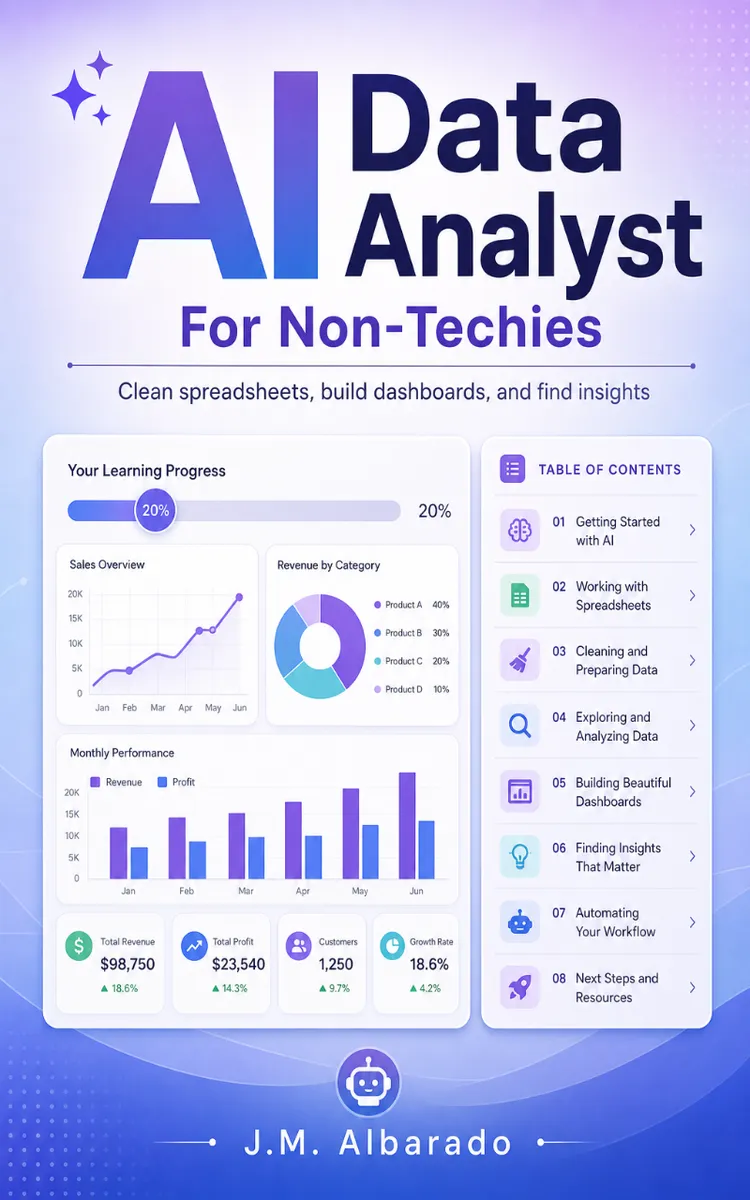
"AI Data Analyst For Non-Techies" is a how-to guide book by J.M. Albarado with 9 chapters and approximately 16,866 words. Using conversational AI to clean data, analyze spreadsheets, and build dashboards.
This book was created using Inkfluence AI, an AI-powered book generation platform that helps authors write, design, and publish complete books. It was made with the AI Ebook Generator.
Frequently Asked Questions
What is "AI Data Analyst For Non-Techies" about?
Using conversational AI to clean data, analyze spreadsheets, and build dashboards
How many chapters are in "AI Data Analyst For Non-Techies"?
The book contains 9 chapters and approximately 16,866 words. Topics covered include From Data-Blind to AI Analyst, Sanitize Excel for AI Reading, Spreadsheet Cleanup Prompt Framework, Descriptive Analytics for Hidden Gold, and more.
Who wrote "AI Data Analyst For Non-Techies"?
This book was written by J.M. Albarado and created using Inkfluence AI, an AI book generation platform that helps authors write, design, and publish books.
How can I create a similar how-to guide book?
You can create your own how-to guide book using Inkfluence AI. Describe your idea, choose your style, and the AI writes the full book for you. It's free to start.
Write your own how-to guide book with AI
Describe your idea and Inkfluence writes the whole thing. Free to start.
Start writingCreated with Inkfluence AI


