
Read the first chapter
The whole of chapter one, free. About 6 min. Turn the pages with the arrows, your keyboard, or a swipe.
Chapter 1
Plan the Workday and Protect Focus
Overview
A crowded task list can make a full workday look impossible before it begins. This chapter gives you four prompts for turning that list into a realistic plan: identify the work with the greatest impact, account for urgency, protect focused work, and rebuild the schedule when interruptions consume the day.
The prompts work in ChatGPT, Microsoft Copilot, Claude, and Gemini. Replace the bracketed details with your own tasks, deadlines, working hours, and limits. A useful plan is not the one that contains everything; it is the one you can finish without pretending that meetings, messages, and unexpected problems will not happen.
The Breakdown
#1: Turn a Crowded Task List into a Realistic Daily Plan
Problem: A task list often mixes five-minute actions with multi-hour projects, urgent requests, and vague reminders such as “work on marketing.” Treating every line as equal produces an overloaded schedule. If you have eight available work hours but assign twelve hours of work, the plan is already broken.
Solution: Paste your tasks into the prompt below and include your actual working hours, fixed appointments, and estimated task lengths. Ask the AI to group related work, identify tasks that need clarification, and leave a buffer for interruptions.
> I need a realistic work plan for [date]. > > My available working hours are [start time] to [end time]. I have these fixed commitments: [meetings, appointments, travel, breaks]. > > Here is my task list: > - [Task] - estimated time: [minutes or hours] - deadline: [date] > - [Task] - estimated time: [minutes or hours] - deadline: [date] > - [Task] - estimated time: [minutes or hours] - deadline: [date] > > Create a schedule that fits the available time. Group similar tasks, add a [15-20]-minute buffer for unexpected work, and limit the plan to the tasks that can realistically be completed today. Put unfinished or lower-priority work in a “Move to later” list. Show the result as a table with: time, task, expected output, and notes. Flag any task whose time estimate seems unrealistic.
Result: You get a plan based on available hours rather than wishful thinking. The “Move to later” list also prevents postponed work from disappearing or competing with today’s essential tasks.
#2: Rank Tasks by Impact and Urgency
Problem: The loudest request is not always the most important one. A customer waiting for a safety-related repair, a tax filing due tomorrow, and a low-impact website adjustment may all appear as “urgent,” but they do not carry the same consequences.
Solution: Ask the AI to score each task using two separate measures: impact and urgency. Impact means what changes if the task is completed; urgency means how soon a deadline or consequence arrives. Include a tie-breaker such as customer harm, lost revenue, legal risk, or blocked work, and require the AI to explain its ranking.
> Rank the following tasks for today using two scores from 1 to 5: > - Impact: the benefit of completing the task or the damage caused by delaying it > - Urgency: how soon the deadline or consequence arrives > > Tasks: > [Paste task list with deadlines, affected people, and relevant consequences.] > > For each task, provide: > 1. Impact score > 2. Urgency score > 3. Combined priority > 4. Reason for the ranking > 5. Recommended next action > > Use this order when scores are close: safety or legal risk first, then hard deadlines, then work that blocks other people, then revenue or customer impact, then convenience tasks. Separate the final list into “Do today,” “Schedule,” “Delegate or ask for help,” and “Drop or review later.” Do not invent missing deadlines; mark them as “unknown.”
Ask yourself: if this task moved by 24 hours, who would be affected and what would actually happen? That question helps you correct an AI ranking when the prompt lacks important context.
Result: You receive a defensible order of work instead of a list sorted by whoever sent the latest message. The separate scores make it easier to adjust the plan when a deadline changes.
#3: Build Focus Blocks Around One Clear Outcome
Problem: A block labeled “work on the business” is too broad to protect. Switching between email, estimates, reports, and project work every fifteen minutes creates movement without a finished result.
Solution: Give the AI one outcome, a time limit, and the materials available. A focus block is a protected period for one type of work; it should end with something visible, such as “send the revised estimate” or “complete the first draft of the policy.” Include short administrative windows around the blocks so messages do not interrupt every task.
> Build a focused workday from this task list: [paste tasks]. > > My available time is [start] to [end]. Fixed commitments are [list]. Create focus blocks of [45-90] minutes for high-impact work, with a [10-15]-minute break or reset between blocks. Give every block one clear outcome, not just a topic. > > Schedule email, messages, and routine administration in no more than [two] dedicated windows. For each focus block, show: > - Start and end time > - Single outcome > - First action > - Materials or information needed > - Definition of done > > Keep the first block for the task requiring the most concentration. Include a fallback version for a day when only [30] uninterrupted minutes are available.
For example, replace “update sales” with “reconcile March sales figures and send the corrected total to [name].” The second version tells you what to do, what finished looks like, and when the block has succeeded.
Result: Your calendar protects completed outputs rather than vague intentions. The fallback version also keeps a disrupted day from turning into a completely unproductive one.
#4: Reset the Plan When the Day Goes Off Track
Problem: A late delivery, urgent customer call, or meeting that runs over can make the original schedule useless by midday. Many people respond by trying to squeeze every missed task into the remaining hours, creating another unrealistic plan and ending the day with unfinished priorities.
Solution: Give the AI the current time, completed work, remaining availability, and new interruptions. Ask it to preserve deadlines and high-impact work, remove low-value tasks, and create a short recovery plan with one immediate action.
> It is now [current time] on [date], and my workday ends at [end time]. > > Completed: [list]. > Still unfinished: [tasks with estimated time and deadlines]. > New interruption or change: [describe it]. > Remaining fixed commitments: [list]. > > Rebuild the rest of my day. Keep only work that fits the remaining time. Protect tasks with hard deadlines, safety or legal consequences, or work that blocks another person. Move lower-priority items to a later list, and identify anything I should delegate, renegotiate, or cancel. Leave [15] minutes for closing notes and tomorrow’s first step. Present the answer as: > 1. Do next > 2. Schedule for later today > 3. Move to another day > 4. Communicate or delegate > > Do not assume I can work beyond [end time], and do not hide missing information.
Before accepting the reset, check the first action and the deadline. If the revised plan still contains more work than the remaining hours, remove another task rather than compressing every estimate.
Result: You regain control without pretending the lost time can be recovered. A clear “do next” action turns the reset into a decision, not another planning exercise.
What Comes Next
Once the day is planned, the next challenge is deciding what deserves attention across a longer stretch of work. The next chapter moves from daily scheduling to prompts for managing projects, deadlines, and follow-through.
End of chapter one. 15 more chapters and about 17,441 words in the full book.
Swipe or use the arrows to turn the page

The Billionaire’s Private Table

Quick Meals For Students

The High Achiever’s Self-Compassion Journal
What's inside: 16 chapters
- 1. Plan the Workday and Protect Focus
- 2. Write Clear Emails and Messages
- 3. Run Better Meetings and Follow Through
- 4. Manage Projects, Risks, and Decisions
- 5. Improve Customer Support and Service
- 6. Create Marketing That Fits the Audience
- 7. Write and Edit with Precision
- 8. Research, Verify, and Synthesize Sources
- 9. Learn Faster and Practice Skills
- 10. Analyze Data and Explain Findings
- 11. Build Better Ideas and Creative Concepts
- 12. Support Sales and Business Development
- 13. Simplify Operations and Repeatable Processes
- 14. Make Everyday Decisions and Plans
- 15. Customize Prompts for Reliable Results
- 16. Use AI Outputs Safely and Effectively
About this book
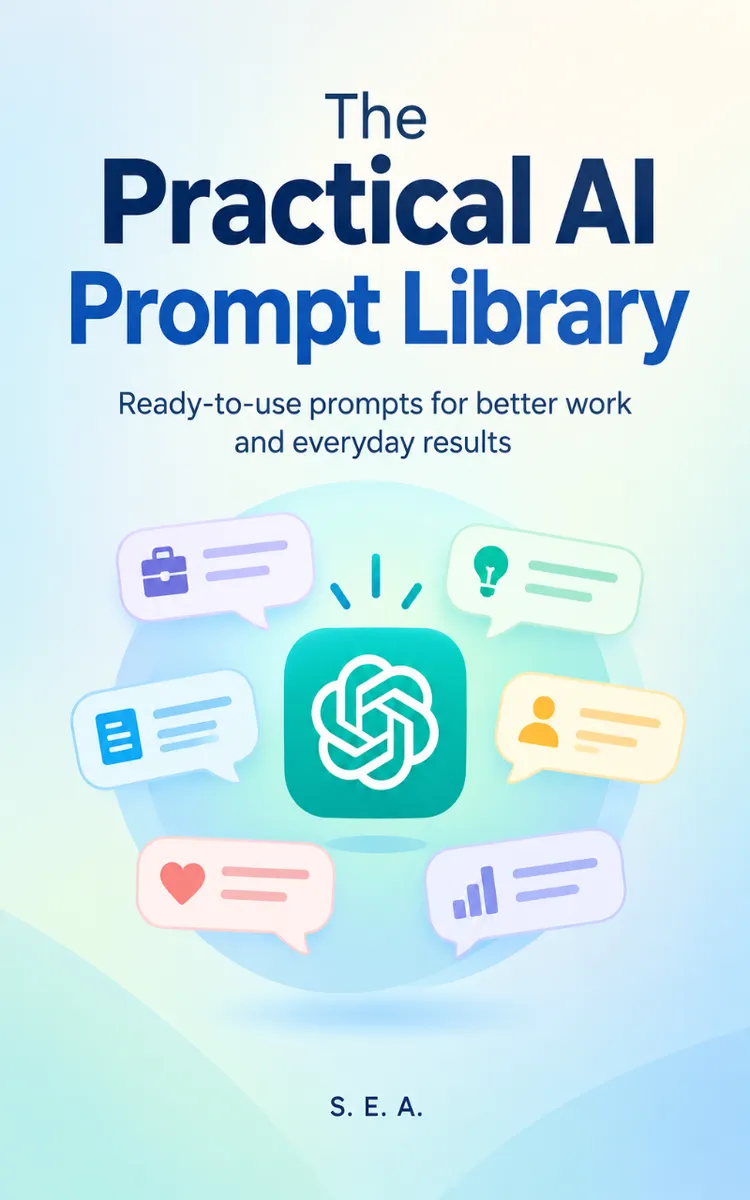
"The Practical AI Prompt Library" is a list book by S. E. A. with 16 chapters and approximately 17,441 words. Practical, customizable AI prompts for work, learning, creativity, and daily tasks.
This book was created using Inkfluence AI, an AI-powered book generation platform that helps authors write, design, and publish complete books.
Frequently Asked Questions
What is "The Practical AI Prompt Library" about?
Practical, customizable AI prompts for work, learning, creativity, and daily tasks
How many chapters are in "The Practical AI Prompt Library"?
The book contains 16 chapters and approximately 17,441 words. Topics covered include Plan the Workday and Protect Focus, Write Clear Emails and Messages, Run Better Meetings and Follow Through, Manage Projects, Risks, and Decisions, and more.
Who wrote "The Practical AI Prompt Library"?
This book was written by S. E. A. and created using Inkfluence AI, an AI book generation platform that helps authors write, design, and publish books.
Write your own list book with AI
Describe your idea and Inkfluence writes the whole thing. Free to start.
Start writingCreated with Inkfluence AI


