
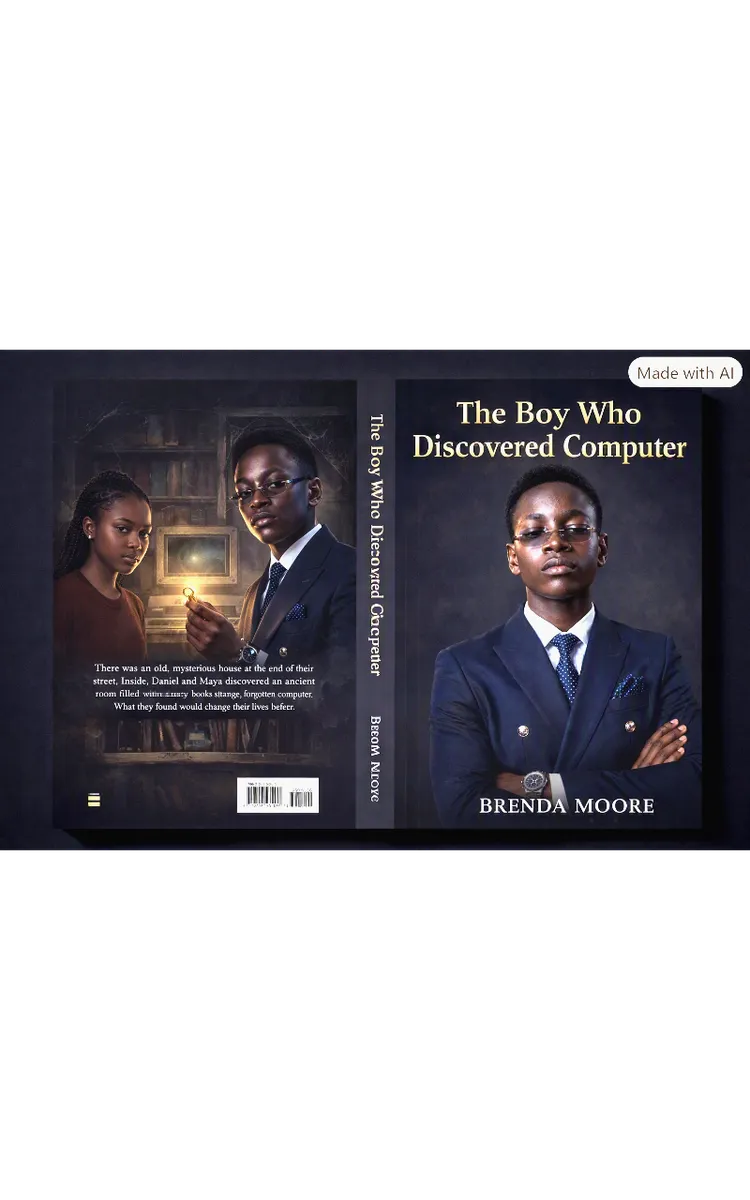
Read the first chapter
The whole of chapter one, free. About 9 min. Turn the pages with the arrows, your keyboard, or a swipe.
Chapter 1
A New Dream at E.O.D
Daniel’s fingers moved across the air as if they were pressing invisible keys.
“Click, type, save,” he whispered.
He sat on the cool floor beside the small table in his home, watching a computer lesson on a screen. The letters appeared quickly. A picture grew on the screen. Daniel leaned closer, his eyes bright with wonder.
He had seen computers before, but he had never used one properly. He knew that people could type stories, draw pictures, find information, and do schoolwork with them. Still, the computer seemed like a door to a large and exciting world.
Daniel reached toward the screen, then pulled his hand back. He did not want to touch it. He only wished he knew what to do.
His mother was nearby, folding clean clothes. The room smelled of soap, and warm sunlight rested on the window. She looked at Daniel and smiled.
“You have been watching that computer lesson for a long time,” she said.
Daniel nodded. “Mummy, I want to learn how to use a computer properly.”
His mother placed a shirt on the pile. “That is a wonderful dream. What is stopping you?”
Daniel looked down at his hands. “I do not know where to begin. I can watch people use computers, but when I try to remember the steps, they all mix together.”
His mother came and sat beside him. “Then you need a place where someone can teach you one step at a time.”
Daniel looked up. “Is there such a place here?”
“Yes,” she said. “There is a computer training centre called E.O.D School of Computer Studies.”
The name sounded important to Daniel. He repeated it softly. “E.O.D School of Computer Studies.”
His mother told him that students learned typing, Microsoft Word, Excel, PowerPoint, graphic design, and internet skills there. Daniel imagined himself sitting at a computer, making words appear on a blank page. He imagined drawing a bright picture and finding useful information for school.
“Can I go?” he asked.
His mother’s smile grew wider. “Yes. I will help you enroll.”
Daniel jumped to his feet. His knee bumped the table, and the pencil cup shook. A few pencils rolled across the floor. He quickly gathered them and placed them back.
“Careful,” his mother said, laughing gently.
“I am sorry,” Daniel replied, though he was still smiling. “I am just very excited.”
That evening, Daniel prepared his notebook and pen. He opened the notebook and wrote the name of the school at the top of a clean page. Then he drew a tiny computer beside it. The drawing had a square monitor, a long keyboard, and a mouse with a curly cord.
He stared at the picture. It looked simple, but his stomach felt full of butterflies.
What if everyone else knew more than he did? What if he pressed the wrong button? What if he could not remember the lessons?
Daniel closed the notebook.
His mother noticed his quiet face. “Are you still happy about going?”
“Yes,” Daniel said. “But I feel nervous too.”
“That is normal,” she replied. “Being new at something can feel difficult before you begin. You do not have to know everything on your first day. You only need to be ready to learn.”
Daniel held on to those words. Ready to learn. He wrote them below the school’s name.
The next morning, his mother helped him ask about enrollment. She spoke with the school, and Daniel listened carefully. By the end of the conversation, he had a place at E.O.D School of Computer Studies.
“Your first day is Monday,” his mother told him.
Daniel looked at the calendar. Monday was only a few days away.
The days passed slowly for Daniel. He checked his notebook each morning. He sharpened his pencil. He folded his clothes and placed them beside his bed. At night, he imagined the computer laboratory. He pictured rows of computers, glowing screens, and neat tables.
On Sunday evening, he packed his notebook and pen into a small bag. His mother checked the bag, then added a bottle of water.
“Everything is ready,” she said.
Daniel touched the notebook inside the bag. “What if I do not understand?”
“Ask questions,” his mother said. “Mr. Emmanuel will be there to guide you.”
“Mr. Emmanuel?”
“That is the name of your instructor.”
Daniel repeated the name. “Mr. Emmanuel.”
He felt a little better. A real teacher would be waiting for him.
Still, when Daniel went to bed, he could not sleep at once. The fan made a soft humming sound above him. Moonlight rested on the wall. He imagined a mouse sliding away from his hand and a keyboard making too many sounds.
At last, he whispered, “I will try.”
On Monday morning, Daniel woke before his alarm. The sky was pale blue, and the air coming through the window was cool. He dressed neatly, put on his shoes, and checked his bag twice.
His mother gave him breakfast. The warm smell of bread filled the kitchen.
“Eat well,” she said. “Learning is easier when you have strength.”
Daniel took a bite, but he kept looking at the clock.
“You have plenty of time,” his mother said.
“I know,” Daniel replied. “I just do not want to be late.”
After breakfast, Daniel and his mother walked through the small town. Shops were opening, and the sound of sweeping floated along the street. A bicycle bell rang nearby. Daniel held his bag close and watched every building they passed.
Then he saw the sign.
E.O.D School of Computer Studies was written in clear blue letters above a wide doorway.
Daniel stopped.
His mother took his hand. “This is it.”
The doorway looked larger than Daniel had imagined. He could hear the faint tapping of keyboards inside. Tap, tap, tap. The sound was gentle, but it made his nervous feeling grow.
“What if I am not ready?” Daniel asked.
His mother squeezed his hand. “You are ready to begin. That is enough.”
Daniel took one slow breath. Then he stepped through the doorway.
Inside, the school smelled of paper, dust, and warm machines. A few students sat in the computer laboratory. Computers stood in neat rows on tables. Each one had a monitor, a keyboard, a mouse, and a system unit. Speakers sat beside some of the monitors, and a printer rested on a table near the wall.
Daniel looked from one object to another. He knew some of their names, but seeing them together made the room feel new and busy.
A man came toward them with a friendly smile.
“Good morning,” he said. “You must be Daniel.”
“Yes, sir,” Daniel answered.
“I am Mr. Emmanuel. Welcome to E.O.D School of Computer Studies.”
“Thank you, sir.”
Mr. Emmanuel checked the enrollment paper and spoke kindly with Daniel’s mother. Daniel stood beside them, trying to look calm. His fingers rubbed the edge of his notebook.
When the enrollment was complete, his mother bent down and straightened his collar.
“I will see you after your lesson,” she said.
Daniel looked toward the computer laboratory. “You are coming back?”
“Of course,” she replied. “Learn well.”
Daniel hugged her, then watched her walk away. The room suddenly seemed quieter. The tapping keyboards sounded louder.
Mr. Emmanuel pointed to an empty seat. “You may sit here.”
Daniel walked to the chair. Its legs made a small scrape against the floor. He placed his notebook on the table and sat down.
Two boys were already nearby. One looked comfortable beside his computer. The other kept glancing at the keyboard, just as Daniel had done.
Mr. Emmanuel introduced them. “Daniel, this is Samuel, and this is David.”
“Hello,” Daniel said.
“Hello,” Samuel replied.
David smiled. “It is my first day too.”
Daniel felt a little less alone. “Mine too.”
Samuel pointed at the mouse beside Daniel’s keyboard. “Have you used one before?”
“Only once,” Daniel said. “It moved too quickly.”
Samuel nodded. “That happened to me when I started.”
David touched his own mouse carefully. “I am still learning.”
Mr. Emmanuel stood at the front of the room. “Today we will begin with the basics. We will look at the parts of a computer and learn how they work together. We will also talk about typing, Microsoft Word, Excel, PowerPoint, graphic design, and internet skills.”
Daniel wrote the words in his notebook. His pencil moved quickly, and he nearly missed the last one.
“Do not worry if the list sounds long,” Mr. Emmanuel said. “We will learn each skill step by step.”
Daniel looked at the computer in front of him. It was quiet and still. He placed his hand on the mouse.
The mouse felt smooth beneath his palm. He moved it gently, but the arrow on the screen jumped far to one side. Daniel moved it back. The arrow jumped again.
David leaned closer. “Mine is doing that too.”
Daniel tried once more. This time, the arrow moved to the corner of the screen and stayed there.
Samuel smiled. “Move it slowly. You will get used to it.”
Daniel breathed out. He had hoped his first touch would be easy, but the mouse did not seem to understand his hand.
Mr. Emmanuel came to his table. “That is a good beginning, Daniel. Keep your hand relaxed. You are guiding the mouse, not pushing it.”
Daniel loosened his fingers. He moved the mouse a little at a time. The arrow slid across the screen. It stopped near a small picture.
“I did it,” Daniel said.
“You did,” Mr. Emmanuel replied. “The first try may feel strange. Practice makes it easier.”
Daniel looked at Samuel and David. They were watching him with friendly smiles, not laughing. He felt the tightness in his stomach begin to fade.
Mr. Emmanuel showed the class the monitor, keyboard, mouse, system unit, speakers, and printer. Daniel listened and touched each part only when the instructor said it was safe to do so. The keyboard made a soft clicking sound under his fingers.
Then Mr. Emmanuel asked the students to open a simple typing page.
Daniel placed his fingers over the keys. The letters looked like tiny black marks in neat rows. He searched for the first letter and pressed it. One letter appeared on the screen.
He pressed another. Then another.
The word was not perfect. Daniel had placed one letter in the wrong spot.
He frowned. “I made a mistake.”
Mr. Emmanuel came over. “Mistakes are part of learning. Look at the word again and try to correct it.”
Daniel found the backspace key after a short search. He pressed it once and typed the letter again.
This time, the word looked right.
Samuel gave him a quiet thumbs-up. David smiled across the table.
Daniel wrote one more sentence. It took him a while, but the words appeared clearly on the screen. The computer no longer felt like a door he could only look through. He had taken one small step inside.
When the lesson ended, Mr. Emmanuel gave the students their first practice task. They would return on Monday for more typing and their first Microsoft Word exercise.
Daniel closed his notebook and placed it in his bag. His hand still felt unsure around the mouse, and his fingers were tired from typing. Yet he was smiling.
Outside the laboratory, his mother was waiting.
“How was your first lesson?” she asked.
Daniel looked back at the computers. “It was exciting,” he said. “And a little difficult.”
His mother held his hand as they began walking home.
“I think I can learn,” Daniel added.
“You can,” she said. “One careful step at a time.”
Daniel looked at the school sign again before it disappeared behind them. He had wanted to learn computers, and now he had begun. The work ahead might be challenging, but he would not have to face it alone.
Learning becomes easier when we are brave enough to begin and patient enough to practise.
End of chapter one. 4 more chapters and about 8,916 words in the full book.
Swipe or use the arrows to turn the page
What's inside: 5 chapters
- 1. A New Dream at E.O.D
- 2. First Day with Mr. Emmanuel
- 3. Mouse Clicks with Samuel and David
- 4. Keyboard Practice Turns Speedy
- 5. Word Document for a School Notice
About this book
"The Boy Who Discovered Computers" is a children's book by Anonymous with 5 chapters and approximately 8,916 words. A boy learns computer basics through school lessons and practice..
This book was created using Inkfluence AI, an AI-powered book generation platform that helps authors write, design, and publish complete books. It was made with the AI Children's Book Creator.
Frequently Asked Questions
What is "The Boy Who Discovered Computers" about?
A boy learns computer basics through school lessons and practice.
How many chapters are in "The Boy Who Discovered Computers"?
The book contains 5 chapters and approximately 8,916 words. Topics covered include A New Dream at E.O.D, First Day with Mr. Emmanuel, Mouse Clicks with Samuel and David, Keyboard Practice Turns Speedy, and more.
Who wrote "The Boy Who Discovered Computers"?
This book was written by Anonymous and created using Inkfluence AI, an AI book generation platform that helps authors write, design, and publish books.
How can I create a similar children's book?
You can create your own children's book using Inkfluence AI. Describe your idea, choose your style, and the AI writes the full book for you. It's free to start.
Write your own children's book with AI
Describe your idea and Inkfluence writes the whole thing. Free to start.
Start writingCreated with Inkfluence AI


