
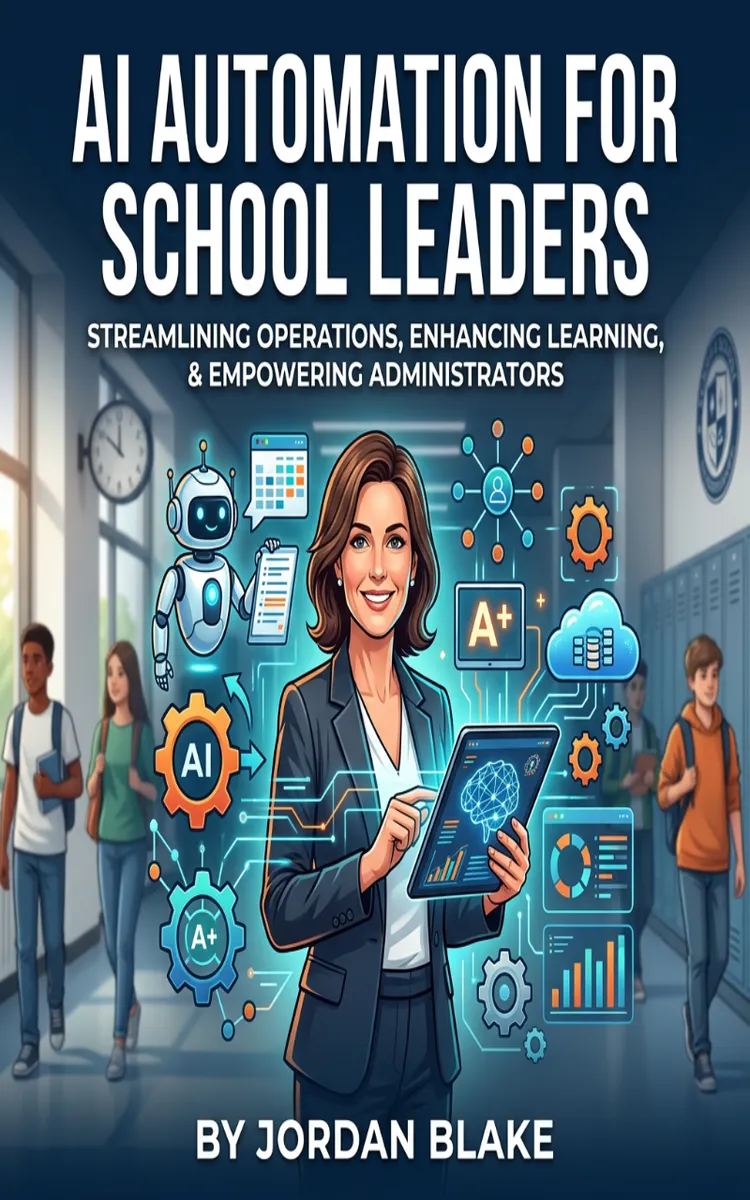

Read the first chapter
The whole of chapter one, free. About 8 min. Turn the pages with the arrows, your keyboard, or a swipe.
Chapter 1
AI Use-Case Discovery for Schools
Find the Work That AI Should Actually Touch
Which task is quietly taking your school leaders away from students, teachers, and families every week?
At Tanya’s elementary school, the answer was not one dramatic problem. It was a collection of small delays: teachers waited for intervention notes, office staff copied attendance information into several documents, and Tanya spent Thursday afternoons turning meeting notes into follow-up emails. Each task looked manageable on its own. Together, they consumed hours that school leaders could have used for classroom visits and staff support.
AI can help with many of these tasks, but a tool should never choose the problem for you. The School Value Map gives you a practical way to identify pain points, judge their value, and select safe automation opportunities across classrooms and operations. The goal is not to automate everything. The goal is to remove repeated work while protecting professional judgment, student privacy, and human connection.
By the end of this process, you should be able to name a specific school pain point, measure the work it creates, decide whether AI fits, and define a small pilot with a clear result. Ask yourself now: Which recurring task creates the most avoidable work without requiring a leader to make a high-stakes decision? That question points toward your first map.
Build the School Value Map
The School Value Map connects four things: the pain point, the work behind it, the value of improving it, and the guardrails that keep people responsible for the final decision. Start with the task, not the technology. “We need an artificial intelligence tool” does not describe a problem. “The attendance clerk spends 45 minutes each morning comparing two reports” does.
Use these four steps:
1. Name the pain point in one sentence. Describe who does the work, what they do, and when it happens. “The fifth-grade team spends 30 minutes after each data meeting combining reading notes” gives you something you can examine.
2. Measure the current work. Record frequency, time, handoffs, and delays for one week. If three staff members each spend 20 minutes preparing the same weekly update, the school spends one hour on that update before anyone reads it.
3. Connect the task to school value. Identify what improves when the work gets easier: faster family communication, more teacher planning time, earlier student support, fewer data-entry errors, or clearer follow-up. This step prevents leaders from automating a task simply because it feels annoying.
4. Set the human checkpoint and the pilot measure. Decide what AI may prepare and what a staff member must review. Then choose one measure, such as preparation time falling from 60 minutes to 20, or messages reaching families within one school day instead of three.
The best candidates usually involve repeated text, sorting, summarizing, drafting, or checking for missing information. Classroom examples include turning teacher-created lesson notes into differentiated practice options, organizing observation evidence by instructional focus, or drafting feedback questions from a rubric. Operations examples include preparing a first draft of a family announcement, sorting maintenance requests by location and urgency, or comparing supply orders against a standard list.
The School Value Map also helps you reject poor candidates. Do not begin with decisions about discipline, special education eligibility, grading, student placement, or safety response. These areas require context, professional judgment, and accountability. AI may help organize information for a qualified staff member, but it should not make the decision.
A simple map can fit on one page:
| Pain point | Current work | School value | AI’s possible role | Human checkpoint | Pilot measure | |---|---|---|---|---|---| | Weekly intervention notes take 90 minutes | Three teachers combine notes and format a summary | Faster support-team review | Draft and organize the summary | Intervention coordinator checks every detail | Time falls to 30 minutes | | Morning attendance comparison takes 45 minutes | Clerk checks two reports and flags differences | Earlier correction of errors | Compare and list mismatches | Clerk confirms each mismatch | Review finishes by 9:15 a.m. | | Family updates take two days to draft | Staff gather dates, reminders, and translations | Clearer, faster communication | Create a draft in approved formats | Principal reviews facts and tone | Draft ready the same day |
Pause after each map and ask: If the AI output contains an error, who will catch it before it affects a student or family? If no one has a clear answer, the task needs a different design or should remain manual. Your practical takeaway is simple: map the work first, then decide whether AI belongs in it.
Apply the Map at Tanya’s School
Tanya, a 41-year-old elementary principal, began with a short discovery session rather than a large technology committee. She asked the office team, instructional coach, and grade-level representatives to list recurring tasks from the previous five school days. They recorded the task, person responsible, time spent, information used, and consequence of delay.
The group found three strong candidates. Intervention summaries took 90 minutes each week. The office clerk spent 45 minutes each morning comparing attendance reports. Tanya spent about 75 minutes every Thursday turning leadership-team notes into assignments and follow-up messages. They also listed a tempting but unsuitable task: using AI to recommend consequences for repeated behavior incidents. Tanya excluded it because the decision required student history, family context, and professional judgment.
They then applied the School Value Map:
1. Select the first pilot. Tanya chose intervention summaries because the task repeated weekly, used a consistent format, and had a trained reviewer. The expected outcome was a reduction from 90 minutes to 30 minutes, while preserving complete and accurate notes.
2. Limit the information. Teachers removed student names and identification numbers before testing the draft process. They used initials or classroom codes and followed district rules for approved tools. This reduced privacy risk while allowing the team to test the workflow.
3. Create the input format. Each teacher entered notes under four labels: current skill, evidence, next teaching move, and question for the team. Consistent input helped the AI organize information without asking it to guess missing facts.
4. Define the prompt and review. The team instructed the approved tool to group notes by student code, preserve teacher wording where possible, identify missing fields, and produce a one-page meeting draft. The intervention coordinator checked every line against the original notes before sharing it.
5. Run the pilot for four weekly cycles. The team recorded preparation time, missing information, corrections, and meeting usefulness. After four cycles, preparation took 34 minutes on average. The coordinator found several formatting corrections but no invented student information. The team kept the process and adjusted the input form to reduce missing fields.
6. Decide based on evidence. Tanya did not ask whether staff “liked” the tool. She asked whether the process saved time without lowering accuracy or weakening discussion. The pilot met its time goal, kept human review in place, and gave the team more time to discuss teaching actions.
The same process could guide the attendance task, but Tanya would design a different checkpoint. AI could compare two approved reports and list mismatches; the clerk would verify the source records before anyone contacted a family. For family communication, Tanya would require a principal or office manager to check dates, links, translation quality, and tone.
Quick checklist:
• Write the pain point as a specific recurring task. - Measure time and frequency for at least five workdays. - State the school value: time saved, faster support, fewer errors, or clearer communication. - Remove tasks that require AI to make high-stakes decisions. - Use only approved tools and the minimum necessary information. - Define exactly what AI prepares and what a staff member approves. - Choose one baseline measure and one target. - Run a small pilot before expanding. - Review the output for accuracy, privacy, and usefulness. - Keep, revise, or stop the process based on the evidence.
Tanya’s result came from narrowing the task, not from asking AI to run intervention decisions. The practical test is whether your pilot makes a defined piece of work faster or clearer while leaving responsibility with the right staff member.
Avoid Attractive but Unsafe Shortcuts
Choosing the tool before naming the pain point
A school may purchase a writing assistant because it sounds useful, then struggle to find a safe, repeatable task for it. That approach creates scattered experiments and no clear result.
Do this: Document the current task, time, inputs, and desired outcome before selecting a tool. Not this: Ask staff to “find ways to use AI” without a defined problem.
Automating a judgment instead of preparing information
A draft summary can support a team. A generated recommendation about a child’s discipline, placement, disability services, or risk can create serious harm when the tool misses context or repeats a biased pattern.
Do this: Use AI to sort, summarize, compare, or draft, then require a qualified person to verify and decide. Not this: Let an AI output become the final decision because it sounds confident.
Putting private student information into an unapproved tool
Even a routine task can expose sensitive information if staff paste names, medical details, behavior records, or family circumstances into a public service. Convenience does not replace district privacy requirements.
Do this: Check district approval, use the minimum information needed, remove identifying details during testing, and document who reviews the output. Not this: Paste a complete student record into a tool simply because it produces a better-looking summary.
Measuring enthusiasm instead of results
Staff may enjoy a new tool while the task still takes just as long, requires heavy correction, or creates confusion. Positive reactions matter, but they do not prove that automation works.
Do this: Compare the pilot with the baseline: minutes spent, corrections required, missed fields, and time to action. Not this: Expand the process after one impressive demonstration.
The School Value Map gives leaders a disciplined starting point: find the repeated work, connect it to a school outcome, protect human judgment, and test one measurable improvement. When you use that sequence, AI becomes easier to evaluate and safer to introduce. The strongest opportunity may sit in an overlooked weekly task, waiting for a clear map and a careful first step.
End of chapter one. 9 more chapters in the full book.
Swipe or use the arrows to turn the page


What's inside: 10 chapters
- 1. AI Use-Case Discovery for Schools
- 2. Building Your AI Automation Playbook
- 3. Prompting for Principals and Teams
- 4. Automating Parent Communications Safely
- 5. AI for Student Support Triage
- 6. Automating IEP Meeting Prep
- 7. Using AI for Attendance and Behavior Insights
- 8. Workflow Automation with No-Code Tools
- 9. AI Governance, Privacy, and Compliance
- 10. Measuring Impact and Continuous Improvement
About this book
"AI Automation For School Leaders" is a how-to guide book by Jordan Blake with 10 chapters and approximately 18,951 words. Using AI to automate administrative and instructional leadership tasks.
This book was created using Inkfluence AI, an AI-powered book generation platform that helps authors write, design, and publish complete books. It was made with the AI Ebook Generator.
Frequently Asked Questions
What is "AI Automation For School Leaders" about?
Using AI to automate administrative and instructional leadership tasks
How many chapters are in "AI Automation For School Leaders"?
The book contains 10 chapters and approximately 18,951 words. Topics covered include AI Use-Case Discovery for Schools, Building Your AI Automation Playbook, Prompting for Principals and Teams, Automating Parent Communications Safely, and more.
Who wrote "AI Automation For School Leaders"?
This book was written by Jordan Blake and created using Inkfluence AI, an AI book generation platform that helps authors write, design, and publish books.
How can I create a similar how-to guide book?
You can create your own how-to guide book using Inkfluence AI. Describe your idea, choose your style, and the AI writes the full book for you. It's free to start.
Write your own how-to guide book with AI
Describe your idea and Inkfluence writes the whole thing. Free to start.
Start writingCreated with Inkfluence AI


