
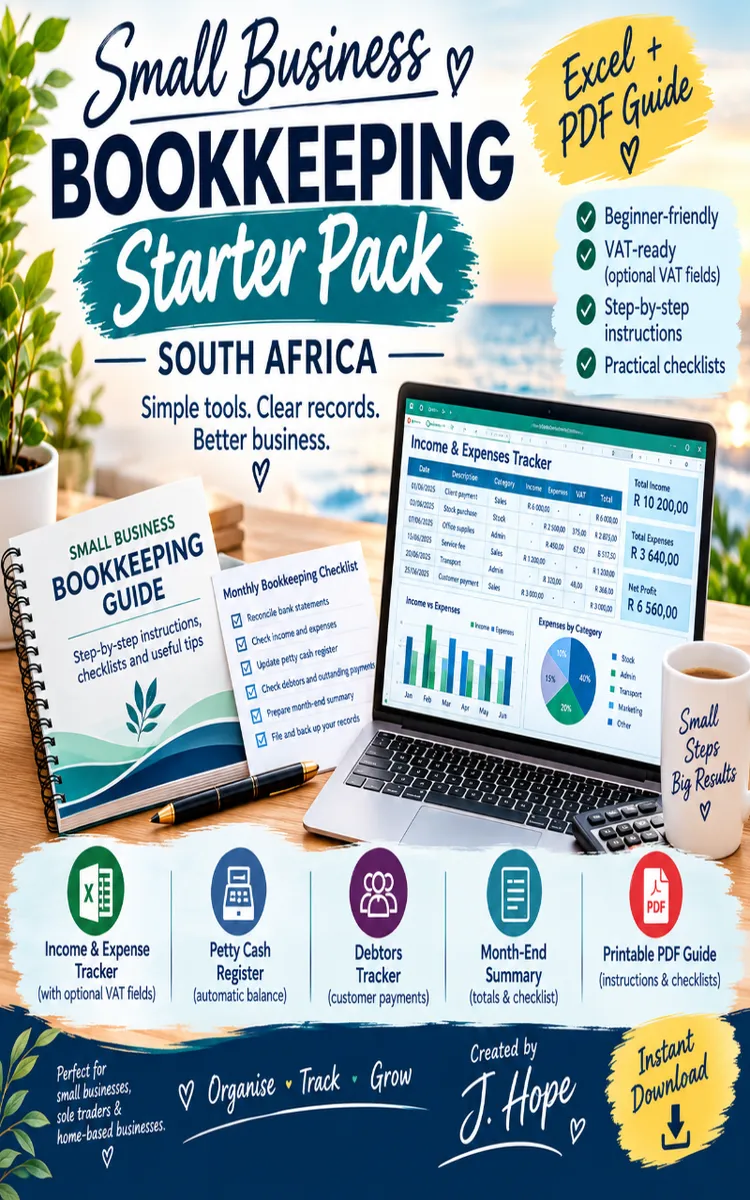

Read the first chapter
The whole of chapter one, free. About 8 min. Turn the pages with the arrows, your keyboard, or a swipe.
Chapter 1
Setting Up Your Bookkeeping System
Start with One Clear Place for Every Rand
A plumber finishes a Saturday job, receives R2 300 by instant payment, and puts the receipt in a vehicle cup holder. On Monday, a supplier charges R1 150 from the business bank account. By month-end, the owner remembers the payment but cannot find the receipt, and the bank statement shows several amounts without useful descriptions. The business has money moving, but no reliable record of what each rand did.
A simple recordkeeping routine prevents this problem. It gives each sale, expense, payment, and transfer a place and a date. It also makes it easier to check whether the bank balance, cash on hand, customer payments, and supplier costs agree with your records. Good bookkeeping does not start with complicated software. It starts with a repeatable method that you can follow even during a busy week.
After setting up the Rand-Ready Setup Method, you will have a practical folder system or spreadsheet, a daily recording habit, and a weekly checking routine. You will know what to record, where to save proof, and how to spot missing entries before they become a month-end problem. Ask yourself: if someone asked you today why R680 left the business account, could you answer in less than two minutes? Your system should make that answer easy.
Build the Rand-Ready Setup Method
The Rand-Ready Setup Method gives every transaction three things: a date, a clear description, and supporting proof. A transaction means money entering or leaving the business. Supporting proof includes an invoice, receipt, bank notification, supplier bill, or written explanation for a cash payment. Record the transaction as soon as possible because memory becomes unreliable when several jobs and purchases happen in the same week.
Start with one spreadsheet. You can use Microsoft Excel, Google Sheets, or another spreadsheet tool that you already understand. Create a main sheet called Transactions with these columns:
| Date | Description | Money in (R) | Money out (R) | Payment method | Category | Proof saved as | Checked | |---|---|---:|---:|---|---|---|---| | 6 March 2026 | Deposit: bathroom repair | 2 300.00 | | Instant payment | Sales | 2026-03-06_BathroomRepair_R2300.pdf | No | | 7 March 2026 | PVC pipe and fittings | | 1 150.00 | Business card | Materials | 2026-03-07_PVC_R1150.pdf | No |
Use the following steps to create a reliable setup:
1. Create one business record file. Name it Business Bookkeeping 2026. Keep the spreadsheet and document folders together so you do not search through personal files later. This separation helps you identify business activity when you prepare reports or answer questions about a transaction.
2. Create monthly folders. Inside the main folder, create 01 January, 02 February, and so on. Add subfolders called Sales, Expenses, Bank, and Cash. Numbering the folders keeps them in calendar order. The same month and category names in your spreadsheet make matching records faster.
3. Record money in and money out in separate columns. Enter income under Money in (R) and expenses under Money out (R). Do not enter an expense as a negative income amount. Separate columns show total sales and total spending clearly and reduce mistakes when you add the figures.
4. Use a fixed category list. Choose categories such as Sales, Materials, Stock, Fuel, Rent, Telephone, Bank charges, Wages, Equipment, and Owner drawings. Owner drawings means money you take from the business for personal use. Keep the list short enough to use consistently. If you call a purchase “Fuel” one week and “Vehicle” the next, your totals will not tell you how much fuel the business used.
5. Save proof using the same file name pattern. Use YYYY-MM-DD_Description_Amount. For example, save a supplier invoice as 2026-03-07_PVC_R1150.pdf. This name shows the date, purpose, and amount without opening the file. Take a clear photo of paper receipts and save the image in the correct month and category folder.
6. Check each entry against the original proof. Mark the Checked column “Yes” only after you confirm the date, amount, description, and payment method. This small check prevents a copied amount of R1 850 from becoming R1 580 in the spreadsheet.
7. Back up the records. Keep one copy in a secure cloud folder or on a separate drive. A backup protects your records if your phone breaks, your laptop fails, or you lose a paper receipt. Do not rely on a single device.
Keep a separate sheet called Lists for your categories and payment methods. Add another sheet called Monthly Summary with the month, total money in, total money out, and difference. The difference shows what remains before you consider tax, owner drawings, or other adjustments. For March, if money in totals R18 400 and money out totals R11 275, the difference is R7 125. That number gives you a useful check, but it does not replace the actual bank balance because timing and unpaid invoices can affect the result.
Choose a routine that fits the way you work. Record a transaction immediately when you have the receipt in your hand, then spend 15 minutes every Friday checking the week. Compare the spreadsheet with the bank app and cash tin. The aim is not to create paperwork for its own sake. The aim is to make every rand traceable from the bank statement or cash sale to the reason for the transaction and the saved proof.
Apply the Routine to a Working Week
Consider a small mobile car-wash business operating during the week of 9 to 15 March 2026. It receives customer payments through cash, card, and instant payment. It also buys cleaning products, pays for fuel, and transfers money to the owner. The following routine keeps those different movements separate.
1. Set up the week’s opening check. On Monday morning, write down the business bank balance of R8 600 and the cash tin balance of R450. Save a screenshot or download the latest bank statement into 03 March/Bank. The expected outcome is a clear starting point for the week.
2. Record each sale on the day. On Tuesday, customers pay R780 by card and R420 in cash. Enter R780 and R420 as separate rows because the payment methods differ. Save the card settlement report and write a simple cash-sale note for the R420. The expected outcome is a sales total of R1 200 with proof for each payment route.
3. Record each expense when it occurs. On Wednesday, the business buys detergent for R690 using the business card and fuel for R500 using an instant payment. Enter the detergent under Materials and the fuel under Fuel. Save both receipts in 03 March/Expenses. The expected outcome is total spending of R1 190, with no need to reconstruct the purchases from memory.
4. Record owner money separately. On Thursday, the owner transfers R1 000 from the business account for personal groceries. Enter it under Owner drawings, not Wages or Business expenses. This distinction matters because a personal withdrawal does not show what the business spent to operate.
5. Complete the Friday check. Add the week’s money in: R780 + R420 = R1 200. Add the money out: R690 + R500 + R1 000 = R2 190. The transaction sheet shows a movement of R990 more out than in for the week. That does not automatically mean the business made a loss; the owner may have received earlier sales, and the R1 000 drawing is not an operating expense. The expected outcome is an explanation for every movement, rather than a misleading single total.
6. Match the records to real balances. Check the bank statement for the R780 card settlement, R690 card purchase, R500 instant payment, and R1 000 owner transfer. Count the remaining cash and compare it with the opening R450 plus cash sales of R420. If the cash tin contains R870, the cash record agrees. Mark matched rows “Yes” in the Checked column and investigate anything that does not agree.
Use this short weekly review:
Quick checklist
• Record every sale, expense, transfer, and cash movement. - Enter rand amounts with two decimal places, such as R690.00. - Save proof in the correct month and category folder. - Match card and bank payments to the bank statement. - Count cash and compare it with the cash record. - Label personal withdrawals as Owner drawings. - Mark only confirmed transactions as “Yes” in the Checked column. - Back up the updated spreadsheet and folders.
At the end of the week, you should know how much money came in, where money went, which transactions still need proof, and whether the recorded bank and cash balances agree with reality. If you cannot explain a difference, leave the row marked “No” and investigate it rather than changing figures simply to make the totals match.
Fix the Gaps Before They Grow
Mixing personal and business spending
A business owner may use the business card to buy groceries or pay for a business supplier from a personal account. Mixing the two makes the spreadsheet harder to read and can cause you to claim the wrong expense. Record the transaction honestly and label a personal purchase as Owner drawings. If a personal account paid a business cost, record the expense and note “Paid personally” in the description.
Do this: Keep a separate business bank account and business card where possible. Record any unavoidable personal payment with its correct business purpose and proof.
Not this: Hide personal groceries under Materials, Fuel, or Office costs.
Saving receipts without useful names
A phone may store files as IMG_4821.jpg, IMG_4822.jpg, and IMG_4823.jpg. Those names force you to open every image when you need a receipt. Rename each file when you save it. Use the date, supplier or purpose, and rand amount.
Do this: Save 2026-03-11_Fuel_R500.jpg in 03 March/Expenses/Fuel or your chosen expense folder.
Not this: Leave receipts in a messaging app, camera roll, or vehicle until month-end.
Changing figures to force a bank match
A R2 300 payment may appear in the bank statement as R2 277 after a fee, or a card sale may reach the account a day later. Do not edit the sale to match the deposit. Record the sale at its full amount and record the bank fee separately if the fee belongs to the business. Add a note such as “Card settlement received next day” when timing causes the difference.
Do this: Keep the original sale, record the fee under Bank charges, and explain the timing in the description.
Not this: Replace R2 300 with R2 277 and lose the record of the actual customer sale.
A useful final test asks three questions for every row: What happened, where is the proof, and does the amount agree with the bank or cash record? When the answer is clear, your bookkeeping routine is working. Keep the same folders, categories, file names, and weekly check throughout the year; consistency turns scattered receipts into a dependable record of every rand.
End of chapter one. 7 more chapters and about 14,837 words in the full book.
Swipe or use the arrows to turn the page

What's inside: 8 chapters
- 1. Setting Up Your Bookkeeping System
- 2. Recording Sales and Customer Payments
- 3. Tracking Expenses and Supplier Bills
- 4. Reconciling Your Business Bank Account
- 5. Managing Cash Flow in Rand
- 6. Preparing for South African Tax Records
- 7. Checking Profit, Loss, and Stock
- 8. Closing the Books Each Month
About this book
"Small Business Bookkeeping" is a how-to guide book by J Hope Ackermann with 8 chapters and approximately 14,837 words. Step-by-step bookkeeping for South African small businesses using ZAR templates.
This book was created using Inkfluence AI, an AI-powered book generation platform that helps authors write, design, and publish complete books. It was made with the AI Ebook Generator.
Frequently Asked Questions
What is "Small Business Bookkeeping" about?
Step-by-step bookkeeping for South African small businesses using ZAR templates
How many chapters are in "Small Business Bookkeeping"?
The book contains 8 chapters and approximately 14,837 words. Topics covered include Setting Up Your Bookkeeping System, Recording Sales and Customer Payments, Tracking Expenses and Supplier Bills, Reconciling Your Business Bank Account, and more.
Who wrote "Small Business Bookkeeping"?
This book was written by J Hope Ackermann and created using Inkfluence AI, an AI book generation platform that helps authors write, design, and publish books.
How can I create a similar how-to guide book?
You can create your own how-to guide book using Inkfluence AI. Describe your idea, choose your style, and the AI writes the full book for you. It's free to start.
Write your own how-to guide book with AI
Describe your idea and Inkfluence writes the whole thing. Free to start.
Start writingCreated with Inkfluence AI


