

Read the first chapter
The whole of chapter one, free. About 7 min. Turn the pages with the arrows, your keyboard, or a swipe.
Chapter 1
Choosing Your E-Book Topic Fast
A product page only works if the right people instantly “get it.” If your e-book topic is too wide, you’ll write a lot and sell a little. If it’s too narrow, you won’t have enough buyers. So ask yourself this: Who would pay for this topic today, and what exact problem does it solve for them?
Tanya, 32, a career switcher, ran into this fast. She had a bunch of ideas - productivity, budgeting, “how to work from home.” None of them felt specific enough for one clear buyer. Her store looked busy, but her sales stalled. The problem wasn’t her writing. It was the topic.
In this chapter, you’ll use a quick method to pick a profitable, beginner-friendly topic without guessing for weeks. You’ll learn how to narrow your idea into one clear audience, then validate it with fast checks you can do today. By the end, you’ll walk away with one topic you can confidently build into an e-book and a simple way to confirm people actually want it.
Set the context: why topic choice decides your sales (and how the 10-Minute Topic Filter helps) Most beginners pick a topic based on what they like. That feels safe, but it doesn’t answer the money question: Will someone pay for it right now? A profitable e-book topic usually does two things at the same time: it targets one group of people, and it promises a specific outcome they can feel.
Here’s the common trap: you choose a broad topic like “fitness for beginners” or “intro to money.” Then you spend time writing chapters that cover everything. Your buyer reads one page and thinks, “This isn’t for me.” Your page gets clicks, but no purchases.
The 10-Minute Topic Filter solves this by forcing you to decide your buyer and your promise early - before you write. You’ll filter your idea using quick checks that show real demand signals. You’ll also set a clear boundary so you can write fast and market clearly.
Your takeaway from this section: choose a topic that you can explain in one sentence to one type of buyer, and validate it with simple checks you can finish in the same sitting.
Quick reflection prompt: Can you name the buyer for your current idea in one sentence, without using words like “everyone” or “anyone”?
How it works: pick a profitable, beginner-friendly topic using the 10-Minute Topic Filter The 10-Minute Topic Filter turns a vague idea into a ready-to-sell e-book topic by narrowing three parts: the buyer, the problem, and the outcome. You’ll do it in minutes, not days, and you’ll stop as soon as you find a topic that passes your checks.
Use these steps in order:
1. Write your raw idea in one line. Keep it messy. Example: “Learning Excel faster.” You’re just getting it out of your head.
2. Add a buyer label (who pays). Replace “everyone” with a real group. Example: “New freelancers who need invoices in Excel.” This matters because your buyer’s job creates the problem - and the payment.
3. Add a specific problem (what hurts). Turn the buyer’s pain into a clear sentence. Example: “They don’t know how to create a clean invoice template and track what they’ve sent.” This matters because vague problems don’t create urgent buying.
4. Add a simple outcome (what changes). State what the reader can do after reading. Example: “You can build a working invoice template and a basic invoice tracker in one afternoon.” This matters because buyers pay for results, not topics.
5. Run the “beginner-friendly test” (can a beginner win fast?). Check whether you can teach this without advanced tools, fancy math, or prior experience. Ask: could a first-time reader follow along and finish a small win within the first hour? This matters because beginner-friendly topics reduce refunds and increase reviews.
6. Do a fast demand check using real search and real pages (not opinions). Search your topic idea and look for repeated needs on the web: questions, “how to” pages, and people asking the same problem in different words. You’re not counting numbers - you’re checking whether the problem shows up again and again. This matters because if nobody is talking about it, you’ll struggle to market it.
7. Make one “tight” topic title from your best version. Example: “Excel Invoice Templates for New Freelancers: Build Yours and Track Sent Invoices.” This matters because a tight title tells the right buyer immediately.
Now here’s how Tanya used this. She didn’t start with “money” or “productivity.” She started with a career-switcher problem: she needed practical skills she could learn quickly and use for work. Then she tightened it into something like: “Resume and cover letter basics for people changing careers.” When she tested beginner-friendliness, she could teach simple templates and step-by-step edits without needing “expert branding” knowledge. The topic finally felt sellable because it matched one buyer’s job and one result.
Mini comprehension check: If you can’t say your buyer, problem, and outcome in one sentence each, you don’t have a topic yet - you have a theme.
Practical takeaway for this section: Keep tightening until your e-book topic reads like a promise to one buyer with one clear outcome.
Putting it into practice: Tanya’s topic filter run (with a quick checklist) Let’s run the 10-Minute Topic Filter as a practical example, using Tanya’s situation. She had a pile of ideas, but she needed one topic she could write quickly and sell to the right people.
She started with a raw idea: “Switching careers.” That’s a theme, not a topic. Then she filled in the filter pieces.
Step-by-step run 1. Raw idea (messy): “Career switch help.”
2. Buyer label: “Career switchers who already have experience but don’t know how to present it on a resume.”
3. Specific problem: “Their resume sounds like their old job, so recruiters can’t see the new direction.”
4. Simple outcome: “You can rewrite your resume bullets so they match your target role and pass the first skim.”
5. Beginner-friendly test: She checked whether she could teach this with simple edits and examples, not complicated software. She decided she could show a repeatable bullet formula and a checklist for rewriting.
6. Fast demand check: She searched her tight idea and scanned results for repeated questions like “how to rewrite resume bullets for a career change” and “what to put on a resume when changing careers.” She also opened a few pages and looked for the same struggle described in different words. That told her the problem is real and recurring.
7. Tight title: “Career Change Resume Bullets: A Beginner-Friendly Rewrite Guide for Non-Linear Career Paths.”
Expected outcome: She now had a topic that one buyer could understand in seconds, and she had a clear promise she could fulfill with a short, practical e-book.
Quick checklist Use this list to finish your own topic in one sitting:
• Write your raw idea in one line - Add a buyer label you can point to in real life - Add a specific problem the buyer complains about - Add a simple outcome the reader can do right away - Confirm beginner-friendliness with a “first hour win” - Check demand by scanning search results for repeated questions and needs - Turn the best version into a tight title
Practical takeaway for this section: When your topic clearly names the buyer, the pain, and the outcome, you stop guessing and start writing with focus.
What to watch for: 3 common mistakes that ruin topic picks (and how to fix them) Even with a filter, beginners still slip. Here are the mistakes that most often block sales, plus exactly how to correct them.
Mistake: Your buyer is too broad If you write “for beginners” but you don’t say which beginners, your marketing message won’t land. You’ll attract random readers who don’t feel the pain you cover. - Do this: Narrow the buyer label to a real situation. Example: “new freelancers who need invoice tracking” beats “freelancers.” - Not this: “Beginner guide to Excel.” When you tighten the buyer, you also tighten the examples you include.
Mistake: Your topic promises learning, not results Some topics describe what you teach, but not what changes for the reader. That makes it harder to justify a purchase. - Do this: Add an outcome the reader can complete. Example: “build an invoice tracker” or “rewrite resume bullets using a checklist.” - Not this: “Learn how to improve your resume.” People don’t buy vague “improvements.” They buy a clear next step.
Mistake: You skip the beginner-friendly test If your e-book depends on advanced knowledge, you’ll get stuck writing too much, and buyers will bounce because they feel lost. - Do this: Check whether you can deliver a small win within the first hour. If you can’t, you need to narrow the topic or simplify the promise. - Not this: “A complete guide to career switching.” “Complete” usually turns into a long, unfocused book. Tighten until you can teach one practical outcome.
As you finish your topic, ask yourself one last question: Can I explain my e-book in three short lines - buyer, problem, outcome - without adding extra words? If you can, you’re ready to move on and build the e-book structure that sells.
Now keep that focus tight. The clearer your topic promise, the faster you’ll set up your store and start getting sales-ready pages live.
End of chapter one. 7 more chapters in the full book.
Swipe or use the arrows to turn the page


What's inside: 8 chapters
- 1. Choosing Your E-Book Topic Fast
- 2. Writing a 10-Minute Outline
- 3. Drafting Your E-Book in One Pass
- 4. Editing with the 3-Pass Checklist
- 5. Designing a Click-Worthy Cover
- 6. Formatting for Kindle and PDF
- 7. Setting Up Your Storefront Page
- 8. Pricing, Launching, and First Sales
About this book
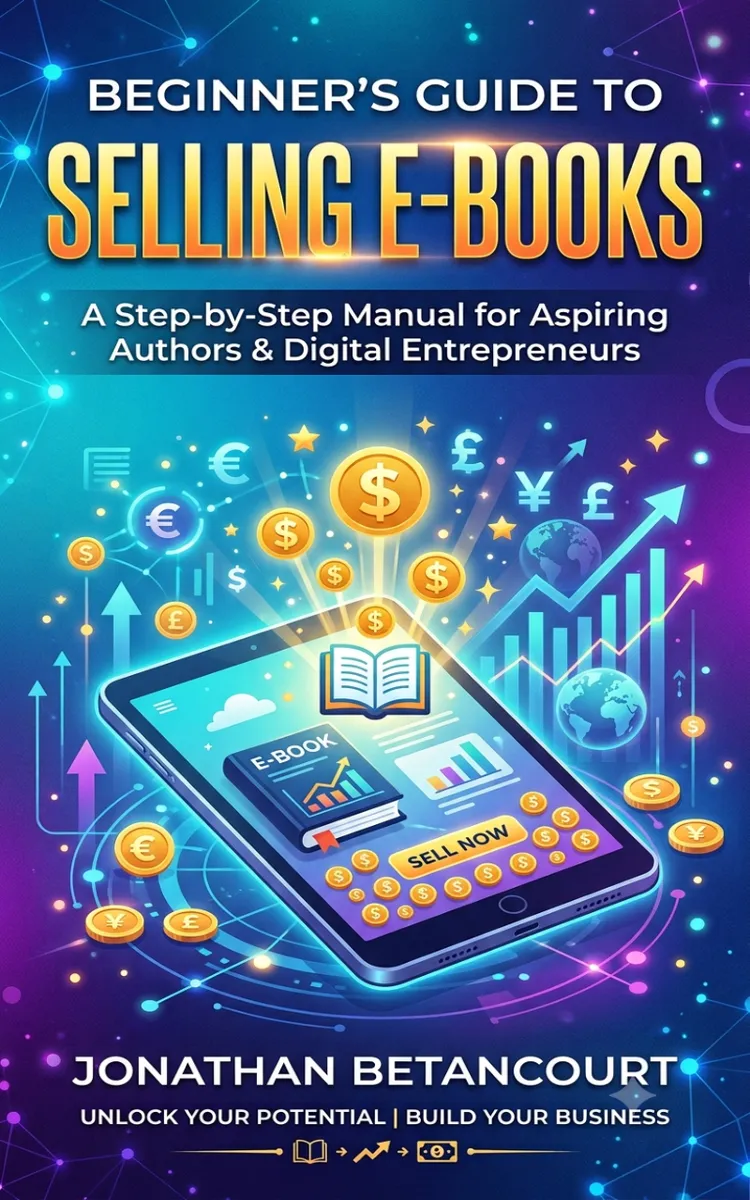
"Beginner's Guide to Selling E-Books" is a how-to guide book by Jonathan Betancourt with 8 chapters and approximately 13,616 words. Setting up an e-book store for beginners.
This book was created using Inkfluence AI, an AI-powered book generation platform that helps authors write, design, and publish complete books. It was made with the AI Ebook Generator.
Frequently Asked Questions
What is "Beginner's Guide to Selling E-Books" about?
Setting up an e-book store for beginners
How many chapters are in "Beginner's Guide to Selling E-Books"?
The book contains 8 chapters and approximately 13,616 words. Topics covered include Choosing Your E-Book Topic Fast, Writing a 10-Minute Outline, Drafting Your E-Book in One Pass, Editing with the 3-Pass Checklist, and more.
Who wrote "Beginner's Guide to Selling E-Books"?
This book was written by Jonathan Betancourt and created using Inkfluence AI, an AI book generation platform that helps authors write, design, and publish books.
How can I create a similar how-to guide book?
You can create your own how-to guide book using Inkfluence AI. Describe your idea, choose your style, and the AI writes the full book for you. It's free to start.
Write your own how-to guide book with AI
Describe your idea and Inkfluence writes the whole thing. Free to start.
Start writingCreated with Inkfluence AI


