
Read the first chapter
The whole of chapter one, free. About 2 min. Turn the pages with the arrows, your keyboard, or a swipe.
Chapter 1
Microsoft Entra ID OAuth 2.0
Overview
Which OAuth 2.0 grant produces the token required by a Microsoft Security API, and which permission does that token contain? This section applies the Token Ladder Method: identify the API resource, select the grant, request the correct scope, then validate the returned claims before calling the API.
Quick Reference
| Use case | Endpoint | Grant | Scope | |---|---|---|---| | Daemon, service, automation | POST https://login.microsoftonline.com/{tenant}/oauth2/v2.0/token | client_credentials | {resource}/.default | | Signed-in user | Same endpoint | authorization_code | Delegated permission, such as https://graph.microsoft.com/SecurityEvents.Read.All | | Microsoft Graph Security | Resource | https://graph.microsoft.com | https://graph.microsoft.com/.default for application permissions |
• Token endpoint: https://login.microsoftonline.com/{tenant}/oauth2/v2.0/token - HTTP method: POST - Token use: Authorization: Bearer {access_token} - Tenant values: tenant ID, verified domain, organizations, or common where supported
Parameters
| Parameter | Type | Required | Description | |---|---|---:|---| | tenant | string | Yes | Entra tenant identifier in the URL. | | client_id | string | Yes | Application registration ID. | | client_secret | string | Yes for confidential clients | Secret value; store in Key Vault or another protected secret store. | | grant_type | string | Yes | client_credentials for app-only access; authorization_code for delegated access. | | scope | string | Yes | API permission target. Use {resource}/.default for client credentials. | | code | string | Conditional | Authorization code returned by the sign-in endpoint. | | redirect_uri | string | Conditional | Must match the registered redirect URI for authorization-code redemption. |
Code Example
The following Python example requests an app-only Microsoft Graph token. The application must have admin-consented application permissions, such as SecurityEvents.Read.All.
`python import os import requests
tenant = os.environ["ENTRA_TENANT_ID"] data = { "client_id": os.environ["ENTRA_CLIENT_ID"], "client_secret": os.environ["ENTRA_CLIENT_SECRET"], "grant_type": "client_credentials", "scope": "https://graph.microsoft.com/.default", }
url = f"https://login.microsoftonline.com/{tenant}/oauth2/v2.0/token" response = requests.post(url, data=data, timeout=30) response.raise_for_status()
token = response.json()["access_token"] headers = {"Authorization": f"Bearer {token}"}
security_response = requests.get( "https://graph.microsoft.com/v1.0/security/alerts_v2", headers=headers, timeout=30, ) security_response.raise_for_status() print(security_response.json()) `
Response Format
A successful token response contains an opaque access token and its lifetime.
json { "token_type": "Bearer", "expires_in": 3599, "ext_expires_in": 3599, "access_token": "eyJ0eXAiOiJKV1QiLCJhbGciOiJSUzI1NiJ9..." }
• token_type: Authentication scheme; send Bearer. - expires_in: Lifetime in seconds. - ext_expires_in: Extended lifetime value returned by Entra ID. - access_token: Token for the requested resource; do not log it.
Notes & Best Practices
• A 401 usually indicates an invalid, expired, or wrong-resource token. A 403 commonly indicates missing admin consent, application permission, or delegated permission. - Cache tokens until shortly before expires_in; do not request a new token for every API call. - Client credentials requires /.default and uses permissions already configured on the app registration; it does not request individual scopes dynamically. - Validate aud, iss, tid, and roles for app-only tokens, or scp for delegated tokens, when inspecting JWTs during diagnostics. Keep token acquisition, permission consent, and API calls as separate Token Ladder stages.
End of chapter one. 39 more chapters in the full book.
Swipe or use the arrows to turn the page

PRESIDENT DONALD TRUMP: FACT OR FICTION?

Ashfall at Point Meridian Master Manuscript

THREE PRESIDENCIES, ONE AMERICA
What's inside: 40 chapters
- 1. Microsoft Entra ID OAuth 2.0
- 2. App Registration Certificates & Secrets
- 3. Graph Security API Base URL
- 4. Authorization Header & Scopes
- 5. Authentication Error Codes
- 6. Microsoft Graph $select & $filter
- 7. Pagination with @odata.nextLink
- 8. Rate Limiting and Retry-After
- 9. Create Security Alert Subscription
- 10. Webhook Validation and Handshake
- 11. Webhook Events for Security Alerts
- 12. List Security Alerts with Filters
- 13. Get Security Alert Details
- 14. Update Security Alert Status
- 15. Assign Alert to Case
- 16. Create Security Case
- 17. List Security Cases by Status
- 18. Get Security Case Evidence
- 19. Update Case Assignment
- 20. Add Case Comments
- 21. Create Device Inventory Query
- 22. List Managed Devices with Filters
- 23. Get Device Secure Score
- 24. Update Device Risk Level
- 25. Create Incident Subscription
- 26. List Incidents with Time Windows
- 27. Get Incident Timeline
- 28. Resolve Incident via API
- 29. Create Threat Indicator
- 30. List Threat Indicators by Type
- 31. Update Threat Indicator Status
- 32. Delete Threat Indicator Safely
- 33. Upload Files for Malware Analysis
- 34. Retrieve Analysis Results by Job
- 35. Security Alerts Export to SIEM
- 36. Correlation IDs for Incident Traceability
- 37. Handling 429 Throttling in Webhooks
- 38. Retrying Failed API Calls with Idempotency
- 39. Troubleshooting Missing Webhook Events
- 40. Monitoring API Health with Diagnostic Logs
About this book
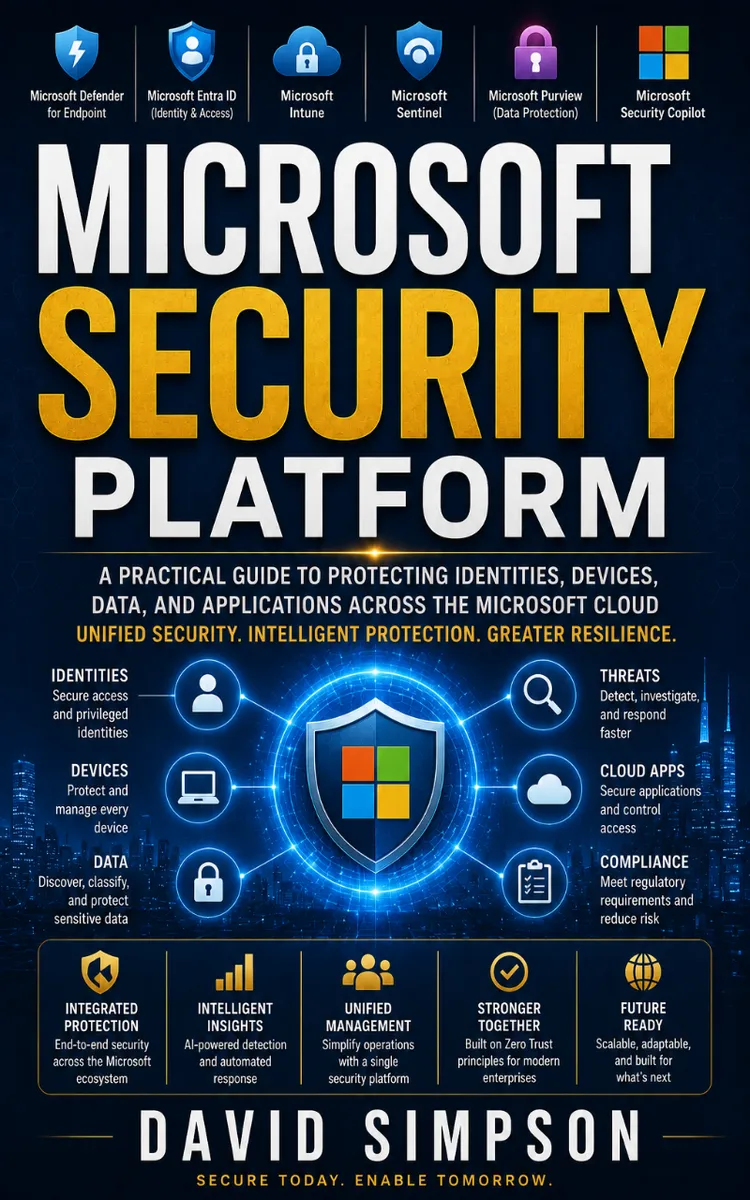
"Microsoft Security Platform" is a technical book by David Simpson with 40 chapters and approximately 20,671 words. Security platform concepts, tools, and implementation on Microsoft.
This book was created using Inkfluence AI, an AI-powered book generation platform that helps authors write, design, and publish complete books. It was made with the AI Documentation Generator.
Frequently Asked Questions
What is "Microsoft Security Platform" about?
Security platform concepts, tools, and implementation on Microsoft
How many chapters are in "Microsoft Security Platform"?
The book contains 40 chapters and approximately 20,671 words. Topics covered include Microsoft Entra ID OAuth 2.0, App Registration Certificates & Secrets, Graph Security API Base URL, Authorization Header & Scopes, and more.
Who wrote "Microsoft Security Platform"?
This book was written by David Simpson and created using Inkfluence AI, an AI book generation platform that helps authors write, design, and publish books.
How can I create a similar technical book?
You can create your own technical book using Inkfluence AI. Describe your idea, choose your style, and the AI writes the full book for you. It's free to start.
Write your own technical book with AI
Describe your idea and Inkfluence writes the whole thing. Free to start.
Start writingCreated with Inkfluence AI


