
Read the first chapter
The whole of chapter one, free. About 10 min. Turn the pages with the arrows, your keyboard, or a swipe.
Chapter 1
Mapping Enterprise AI Use
Chapter 1: Mapping Enterprise AI Use
A compliance review at a regional insurer began with a simple request: list every artificial intelligence system used in the business. The first spreadsheet showed 12 tools. A short review of procurement records, software bills, browser extensions, and department interviews found 37. Several tools handled customer information, one helped rank claims, and another generated messages that staff sent without a second review. The original list had missed the systems that created the greatest risk.
That gap creates a practical problem. You cannot assign an owner, check data use, assess regulatory exposure, or plan controls for a system you cannot see. The answer is not a perfect technical diagram on the first attempt. You need a usable starting inventory that shows what each AI system does, who controls it, what information it touches, and which business activities depend on it.
The result should be an AI Footprint Map: a working record of AI use across the organization. By the end of the mapping exercise, you should be able to identify unknown systems, confirm accountable owners, trace important data flows, and rank which uses deserve an early review. Ask yourself: if an auditor asked where AI affects a customer decision, employee process, or regulated record today, could your team answer with evidence?
Build the AI Footprint Map
The AI Footprint Map combines five facts about each system: the system itself, its owner, its purpose, its data, and its operational dependencies. An AI system includes more than a model purchased by the technology team. It also includes a customer-service platform that drafts replies, a hiring tool that ranks applicants, a spreadsheet add-in that summarizes confidential records, and a public chatbot that employees use for work.
Start with a single inventory record for every suspected use. Do not wait for departments to agree on a final definition of artificial intelligence. Record the use first, then confirm its function. A tool that predicts late payments, classifies documents, generates text, recognizes images, or recommends an action belongs on the initial list even when the supplier calls it an “assistant” or “automation feature.”
Use these fields as the minimum structure:
| Field | What to record | Why it matters | |---|---|---| | System name and supplier | Product name, supplier, version or feature | Prevents duplicate records and supports supplier follow-up | | Business owner | Person accountable for the business use | Gives compliance a clear contact for decisions and evidence | | Technical owner | Team that manages access, settings, and connections | Identifies who can change or disable the system | | Purpose | The task the system performs and the decision it supports | Shows whether the use matches its approved purpose | | Data handled | Data entered, retrieved, created, and retained | Supports privacy, security, and records checks | | Users and affected people | Staff, customers, applicants, patients, suppliers, or others | Shows who may experience an error or unfair outcome | | Dependencies | Systems, suppliers, workflows, and human approvals connected to it | Shows how a failure could spread through operations | | Status and evidence | Trial, active, retired, contract, screenshots, settings, procedures | Separates confirmed facts from assumptions |
Build the map in four passes. Each pass answers a different question, which reduces the chance that a department will provide only a product name and call the work complete.
1. Find the systems. Search procurement records, software contracts, expense claims, application catalogs, identity-management logs, and supplier invoices. Then ask each department to list tools that generate, predict, classify, recommend, or score. This combination catches both centrally purchased systems and employee-selected tools.
2. Confirm the purpose and owner. Ask what task the system performs, what decision it influences, and who can approve a change in its use. Name a person, not only a department. The owner does not need to operate the software, but that person must be able to explain why the organization uses it and what happens when it fails.
3. Trace data and dependencies. Record the source of each input, the output destination, retention period, connected applications, and required human review. For example, a claims assistant may read claim forms from a document system, produce a coverage summary, and place that summary in a case-management system. The map should show each link because a problem in one system can affect the next step.
4. Assign an initial review level. Mark each record as high, medium, or low priority using practical signals: whether the system affects legal rights or access to services, handles sensitive information, acts without human approval, or supports a critical process. This first rating does not replace a formal risk assessment. It tells the team where to verify facts first.
Use evidence labels such as confirmed, reported, and unknown. A department’s statement that “no customer data enters the tool” counts as reported until someone checks the configuration or supplier terms. This distinction matters because an inventory can look complete while still resting on guesses.
A useful test involves following one output through the business. Suppose a forecasting tool recommends inventory levels. Record the source data, the person who accepts or overrides the recommendation, the system that sends purchase orders, and the supplier or customer effect if the forecast fails. The map becomes valuable when it explains an operational chain, not merely when it lists software names. Your practical takeaway: treat every inventory row as a small evidence file, with a clear owner and a visible path from input to outcome.
Apply the Map to a Real Operating Area
Consider a retail organization with 420 employees, three distribution centers, and an online store. The operations team believes it uses four AI systems. A focused mapping exercise covers customer service, hiring, fraud review, and warehouse planning.
1. Set the scope for the first review. The team chooses the online store, customer service, human resources, and distribution operations. It sets a two-week collection period and asks each area to submit tools that generate content, make predictions, classify records, or recommend actions. The expected outcome is a first list, not a final risk decision.
2. Collect records from five sources. The compliance lead checks 18 supplier contracts, 11 software-expense reports, the application catalog, access records, and department questionnaires. This produces 23 possible systems. The team removes duplicate entries and confirms that 17 distinct tools remain.
3. Interview owners using the same questions. Each owner answers: What does the tool do? What data enters it? What output does it create? Who reviews that output? Which system receives it next? What happens if the tool stops working? Standard questions expose missing details faster than open-ended meetings.
4. Document specific records. The customer-service tool drafts replies from order history and prior messages. The warehouse tool predicts demand from sales and seasonal data, then sends recommendations to planners. The hiring tool ranks applications before a recruiter reviews them. A fraud tool flags transactions for manual investigation. The team records the supplier, business owner, technical owner, data categories, retention setting, human checkpoint, and connected system for each.
5. Mark evidence and unknowns. The customer-service owner provides screenshots showing that staff must approve messages before sending. The warehouse owner confirms the data source but cannot confirm how long the supplier retains copied data. The hiring owner reports that recruiters review every recommendation, but the team has not tested whether the ranking uses protected personal information. Those two gaps receive an “unknown” label and a follow-up date.
6. Rank the first reviews. The hiring system receives high priority because it influences access to employment and handles applicant information. The fraud tool receives high priority because missed flags can cause financial loss and customer complaints. The warehouse tool receives medium priority because planners approve its recommendations and the process has a manual fallback. The customer-service tool receives medium priority because it handles personal information but requires approval before sending.
7. Test the operational dependency. The team asks the warehouse planner to disable the prediction feed during a scheduled exercise. Planners use the documented manual reorder report and complete the day’s work without delaying purchase orders. The team records the fallback and its expected completion time. It also discovers that the fraud team has no written fallback when its tool becomes unavailable.
8. Publish the first map and assign actions. The final inventory contains 17 systems, 15 named business owners, 13 confirmed data descriptions, and four open evidence gaps. Each gap has an owner and due date. The team schedules a monthly update for new purchases and a quarterly confirmation with department owners.
The expected outcome is not a polished diagram. It is a defensible view of where AI enters work, where people rely on its outputs, and where the organization lacks facts. Keep the working file in a controlled location, record changes, and restrict editing to designated administrators. A simple spreadsheet works at this stage if it preserves version history and links to evidence. A governance or risk platform can replace it later, but a more expensive tool will not correct missing ownership or vague data descriptions.
Quick checklist
• Search contracts, expense records, application catalogs, and access logs. - Ask every department to list embedded AI features and unsanctioned tools. - Create one record for each distinct system or use. - Name both a business owner and a technical owner. - Describe the purpose in terms of a real task or decision. - Record input data, output data, retention, and connected systems. - Mark each fact as confirmed, reported, or unknown. - Identify human review and manual fallback steps. - Rank systems using impact, sensitive data, autonomy, and process criticality. - Assign every open question to a person with a due date.
Before you move on, select one map record and explain its full path aloud: where the data starts, what the AI produces, who reviews it, where the output goes, and what happens if the system fails. If you cannot complete that explanation, the record needs more work.
Correct the Gaps That Distort the Map
Counting products instead of uses
One supplier may provide several AI functions with different owners, data, and risks. A company might use one productivity platform to summarize internal meetings, draft customer messages, and analyze employee survey comments. A single product entry hides three different purposes and three different groups of affected people.
Do this: Create a separate record when the purpose, data, owner, affected people, or operational dependency changes. Link the records to the same supplier when useful.
Not this: List the supplier once and assume one approval covers every feature.
Treating an owner as a department
“Operations” or “Human Resources” cannot answer whether a tool’s purpose changed, whether an output requires review, or whether a supplier contract permits a new data use. Without a named person, questions sit unanswered and the map becomes stale.
Do this: Name the accountable business owner and technical owner, then record their responsibilities. Require a replacement owner when someone changes roles.
Not this: Enter “the department” as the only owner or list the person who submitted the form without confirming accountability.
Recording data labels without tracing data movement
Labels such as “customer information” or “internal data” do not show what the system actually receives. A customer-service assistant may receive names, order details, complaint text, and account history. It may also send prompts to a supplier and retain conversation logs.
Do this: Record the data source, fields or categories, destination, retention period, and access group. Verify the description against settings, sample records, or supplier documentation.
Not this: Mark a system “low risk” because users do not upload files when the tool automatically reads connected mailboxes or shared drives.
Ignoring the human and technical fallback
An AI system can fail without producing an obvious error. It may return incomplete results, lose a connection, or continue operating with outdated data. If staff depend on it for purchasing, fraud review, or customer communication, the organization needs a workable alternative.
Do this: Record who notices a failure, who makes the decision manually, which report or form they use, and how long the fallback can run.
Not this: Write “staff will handle it manually” without naming the process, source data, time requirement, or decision authority.
A reliable AI Footprint Map remains useful only when it changes with the business. Add an inventory check to new supplier intake, software renewal, process redesign, and department onboarding. Ask owners to confirm records after a major feature change, new data connection, or change in human review. The map then becomes an operating record rather than a one-time compliance exercise.
When the organization can point from each AI use to its owner, purpose, data, dependencies, evidence, and fallback, it has a practical foundation for deeper review. The next risk question becomes easier because the team knows exactly what it is reviewing - and where the facts still need to be proven.
End of chapter one. 9 more chapters and about 19,816 words in the full book.
Swipe or use the arrows to turn the page


What's inside: 10 chapters
- 1. Mapping Enterprise AI Use
- 2. Classifying AI Risk by Impact
- 3. Building an AI Governance Policy
- 4. Assigning Roles and Controls
- 5. Checking Regulatory Compliance
- 6. Testing Data and Model Risks
- 7. Auditing Vendors and AI Tools
- 8. Monitoring AI in Production
- 9. Documenting Audit Evidence
- 10. Launching a 90-Day Audit Plan
About this book
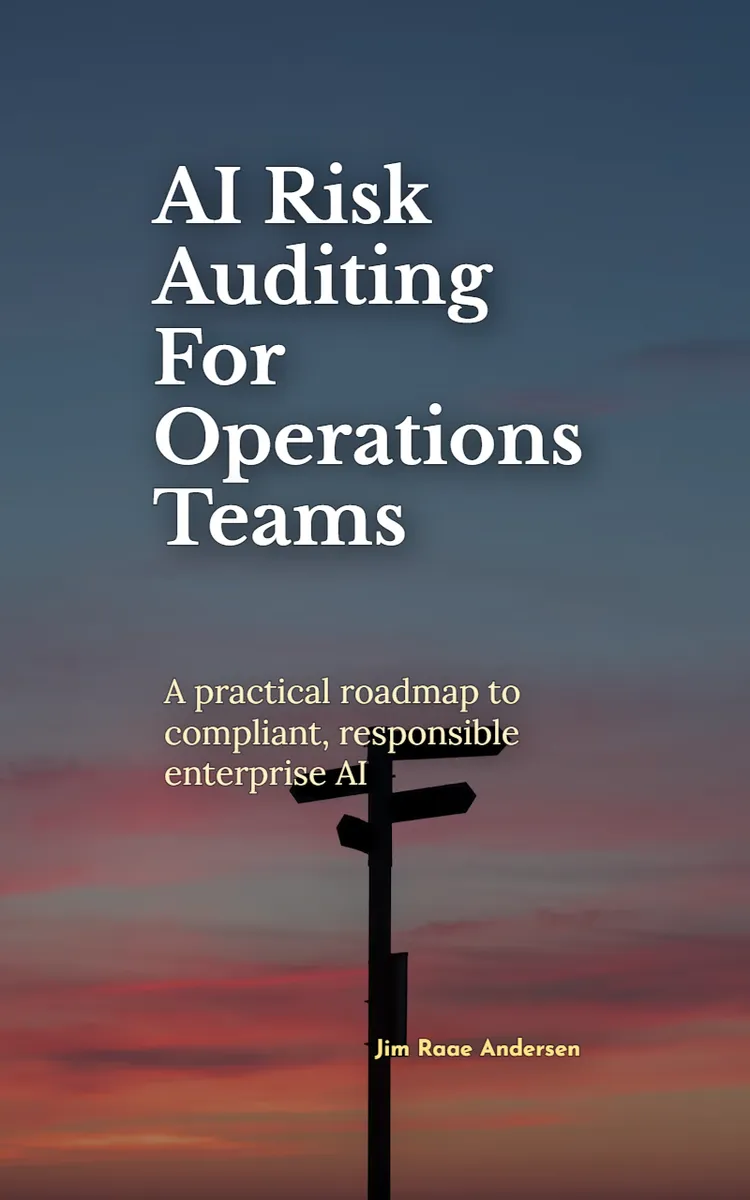
"AI Risk Auditing For Operations Teams" is a how-to guide book by Jim Raae Andersen with 10 chapters and approximately 19,816 words. AI risk auditing, compliance, and governance for operations teams.
This book was created using Inkfluence AI, an AI-powered book generation platform that helps authors write, design, and publish complete books. It was made with the AI Ebook Generator.
Frequently Asked Questions
What is "AI Risk Auditing For Operations Teams" about?
AI risk auditing, compliance, and governance for operations teams
How many chapters are in "AI Risk Auditing For Operations Teams"?
The book contains 10 chapters and approximately 19,816 words. Topics covered include Mapping Enterprise AI Use, Classifying AI Risk by Impact, Building an AI Governance Policy, Assigning Roles and Controls, and more.
Who wrote "AI Risk Auditing For Operations Teams"?
This book was written by Jim Raae Andersen and created using Inkfluence AI, an AI book generation platform that helps authors write, design, and publish books.
How can I create a similar how-to guide book?
You can create your own how-to guide book using Inkfluence AI. Describe your idea, choose your style, and the AI writes the full book for you. It's free to start.
Write your own how-to guide book with AI
Describe your idea and Inkfluence writes the whole thing. Free to start.
Start writingCreated with Inkfluence AI


