

Read the first chapter
The whole of chapter one, free. About 11 min. Turn the pages with the arrows, your keyboard, or a swipe.
Chapter 1
Choosing a Faceless Channel Niche
Have you ever searched YouTube for a simple problem - like “how to stop car smell” - and noticed that the results barely match what you actually needed? That mismatch usually comes from creators picking a topic based on what they want to make, not what people actively search for. If you pick the wrong niche, you’ll waste time writing scripts and generating visuals that nobody clicks.
Faceless automation makes this problem worse in one way: you can’t “fix it later” with on-camera personality. Your video has to earn attention through the topic itself - clear search demand, quick viewer payoff, and a format that doesn’t require you to appear on camera. In this chapter, you’ll use The Faceless YouTube Blueprint: AI-Generated Video Mastery Integrating ElevenLabs, Midjourney, and Runway Gen-2 for fully automated video production to choose a niche that attracts search traffic while staying low on-camera.
After you finish, you’ll be able to run a simple filter on niche ideas, score them for demand and faceless fit using The Niche Fit Radar, and walk away with 1-3 niche choices ready for your next step (script and visuals). You’ll also learn how to sanity-check your niche before you generate anything - so you don’t end up building a channel around content that feels good to you but performs poorly.
Picking a Niche Using High Demand and Low On-Camera Requirements
High search demand matters because YouTube works like a library. Viewers type or browse, and YouTube tries to match their intent to the closest video. Low demand means you’ll fight for every view, even if your visuals look clean and your voice sounds great.
Low on-camera requirements matter because faceless channels rely on other signals: strong titles, clear problem/solution structure, fast comprehension, and visuals that explain the steps without needing you to point at anything. If your niche only works when you’re physically demonstrating, you’ll keep hitting production friction - extra filming, extra editing, and extra chances to fall behind your automation workflow.
Here’s the key idea: you don’t need a “perfect” niche. You need a niche that repeatedly produces videos where the viewer’s question matches your format. For example, “how to remove a water stain from wood” can work with text overlays, close-up stock clips, and simple before/after visuals. “best local plumber in my city” usually needs local proof and often ends up feeling like marketing, which kills faceless retention.
The Niche Fit Radar gives you a practical way to judge that match before you write or generate anything. Use it to score niche ideas on two axes: search demand (people look for it) and faceless fit (you can explain it without showing yourself).
1. List niche ideas as “searchable problem statements.” Turn every idea into a sentence someone would type into YouTube. Instead of “productivity,” write “how to plan a study schedule for exams.” This forces you to target intent, not vague themes. Expected outcome: you get niche candidates that naturally lead to tutorials, checklists, or step-by-step explainers.
2. Score Search Demand with “What would I type?” tests. Take your problem statement and ask, “Would a stranger realistically search this today?” Then check if the topic has multiple sub-questions you can cover (beginner vs advanced, common mistakes, fixes). Expected outcome: you confirm the niche doesn’t collapse after one video.
3. Score Faceless Fit with “What shows the steps?” tests. For each niche, ask what your video can show without you on camera. If you can explain using screen text, diagrams, b-roll, simple animations, and voiceover, you score high. If you need live demonstrations of your body, you score low. Expected outcome: you avoid niches that force you into constant filming.
4. Lock your automation-friendly format before you commit. Pick one consistent video type your niche supports: “how-to,” “common mistakes,” “step-by-step checklist,” or “comparison.” Then make sure the niche can produce that format repeatedly. Expected outcome: your automation stays predictable, which keeps your output steady.
Take a minute and run those four items on your current niche ideas. Ask yourself: if you never showed your face, would the viewer still understand the value in the first 10 seconds? If the answer is “maybe,” you’re not ready to generate scripts yet.
Applying The Niche Fit Radar to Talia’s Tutor Niche Choice
Talia is a 24-year-old college student who works part-time as a tutor. She already knows what students struggle with, and she wants to build a faceless channel that helps people without her appearing on camera. Her problem isn’t motivation - it’s choosing the right niche so her videos get searched and watched.
She starts with a list of subjects she tutors: math, writing, and study skills. Instead of picking one based on what she likes most, she applies The Niche Fit Radar and turns each idea into searchable problem statements:
• “how to solve quadratic equations step by step” - “how to write a thesis statement for a literature essay” - “how to stop procrastinating when you have an assignment due”
Now she scores each one.
1. Demand check (searchable problem depth). Talia asks, “Can I create more than one video from this without repeating myself?” - Quadratic equations: she can cover factoring, completing the square, graphing parabolas, and common errors. - Thesis statements: she can cover claim types, how to avoid vague topics, and how to connect evidence. - Procrastination: this gets broad fast, and many videos end up repeating generic tips. Expected outcome: quadratic equations and thesis statements feel more “repeatable” for her.
2. Faceless fit check (what visuals explain the steps?). She thinks about showing work. - For quadratic equations, she can show step-by-step math on a clean background with clear text overlays and problem-to-solution visuals. - For thesis statements, she can show example templates, sentence breakdowns, and “before/after” rewrites using text and simple visual layouts. - For procrastination, visuals often turn into motivational graphics or generic stock clips, which don’t teach enough to keep people watching. Expected outcome: math and essay structure score higher for faceless fit.
3. Automation-friendly format pick. Talia chooses one format for each top candidate: - Quadratic equations: “solve this problem step by step” - Thesis statements: “fix this thesis statement: before vs after” Expected outcome: she can generate consistent videos without reinventing the structure each time.
4. Pick the niche that matches her strongest “no-camera teaching.” She finally chooses “how to solve quadratic equations step by step” as her top niche because it produces clear, visual steps even when she doesn’t show her face. She chooses “how to write a thesis statement for a literature essay” as her backup niche because it also teaches through structure, not personality.
Now she writes down one decision she will not break: she won’t generate scripts or visuals for any niche until it passes both checks - demand and faceless fit. That rule prevents the common trap where you start producing and only later realize the niche doesn’t translate into tutorials.
Quick checklist (use this before you generate anything)
• Write each niche as a searchable problem statement (“how to…” or “how do I…”). - Confirm the niche has multiple sub-topics you can cover (beginner, common mistakes, fixes). - Decide what the viewer will see instead of your face (text overlays, diagrams, before/after, b-roll). - Choose one repeatable video format and stick to it. - Only generate scripts and visuals for the niche that scores high on both demand and faceless fit.
Ask yourself one question after the checklist: if a viewer watches without sound, do the visuals still show the steps? If not, you’ll need to adjust the niche (or the format) before you move forward.
Putting It Into Practice: The Niche Fit Radar in a Real Week of Decisions
Let’s run a realistic week using Talia’s process, but with concrete actions and outcomes so you can copy it.
On Monday, she starts with 12 niche ideas from what she tutors. She converts each into a problem statement and writes them in a simple list. Example: “how to solve quadratic equations step by step.” She also adds one “common mistake” angle for each niche, like “why your quadratic factoring keeps failing” (this later helps her create variety without changing niche).
On Tuesday, she scores each idea using the radar. For each niche, she writes two short notes: - Demand note: one reason someone would search this - Faceless note: what you’ll show instead of your face
By the end of Tuesday, she keeps 4 candidates.
On Wednesday, she tests repeatability. She picks one candidate and drafts (not fully writes yet) three different video titles using the same format. For quadratic equations, she creates: - “How to factor quadratic equations (step by step)” - “How to complete the square for quadratic equations” - “How to solve quadratic equations using the quadratic formula”
Expected outcome: if she struggles to make three distinct titles, the niche probably lacks depth for her channel.
On Thursday, she checks faceless visuals. She chooses one video title and plans the first visual sequence: - Visual 1: the problem statement on screen - Visual 2: the first step (with numbered overlays) - Visual 3: the next step - Visual 4: the final answer and quick verification
If she can’t clearly map each step to a visual, she swaps the niche or changes the format to something more visual.
On Friday, she finalizes the niche and commits to voice and visuals only after the selection. This is where she brings in The Faceless YouTube Blueprint: AI-Generated Video Mastery Integrating ElevenLabs, Midjourney, and Runway Gen-2 for fully automated video production as her execution path. She doesn’t start generating until the niche passes the radar, because it’s easier to generate a good series than to fix a wrong niche.
Real-world scenario: what Talia produces next (without on-camera)
She chooses “how to solve quadratic equations step by step” as her main niche and plans a 7-day batch. Her expected outcome by the end of the week: 5 video scripts ready for production and a consistent visual template.
Here’s how she sets the batch up:
1. Pick one exact format for the week. She chooses “Problem → Steps → Final Answer → Quick check.” Expected outcome: every video starts similarly, which makes automation smoother.
2. Write only outlines for the first five videos. She lists the steps she expects to appear on screen. Expected outcome: she prevents rambling and keeps the content teachable.
3. Use a simple on-screen structure for every step. She uses numbered step headings so viewers don’t lose their place. Expected outcome: better viewer retention because the structure stays consistent.
4. Generate voiceover after the outline locks. She records or generates the voice after she confirms the steps match the visuals she plans. Expected outcome: her voice doesn’t introduce steps her visuals don’t show.
5. Generate visuals that match each step number. She creates visuals aligned to the step headings so the viewer can follow without needing to “translate” what they hear. Expected outcome: the video feels coherent even when she doesn’t show her face.
Quick checklist for the week
• You lock one repeatable format before you generate anything. - You draft outlines that map directly to on-screen steps. - You keep step numbers consistent across videos. - You only start voice and visuals after your niche passes demand + faceless fit.
Now you have a niche and a production plan that won’t collapse the moment you hit video #3.
What to Watch For When Your Niche “Seems Like It Should Work”
Even with a solid radar, a niche can fail for specific reasons. Here are the edge cases that catch most new faceless creators.
Too broad to teach (the “study skills” trap) Do this: pick a niche that states a clear problem and a clear method. For example, “how to complete the square for quadratic equations” teaches a method, not a vibe. Not this: choose a niche like “productivity” or “study skills” without narrowing it into a specific “how to…” problem. Those topics often turn into general advice, and viewers don’t get a step they can apply right away.
Fix: rewrite your niche until it sounds like a single skill. Then confirm you can create three different titles using the same teaching format.
Faceless fit breaks after you plan step 2 Do this: test your visuals plan before you generate. Map each step to something you can show - text, diagrams, b-roll, or before/after examples. Not this: assume stock footage counts as teaching. If your video needs step-by-step clarity and your visuals only “support” the voice, your retention drops fast.
Fix: pick a niche where the steps naturally become visuals. Math problems, writing frameworks, and repair checklists usually fit this better than “opinions” or broad lifestyle content.
Demand exists, but your angle doesn’t match search intent Do this: make your video title and first visuals match the exact problem statement you chose. If your niche says “how to write a thesis statement for a literature essay,” your video must start with thesis statements, not generic writing tips. Not this: start with a broad intro and hope the viewer sticks around. Faceless viewers don’t wait for you to “get to the point.”
Fix: tighten your niche angle. Add the context people search for (like “for a literature essay” or “step by step”). Then confirm you can teach it in a repeatable structure.
A final takeaway to carry into the next step
When you choose a niche, you’re choosing what your automation can reliably produce: videos that match real searches and teach clearly without your face. Use The Niche Fit Radar to filter ideas hard before you generate anything, and you’ll spend your time building a channel series you can actually scale - using The Faceless YouTube Blueprint: AI-Generated Video Mastery Integrating ElevenLabs, Midjourney, and Runway Gen-2 for fully automated video production - instead of rebuilding after you discover the niche doesn’t fit.
End of chapter one. 7 more chapters and about 14,588 words in the full book.
Swipe or use the arrows to turn the page


What's inside: 8 chapters
- 1. Choosing a Faceless Channel Niche
- 2. Writing AI Scripts That Retain Viewers
- 3. Generating Voiceovers in ElevenLabs
- 4. Midjourney Image Packs for Video Scenes
- 5. Runway Gen-2 Video From Your Images
- 6. Editing Automation With Templates and Cuts
- 7. YouTube Packaging: Thumbnails, Titles, SEO
- 8. Automation Workflow for Weekly Publishing
About this book
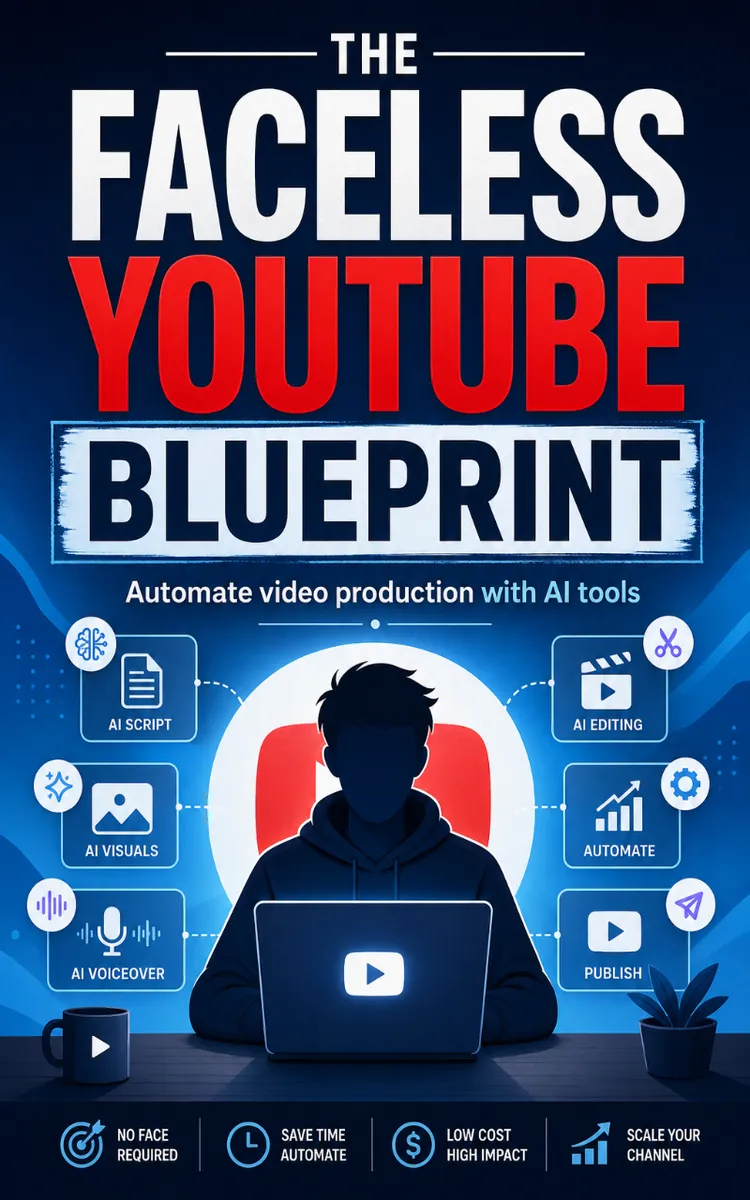
"The Faceless Youtube Blueprint" is a how-to guide book by NextGen PDF with 8 chapters and approximately 14,588 words. Automated faceless YouTube video creation using AI tools.
This book was created using Inkfluence AI, an AI-powered book generation platform that helps authors write, design, and publish complete books. It was made with the AI Ebook Generator.
Frequently Asked Questions
What is "The Faceless Youtube Blueprint" about?
Automated faceless YouTube video creation using AI tools
How many chapters are in "The Faceless Youtube Blueprint"?
The book contains 8 chapters and approximately 14,588 words. Topics covered include Choosing a Faceless Channel Niche, Writing AI Scripts That Retain Viewers, Generating Voiceovers in ElevenLabs, Midjourney Image Packs for Video Scenes, and more.
Who wrote "The Faceless Youtube Blueprint"?
This book was written by NextGen PDF and created using Inkfluence AI, an AI book generation platform that helps authors write, design, and publish books.
How can I create a similar how-to guide book?
You can create your own how-to guide book using Inkfluence AI. Describe your idea, choose your style, and the AI writes the full book for you. It's free to start.
Write your own how-to guide book with AI
Describe your idea and Inkfluence writes the whole thing. Free to start.
Start writingCreated with Inkfluence AI


