
Read the first chapter
The whole of chapter one, free. About 8 min. Turn the pages with the arrows, your keyboard, or a swipe.
Chapter 1
The One-Post Corporate Response
Stop the Public Argument Before It Starts
A one-star review lands while the office is busy: “They overcharged me, sent an incompetent technician, and refused to fix anything. Avoid this company.” Your first impulse may be to explain the missed appointment, the approved price, the technician’s notes, and the customer’s unanswered calls. Do not type that response.
A public review is not a private service call. Everyone can read your reply, but almost nobody needs the full file. Your job is to show reasonable readers that your business handles complaints through a proper channel. A short, neutral response protects the conversation, avoids an unverified admission, and keeps an angry customer from setting your policies in a public comment thread.
After nearly a decade running a service business, I stopped treating every bad review like a five-alarm fire. The first year, one harsh post could ruin my morning. Years later, I understood what customers actually see: a profile with a larger body of legitimate reviews and, sometimes, one unreasonable complaint. The practical promise is simple: by the end of this chapter, you can write a professional reply in a few minutes, route the issue to your office, document what happened, and move on without rewarding public pressure.
The method for doing that is the 3-Sentence Filter. It gives you a repeatable answer when emotion pushes you toward groveling, arguing, or explaining too much. You are starting with the public response, not trying to solve the entire customer dispute in public. The rest of the book builds from that same steady approach: respond clearly, document facts, and take stronger action only when the review breaks a platform rule.
Use the 3-Sentence Filter
The 3-Sentence Filter keeps your reply focused on three jobs: acknowledge the feedback, move the conversation to the office, and provide a clear next step. Use this structure every time until it becomes automatic.
1. Acknowledge the feedback without agreeing with the accusation. Write, “We take customer feedback seriously,” or, “Thank you for bringing this to our attention.” This shows readers that you did not ignore the complaint. It does not confirm that you overcharged anyone, caused damage, or failed to provide service.
2. Route the matter to a manager or office contact. Write, “Please call our office at 555-0148 and ask for Tanya, the manager, so we can review the details.” A specific contact makes the reply useful. It also moves private information - job notes, invoices, addresses, recordings, and payment details - out of public view.
3. Stop after the next step. Do not add a public defense, discount offer, or long explanation. The response should end once you give the office route. A clean ending prevents the exchange from turning into a series of comments that future customers can read.
A standard reply might read:
> We take all customer feedback seriously. Please call our office at 555-0148 and ask for a manager so we can review this with you. We look forward to discussing the details directly.
That reply does not admit fault. It does not accuse the reviewer of lying. It does not promise a refund before anyone checks the file. Most important, it speaks to the reasonable customer reading the page. That reader wants to know whether your company reacts with control or starts fighting online.
Tanya, a 36-year-old HVAC shop manager, can apply the filter even when a review includes several claims. Suppose a customer writes that a $425 repair became a $900 bill, the technician “made up” a recommendation, and the office refused to help. Tanya should not publish the invoice history or quote text. She can check those records privately, then post: “We take customer feedback seriously. Please call our office at 555-0148 and ask for Tanya so we can review the service details directly.” The response creates a professional boundary while Tanya verifies what actually happened.
The 3-Sentence Filter also tells you what to leave out:
• Do not write an apology that confirms a fact you have not checked. - Do not call the reviewer dishonest, unreasonable, or confused. - Do not repeat private customer information. - Do not bargain publicly with a refund, free service, or discount. - Do not debate each sentence in the review.
A calm reply does not mean you accept the review as the final word. It means you choose the right place for the real conversation.
Apply the Filter to a Real Review
Tanya manages a heating and cooling shop with six field technicians. At 8:10 a.m., a review appears on the company’s Google Business Profile. It gives the business one star and says:
> “Technician showed up two hours late, charged me $640 for a basic part, and left my elderly mother without heat. The owner will not return calls. This company is a scam.”
Tanya feels angry because the job record shows a 9:05 a.m. arrival, a signed approval for the repair, and two completed return calls. She also sees that the customer has posted three follow-up comments under the review. She needs a response, but she does not need to win an argument.
She follows these steps:
1. Wait 10 minutes before drafting. Tanya reads the review once, saves a screenshot, and does not answer while angry. This short pause prevents a defensive sentence from becoming a permanent public record.
2. Separate claims from facts. She lists the claims privately: late arrival, $640 charge, no heat, no returned calls. She checks the dispatch timestamp, invoice, signed approval, technician notes, and call log. This takes 15 minutes and gives her a record for the office conversation.
3. Check whether the reviewer appears to be a customer. Tanya matches the name and service date to a real invoice. Because the review connects to a real job, she does not treat it as a fake-review dispute. The customer may be difficult, but that alone does not violate a review platform’s rules.
4. Draft the three sentences. She writes: “We take customer feedback seriously. Please call our office at 555-0148 and ask for Tanya so we can review the service details directly. We look forward to discussing this with you.”
5. Remove unnecessary details. Tanya deletes the sentence she almost added: “Our records show that you approved the repair and ignored two return calls.” The information may matter in the private discussion, but publishing it would invite a second round of arguing.
6. Post once and monitor the correct channel. Tanya publishes the reply, records the date and time in the job file, and tells the receptionist what to do if the customer calls. If the customer never calls, Tanya does not chase the reviewer through comments.
The expected outcome is not necessarily a deleted review or a changed rating. The immediate outcome is control: readers see a business that acknowledges concerns and offers a real route to management. If the customer calls, Tanya can review the invoice and call history privately. If the customer does not call, the public exchange ends without giving the review more attention.
Quick checklist
• Read the review once before replying. - Save a screenshot and record the review date. - Check the job record, invoice, messages, and call log. - Confirm whether the reviewer matches a real customer. - Use the 3-Sentence Filter. - Name a phone number and manager when possible. - Remove admissions, accusations, private details, and bargaining. - Post one response, then stop debating in comments. - Record the response in the customer file.
This process works because it separates two tasks that owners often mix together: managing public perception and investigating the complaint. The public reply needs restraint. The private review needs facts.
Avoid Replies That Create a Bigger Problem
Mistake: Writing the whole case in public
A long response feels satisfying because it lets you correct every detail. It also exposes private information and gives the reviewer several new points to attack. A customer who originally wrote six angry lines may respond to a 400-word defense with another 400 words.
Do this: “We take customer feedback seriously. Please call our office at 555-0148 and ask for a manager so we can review the details directly.”
Not this: “You were not home at 9:00, our technician waited 27 minutes, you approved the capacitor replacement, and your card was declined twice.”
Keep those facts in the job file. Use them if the customer calls or if the platform requests documentation.
Mistake: Apologizing before checking fault
“Sorry we overcharged you” can become an admission even when the invoice was correct. “Sorry you were frustrated” may sound dismissive if you use it without offering a next step. An apology has a place when your records confirm a mistake, but the first public response should not decide fault before you investigate.
Do this: Acknowledge the feedback and invite a direct review of the service.
Not this: Promise a refund, free repair, or policy exception because the review feels threatening.
Check the work order first. If your business made a clear mistake, you can address it privately and later update the public response with accurate, limited information.
Mistake: Treating a real but unreasonable review as fake
A review from a genuine customer may contain exaggeration, insults, or an unfair version of events. Google Business Profile or Facebook may leave it up because the customer actually used your service. Repeatedly flagging it will not replace a good response.
Do this: Use the 3-Sentence Filter, save your documentation, and report the review only when it breaks a platform rule.
Not this: Tell the reviewer to delete the post in exchange for money, threaten legal action in the comments, or keep replying until they stop.
If the review comes from a non-customer, competitor, or former employee, flag it through the review itself and through Business Profile support when available. Include job records, invoices, messages, and timestamps. Platform reviews often take several days to two weeks, so keep the documentation ready and continue handling the public side calmly.
Your practical action is to save the three-sentence template in your phone, office manual, and review-management folder. Add your real office number and the manager’s name before the next complaint arrives. When the next one-star review appears, run it through the 3-Sentence Filter, move the facts to the office, and let your steady response do its job while you keep the business moving.
End of chapter one. 7 more chapters in the full book.
Swipe or use the arrows to turn the page

Meta Ads For Residential Contractors

Contract Dispute Playbook For Contractors

10 Copy-Paste AI Prompts
What's inside: 8 chapters
- 1. The One-Post Corporate Response
- 2. What Not to Say in Comments
- 3. Who the Response Is For
- 4. Flag Fake Reviews Fast
- 5. Document Everything for Disputes
- 6. Handle Impossible Customers Calmly
- 7. Train Your Team With Scripts
- 8. Let It Go Without Going Silent
About this book
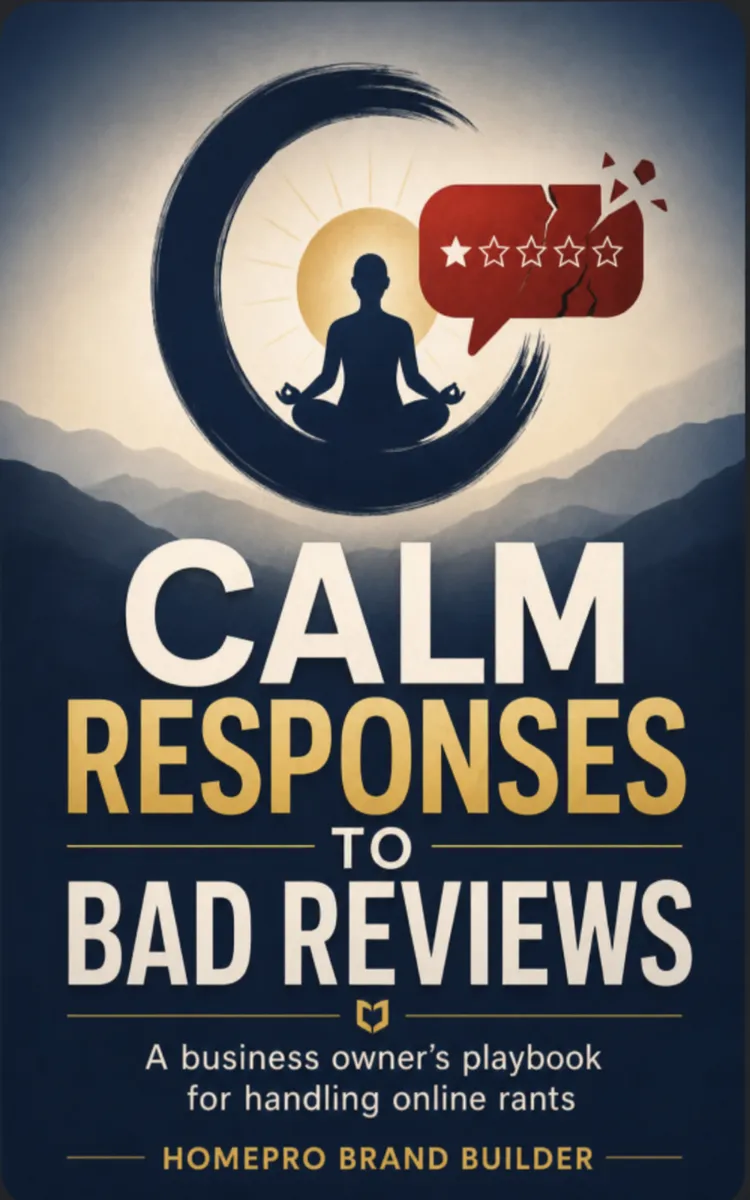
"Calm Responses To Bad Reviews" is a business book by HomePro Brand Builder with 8 chapters and approximately 14,669 words. Managing negative customer reviews with professional responses and disputes.
This book was created using Inkfluence AI, an AI-powered book generation platform that helps authors write, design, and publish complete books. It was made with the AI Business Book Writer.
Frequently Asked Questions
What is "Calm Responses To Bad Reviews" about?
Managing negative customer reviews with professional responses and disputes
How many chapters are in "Calm Responses To Bad Reviews"?
The book contains 8 chapters and approximately 14,669 words. Topics covered include The One-Post Corporate Response, What Not to Say in Comments, Who the Response Is For, Flag Fake Reviews Fast, and more.
Who wrote "Calm Responses To Bad Reviews"?
This book was written by HomePro Brand Builder and created using Inkfluence AI, an AI book generation platform that helps authors write, design, and publish books.
How can I create a similar business book?
You can create your own business book using Inkfluence AI. Describe your idea, choose your style, and the AI writes the full book for you. It's free to start.
Write your own business book with AI
Describe your idea and Inkfluence writes the whole thing. Free to start.
Start writingCreated with Inkfluence AI


