
Read the first chapter
The whole of chapter one, free. About 2 min. Turn the pages with the arrows, your keyboard, or a swipe.
Chapter 1
POST /v1/auth/login
Overview
What should an API return when a valid password authenticates a user but a disabled account does not? This chapter defines POST /v1/auth/login, the credential submission contract, and the success and failure responses used by clients. Use this endpoint when an application needs to exchange a user identifier and password for an authenticated session or token.
Quick Reference
| Item | Value | |---|---| | Endpoint | POST /v1/auth/login | | Method | POST | | Content type | application/json | | Authentication | None; credentials are submitted in the request body | | Success | 200 OK with access and refresh tokens | | Invalid credentials | 401 Unauthorized | | Validation failure | 400 Bad Request | | Account unavailable | 403 Forbidden | | Rate limited | 429 Too Many Requests |
The Credential Ladder Method separates processing into three checks: validate the request shape, verify the credential pair, then evaluate account status and issue tokens.
Parameters
| Parameter | Type | Required | Description | |---|---|---:|---| | identifier | string | Yes | User login identifier, typically an email address or username. | | password | string | Yes | Plain-text password transmitted over TLS and verified server-side against a password hash. | | remember | boolean | No | Extends refresh-token lifetime when true. Defaults to false. | | device_name | string | No | Client-provided label for session management. Defaults to null. |
The server should reject unknown fields if strict request validation is enabled. It must not return the submitted password in logs or responses.
Code Example
`bash
Credentials must be sent over HTTPS. curl -X POST "https://api.example.com/v1/auth/login" \ -H "Content-Type: application/json" \ -H "Accept: application/json" \ -d '{ "identifier": "dev@example.com", "password": "correct-horse-battery-staple", "remember": true, "device_name": "web-browser" }' `
A client should store the access token according to its platform security model, attach it to subsequent protected requests, and use the refresh token only at the token-refresh endpoint.
Response Format
A successful response contains bearer credentials and basic authenticated-user data:
json { "access_token": "eyJhbGciOiJIUzI1NiIsInR5cCI6IkpXVCJ9...", "token_type": "Bearer", "expires_in": 900, "refresh_token": "rt_01J8Q7Y6K2...", "user": { "id": "usr_01J8Q6Z4M9", "identifier": "dev@example.com", "status": "active" } }
| Field | Type | Description | |---|---|---| | access_token | string | Short-lived token for protected API requests. | | token_type | string | Authorization scheme; currently Bearer. | | expires_in | integer | Access-token lifetime in seconds. | | refresh_token | string | Credential used to obtain a new access token. | | user | object | Minimal authenticated-user representation. |
Failure responses should use a stable error envelope:
json { "error": { "code": "invalid_credentials", "message": "The identifier or password is incorrect.", "request_id": "req_01J8Q8A2P4" } }
Notes & Best Practices
• Return the same 401 response for an unknown identifier and an incorrect password to reduce account enumeration. - Apply per-IP and per-identifier rate limits; return 429 with Retry-After when limits are exceeded. - Use constant-time password-hash verification and never log passwords, raw tokens, or full authentication payloads. - Revoke refresh tokens on logout, password reset, or suspicious-session detection; treat 403 account-status errors separately from invalid credentials.
A predictable login contract makes token handling, failure recovery, and later authorization decisions consistent across clients.
End of chapter one. 39 more chapters in the full book.
Swipe or use the arrows to turn the page

PRESIDENT DONALD TRUMP: FACT OR FICTION?

Ashfall at Point Meridian Master Manuscript

THREE PRESIDENCIES, ONE AMERICA
What's inside: 40 chapters
- 1. POST /v1/auth/login
- 2. POST /v1/auth/logout
- 3. POST /v1/auth/refresh
- 4. POST /v1/auth/mfa/verify
- 5. POST /v1/auth/mfa/challenge
- 6. POST /v1/auth/password/reset
- 7. POST /v1/auth/password/confirm
- 8. POST /v1/auth/sso/authorize
- 9. POST /v1/auth/sso/callback
- 10. POST /v1/auth/oidc/token
- 11. POST /v1/auth/api-keys
- 12. GET /v1/auth/api-keys
- 13. PATCH /v1/auth/api-keys/{keyId}
- 14. DELETE /v1/auth/api-keys/{keyId}
- 15. POST /v1/users
- 16. GET /v1/users/{userId}
- 17. PATCH /v1/users/{userId}
- 18. DELETE /v1/users/{userId}
- 19. POST /v1/roles
- 20. GET /v1/roles/{roleId}
- 21. PATCH /v1/roles/{roleId}
- 22. DELETE /v1/roles/{roleId}
- 23. POST /v1/permissions
- 24. GET /v1/permissions
- 25. PATCH /v1/permissions/{permissionId}
- 26. POST /v1/groups
- 27. POST /v1/groups/{groupId}/members
- 28. DELETE /v1/groups/{groupId}/members/{userId}
- 29. POST /v1/role-assignments
- 30. DELETE /v1/role-assignments/{assignmentId}
- 31. POST /v1/policies
- 32. POST /v1/policies/evaluate
- 33. POST /v1/audit/events
- 34. GET /v1/audit/events?filters
- 35. POST /v1/webhooks
- 36. POST /v1/webhooks/{webhookId}/deliveries
- 37. POST /v1/sessions/revoke
- 38. POST /v1/tokens/introspect
- 39. POST /v1/auth/verify-jwt
- 40. GET /v1/errors/troubleshoot
About this book
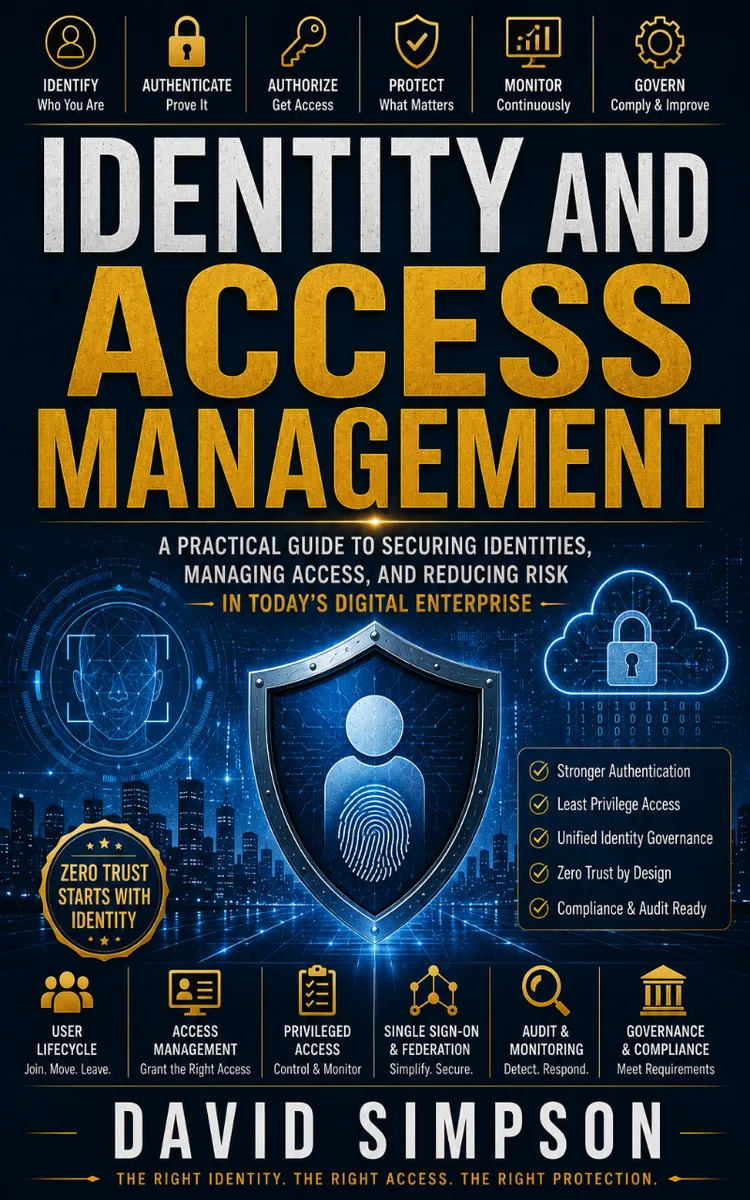
"Identity And Access Management" is a technical book by David Simpson with 40 chapters and approximately 20,141 words. Principles and implementation of identity and access management.
This book was created using Inkfluence AI, an AI-powered book generation platform that helps authors write, design, and publish complete books. It was made with the AI Documentation Generator.
Frequently Asked Questions
What is "Identity And Access Management" about?
Principles and implementation of identity and access management
How many chapters are in "Identity And Access Management"?
The book contains 40 chapters and approximately 20,141 words. Topics covered include POST /v1/auth/login, POST /v1/auth/logout, POST /v1/auth/refresh, POST /v1/auth/mfa/verify, and more.
Who wrote "Identity And Access Management"?
This book was written by David Simpson and created using Inkfluence AI, an AI book generation platform that helps authors write, design, and publish books.
How can I create a similar technical book?
You can create your own technical book using Inkfluence AI. Describe your idea, choose your style, and the AI writes the full book for you. It's free to start.
Write your own technical book with AI
Describe your idea and Inkfluence writes the whole thing. Free to start.
Start writingCreated with Inkfluence AI


