
Read the first chapter
The whole of chapter one, free. About 7 min. Turn the pages with the arrows, your keyboard, or a swipe.
Chapter 1
Security Operations Overview
Why Security Operations Needs One Clear View
What happens when a login alert appears at 2:00 a.m., a laptop starts sending data to an unknown address, and nobody knows who should decide whether to shut the account down? Security operations answers that question before the event occurs. It gives your organization a working process for watching systems, handling warnings, making decisions, and proving that people followed the right rules.
Security operations covers three connected activities: monitoring, response, and governance. Monitoring finds signs of trouble. Response limits damage and restores normal work. Governance sets the rules, assigns ownership, and checks whether the process works. Treating these activities as separate tasks creates gaps. A monitoring team may raise alerts that nobody handles. A response team may act quickly but break an important business process. A governance document may demand controls that nobody checks in daily work.
A small business can start with a simple operating picture. After reading this section, you should be able to name the systems you watch, define what counts as an incident, assign the first decision-maker, and connect each action to a rule or business need. Keep one question in view: Who sees the problem, who acts on it, and who checks that the action was appropriate?
The S.O. Compass Model
The S.O. Compass Model organizes security operations around four directions: See, Orient, Act, and Check. The first three match the daily flow of monitoring, response, and governance. The fourth makes the process reliable over time.
1. See - collect and review signals. Monitoring means watching useful evidence from systems such as email, user accounts, firewalls, cloud services, point-of-sale systems, and laptops. A signal does not automatically mean an attack. For example, five failed logins from one address may result from a forgotten password, or they may show an attempt to guess a password. Your process should record the signal and provide enough detail for someone to judge it.
2. Orient - decide what the signal means. Orientation adds context. Check the user, device, location, time, recent changes, and business activity. A login from another country may look dangerous until you confirm that the employee is traveling. A new administrator account may look normal during a planned software installation but serious when nobody approved the change. This step prevents both panic and missed threats.
3. Act - contain, fix, and recover. Response turns a decision into controlled action. You may disable an account, isolate a laptop from the network, block an address, remove malicious software, restore a clean backup, or contact a service provider. Write down who approved the action and what result you expected. A response without a record makes later review difficult and can create new problems.
4. Check - compare results with rules and improve the process. Governance keeps security operations tied to business requirements. Check whether the team followed the incident procedure, whether required records exist, whether access still matches job duties, and whether alerts arrive within the expected time. If the process failed, update the rule, tool, training, or assignment that caused the failure.
These directions form a loop rather than a straight line. Monitoring produces information for response. Response produces records for governance. Governance changes what the team monitors and how it responds. For example, if a review finds that former workers keep active accounts for several days, governance can require same-day account removal. Monitoring can then alert when an account remains active after the worker’s end date.
Start by writing three simple operating definitions:
• Security event: an observable action, such as a login, file download, software installation, or firewall block. - Security alert: an event that meets a condition requiring review, such as ten failed logins in five minutes. - Security incident: a confirmed or strongly suspected event that threatens confidentiality, integrity, or availability. These mean keeping information private, keeping it accurate, and keeping systems usable.
Ask yourself whether a new team member could use those definitions at 8:00 a.m. without asking what you meant. If not, replace broad words such as “suspicious activity” with clear conditions and examples. Your practical takeaway: use See, Orient, Act, and Check to connect every alert to a decision, an action, and a review.
Applying the Compass to a Stolen Account
A practical example shows how the three operating areas work together. Consider a company that uses Microsoft 365 for email and stores customer invoices in a cloud drive. The company’s monitoring service sends an alert after an employee account records eight failed logins, followed by a successful login from an unfamiliar device in another country.
1. See the signal within 15 minutes. The monitoring tool records the username, source address, device name, login times, and applications accessed. The on-duty reviewer opens the alert and confirms that the event meets the company’s review rule: five or more failed logins followed by a successful login triggers investigation. The expected outcome is a complete first record, not a guess about the attacker.
2. Orient the alert within 20 minutes. The reviewer checks the employee schedule, travel notice, recent password changes, device list, and sign-in history. The employee has no travel scheduled, and the unfamiliar device has never appeared before. The reviewer marks the alert as a likely account compromise and calls the response owner. The expected outcome is a documented reason for escalation.
3. Act within 30 minutes of confirmation. The response owner disables the account, revokes active sessions, resets the password through a separate trusted administrator account, and requires multifactor authentication (MFA), which asks for a second proof beyond a password. The owner preserves the sign-in records before changing settings. The expected outcome is to stop continued access while keeping evidence for review.
4. Check business impact within two hours. The owner reviews email forwarding rules, recently downloaded files, shared links, and changes to invoice records. The finance manager confirms that one invoice folder received an unusual download but no payment details changed. The company informs its privacy contact and follows its customer-notification rule if required. The expected outcome is a known scope of impact and a clear communication decision.
5. Recover and review within one business day. The company restores the employee’s access only after confirming a clean device, a new password, MFA enrollment, and removal of unauthorized forwarding rules. The governance owner reviews the timeline: alert at 02:07, review at 02:18, account disabled at 02:41, scope completed at 04:05. The team updates the alert rule to include unfamiliar device access after repeated failures. The expected outcome is safer access and a measurable process improvement.
The numbers matter because they turn “respond quickly” into a testable expectation. Your organization may choose different times, but write them down. Also record the owner for each decision. A useful operating record contains the alert time, reviewer, evidence checked, decision, action, approval, result, and follow-up task.
Quick checklist
• Name the system that generated the alert. - Record the user, device, source address, and exact times. - Compare the activity with travel, work schedules, and approved changes. - Classify the alert as normal, suspicious, or an incident. - Assign one response owner. - Preserve key records before changing account or device settings. - Contain the access using an approved action. - Check email rules, file access, and business impact. - Notify the required internal or external contact. - Record the result and assign a follow-up review.
This scenario shows the connection clearly: monitoring found the pattern, response stopped the access, and governance supplied the timing, authority, records, and improvement rule. Your practical takeaway: test your process against a timed example and confirm that every step has an owner and expected result.
Mistakes That Break the Connection
Treating every alert as an incident
A failed login from a known office device may need no emergency action. Disabling accounts for harmless events can interrupt work and teach people to ignore security notices. On the other hand, marking everything as harmless can hide a real compromise.
Do this: define review conditions and escalation conditions separately. For example, review five failed logins, but escalate when those failures combine with a new device, unusual location, or sensitive file access. Record the reason for the final classification.
Not this: disable every account after one failed login or close every alert without checking context.
Monitoring without response ownership
A dashboard can show hundreds of warnings while no person owns the next action. The problem grows when staff assume that an outside security provider handles incidents but the contract only covers alert delivery.
Do this: name a primary and backup response owner. Confirm the phone number, working hours, authority to disable accounts, and escalation path. Test the contact process with a scheduled drill so you know the person will answer and can act.
Not this: write “notify management” without naming the manager, contact method, decision limit, or required response time.
Governance rules that nobody can use
A policy that says “protect sensitive data” does not tell a reviewer what to check at 2:00 a.m. Rules need practical triggers, owners, and records. They also need a review date because systems and business processes change.
Do this: connect each important rule to a monitoring check and a response action. If the rule requires prompt removal of former-worker accounts, monitor account status, assign the account administrator, and define the removal deadline. Review the rule every six months or after a major incident.
Not this: store a long policy document that does not identify the system, person, deadline, or evidence required.
Security operations works when these parts support one another. See the signal, orient it with facts, act within your authority, and check the result against a clear rule. That compass gives daily work a dependable direction - and turns isolated alerts into a controlled operating process.
End of chapter one. 39 more chapters in the full book.
Swipe or use the arrows to turn the page

PRESIDENT DONALD TRUMP: FACT OR FICTION?

Ashfall at Point Meridian Master Manuscript

THREE PRESIDENCIES, ONE AMERICA
What's inside: 40 chapters
- 1. Security Operations Overview
- 2. Your First Security Goals
- 3. Roles, Responsibilities, and RACI
- 4. Assets, Data, and Trust Boundaries
- 5. Threat Modeling for Monitoring
- 6. Security Logging Fundamentals
- 7. Choosing the Right Monitoring Signals
- 8. Baseline Normal with Behavior Windows
- 9. Alert Triage Workflow Basics
- 10. Incident vs Alert: Clear Definitions
- 11. Severity Levels and Impact Scoring
- 12. Creating an Escalation Ladder
- 13. Runbooks That Actually Get Used
- 14. Evidence Collection Without Breaking Things
- 15. Timeline Building for Investigations
- 16. Containment Options and Tradeoffs
- 17. Eradication Steps After Containment
- 18. Recovery and Validation Checklist
- 19. Post-Incident Review That Improves
- 20. Communication Plans for Incidents
- 21. Customer and Stakeholder Notifications
- 22. Threat Hunting Hypotheses
- 23. Hunting Queries for Beginners
- 24. Using MITRE ATT&CK in Operations
- 25. Detection Engineering Basics
- 26. Tuning Alerts to Reduce Noise
- 27. Building a Detection Coverage Map
- 28. Automations for Response Speed
- 29. SOAR Runbooks and Approval Gates
- 30. Managing False Positives Systematically
- 31. Metrics: MTTA, MTTR, and Coverage
- 32. Quality Assurance for Monitoring
- 33. Compliance Mapping for Security Operations
- 34. Data Retention and Log Governance
- 35. Access Control for Security Tools
- 36. Incident Documentation Standards
- 37. Tabletop Exercises for Readiness
- 38. Training Analysts with Skill Tracks
- 39. Continuous Improvement Roadmap
- 40. Mature Security Operations Playbook
About this book
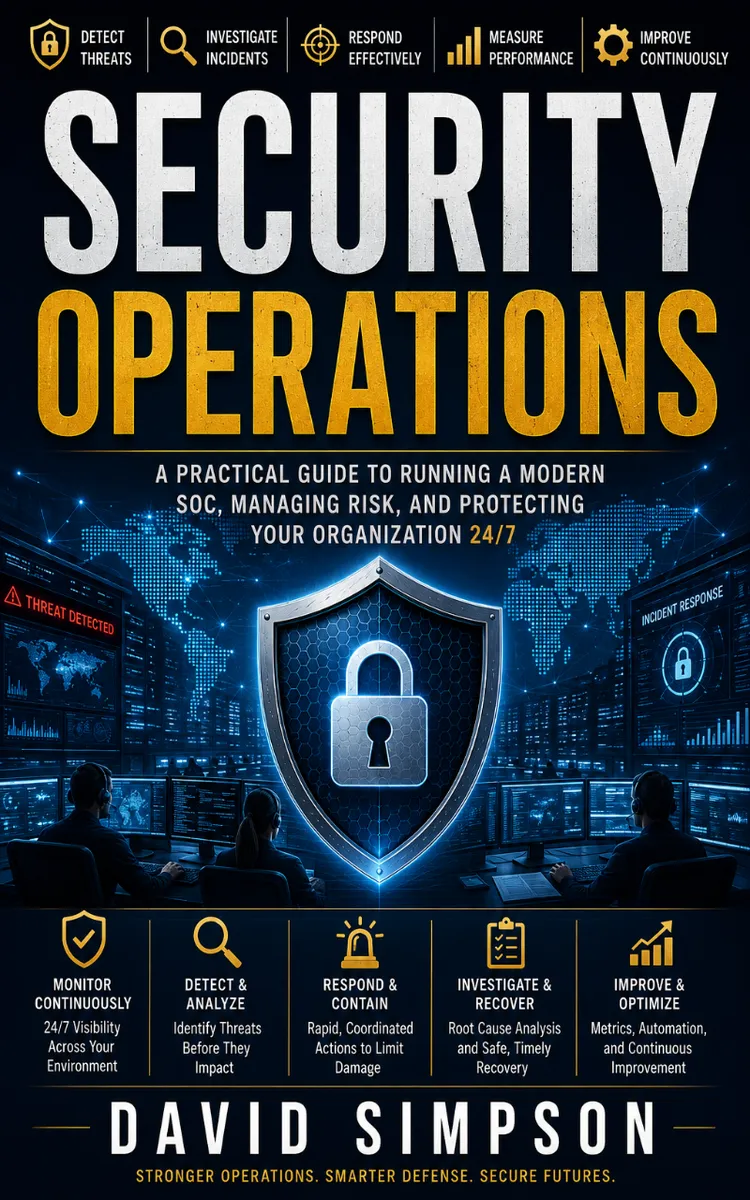
"Security Operations" is a how-to guide book by David Simpson with 40 chapters and approximately 73,077 words. Operating procedures for security monitoring, response, and governance.
This book was created using Inkfluence AI, an AI-powered book generation platform that helps authors write, design, and publish complete books. It was made with the AI Ebook Generator.
Frequently Asked Questions
What is "Security Operations" about?
Operating procedures for security monitoring, response, and governance
How many chapters are in "Security Operations"?
The book contains 40 chapters and approximately 73,077 words. Topics covered include Security Operations Overview, Your First Security Goals, Roles, Responsibilities, and RACI, Assets, Data, and Trust Boundaries, and more.
Who wrote "Security Operations"?
This book was written by David Simpson and created using Inkfluence AI, an AI book generation platform that helps authors write, design, and publish books.
How can I create a similar how-to guide book?
You can create your own how-to guide book using Inkfluence AI. Describe your idea, choose your style, and the AI writes the full book for you. It's free to start.
Write your own how-to guide book with AI
Describe your idea and Inkfluence writes the whole thing. Free to start.
Start writingCreated with Inkfluence AI


