

Read the first chapter
The whole of chapter one, free. About 10 min. Turn the pages with the arrows, your keyboard, or a swipe.
Chapter 1
Choose Your Book Idea Fast
Find a Topic People Already Want
What would happen if you could test a book idea before spending hours generating chapters, designing a cover, or uploading files? A strong topic gives your AI book app a clear job. A weak topic produces a book that may sound polished but leaves readers asking, “Why should I buy this?”
The goal is not to find the most unusual idea. The goal is to find a clear problem, a reachable audience, and a useful result. For example, “Home improvement” feels too wide. “How to patch small drywall holes before painting” gives the app a focused subject and gives readers a reason to open the book.
Use the process below to choose one topic in about ten minutes. You will finish with a working title, a defined reader, and simple evidence that people may care about the subject. That information will also give your AI book app better instructions when you generate the outline.
Use the 10-Minute Idea Filter
The 10-Minute Idea Filter checks an idea from four angles: the problem, the reader, the result, and the evidence. You do not need market research software or a large audience. You need a few direct answers and a quick check in places where people already ask questions.
Start by writing three rough ideas in the app or in a notes app. Do not polish them. Use plain phrases such as:
• “Meal prep for night-shift workers” - “Basic bookkeeping for mobile plumbers” - “Stretching for people who sit at a desk” - “How to sell handmade candles at local markets”
Then run each idea through these four checks:
1. Name the problem. Write one sentence that describes what frustrates the reader. A problem gives the book a purpose. “People want to eat better” lacks a clear target. “Night-shift workers come home tired and buy expensive takeout” gives you a problem the book can address.
2. Name the reader. Choose one main group, not everyone. A book for “small business owners” may wander across too many needs. A book for “solo plumbers who need a simple way to track job income and expenses” gives the AI app a much sharper direction.
3. Promise a visible result. State what the reader can do after using the book. Use an action that someone can notice or measure. “Feel more organized” sounds vague. “Set up a weekly income-and-expense sheet in one afternoon” sounds useful and specific.
4. Check for existing questions. Search the exact problem on Google, YouTube, Reddit, Facebook groups, or an online bookstore. Look for repeated questions, beginner guides, comments asking for help, and books that already sell in the subject area. Existing questions show that people recognize the problem. They do not guarantee sales, but they give you a safer starting point than a topic nobody discusses.
A quick audience check should take only a few minutes. Search a phrase such as “how to prepare meals for night shift” and read the wording people use. Notice complaints, missing details, and repeated beginner concerns. If several people ask how to store meals safely, plan cooking around odd hours, or avoid eating the same food every day, those questions can become sections in your book.
You can also use the AI book app to test your wording. Enter a prompt such as: “List the five most common beginner problems people have when preparing meals for night-shift work. Use simple language and give one practical example for each.” Treat the answer as a starting list, not proof of demand. Confirm the problems by checking real questions and comments.
Ask yourself one final question: “Could a reader explain the benefit to a friend in one sentence?” If the answer sounds long or confusing, narrow the idea. A clear promise helps readers understand the book title, helps stores place the book in the right category, and helps your app generate useful chapters instead of general advice.
The practical takeaway is simple: choose the idea that solves a repeated problem for one clear group and promises one visible result.
Apply the Filter to One Real Book Idea
Suppose you want to create a book about bookkeeping for mobile plumbers. Start with three possible versions:
• “Bookkeeping for small businesses” - “Money management for plumbers” - “Simple bookkeeping for solo plumbers who want to track each job”
The third option gives you the strongest starting point because it identifies the reader and the situation. You can make it even clearer by adding the result: “Simple Bookkeeping for Solo Plumbers: Track Job Income, Expenses, and Taxes Without Confusion.”
Now use the app to produce questions for your audience check. Enter this prompt:
> “For solo plumbers who struggle to track money from each job, list ten questions they might type into Google or ask in a trade group. Keep each question under fifteen words. Focus on beginner problems.”
The app may suggest questions such as:
• “How do I track parts bought for one plumbing job?” - “Should I keep fuel receipts?” - “How much should I set aside for taxes?” - “What should I record after finishing a service call?” - “Can I use a spreadsheet instead of accounting software?”
These questions give you useful book material. They also show whether your idea has enough depth. If the questions cover job records, receipts, fuel, payments, and taxes, you have several practical sections. If your app generates only broad statements such as “How do I become financially successful?” the idea needs more detail.
Use this simple scoring table for each idea. Give one point for every “yes.”
| Check | Yes or no question | |---|---| | Clear problem | Can I describe the reader’s problem in one sentence? | | Clear reader | Can I name one main type of reader? | | Clear result | Can the reader complete or improve a specific task? | | Real questions | Did I find repeated questions in searches or communities? | | Enough material | Can I list at least five useful sections? |
An idea with four or five points deserves development. An idea with two or three points needs narrowing. An idea with zero or one point should wait. This score does not predict exact sales. It prevents you from asking the AI app to build a full book around a subject that lacks a clear reader or useful purpose.
Next, ask the app for three title options based on the strongest version. Tell it to avoid exaggerated promises and keep the titles easy to understand. For the plumbing example, possible titles include “The Solo Plumber’s Simple Bookkeeping Guide” or “Track Every Plumbing Job: A Beginner’s Money Record System.”
Choose the title that tells readers what they will learn without making a promise you cannot support. A title such as “Become Rich With Plumbing” creates doubt because it promises an outcome you cannot control. A title about tracking job income and expenses makes a fair, useful promise.
Before you move on, read the idea aloud. If you need several sentences to explain it, narrow the reader, problem, or result. Your final idea should fit this sentence:
“This book helps [specific reader] solve [specific problem] so they can [clear result].”
For the example, the sentence becomes: “This book helps solo plumbers solve messy job records so they can track income and expenses each week.” That sentence becomes the foundation for your app prompts, outline, and book description.
Run a Ten-Minute Audience Check
Use this timed example to test “Simple Bookkeeping for Solo Plumbers.” The expected outcome is a focused topic, not a finished book.
1. Minute 1: Write the starting idea. Enter “bookkeeping for plumbers” in your notes. Do not ask the app to write chapters yet. You first need to decide whether the subject has a real use.
2. Minutes 2-3: Narrow the reader. Change the phrase to “solo plumbers who handle their own job records.” This removes larger plumbing companies, office managers, and professional accountants from your main audience.
3. Minutes 4-5: Search real questions. Search Google and YouTube for “plumber bookkeeping,” “track plumbing job expenses,” and “plumbing receipts.” Record five repeated questions or complaints. Look for phrases such as “I lose receipts,” “I mix personal and business money,” or “I do not know what to record.”
4. Minutes 6-7: Ask the AI book app for a problem list. Use this prompt: “Create a beginner problem list for solo plumbers tracking income and expenses. Separate daily, weekly, and monthly tasks. Do not give legal or tax advice.” The expected outcome is a list you can compare with real questions.
5. Minute 8: Compare the two lists. Mark each problem that appears in both places. If “lost receipts” appears in search results and the app’s list, keep it. If the app mentions a complex accounting term that nobody in your search used, remove or simplify it.
6. Minute 9: Write the result. Use a practical promise: “Set up a basic job-record system and review it every Friday.” This result gives the book a clear finish line.
7. Minute 10: Score the idea. Use the five-point table. A score of four or five means you can create the outline. A score below four means you should narrow the topic again, perhaps to “tracking expenses for residential plumbing service calls.”
The expected result is not a claim that the book will sell. The result is a better decision based on visible questions and a clear reader. Repeat the same test for your other two ideas. Pick the highest-scoring idea that you can explain clearly and teach from your own knowledge or reliable sources.
Quick checklist
• Write three rough book ideas. - Name one problem for each idea. - Choose one main reader group. - Promise one visible result. - Search Google, YouTube, Reddit, or relevant groups. - Record five repeated questions. - Ask the AI book app for a beginner problem list. - Compare the app’s list with real audience questions. - Score each idea from zero to five. - Keep the idea with four or five strong checks. - Write one clear sentence explaining the book’s purpose.
Once your idea passes this check, save the final reader, problem, result, and working title in one note. That note will keep your later prompts focused.
Avoid Ideas That Look Useful but Stay Too Weak
Mistake: Choosing a huge subject
“Fitness,” “business,” and “cooking” contain too many possible readers and problems. An AI app may respond with a broad list that repeats familiar advice. Readers may not know whether the book fits their situation.
Do this: Narrow the subject by reader, task, and result: “Strength training at home for beginners with two adjustable dumbbells.”
Not this: “The Complete Fitness Guide.”
A narrow topic also makes audience checking easier because you can search specific questions instead of browsing an entire industry.
Mistake: Treating the app’s answer as proof
The AI book app can generate convincing questions, titles, and demand claims. It cannot confirm that real people will buy your book. If you rely only on its answer, you may build a polished book around an invented problem.
Do this: Compare the app’s suggestions with at least five real questions, comments, videos, or book listings. Keep ideas that appear in both places.
Not this: Ask the app, “What book will definitely sell?” and accept the first answer.
The app helps you organize and test ideas. Your audience check supplies the real-world connection.
Mistake: Promising an outcome you cannot control
A title that promises guaranteed income, perfect health, or instant success creates a trust problem. Readers may reject the book before they read the description, and the content may force you to make unsafe or unrealistic claims.
Do this: Promise a task, system, or improvement that the reader can work toward, such as “Create a weekly meal plan” or “Set up a basic job-expense tracker.”
Not this: “Double Your Income in Seven Days.”
If your topic involves taxes, health, law, or safety, keep the book educational and tell readers when they need a qualified professional. A clear, honest promise gives your AI-generated book a stronger foundation than a dramatic claim.
Your winning topic does not need to sound clever. It needs a real reader, a repeated problem, and a result that the reader can understand. Pass one focused idea through the 10-Minute Idea Filter, save the evidence, and give your AI book app a precise job. That small decision makes every later step - outlining, writing, packaging, and publishing - more useful.
End of chapter one. 39 more chapters in the full book.
Swipe or use the arrows to turn the page


What's inside: 40 chapters
- 1. Choose Your Book Idea Fast
- 2. Define a Clear Reader Promise
- 3. Pick the Right Genre and Tone
- 4. Map Your Book to Chapter Beats
- 5. Write a One-Page Book Brief
- 6. Set Up Your App Project Workspace
- 7. Use the App’s Prompt Starter Kit
- 8. Generate Chapter Drafts in Order
- 9. Control Length with Word Targets
- 10. Add Examples Using Real-World Scenarios
- 11. Write Strong Hooks for Every Section
- 12. Create Checklists at the End
- 13. Maintain Consistent Voice and Vocabulary
- 14. Fact-Check with Credible Sources
- 15. Fix Repetition Using a De-Dupe Pass
- 16. Improve Clarity with Simple Rewrites
- 17. Add a Table of Contents Automatically
- 18. Create a Cover Concept That Sells
- 19. Generate Cover Images with AI Art
- 20. Choose Fonts and Layout for Readability
- 21. Write a Back Cover Blurb
- 22. Craft a High-Converting Book Description
- 23. Generate Keywords and Categories
- 24. Set Up Your Author Bio and Photo
- 25. Format Your Manuscript for eBooks
- 26. Format for Print with Page Safety
- 27. Create an ISBN and Copyright Basics
- 28. Choose Pricing with Simple Market Logic
- 29. Prepare Metadata for Every Store
- 30. Upload to Major Distribution Services
- 31. Set Up Preorders and Release Timing
- 32. Verify Live Links and Store Pages
- 33. Launch with a Simple Promo Plan
- 34. Turn Your Book into Social Posts
- 35. Write Emails That Sell Without Sounding Salesy
- 36. Use Reader Reviews and Testimonials
- 37. Improve Your Book with Update Cycles
- 38. Create Series Books from Your Best Chapters
- 39. Promote the App Inside Your Book
- 40. Avoid Common AI Publishing Mistakes
About this book
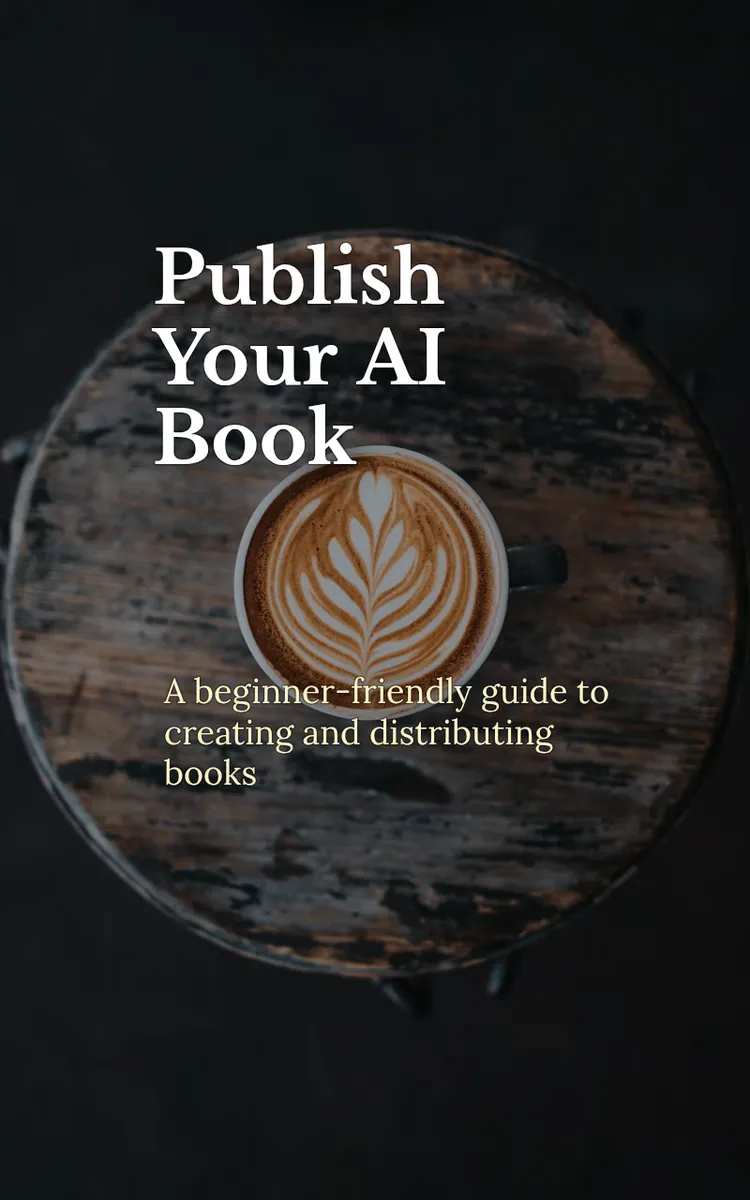
"Publish Your AI Book" is a how to book by Marc Desten Joiner with 40 chapters and approximately 75,074 words. Using an app to generate AI books and publish them widely.
This book was created using Inkfluence AI, an AI-powered book generation platform that helps authors write, design, and publish complete books.
Frequently Asked Questions
What is "Publish Your AI Book" about?
Using an app to generate AI books and publish them widely
How many chapters are in "Publish Your AI Book"?
The book contains 40 chapters and approximately 75,074 words. Topics covered include Choose Your Book Idea Fast, Define a Clear Reader Promise, Pick the Right Genre and Tone, Map Your Book to Chapter Beats, and more.
Who wrote "Publish Your AI Book"?
This book was written by Marc Desten Joiner and created using Inkfluence AI, an AI book generation platform that helps authors write, design, and publish books.
Write your own how to book with AI
Describe your idea and Inkfluence writes the whole thing. Free to start.
Start writingCreated with Inkfluence AI


