
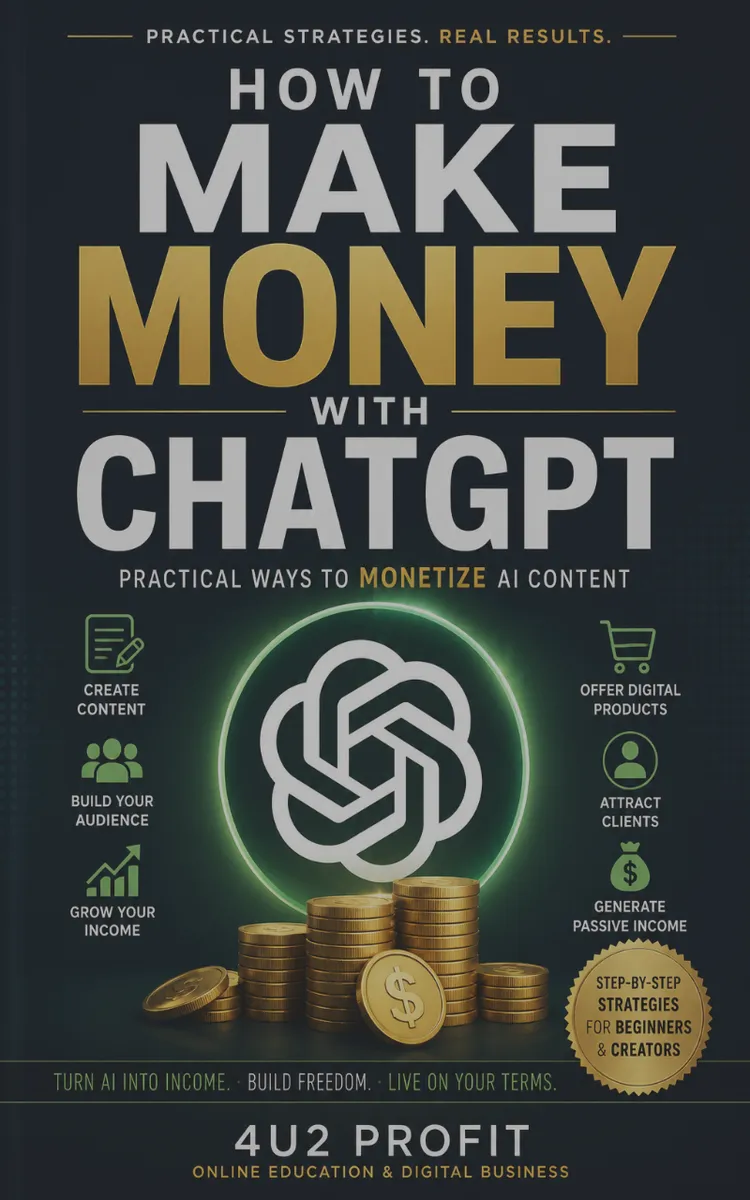

Read the first chapter
The whole of chapter one, free. About 11 min. Turn the pages with the arrows, your keyboard, or a swipe.
Chapter 1
Choose Profitable ChatGPT Use Cases
Imagine if you could stop guessing which ChatGPT ideas are worth your time and start picking the ones that really work. As a business owner, you’ve probably seen this before: you try out a new AI idea, spend a week making it perfect, and nothing changes in your revenue. For example, one retailer used ChatGPT to instantly answer customer questions on their website, resulting in a 15% reduction in abandoned carts and a noticeable boost in sales. Often, it’s because the problem wasn’t real or customers just didn’t care. Chapter 1 will help you choose ChatGPT use cases that are profitable and based on real demand, not just hype.
Dalia, who is 34, runs an online store where customers often compare products before buying. She didn’t need more content. What she really needed were faster answers to product questions, fewer returns caused by misunderstandings, and product listings written in the words shoppers actually use when searching. After focusing on these priorities, Dalia saw a 20% drop in product returns and a steady increase in completed purchases over the next three months. She also noticed that fewer hours were spent responding to repetitive queries, giving her more time to focus on growing her business. Dalia avoided spending time on ideas that sounded clever but didn’t help her sales.
By the end of this chapter, you will be able to:
• spot the business problems that ChatGPT can help solve in your own business,
• make sure your customers already want the results you’re aiming for, and
• rank your best starting ideas by how much return you can expect, using a simple, repeatable scoring method that rates each idea by how much effort it takes and the impact you can expect. This helps you compare ideas quickly and decide what to try first.
You’ll finish with a clear shortlist and an easy way to test your ideas without wasting money.
Why This Matters
Most business owners don’t flop with ChatGPT because they aren’t creative. The real problem? They pick ideas that don’t actually solve anything important. If you’re dealing with slow replies, low conversion rates, high support costs, messy product pages, confusing onboarding, or clunky processes, ChatGPT can help—but only if you use it for the right job, at the right time.
This chapter is all about getting real: how do you tell the difference between a "cool idea" and one that actually makes money? You’ll learn how to turn your daily business headaches into clear, practical goals (like "answers that cut down on returns" or "product descriptions that get more people clicking add-to-cart"). Then you’ll see how to check if customers actually want what you’re planning, using evidence from your own business. To make this easy to follow, here are the main steps we’ll cover:
1. Turn business headaches into clear outcomes you can measure.
2. Connect those outcomes to business levers that actually move the needle.
3. Find proof that customers care about solving the problem.
4. Quickly score and compare ideas with the Use-Case Profit Filter.
5. Pick your best bet and set up a fast, simple test.
When you mix a clear problem with proof that people care, you’ll know which projects to tackle first.
By the end, you won’t just understand what ChatGPT can and can’t do. You’ll have a simple checklist: round up problems, see how they show up in real customer actions, score your ideas with the Use-Case Profit Filter, and pick one to try out for a couple of weeks.
How It Works
You will use the Use-Case Profit Filter, a simple ranking method that forces three questions:
•Does this solve a real business problem?
•Will customers pay or convert because of it?
•Can we ship a test quickly enough to learn before we waste time?
Think of it like sorting job leads. You don’t interview every candidate. You screen for role fit, demand (do people actually hire for this?), and speed to results.
Here’s how the filter works in practice:
• Name the job-to-be-done in plain language.
• Write what outcome you want, not what tool you want. Example for Dalia: “Reduce returns caused by customers misunderstanding sizes” instead of “Use ChatGPT for customer support.”
• Map the outcome to a measurable business lever.
• Pick one lever you can track weekly. Examples: return rate, support tickets per order, time to first response, conversion rate (percentage of visitors who buy), average order value, or listing conversion. This matters because ChatGPT outputs only matter if they move a lever you own.
• Validate demand with proof from your own customer signals.
• Look for evidence customers already ask for the outcome. For Dalia, proof could include the questions shoppers repeatedly ask in reviews and support emails, or the specific search terms that drive high traffic to product pages with low conversion rates. If you don’t have many reviews or emails yet, try simple approaches like running an informal survey, chatting directly with a few recent customers, or asking people what confused them during their last purchase. Even a handful of conversations can uncover what matters most. This matters because it shows demand exists even before you build anything.
• Score each candidate with Profit Filter rules.
• Use three quick scores: Value, Likelihood, and Time-to-test. To help you score confidently, here’s how each one looks at low, medium, and high levels:
•
• • Value (0-5): Low (0-1): Only impacts a tiny part of your revenue or costs. Medium (2-3): Noticeable effect on a single business lever. High (4-5): Directly affects a big expense or major profit driver if improved.
• • Likelihood (0-5): Low (0-1): ChatGPT is unlikely to deliver useful results or needs lots of manual correction. Medium (2-3): ChatGPT can handle parts of the job but may need some tweaks. High (4-5): ChatGPT can produce what you need with minimal extra work.
• • Time-to-test (0-5): Low (0-1): Testing will take weeks of setup, or depends on complex systems. Medium (2-3): Test can be run in a week or two with moderate effort. High (4-5): You can set up and run a test within days, using resources you already have.
• Value (0-5): How much money does the lever affect if you improve it? If returns cost you product margins, value scores higher.
• Likelihood (0-5): How directly can ChatGPT produce the needed output (scripts, templates, copy, structured answers) that your team can use right away?
• Time-to-test (0-5): How fast can you run a small test with real customers or real internal usage? Short cycles score higher.
• Total score = Value + Likelihood + Time-to-test. This matters because it prevents you from spending a month on something with high potential but low learning speed.
To make this concrete, Dalia started with five possible use cases and filtered them down:
• Draft product listing descriptions faster (easy, but low direct leverage if copy already converts)
• Answer product questions for customers (could reduce support load and returns)
• Rewrite FAQ pages for sizing and compatibility (direct lever if confusion drives returns)
• Generate ad variations (possible sales impact, but harder to attribute fast)
• Create internal training notes for customer service reps (helpful, but slower to measure)
After applying the filter, the top candidate looked like this: “Use ChatGPT to generate accurate, product-specific answers for the top 20 customer questions that drive returns.” It scored high on value (returns and support costs), likelihood (ChatGPT can draft answer templates), and time-to-test (she could test with her existing question set within days).
Once you have picked your best idea, the first step is to draft a few sample answers using ChatGPT and check if they are clear and accurate. Use real customer questions that have led to past returns. Test these drafts with a small group of customers or your support team, and note their feedback and any improvements to your responses. Taking this first action helps turn planning into real learning.
Putting It Into Practice
Let’s look at Dalia’s story. She runs a mid-sized online clothing store with hundreds of SKUs and a growing customer base. She often finds her customers confused about product fit and details. Your situation might have different numbers, but the process stays the same.
Step-by-step: pick your first highest-ROI use case
• List 10 problem candidates from your week
• Think about where things slow down, like customer emails, reasons for returns, people leaving your product pages, slow team approvals, unclear messaging, or missing training.
• Make each problem specific and link it to a clear outcome. For example, “Cut down on returns because of size issues” is good, while “Make product info better” is too vague.
• Choose the single lever you will track for each candidate.
• For each of your 10 outcomes, write down one lever and a baseline you can measure now or estimate from your current data. In this context, a lever is the single metric you will track to gauge your progress on that problem, such as 'returns per 100 orders.' The baseline is your current value for that metric, such as '7 returns per 100 orders.' This way, you know exactly what you're improving and can measure the effect of any changes.
• Example levers for Dalia:
• Returns per 100 orders
• Support tickets per 100 orders
• Time to first response
• Conversion rate on product pages with high question volume
• Collect demand proof for the top 4 candidates.
• Collect 30 to 50 real examples of what your customers already do or ask:
• The exact questions customers type into support
• The phrases shoppers use in reviews (“fits small,” “runs big,” “not compatible with…”)
• Return reasons your team tags internally.
• Search terms you see in your analytics for product pages that get high traffic but low conversions. Why is this important? By examining the exact words and phrases your customers type into your site search, you can uncover what information they are really looking for or what issues they are experiencing. These real, specific examples help you tailor ChatGPT’s responses to closely match your customers’ language and address their actual needs. Using your customers' own wording makes the responses more relatable and effective.
• Score each candidate using the Use-Case Profit Filter.
• For each candidate, assign Value (0-5), Likelihood (0-5), and Time-to-test (0-5).
• Example scoring logic for Dalia:
• High Value: returns and support costs directly hit margins
• High Likelihood: you already have the source material (questions, specs, return reasons)
• High Time-to-test: you can run a test with customer answers or internal scripts within one to two weeks
• Select 1 use case to test for 14 days.
• Pick the highest total score unless it fails a practical constraint:
• You must have enough source material to draft outputs.
• Your team must be able to deploy the outputs quickly.
• You must be able to measure the lever with at least a small sample.
• Define the exact output you want ChatGPT to create
• Do not say “make it better.” Say what it must produce.
• Example output for Dalia’s chosen use case:
• “Draft 20 customer-facing answer templates for the top sizing and compatibility questions, each with: a short answer, a spec-based explanation, and a next-step recommendation.”
• This matters because ChatGPT works best when you clearly say what you want and what you don’t want.
• Run the test and measure the lever.
• Dalia tested by routing a portion of customer questions through the new template answers (or by using them as first drafts for her reps).
• She tracked:
• Change in return-related tickets
• Return reasons tagged as “fit/spec confusion.”
• Any measurable shift in conversion on product pages tied to those questions
What to measure (so you don’t fool yourself)
Expected outcomes for a returns-related use case usually show up in customer behavior signals first:
• Fewer “fit/spec confusion” questions
• Lower rate of returns tied to the same reasons
• Cleaner support interactions that reduce back-and-forth between customers and your team. If your numbers don’t change, that’s still a win. You learned something—maybe you chose the wrong problem, or your answers didn’t quite meet your customers’ needs.
Quick checklist
• Write 10 outcome-based problem candidates from your real week.
• Pick one measurable lever for each candidate.
• Collect 30-50 demand proof examples for your top 4 candidates.
• Score each candidate with Value (0-5) + Likelihood (0-5) + Time-to-test (0-5)
• Choose 1 use case and define the exact output format before you prompt
• Run a 14-day test and track the lever weekly.
What to Watch For
Over-scoring “easy. When you begin, it’s tempting to pick the easiest prompt, like “Write better product descriptions,” “Create social posts,” or “Generate ad copy.” These tasks might feel productive, but they often fail the Profit Filter because they don’t connect closely to something you can measure right away.
Do this: Score candidates using Value, Likelihood, and Time-to-test, and prioritize the ones tied to returns, support load, conversion leakage, or delivery errors.
Not this: Pick a use case because it sounds fun or because you can generate text fast.
Using demand proof that doesn’t match the buyer’s moment
Dalia nearly made this mistake. At first, she used broad review themes like “quality is great” as demand proof, but most returns came from more specific questions such as “size runs small” or “compatibility with model X.” When she matched the proof to the exact questions linked to returns, her outputs became more accurate and the test results were easier to measure.
Do this: Match your demand proof to the moment where the problem happens: before purchase (confusion), after purchase (support), or after delivery (returns).
Not this: Use broad feedback that doesn’t connect to the lever you plan to track.
Skipping the output format
ChatGPT can generate a lot of text. If you don’t define the output format, your team won’t use it consistently, and your test results will blur together.
Do this: Require structure from day one (for example: short answer, spec-based explanation, and next-step recommendation).
Not this: Ask for “a helpful response” without specifying length, sections, and boundaries. The goal here is not to build a chatbot right away. Instead, focus on picking one use case that is worth your next two weeks, using real evidence and something you can measure. If you get this right, the rest of the book will give you practical help rather than leaving you to guess.
Next, you’ll learn how to turn your chosen use case into prompts and templates your team can use right away, without guessing or starting over from scratch. In the next section, you’ll find practical tools and step-by-step templates to help you build, test, and optimize your use case so you can put these ideas into action immediately.
End of chapter one. 4 more chapters in the full book.
Swipe or use the arrows to turn the page
What's inside: 5 chapters
- 1. Choose Profitable ChatGPT Use Cases
- 2. Build Offers and Pricing for AI Services
- 3. Create Client Deliverables with Prompt Systems
- 4. Automate Lead Gen and Sales Messaging
- 5. Scale Revenue with SOPs and QA Checks
About this book
"How To Make Money With Chatgpt" is a business book by 4u2 Profit with 5 chapters and approximately 17,024 words. Monetizing ChatGPT through business and income strategies.
This book was created using Inkfluence AI, an AI-powered book generation platform that helps authors write, design, and publish complete books. It was made with the AI Business Book Writer.
Frequently Asked Questions
What is "How To Make Money With Chatgpt" about?
Monetizing ChatGPT through business and income strategies
How many chapters are in "How To Make Money With Chatgpt"?
The book contains 5 chapters and approximately 17,024 words. Topics covered include Choose Profitable ChatGPT Use Cases, Build Offers and Pricing for AI Services, Create Client Deliverables with Prompt Systems, Automate Lead Gen and Sales Messaging, and more.
Who wrote "How To Make Money With Chatgpt"?
This book was written by 4u2 Profit and created using Inkfluence AI, an AI book generation platform that helps authors write, design, and publish books.
How can I create a similar business book?
You can create your own business book using Inkfluence AI. Describe your idea, choose your style, and the AI writes the full book for you. It's free to start.
Write your own business book with AI
Describe your idea and Inkfluence writes the whole thing. Free to start.
Start writingCreated with Inkfluence AI


