
Read the first chapter
The whole of chapter one, free. About 9 min. Turn the pages with the arrows, your keyboard, or a swipe.
Chapter 1
Cybersecurity Principles and Risk
Security Begins With Knowing What Must Be Protected
A lost phone can expose email, photos, saved passwords, payment apps, and private messages within minutes. The damage does not come only from the device itself. It comes from the information and access connected to it. Cybersecurity begins by identifying what matters, what could go wrong, and which protections are worth using.
This foundation connects the technical subjects that follow. Computers, networks, operating systems, and applications are tools; security principles help you decide how those tools should be protected. You will learn how to describe security goals, identify assets and threats, estimate risk, and build a practical personal security baseline without needing advanced tools.
Learning Objectives
• Define confidentiality, integrity, availability, assets, threats, vulnerabilities, and risk. - Use a simple process to judge and reduce everyday cyber risks. - Create a personal security baseline based on strong habits and sensible priorities.
A useful starting point is the CIA triad: confidentiality, integrity, and availability. These are three core security goals.
Confidentiality - keeping information away from people who are not allowed to see it. A private medical document should be visible only to you and authorized professionals.
Integrity - keeping information accurate and protected from unauthorized changes. If a bank account number is altered in an invoice, its integrity has been damaged.
Availability - making sure systems and information are accessible when authorized users need them. A small business may lose money if its point-of-sale system is unavailable during opening hours.
These goals can conflict. A very strict security setting may improve confidentiality but make a system difficult to use. A backup may improve availability after a device failure, but the backup itself must be protected. Good security balances protection with practical use.
An asset - anything valuable that needs protection. Assets include devices, accounts, files, money, personal information, business records, and even trust or reputation. A student’s cloud storage account is an asset because it may contain coursework, identity documents, and access to other services.
A threat - anything that could cause harm to an asset. Threats include stolen devices, phishing messages, malware, accidental deletion, weak passwords, dishonest insiders, and power failures. A threat is a possible source of harm; it is not proof that harm has already occurred.
A vulnerability - a weakness that a threat could use. Reusing one password across five accounts is a vulnerability. An unpatched application may contain another. A phone left unlocked on a public table has a physical vulnerability.
Risk - the possibility that a threat will use a vulnerability and cause harm. Risk depends on both likelihood and impact. You do not need complicated mathematics to begin. Ask two questions: “How likely is this?” and “How serious would the result be?”
A control - a safeguard that lowers risk. Examples include multifactor authentication, software updates, screen locks, backups, staff training, and access limits. A control may reduce the chance of an incident, reduce its damage, or both.
Consider a personal email account. The account is an asset. Account takeover is the threat. A reused password is the vulnerability. The risk is that an attacker could read private messages, reset other accounts, or impersonate the owner. A unique password and multifactor authentication are controls.
Responsible security also includes authorization - having clear permission to access or test a system. Testing your own laptop or a training environment is responsible. Scanning a company’s network without permission is not made acceptable by good intentions. Ethical behavior is part of cybersecurity because careless testing can interrupt services, expose private data, or create legal problems.
A practical security habit is to separate facts from assumptions. “The laptop has antivirus software” is not the same as “the laptop is safe.” Security is a process of reducing risk, not a promise that nothing bad can happen.
Ask yourself: which of your assets would cause the greatest trouble if exposed, changed, or made unavailable? That answer should guide your effort rather than treating every file and account as equally important.
Turning Risk Into Practical Protection
Risk assessment becomes useful when it leads to a decision. Begin with an asset, then identify the threat, the weakness, the possible impact, and a reasonable control. This simple chain prevents vague thinking.
For example, take a cloud storage account containing identity documents. The asset is the account and its files. A likely threat is phishing. A vulnerability may be a password reused from another website. The impact of compromise could include identity theft, privacy loss, and attacks on other accounts. Controls include a unique password, multifactor authentication, recovery codes stored safely, and alerts for new sign-ins.
The attack surface - all the places where an asset can be reached or exposed. For a personal account, the attack surface may include the login page, mobile app, recovery email, browser session, and devices that store the password. Reducing unnecessary access reduces opportunities for trouble.
The principle of least privilege - giving a person or program only the access needed for its task. A photo-editing app does not normally need access to contacts, messages, and location. Removing unnecessary permissions narrows the damage if the app or device is compromised.
Defense in depth - using several layers of protection instead of relying on one safeguard. A phone may use a strong screen lock, automatic updates, encrypted storage, remote wipe, and cloud backup. If one layer fails, another can still help.
Security baseline - a small set of minimum protections applied consistently. A personal baseline might include:
• Automatic updates enabled for the operating system and important applications. - A unique, long password for every important account. - Multifactor authentication enabled for email, banking, cloud storage, and social media. - Screen lock enabled with a short automatic timeout. - Regular backups tested by opening a restored file. - Device recovery features enabled, such as location and remote wipe. - Careful review of links, attachments, permissions, and login prompts. - A plan for reporting and recovering from a suspected compromise.
A password manager can create and store unique passwords, but it must be protected by a strong main password and multifactor authentication where available. Do not store recovery codes in the same unlocked file as the password they recover. Security controls should not create a single point of failure.
Backups deserve special attention. A backup is useful only if it is recent, available, and restorable. Keeping a copy on the same device does not help much when that device is stolen or encrypted by ransomware. A safer approach is to keep an additional copy separated from the main device and test it occasionally. Avoid connecting a backup drive continuously if it does not need to be connected.
Incident response starts before an incident. If an account may be compromised, use a trusted device to change the password, end unknown sessions, check recovery details, review recent activity, and contact the service provider if needed. If a device is lost, use its location or remote-lock feature, report it to the carrier when appropriate, and change important passwords. Do not delete evidence or rush to communicate with a suspicious sender.
A common mistake is treating security as a purchase. A paid security application cannot compensate for clicking unknown links, reusing passwords, or ignoring updates. Another mistake is protecting low-value items while neglecting the main email account. Email often controls password resets, so it deserves high priority.
Use a simple priority scale. High-priority assets are those whose compromise could cause serious financial, personal, or operational harm. Medium-priority assets matter but have limited consequences. Low-priority assets are replaceable and contain little sensitive information. Spend more time protecting high-priority assets.
The practical takeaway is simple: identify what matters, understand how it could be harmed, and choose controls that reduce the most important risks first.
A Worked Risk Decision: Protecting a Primary Email Account
A primary email account often connects to banking, shopping, education, and social media. The following example shows how to reason about one risk instead of applying random security settings.
1. Identify the asset. The asset is the email account and the messages, contacts, and password-reset links it contains. Its value is rated high because compromise could lead to access to several other accounts.
2. Identify the threat. The selected threat is phishing: a fake message designed to trick the user into entering a password on a fraudulent website.
3. Find the vulnerability. The account uses a password that was also used on an old forum. The password may have appeared in a previous data breach. Multifactor authentication is not enabled.
4. Estimate likelihood. Suppose the user receives about 20 suspicious messages each month. Based on past experience, one message each month appears convincing enough to deserve close attention. The likelihood is therefore treated as medium, not zero.
5. Estimate impact. If the account is taken over, the attacker could request password resets for six other accounts. The possible impact is high because it could expose private information and cause financial loss.
6. Choose controls. The user creates a new unique password using a password manager, enables multifactor authentication, checks the recovery phone number, and turns on sign-in alerts. These controls address both the reused password and the missing second factor.
7. Reduce the attack surface. The user removes an old email-forwarding rule, signs out unknown sessions, and deletes unused third-party application access. This limits hidden paths into the account.
8. Plan for recovery. Recovery codes are saved in a protected location separate from the everyday password manager view. The user also records the provider’s official recovery page rather than relying on links in future messages.
9. Review the result. The threat still exists; phishing messages may continue. However, the main vulnerability is removed, unauthorized access becomes harder, and suspicious activity is more likely to be noticed quickly.
Final result: the account’s risk changes from high to medium-low because strong controls reduce both the chance of takeover and the damage if a mistake occurs.
Notice what this process did not claim. It did not claim that the account is perfectly safe. It made a clear decision based on value, likelihood, impact, and practical controls. The same method can be used for a laptop, online store account, school portal, or small-business file share.
Pause and ask: if multifactor authentication were unavailable, which other controls would still reduce the risk? A unique password, sign-in alerts, updated recovery details, careful link handling, and limited third-party access would still help. Good security planning avoids depending on one protection.
The key lesson is that risk decisions should be specific. “Improve email security” is vague. “Enable multifactor authentication, remove unknown sessions, and test recovery” gives you actions that can be completed and checked.
Practice Questions and Personal Baseline Check
1. A laptop contains private tax documents. A stranger gains access and changes one document. Which security goal has been directly harmed? Hint: distinguish seeing information from changing information.
2. An account uses the same password on four websites. Is this a threat, vulnerability, asset, or control? Hint: identify whether it is a weakness or a source of harm.
3. A backup exists, but it has never been tested and is stored permanently beside the computer. What availability problem remains? Hint: think about theft, device failure, and whether the files can actually be restored.
4. A mobile game requests access to contacts, messages, and location even though its main function is offline play. Which principle suggests reviewing or denying these permissions? Hint: give only the access needed for the task.
5. Choose one high-value account and write one sentence for each: asset, threat, vulnerability, impact, and control. Hint: begin with email, banking, cloud storage, or your school account.
Answer Key: Question 1 is integrity. Question 2 is a vulnerability. Question 3 is that the backup may be lost with the computer or may fail when restoration is needed. Question 4 is the principle of least privilege. For Question 5, answers will vary, but a strong response clearly connects one valuable account to a realistic threat, a specific weakness, a possible consequence, and a control that reduces the risk.
Your first security improvement does not need to be complicated. Protect the accounts that unlock other accounts, enable automatic updates, use unique passwords, turn on multifactor authentication, and maintain a tested backup. These habits form a practical baseline: not perfect security, but a strong and repeatable reduction in everyday risk.
End of chapter one. 4 more chapters and about 8,287 words in the full book.
Swipe or use the arrows to turn the page
What's inside: 5 chapters
- 1. Cybersecurity Principles and Risk
- 2. Computers, Operating Systems, and Linux
- 3. Networking, IP Addresses, and Web Traffic
- 4. Threats, Authentication, and Web Safety
- 5. Python, Security Tools, and Career Projects
About this book
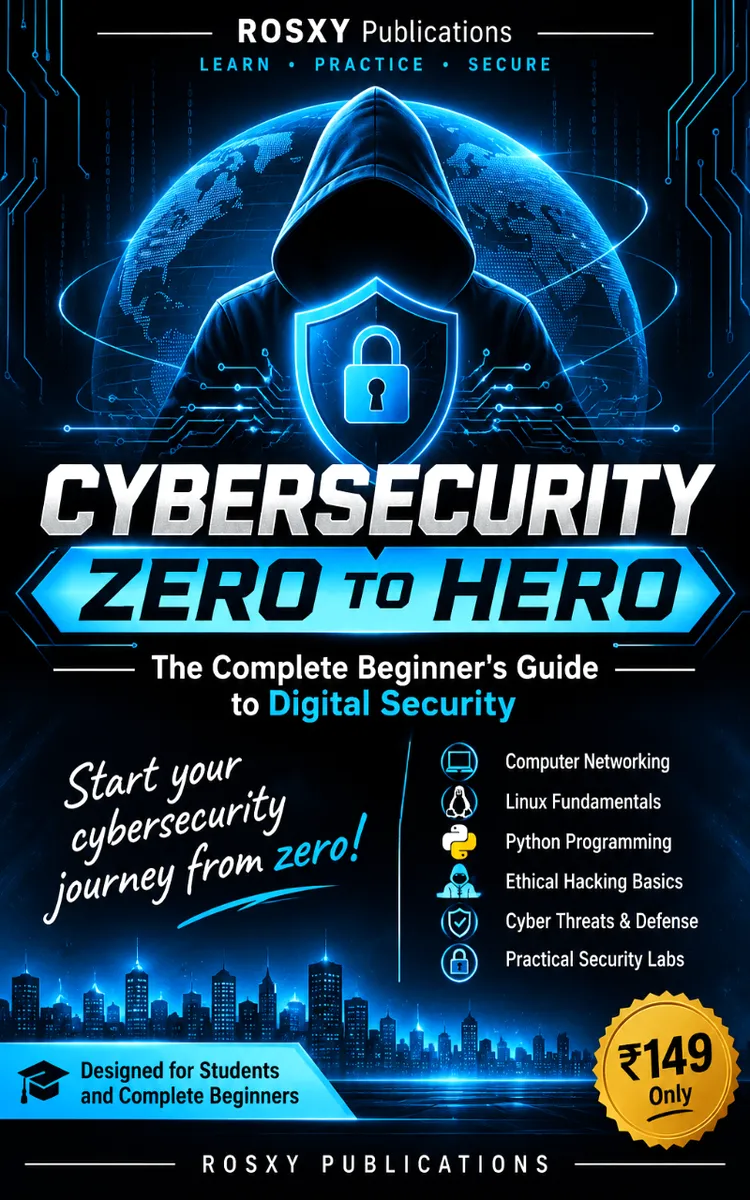
"Cybersecurity Zero To Hero" is a education book by Shaheed Jamal with 5 chapters and approximately 8,287 words. Beginner cybersecurity fundamentals, defensive practices, ethical labs, and career preparation.
This book was created using Inkfluence AI, an AI-powered book generation platform that helps authors write, design, and publish complete books. It was made with the AI Lesson Plan Generator.
Frequently Asked Questions
What is "Cybersecurity Zero To Hero" about?
Beginner cybersecurity fundamentals, defensive practices, ethical labs, and career preparation
How many chapters are in "Cybersecurity Zero To Hero"?
The book contains 5 chapters and approximately 8,287 words. Topics covered include Cybersecurity Principles and Risk, Computers, Operating Systems, and Linux, Networking, IP Addresses, and Web Traffic, Threats, Authentication, and Web Safety, and more.
Who wrote "Cybersecurity Zero To Hero"?
This book was written by Shaheed Jamal and created using Inkfluence AI, an AI book generation platform that helps authors write, design, and publish books.
How can I create a similar education book?
You can create your own education book using Inkfluence AI. Describe your idea, choose your style, and the AI writes the full book for you. It's free to start.
Write your own education book with AI
Describe your idea and Inkfluence writes the whole thing. Free to start.
Start writingCreated with Inkfluence AI


