

Read the first chapter
The whole of chapter one, free. About 8 min. Turn the pages with the arrows, your keyboard, or a swipe.
Chapter 1
Choosing Rental Equipment Categories
Start With the Equipment, Not the Template
A customer calls asking for a plate compactor, but your price sheet lists only “compactor.” You ask a few questions and discover they need a forward-moving rammer for a narrow trench, not a heavy reversible plate for a driveway. If your rental template does not separate those machines, you risk quoting the wrong price, missing the right deposit, and sending equipment that cannot do the job.
That problem affects small rental operators every day. A drill may mean a compact cordless drill, a hammer drill, or a large rotary hammer. A rammer may mean a light trench rammer or a heavier machine used for dense soil. Each item has different purchase cost, rental duration, wear, cleaning needs, transport demands, and damage risks. A resale-ready pricing template must capture those differences instead of forcing every machine into one generic row.
This work suits the owner who manages a small equipment yard, adds rental income to a hardware or construction business, or sells editable rental documents to other operators. You may know your machines well but still lose time rebuilding prices in spreadsheets. The goal here is practical: identify clear equipment categories, define the fields each template needs, and build a reliable starting catalog. By the end, you can place each drill, rammer, saw, mixer, or generator into the right category and give every item a complete pricing record.
The method is the Rental Asset Map. It connects each item to its job, specifications, costs, rental rates, customer requirements, and resale-template fields. The map works because it starts with how customers use equipment, then adds the numbers needed to price and manage it. You will first identify categories, then define equipment profiles, then test the profiles against a real rental quote. That sequence prevents attractive templates from becoming incomplete forms.
Build the Rental Asset Map
Begin with the job the equipment performs. Customers usually describe a task - drilling concrete, compacting a trench, cutting tile - not a manufacturer category. Group equipment by that task, then split each group by machine type and operating limits.
Use these four parts for every category:
1. Job type: Record the work the machine handles. A hammer drill makes holes in masonry; a rammer compacts soil in narrow spaces. This wording helps customers choose the correct item. 2. Machine identity: Capture the brand, model, asset number, and year. These details prevent staff from handing out a similar-looking machine with different capabilities. 3. Operating details: Record power source, size, capacity, attachments, weight, and limits. These details determine whether the equipment fits the customer’s site. 4. Money and control fields: Record purchase cost, replacement value, rental rates, deposit, cleaning charge, damage notes, and inspection status. These fields turn an equipment description into a usable rental record.
A drill template should not stop at “drill.” Separate cordless drills, hammer drills, and rotary hammers. For a cordless drill, capture battery voltage, battery quantity, charger, chuck size, and included bits. For a hammer drill, capture impact setting, chuck type, maximum masonry bit size, and dust-control requirements. For a rotary hammer, record the tool weight, drilling diameter, attachment system, and whether the rental includes a side handle or dust extractor. A customer drilling six holes in brick may need a different tool from a contractor drilling anchor holes through reinforced concrete.
A rammer template needs equally specific fields. Record operating weight, shoe width, engine or motor type, fuel type, impact force if available, travel direction, lifting points, and the soil conditions the manufacturer allows. A narrow shoe may fit a trench but cover less ground per pass. A heavier rammer may compact faster but create transport and lifting problems. Your template should also include fuel level, oil check, air-filter condition, shoe wear, and cleaning status because soil-packed equipment can return with expensive damage hidden underneath.
The Rental Asset Map should produce a consistent record without making every category identical. Use a shared core and category-specific fields. The shared core supports pricing and checkout. The category fields help the operator choose safely and quote accurately.
A practical core layout looks like this:
| Template area | Example for a hammer drill | Why it matters | |---|---|---| | Asset identity | HD-014, 2024 model | Tracks the exact machine | | Customer job | Masonry anchor holes | Supports correct selection | | Technical limits | 1-inch masonry capacity | Prevents unsuitable bookings | | Included items | Side handle, depth stop, case | Reduces missing-item disputes | | Rental rates | Daily, weekly, four-week | Gives clear quote options | | Deposit and replacement value | Deposit tied to tool risk | Protects cash flow | | Condition controls | Pre-rental and return checks | Documents damage | | Charges | Cleaning, late return, missing parts | Makes fees transparent |
When you prepare templates for resale, leave room for local currency, tax settings, business contact details, and editable rate cells. Do not hard-code one operator’s prices into every copy. Instead, include formulas that calculate the daily, weekly, and four-week totals from editable base rates. A template buyer should change the rate once and see the quote update without rebuilding the sheet.
Apply the Map to a Real Equipment List
Consider a small yard preparing a resale-ready catalog with a cordless drill, a rotary hammer, a light rammer, and a reversible plate compactor. The owner wants prices ready before Friday and has incomplete records for two machines. The Rental Asset Map exposes the missing information before a customer discovers it.
1. List the equipment by job. Enter “fastening and light drilling,” “masonry and concrete drilling,” “narrow-trench soil compaction,” and “open-area base compaction.” Expected outcome: the four machines no longer compete under vague labels.
2. Create one profile per asset. Record asset numbers such as CD-006, RH-003, TR-002, and PC-009. Add brand, model, purchase date, and replacement value. Expected outcome: staff can match the booking to the physical machine.
3. Add category-specific details. For CD-006, enter 20-volt power, two batteries, charger, and half-inch chuck. For RH-003, enter 1-inch masonry capacity, rotary and hammer modes, side handle, and case. For TR-002, enter 145-pound operating weight, 9-inch shoe width, gasoline engine, and lifting handle. For PC-009, enter 165-pound operating weight, 17-inch plate width, forward and reverse travel, and water-tank status. Expected outcome: the customer and operator can compare machines based on the actual job.
4. Enter the pricing inputs. Assume the owner sets daily rates of $22 for CD-006, $48 for RH-003, $65 for TR-002, and $75 for PC-009. Set weekly rates at $88, $192, $260, and $300. The formulas calculate the four-week rates at $220, $480, $650, and $750. Expected outcome: the template produces consistent quotes instead of relying on mental arithmetic.
5. Record included items and controls. List batteries and charger with CD-006, bits and case with RH-003, a fuel check and shoe inspection with TR-002, and plate bolts and water-system inspection with PC-009. Expected outcome: the return check can identify missing parts or new damage.
6. Test a real booking. A customer needs to compact a 10-inch-wide trench for two days. The operator selects TR-002 because its 9-inch shoe fits the trench. The rental charge equals $130 before tax, plus the stated deposit and any delivery fee. Expected outcome: the quote matches the job, equipment, and duration.
Use this quick checklist before you release a template for sale:
• Separate drills by function, power, and drilling capacity. - Separate rammers from plate compactors by movement, weight, and working width. - Add asset number, model, replacement value, and condition fields. - List every included battery, charger, bit, case, handle, or attachment. - Include daily, weekly, and four-week rate cells. - Add deposit, cleaning, late-return, and missing-item fields. - Test the formulas with one short rental and one longer rental. - Confirm that the customer’s job description points to the correct machine.
A successful map gives you more than a catalog. It gives you a repeatable way to build a quote, inspection form, and rental agreement from the same equipment record.
Prevent Gaps That Cost Money
Mistake: Using one broad category for several machines
“Drill” and “compactor” look simple on a price list, but those labels hide major differences. A cordless drill cannot replace a rotary hammer for concrete anchors, and a reversible plate cannot always enter a narrow trench.
Do this: Name the job and the machine type, such as “rotary hammer for concrete drilling” or “trench rammer for narrow soil work.”
Not this: List every machine as “drill” or “compactor” with one shared daily price.
The fix improves selection and protects the template buyer from quoting a machine that cannot perform the work.
Mistake: Pricing from purchase cost alone
A $300 cordless drill and a $1,800 rammer do not create the same handling, damage, cleaning, or transport burden. Purchase cost helps set a rate, but it does not provide the whole pricing record.
Do this: Capture purchase cost, replacement value, expected rental life, service needs, included accessories, and delivery requirements.
Not this: Set the rate by dividing the purchase price by an arbitrary number and ignoring wear.
If a rammer returns packed with clay, the operator needs a cleaning charge and an inspection process. If a drill returns without its charger, the template needs a missing-item charge or replacement field.
Mistake: Leaving condition checks outside the equipment profile
A blank “condition” box does not tell staff what to inspect. Rammers need checks for fuel, oil, shoe wear, fasteners, and lifting points. Drills need checks for batteries, chargers, switches, chucks, cords, and cases.
Do this: Add a short checklist that matches each category and requires a pre-rental and return mark.
Not this: Rely on memory or write “looks good” after every return.
The Rental Asset Map becomes useful when each asset profile supports the full rental cycle: selection, pricing, handoff, return, and resale. Start by listing your own drills and compactors today, then fill every missing field before adding another category. Once the equipment records are clear, the rest of the rental pricing tools can use the same dependable foundation.
End of chapter one. 7 more chapters and about 15,208 words in the full book.
Swipe or use the arrows to turn the page


What's inside: 8 chapters
- 1. Choosing Rental Equipment Categories
- 2. Calculating Rental Rates
- 3. Estimating Ownership Costs
- 4. Setting Deposits and Damage Fees
- 5. Managing Rental Bookings and Utilization
- 6. Preparing Customer Rental Agreements
- 7. Building Resale-Ready PDF Templates
- 8. Testing and Packaging Template Bundles
About this book
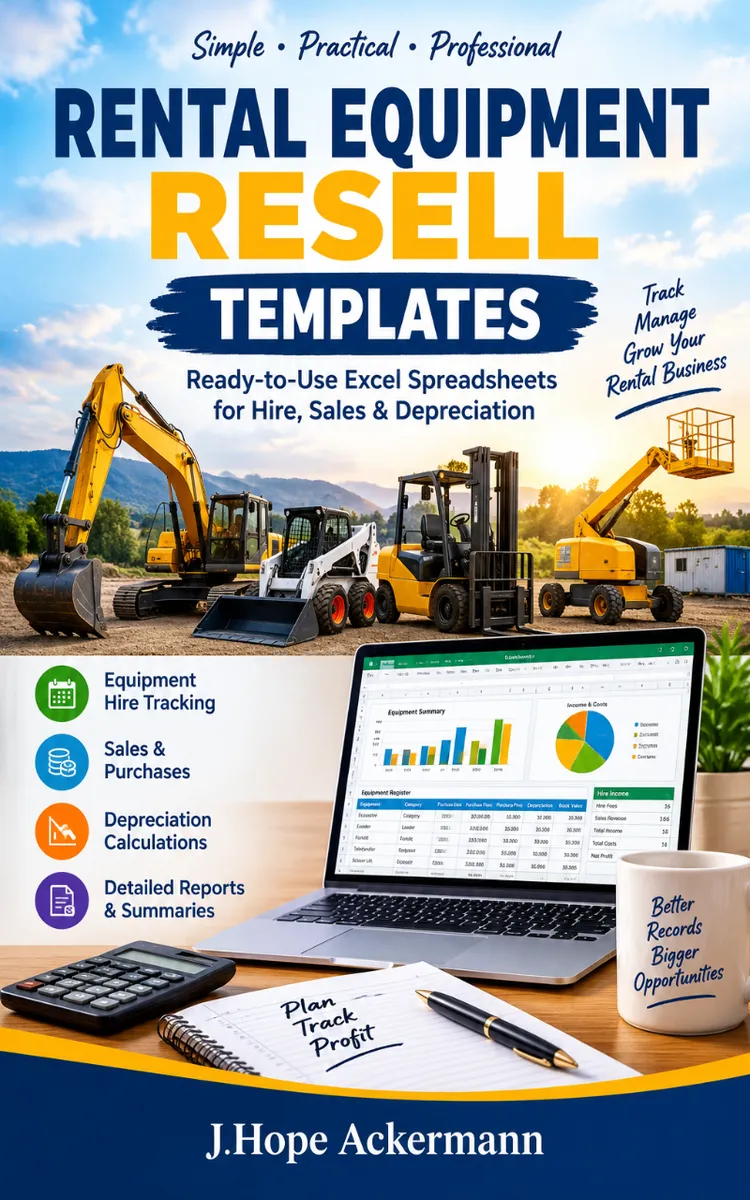
"Rental Equipment Resale Templates" is a business book by J.Hope Ackermann with 8 chapters and approximately 15,208 words. Resellable PDF templates with rental equipment pricing and calculation tools.
This book was created using Inkfluence AI, an AI-powered book generation platform that helps authors write, design, and publish complete books. It was made with the AI Business Book Writer.
Frequently Asked Questions
What is "Rental Equipment Resale Templates" about?
Resellable PDF templates with rental equipment pricing and calculation tools
How many chapters are in "Rental Equipment Resale Templates"?
The book contains 8 chapters and approximately 15,208 words. Topics covered include Choosing Rental Equipment Categories, Calculating Rental Rates, Estimating Ownership Costs, Setting Deposits and Damage Fees, and more.
Who wrote "Rental Equipment Resale Templates"?
This book was written by J.Hope Ackermann and created using Inkfluence AI, an AI book generation platform that helps authors write, design, and publish books.
How can I create a similar business book?
You can create your own business book using Inkfluence AI. Describe your idea, choose your style, and the AI writes the full book for you. It's free to start.
Write your own business book with AI
Describe your idea and Inkfluence writes the whole thing. Free to start.
Start writingCreated with Inkfluence AI


