
Read the first chapter
The whole of chapter one, free. About 7 min. Turn the pages with the arrows, your keyboard, or a swipe.
Chapter 1
Choosing a Profitable Book Topic
Start With a Problem Readers Already Search For
What would happen if you spent two weeks creating a book, published it from your phone, and then discovered that almost nobody searches for that topic on Amazon? Choosing the topic first prevents that problem. A profitable book topic does not need to sound exciting to you. It needs to solve a clear problem for a specific group of readers who already look for help.
Amazon-friendly topics usually have three qualities: readers understand the problem, similar books already appear in search results, and you can offer a useful improvement instead of copying existing books. A topic such as “meal planning for night-shift nurses” gives you a clearer starting point than “healthy living.” The first topic names the reader, the situation, and the result.
Phone-only research works because you can gather useful clues with the Amazon app, a notes app, a browser, and a free spreadsheet app such as Google Sheets. You do not need paid research software. By the end of this process, you should have one focused niche, evidence that readers care about it, and a one-sentence book promise that guides your title, outline, and cover.
Your practical takeaway: do not ask, “What book could I write?” Ask, “What specific problem do Amazon readers already try to solve, and can I solve it clearly?”
Run the Phone-Niche Validation Loop
The Phone-Niche Validation Loop is a repeatable way to move from a broad idea to a tested book topic. You search, inspect, record, compare, and narrow the idea. Then you repeat the loop until the topic becomes specific enough to serve one reader well.
Start with a broad phrase in the Amazon app. If you know about plumbing, you might search “drain cleaning,” “plumbing maintenance,” and “leak repair.” If you own a gym, you might search “beginner strength training,” “home workouts,” and “mobility for desk workers.” Amazon’s search suggestions show phrases that shoppers commonly type, so record the suggestions instead of guessing your keywords.
Use these steps:
1. Collect five search phrases. Type one broad idea into Amazon and write down the suggested phrases. Search each phrase separately. This gives you real reader language, which can improve your title and subtitle later.
2. Inspect the first page. Record the titles, subtitles, formats, review counts, and publication dates of at least ten related books. You are not trying to copy them. You are checking whether the market has active interest and where current books leave room for a better solution.
3. Read the low-star reviews. Open several books and check the two-star and three-star reviews. Readers often explain what they wanted but did not receive. For example, reviews may complain that a home workout book uses expensive equipment, gives no beginner schedule, or explains exercises without showing common mistakes.
4. Compare the gaps. Place your notes in a simple Google Sheets table with columns for title, reader, promise, repeated complaint, and possible improvement. A repeated complaint matters more than one unusual opinion because it shows a need that appears across multiple books.
5. Choose a narrow reader and result. Replace a broad topic with a clear use case. “Plumbing maintenance” can become “a seasonal plumbing maintenance checklist for first-time homeowners.” Narrowing helps you create useful instructions instead of a book that covers everything lightly.
6. Write the book promise. Use this structure: “This book helps [specific reader] achieve [specific result] without [major frustration].” For example: “This book helps first-time homeowners prevent common plumbing problems with a simple monthly checklist, without expensive tools or technical language.”
Look for signs of demand, but do not treat a large review count as proof that you cannot compete. Strong competition can show that shoppers spend money in the category. Your job is to find a sharper promise. A book about “home workouts” faces a wide market, while “20-minute dumbbell workouts for beginners with knee concerns” speaks to a more specific need.
Ask yourself three questions before you continue: Can I name the reader in one short phrase? Can I describe the result in a way someone can recognize? Can I explain why my book would help more than a general guide? If you cannot answer all three, narrow the idea again.
Your practical takeaway: use Amazon’s own search language, review complaints, and competing book gaps to turn a broad interest into a focused promise.
Apply the Loop to One Book Idea
Consider a phone-based research session for a book about home organization. A broad search for “decluttering” produces many directions, so the goal is to find one problem that readers can solve with a clear system.
1. Search the starting phrase. Enter “decluttering small apartment” in the Amazon app. Record related suggestions such as “decluttering small bedroom,” “minimalist apartment,” and “decluttering checklist.” Expected outcome: five to eight phrases that describe real search behavior.
2. Review ten competing books. In Google Sheets, record each book’s title, subtitle, review count, page count if visible, and main promise. Suppose several books focus on minimalism, while only a few offer room-by-room checklists. Expected outcome: a possible opening for a practical checklist book.
3. Read fifteen lower-star reviews. Look for repeated complaints. Suppose seven reviews mention that the books encourage readers but do not provide a daily plan, and four mention that the advice assumes a large donation area. Expected outcome: two clear gaps - daily actions and small-space instructions.
4. Narrow the reader. Choose renters living in small apartments rather than “anyone who wants to declutter.” This choice matters because renters cannot remove walls or add permanent storage. Expected outcome: a reader with clear limits and realistic needs.
5. Define the result. Choose a measurable finish line: “create a calmer, usable apartment in 14 days.” The number gives the book structure without promising an unrealistic total transformation. Expected outcome: a possible chapter plan built around fourteen daily tasks.
6. Write the promise. Use: “A 14-day decluttering plan for renters in small apartments, with room-by-room checklists and no permanent storage changes.” Expected outcome: a focused concept that can guide the title, subtitle, description, and table of contents.
7. Check the promise against the market. Search Amazon again using phrases from the promise. If competing titles use “14-day decluttering challenge,” you can keep the useful phrase but add your difference: “for renters,” “small apartments,” and “no permanent storage changes.” Expected outcome: a book idea that matches reader language while offering a clear angle.
Keep your notes on your phone. A simple table can look like this:
| Research item | Finding | Decision | |---|---|---| | Search phrase | Decluttering small apartment | Keep as a main phrase | | Repeated complaint | No daily plan | Add 14 daily tasks | | Reader limit | Cannot make permanent changes | Focus on renter-safe solutions | | Desired result | More usable space | Build room-by-room checklists |
Quick checklist
• Search at least five related phrases in the Amazon app. - Record ten competing books in a phone spreadsheet. - Read lower-star reviews for repeated complaints. - Identify one specific reader group. - Choose one clear result. - Write a promise using “reader, result, without frustration.” - Search the promise again and adjust unclear wording.
You have a strong topic when the research points to the same reader problem from several directions. The search phrases show interest, competing books show a buying category, and reviews show how you can improve the offer.
Avoid Weak Topics and Unclear Promises
Mistake: Choosing a topic because you like it
Personal interest helps you finish a book, but it does not prove that readers will buy it. A topic such as “things I know about gardening” gives you no clear reader or result.
Do this: Connect your knowledge to a specific problem, such as “container gardening for renters with balconies.”
Not this: Choose a broad subject and hope the right readers find it.
The fix involves returning to Amazon search. Find the phrases readers use, then shape your experience around one of those problems. Your knowledge becomes valuable when it helps a defined reader complete a defined task.
Mistake: Treating search results as enough validation
Seeing related books proves that Amazon has a category, but it does not tell you what readers dislike or what your book should improve. A crowded search page can contain books with outdated instructions, weak organization, or confusing promises.
Do this: Read at least ten lower-star reviews across several books and record repeated complaints.
Not this: Copy the most popular title and change a few words.
Use the complaints to create a better angle. If readers repeatedly ask for printable checklists, simpler steps, or examples for a specific situation, build those features into your promise and outline.
Mistake: Making a promise your book cannot deliver
Promises such as “master personal finance” or “fix every plumbing problem” sound large, but they create unclear expectations. Readers may not know what action to take, and you may struggle to organize the book.
Do this: Limit the promise by reader, situation, time, tool, or result. “A 30-day budgeting plan for couples combining income for the first time” gives you useful boundaries.
Not this: Promise a complete solution for everyone.
Before you commit, read your promise aloud. If it takes more than one breath or includes several unrelated results, split it into separate book ideas. Then return to the Phone-Niche Validation Loop and test the narrower version.
A profitable topic starts with evidence, not guesswork. Search from your phone, listen to what readers say in reviews, narrow the problem, and write a promise that tells the right reader exactly what they will gain. That decision gives every later step - writing, designing, and publishing - a clear target.
End of chapter one. 4 more chapters and about 9,415 words in the full book.
Swipe or use the arrows to turn the page
What's inside: 5 chapters
- 1. Choosing a Profitable Book Topic
- 2. Writing Your Book Outline Fast
- 3. Drafting and Editing on Your Phone
- 4. Designing a Cover and Interior Layout
- 5. Publishing to Amazon KDP From Mobile
About this book
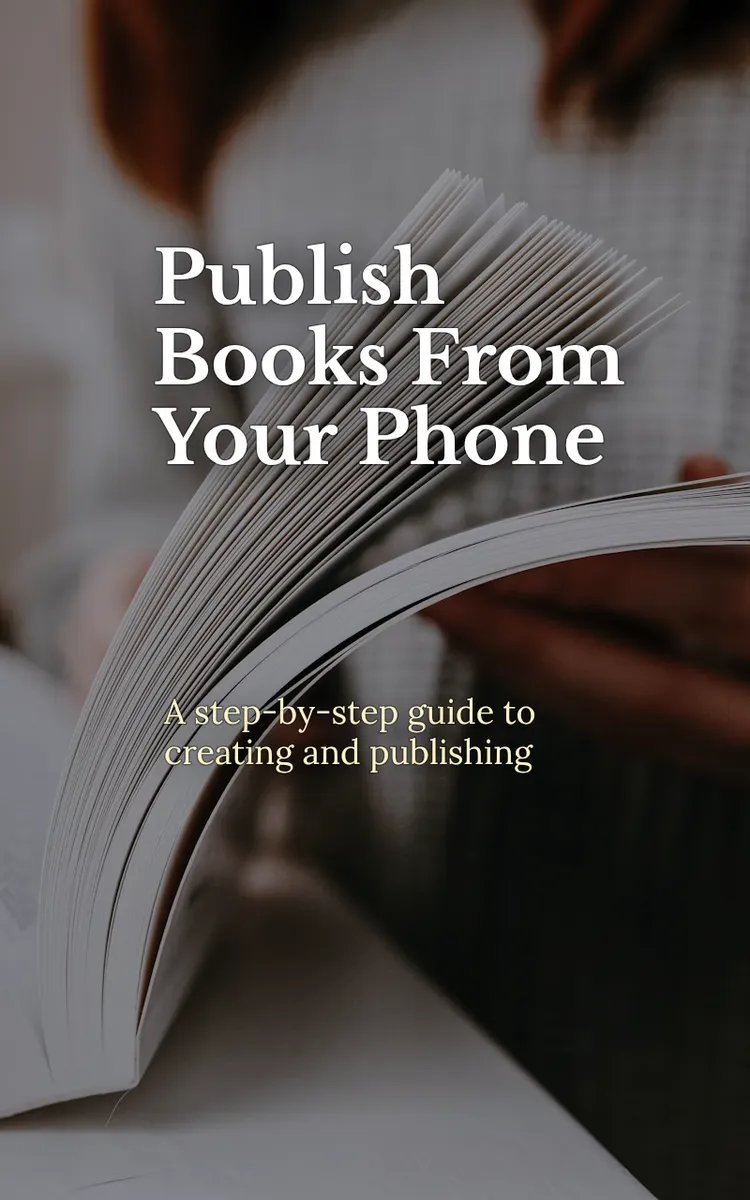
"Publish Books From Your Phone" is a how-to guide book by Anonymous with 5 chapters and approximately 9,415 words. Creating and publishing Amazon books using a phone and free AI apps.
This book was created using Inkfluence AI, an AI-powered book generation platform that helps authors write, design, and publish complete books. It was made with the AI Ebook Generator.
Frequently Asked Questions
What is "Publish Books From Your Phone" about?
Creating and publishing Amazon books using a phone and free AI apps
How many chapters are in "Publish Books From Your Phone"?
The book contains 5 chapters and approximately 9,415 words. Topics covered include Choosing a Profitable Book Topic, Writing Your Book Outline Fast, Drafting and Editing on Your Phone, Designing a Cover and Interior Layout, and more.
Who wrote "Publish Books From Your Phone"?
This book was written by Anonymous and created using Inkfluence AI, an AI book generation platform that helps authors write, design, and publish books.
How can I create a similar how-to guide book?
You can create your own how-to guide book using Inkfluence AI. Describe your idea, choose your style, and the AI writes the full book for you. It's free to start.
Write your own how-to guide book with AI
Describe your idea and Inkfluence writes the whole thing. Free to start.
Start writingCreated with Inkfluence AI


