
Read the first chapter
The whole of chapter one, free. About 3 min. Turn the pages with the arrows, your keyboard, or a swipe.
Chapter 1
Authentication & API Keys Best Practices
Keys are the only credential that can move requests across Opus 4.8 boundaries; authentication failures usually trace back to token scope, storage, or rotation gaps. This section defines secure authentication flows for Opus 4.8 API access and the least-privilege handling model for API keys, with concrete rotation and validation practices.
Overview Use this section when you provision Opus 4.8 API keys, wire authentication into services, and enforce least-privilege access. It covers the recommended request authentication flow, key scoping expectations, and safe rotation mechanics that prevent downtime or privilege drift.
Quick Reference - Authentication header - Authorization: ApiKey - Create key (admin-scoped) - POST /v1/api-keys - List keys (admin-scoped) - GET /v1/api-keys - Get key (admin-scoped) - GET /v1/api-keys/{keyId} - Rotate key (admin-scoped) - POST /v1/api-keys/{keyId}/rotate - Revoke key - POST /v1/api-keys/{keyId}/revoke - Recommended rotation window - Rotate on a fixed cadence (e.g., 30-90 days) or immediately after exposure signals (logs, CI artifacts, ticket attachments)
Parameters | Parameter | Type | Required | Description | |---|---|---:|---| | Authorization | string | Yes | HTTP header value in the form ApiKey | | name | string | Yes | Human-readable key label for auditing; avoid secrets in the name | | scopes | array[string] | Yes | Least-privilege permissions (e.g., opus.read, opus.write, opus.admin) | | expires_at | string (RFC3339) | No | Key expiration timestamp; omit only for non-production controlled environments | | id / keyId | string | Yes | Opus key identifier returned by create/list endpoints | | rollover_strategy | string | No | Rotation behavior: overlap (default) keeps old key valid until new key is confirmed; cutover revokes old key immediately | | reason | string | No | Audit note for rotation/revocation; keep it short and non-sensitive |
Code Example `python import os import requests
BASE_URL = "https://api.opus.example.com"
Opus 4.8 API base URL API_KEY = os.environ["OPUS_API_KEY"]
Store in a secret manager, not in source control
def opus_request(method, path, scopes=None, json_body=None):
Authentication: ApiKey scheme in Authorization header headers = { "Authorization": f"ApiKey {API_KEY}", "Content-Type": "application/json", } url = f"{BASE_URL}{path}" resp = requests.request(method, url, headers=headers, json=json_body, timeout=20)
Fail closed on auth errors and scope mismatches if resp.status_code in (401, 403): raise RuntimeError(f"Auth failed: {resp.status_code} {resp.text}") resp.raise_for_status() return resp.json()
Admin-only: create a least-privilege key with explicit scopes and expiry admin_key = os.environ["OPUS_ADMIN_API_KEY"] # Separate admin credential; do not reuse app keys
admin_headers = { "Authorization": f"ApiKey {admin_key}", "Content-Type": "application/json", }
create_payload = { "name": "backend-service-prod", "scopes": ["opus.read", "opus.write"],
least privilege for this service "expires_at": "2026-10-01T00:00:00Z", }
r = requests.post( f"{BASE_URL}/v1/api-keys", headers=admin_headers, json=create_payload, timeout=20 ) r.raise_for_status() key_info = r.json()
Expect fields like { "id": "...", "key": "...",... }
Rotation with overlap: deploy new key first, then revoke old after verification rotate_payload = {"rollover_strategy": "overlap", "reason": "Scheduled rotation"} old_key_id = key_info["id"]
rot = requests.post( f"{BASE_URL}/v1/api-keys/{old_key_id}/rotate", headers=admin_headers, json=rotate_payload, timeout=20 ) rot.raise_for_status() new_key = rot["key"]
Update OPUS_API_KEY in the secret manager before revocation `
Response Format json { "id": "key_9f3a1c2b", "key": "opus_live_xxxxxxxxxxxxxxxxx", "name": "backend-service-prod", "scopes": ["opus.read", "opus.write"], "created_at": "2026-07-17T12:34:56Z", "expires_at": "2026-10-01T00:00:00Z", "status": "active" } Field notes: - key: returned only at creation/rotation time; treat as write-only secret. - scopes: enforce least-privilege; requests outside scopes should return 403. - status: active or revoked (revoked keys must not be used).
Notes & Best Practices - Least-privilege scope design: Split keys by service and environment; avoid using opus.admin for runtime workloads. - Rotation safety: Prefer rollover_strategy: overlap for production to prevent request failures during deployment; revoke only after new key is live and verified. - Error handling: Treat 401/403 as configuration or scope issues; log request IDs, not secrets. - Key storage: Load keys from a secret manager into process memory; never write Authorization headers to logs or crash dumps.
Authentication and key lifecycle handling become the foundation for reliable request authorization; the next chapter typically focuses on tightening request-level
controls such as request signing, idempotency, and replay resistance. Opus deployments that separate authentication (API keys) from authorization (scopes and per-endpoint checks) keep failure modes predictable and audit trails consistent.
End of chapter one. 4 more chapters and about 3,899 words in the full book.
Swipe or use the arrows to turn the page
What's inside: 5 chapters
- 1. Authentication & API Keys Best Practices
- 2. Create Resource Endpoint (POST) Patterns
- 3. List & Search Endpoints (GET) Pagination
- 4. Webhook Events Verification & Retries
- 5. Error Responses, Rate Limits, and Retries
About this book
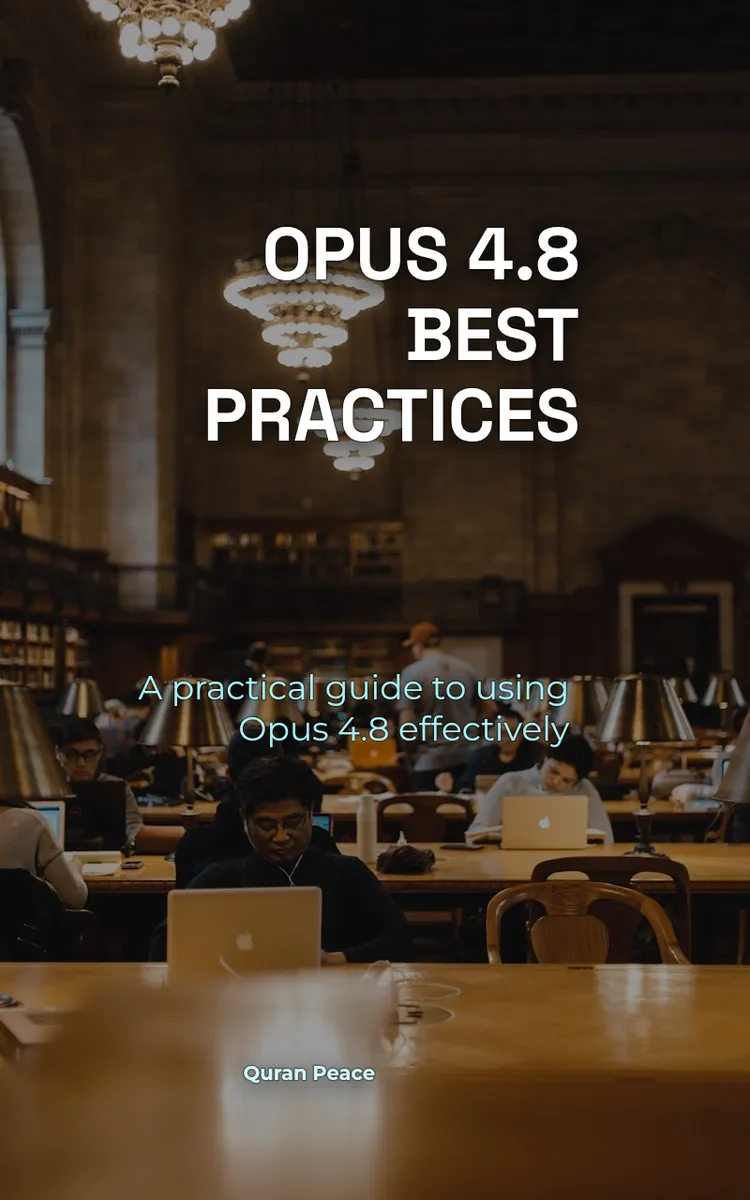
"Opus 4.8 Best Practices" is a technical book by Quran Peace with 5 chapters and approximately 3,899 words. Best practices for using Opus 4.8 software.
This book was created using Inkfluence AI, an AI-powered book generation platform that helps authors write, design, and publish complete books. It was made with the AI Documentation Generator.
Frequently Asked Questions
What is "Opus 4.8 Best Practices" about?
Best practices for using Opus 4.8 software
How many chapters are in "Opus 4.8 Best Practices"?
The book contains 5 chapters and approximately 3,899 words. Topics covered include Authentication & API Keys Best Practices, Create Resource Endpoint (POST) Patterns, List & Search Endpoints (GET) Pagination, Webhook Events Verification & Retries, and more.
Who wrote "Opus 4.8 Best Practices"?
This book was written by Quran Peace and created using Inkfluence AI, an AI book generation platform that helps authors write, design, and publish books.
How can I create a similar technical book?
You can create your own technical book using Inkfluence AI. Describe your idea, choose your style, and the AI writes the full book for you. It's free to start.
Write your own technical book with AI
Describe your idea and Inkfluence writes the whole thing. Free to start.
Start writingCreated with Inkfluence AI


