

Read the first chapter
The whole of chapter one, free. About 17 min. Turn the pages with the arrows, your keyboard, or a swipe.
Chapter 1
Conversion Foundations: Prompting for Outcomes
Overview
If your prompts don’t sell, it’s rarely because the model is “bad.” It’s because your prompt never locks the outcome: what you’re offering, who it’s for, what rules it must follow, how you’ll judge success, and what the final response must look like. This chapter builds that baseline prompting system - then gives you 50 plug-in frameworks you can reuse for high-conversion outputs.
You’ll get a repeatable structure for positioning and conversion (offer + audience + constraints + success metrics + response format), plus quick checks you can run before you hit “send.” Differentiator: every framework below includes an explicit response format and at least one concrete “constraint” you can copy-paste (price, word count, tone, compliance rules, or scoring rubric).
Takeaway prompt: After you finish the chapter, pick one real offer you’re working on (landing page, ad, outreach, proposal) and write your baseline prompt using the structure from the first few frameworks - then run it through the checklist in each item.
The Breakdown
#1: Outcome-First Prompt Skeleton (OFS)
Problem: Most prompts fail because they ask for “content” without pinning the outcome. You end up with good writing that doesn’t convert, because the model never knows what counts as a win (click, booking, signup) or how to measure it.
Solution: Start every prompt with 5 lines: Offer, Audience, Goal metric, Constraints, Response format. Use this exact order, and include numbers (e.g., “Goal: book 1 call per 50 messages” or “Target: 120-160 words”). End with a strict format block like: “Return: Subject | Hook | Proof | CTA | 1-sentence close.”
Result: You get outputs that match your funnel, not just your topic. Conversion improves because the model is optimizing for your metric and your layout.
#2: Offer Definition Card (ODC)
Problem: If your offer is fuzzy (“help with marketing”), the model can’t position it sharply. Fuzzy offers cause generic benefits, weak specificity, and CTAs that don’t land.
Solution: Fill a card before prompting: Who gets results, What changes, Time to value, What’s included, Price anchor (even if it’s “from $X”), Risk reducer (guarantee, trial, refund). Paste the card into the prompt under “Offer Definition Card.” Ask the model to reuse your exact phrases where possible.
Result: Your output sounds like you, because the model is working from a fixed offer blueprint.
#3: Audience Slice + Objection Map
Problem: Prompts that target “business owners” miss the specific trigger points that drive action. Without objections mapped, the model writes benefits but not the rebuttals that remove friction.
Solution: Provide 3 audience slices (e.g., “dentists with 2-5 locations,” “gym owners with declining memberships,” “local SaaS with long sales cycles”) and list the top 3 objections for each slice (time, trust, budget). Instruct: “Write for Audience Slice #1 only; address Objection #1 and #3 explicitly in the copy.”
Result: The copy becomes targeted and pre-sells the rebuttals, which typically lifts response rate.
#4: Constraint Stack (CS) for High-Converting Copy
Problem: When you don’t set constraints, the model defaults to safe, broad language. That kills conversions because it avoids the exact emotional and logical moves your audience expects.
Solution: Add a “Constraint Stack” section with at least 6 constraints: word limit, reading level, forbidden phrases, claim rules (no guarantees), CTA style (direct booking link vs “reach out”), format. Example constraints: “Max 150 words,” “No buzzwords,” “No ‘guaranteed results’,” “CTA: ‘Book a 15-min fit check: [link]’.”
Result: You reduce variance and get sharper, more consistent outputs.
#5: Success Metrics Contract (SMC)
Problem: “Make it persuasive” is not a metric. Without a success definition, the model can’t prioritize clarity, proof, or urgency in the right proportions.
Solution: Define a scoring rubric for the model to follow. Use 5 criteria with 0-2 points each, like: Hook clarity, Proof specificity, Objection handling, CTA directness, Constraint compliance. Ask: “After drafting, output a score table and revise once if any criterion < 1.”
Result: You get measurable persuasion instead of vibes.
#6: Response Format Lock (RFL)
Problem: Even strong prompts drift in structure, and your sales funnel needs consistent blocks. Inconsistent formatting makes it harder to test and reuse copy across channels.
Solution: Provide a response template with exact headings and line counts. Example for email: “Subject (<= 60 chars) / Opening (1 line) / Problem (2 lines) / Proof (2 lines) / Offer (2 lines) / CTA (1 line) / P.S. (1 line).” Tell the model: “If you can’t fill a field, write ‘N/A’.”
Result: Faster iteration and cleaner A/B testing because outputs match your system.
#7: The “One Job Per Prompt” Rule
Problem: When a single prompt asks for too many deliverables, the model produces a blended mess. You lose conversion because the CTA and offer details get diluted.
Solution: Split prompts by job: “Write the hook only,” “Write the proof block only,” “Write CTA only,” then “Assemble full email.” In the prompt, explicitly state: “Do not output the full email - only the Hook block.”
Result: Higher-quality components that compose into a stronger full asset.
#8: Multi-Shot Improvement Loop (MSIL)
Problem: One-shot outputs often miss your constraints. You then manually rewrite, which is slow and inconsistent.
Solution: Run a 3-pass loop: Draft → Critique → Revise. Prompt the model: “Pass 1: draft. Pass 2: critique using the rubric. Pass 3: revise using the critique; do not change Offer Definition Card.”
Result: You get a tighter final version with less manual editing.
#9: Claim Hygiene + Proof Requirement
Problem: Models love strong claims, but strong claims without proof can tank conversions (and trust). You also risk compliance issues in regulated niches.
Solution: Add a constraint: “Every benefit must include one of: metric, timeframe, customer type, or mechanism.” For example: “Instead of ‘skyrocket revenue,’ write: ‘increase booked calls by improving lead response within 5 minutes’.” Also add “No medical/financial guarantees.”
Result: Cleaner, safer copy that still feels confident.
#10: CTA Ladder (CL) Builder
Problem: Many messages ask for too much too soon (“buy now”) or too little (“let me know”). That mismatch kills conversions.
Solution: Define a ladder: Low-friction CTA (15-min call), Mid-friction CTA (audit/quote), High-friction CTA (purchase). In the prompt, specify which rung to use based on your channel (cold email vs warm lead). Output: “CTA text + reason + next step.”
Result: Better match between audience readiness and action.
#11: Positioning Sentence + 3 Proof Bullets
Problem: Without a positioning line, the model can’t anchor the message. Without proof bullets, the copy reads like a brochure.
Solution: Provide a positioning sentence template: “I help [audience] get [outcome] without [pain], using [method].” Then instruct: “Write 1 positioning sentence + exactly 3 proof bullets, each bullet must start with a measurable detail.”
Result: Faster trust-building and clearer differentiation.
#12: The “Before/After/Bridge” Block
Problem: People don’t act on vague “benefits.” They act on a clear mental picture of what changes and how you get there.
Solution: Require three blocks: Before (what life is like now), After (what improves in 30-90 days), Bridge (what your process does). Constrain: “Before 2 lines, After 2 lines, Bridge 3 lines; no filler.”
Result: Higher clarity and more believable transformation.
#13: Objection-First Rewrite
Problem: If objections aren’t handled early, your message gets ignored before it reaches the offer.
Solution: Provide the top objection and force the structure: “Start with a 1-sentence acknowledgement of Objection #1, then explain the fix, then present the offer.” Also constrain: “No defensiveness; no blame.”
Result: More replies because the reader feels understood.
#14: The “3 Numbers Rule”
Problem: Copy that uses zero numbers feels generic. Copy with too many random numbers feels fake.
Solution: Instruct: “Use exactly 3 numbers total across the asset: one timeframe, one quantity/scale, and one performance metric.” If you don’t have your own metrics, use operational numbers you can justify (e.g., “respond in under 5 minutes,” “audit in 48 hours”).
Result: Credibility jumps without overstuffing.
#15: Proof Source Selector (PSS)
Problem: Proof gets mixed up: testimonials, your experience, and process claims blur together. That reduces trust.
Solution: Create a “Proof Source” list: Customer outcome, Time-to-deliver, Process mechanism, Your track record. In the prompt, ask: “For each proof bullet, label the source in parentheses.” Example: “(Time-to-deliver) We deliver X in 72 hours.”
Result: Proof feels intentional, not accidental.
#16: Channel-Specific Prompt Pack
Problem: A prompt that works for landing pages often fails for ads, outreach, or proposals. The model changes tone and structure unpredictably.
Solution: Add a channel field: “Channel = cold email / landing page / ad / proposal.” Then constrain output: “Use channel-specific structure and length.” Example: “Cold email: 80-130 words; Landing page: headline + subhead + 3 sections.”
Result: Outputs become plug-and-play for each funnel stage.
#17: The 5-Line Landing Page (5LP)
Problem: Most landing pages start too wide and bury the offer. You lose conversions because the reader can’t find the point quickly.
Solution: Force a 5-line layout: Headline, One-line subhead, 3 bullet benefits (each with a number if possible), CTA line, Risk reducer line. Constrain: “Max 120 words total.”
Result: You get a tight, testable landing snippet.
#18: Email Subject Line Generator with Intent Tags
Problem: Subject lines often miss intent (“Just checking in”). Your email gets ignored before the content matters.
Solution: Ask for subject lines with intent tags: [Benefit], [Curiosity], [Problem], [Social proof], [Specificity]. Provide 10 options and constrain each to <= 60 characters. Also require: “Include one personalization placeholder like {Company}.”
Result: Higher open rates without guessing what to write.
#19: Personalization Without Invented Facts
Problem: Models may fabricate details that sound “personal,” which destroys trust.
Solution: Add constraint: “You may only use placeholders {Industry}, {Company}, {Role}, and {KnownMetric}. Do not invent customer-specific facts.” Then ask for 2 personalization lines that are generic-but-useful (e.g., “noticed your team is hiring for X” only if provided).
Result: Personalization stays safe and still converts.
#20: The “What You Get” List Generator (WYG)
Problem: People hesitate because they can’t picture deliverables. “You’ll get great results” doesn’t help.
Solution: Require a deliverables list with exact format: “Deliverable / What it looks like / When you receive it.” Provide 3-6 deliverables and include at least one date (e.g., “within 7 days”).
Result: Less hesitation and clearer expectations.
#21: Pricing Framing Template (PFT)
Problem: Pricing copy fails when it doesn’t frame value. Either it’s too vague (“affordable”) or too blunt (“expensive”) without justification.
Solution: Use a pricing frame: Price anchor, What’s included, Who it’s for, Why it costs that, Alternative if budget is tight. Constrain: “No discounting unless you specify the rule.”
Result: More conversions from buyers who need the value spelled out.
#22: Risk Reversal Menu + Selection
Problem: Without risk reduction, the reader assumes hidden costs or disappointment. That blocks action.
Solution: Provide 5 risk reversal options (audit, trial period, revision rounds, money-back for defined scope, cancel anytime). In the prompt, ask the model to pick 2 that match your business model and explain the boundary (“refund if X not delivered”).
Result: You reduce perceived risk without creating loopholes.
#23: “Fit Check” Qualification Script
Problem: Many prompts ask for “book a call,” but they don’t qualify. You waste time with unqualified leads and burn conversion.
Solution: Ask the model to write a fit-check script with 5 qualification questions. Include: budget range, timeline, current setup, success metric, decision process. Constrain output: “Return as numbered questions + why each question matters.”
Result: Higher-quality calls and better close rate.
#24: Mini-Case Study Template (MCST)
Problem: Testimonials without structure don’t persuade. Readers need story beats: challenge, action, results, takeaway.
Solution: Force this structure: Context (who/what), Challenge, Action taken (3 steps), Result (1-2 metrics), Why it worked. Constrain: 120-180 words.
Result: Case studies become conversion assets, not just compliments.
#25: The “Mechanism Line” (How It Works)
Problem: Benefits without mechanism feel like hype. The model needs to explain the “why,” not only the “what.”
Solution: Add a requirement: “Include 1 mechanism line that connects your method to the outcome.” Example mechanism formats: “Because we do X, you get Y.” Require exactly one mechanism line and 2 supporting bullets.
Result: More belief and fewer objections.
#26: Scarcity That Doesn’t Backfire (SDB)
Problem: Fake urgency (“only today!”) lowers trust and can hurt deliverability.
Solution: Constrain scarcity to operational reality you provide: “Use capacity-based language tied to your schedule (e.g., 5 onboarding slots per month).” Ask the model to include: what’s limited, how it affects timing, and the neutral alternative (“If slots are full, offer waitlist date”).
Result: Urgency feels honest and increases action.
#27: The “No-Fluff” Rewrite Filter
Problem: Model outputs often include filler to sound friendly. That kills conversion when readers skim.
Solution: Provide a “No-Fluff” checklist: remove greetings, cut filler adjectives, shorten sentences, keep active voice. Ask: “Rewrite the text; cut 20% of words; preserve Offer Definition Card exact wording.”
Result: Cleaner copy that reads fast and converts faster.
#28: Skimmability Spec (SS)
Problem: If your text isn’t skimmable, people won’t read enough to convert.
Solution: Add a skimmability spec: max 2 lines per paragraph, 1-2 short bullets, bold only these labels: Offer, Proof, CTA. Ask the model to output in that format and to keep total length within your limit (e.g., 140 words).
Result: More readers reach the CTA.
#29: CTA Placement Strategy
Problem: Putting CTA too early or too late can tank response rate. You need placement that matches intent.
Solution: Choose placement based on channel and instruct: cold email = CTA after proof; landing page = CTA after benefits and again after risk reversal; ad = CTA in first screen. Require: “Output the CTA block exactly where specified.”
Result: Higher click/book rates because action appears at the right reading moment.
#30: The Baseline Meta-Prompt (MB-0)
Problem: You’ll keep rewriting prompts manually if you don’t have a reusable meta-prompt. That slows iteration and introduces inconsistency.
Solution: Use a “Meta-Prompt Builder” block: Input fields (Offer, Audience, Constraints, Success metrics, Format). Then instruct: “First ask me for missing fields; if provided, produce output in the Response Format Lock.” Keep it strict: “No extra questions after you have all required fields.”
Result: You reduce prompt churn and get consistent high-conversion outputs.
#31: Missing Info Finder (MIF)
Problem: Models generate anyway, but they guess where you needed specifics - creating wrong claims or weak positioning.
Solution: Ask the model to respond in two parts: Missing fields (bulleted list) and Draft with placeholders. Example missing fields: price, timeframe, proof metric, target channel. Constrain: “Do not draft final CTA if [link] is missing.”
Result: Fewer wasted cycles and fewer “why did it say that?” moments.
#32: Compliance Guardrail Prompt (CGP)
Problem: In regulated or sensitive niches, you need guardrails or you’ll accidentally produce unsafe claims.
Solution: Provide a compliance checklist: “No medical claims; no guaranteed outcomes; define terms; include disclaimers if required.” Tell the model: “If a claim can’t be supported by provided proof, rewrite it as a capability or process statement.”
Result: Safer copy with less risk and higher trust.
#33: Tone Dial (TD) with Examples
Problem: Tone drift is real - one prompt sounds confident, the next sounds salesy or bland. Tone affects conversion.
Solution: Set a tone dial: “Tone = direct + technical + no fluff.” Provide 2 example lines you like and 2 you hate. Instruct: “Match the ‘like’ examples’ structure; avoid ‘hate’ examples’ style.”
Result: Consistent voice across campaigns and channels.
#34: The “Two-CTA Options” Output
Problem: You often need alternatives for testing, but single-CTA prompts limit iteration.
Solution: Require output: CTA Option A (direct booking), CTA Option B (download/audit). Each option must include CTA text + reason + expected next step. Constrain: “Pick options that fit the funnel stage you specified.”
Result: You can run quick tests without re-prompting the whole asset.
#35: Feature-to-Benefit Translator with Limits
Problem: Translating features to benefits without limits becomes generic. Also, benefits need to connect to audience pain.
Solution: Provide a feature list and audience pain points. Instruct: “For each feature, write exactly one benefit sentence tied to a specific pain point. No extra benefits.” Add constraint: “Avoid ‘transform’ and other buzzwords.”
Result: Benefits feel grounded and relevant.
#36: The “Reply-Ready” Outreach Template
Problem: Outreach that doesn’t anticipate replies gets stalled. You need prompts that make it easy to respond.
Solution: Require: Message, then 3 reply options the recipient could send back. In the prompt, ask the model to include a “best next step” response to each reply option. Constrain to 120-180 words total.
Result: Faster conversations and higher conversion from first contact.
#37: The “One Sentence Hook” Generator
Problem: Weak hooks waste the rest of the message. If the first line doesn’t earn attention, nothing else matters.
Solution: Ask for 12 hook lines, each in a fixed pattern: “If you [audience], you’ll get [outcome] by [mechanism].” Then require a selection: “Choose the top 3 based on Hook clarity + Offer match.”
Result: You start with attention, not background noise.
#38: Proof Density Control (PDC)
Problem: Too little proof = low trust. Too much proof = it reads like a report.
Solution: Specify proof density: “Use 2 proof items maximum: one metric and one mechanism.” Then ask for exactly those 2 blocks. If you don’t have metric proof, substitute an operational proof (turnaround time).
Result: Copy stays persuasive without becoming heavy.
#39: The “Asks for the Next Step” CTA Rule
Problem: Some CTAs are vague (“contact us”) and force the reader to think. That reduces conversions.
Solution: Instruct: “Each CTA must include: action + time + link or specific ask.” Example: “Book a 15-min fit check this week: [link].” Also require a fallback CTA if the link isn’t provided: “Reply with ‘FIT’ and I’ll send times.”
Result: More replies because the reader knows exactly what to do.
#40: Landing Page Section Map (LPSM)
Problem: Landing pages often jump around. Without section logic, the model can’t build a convincing flow.
Solution: Provide a section map and require the model to follow it: Hero, Problem, Solution, How it works, Proof, Offer, FAQ, CTA. Constrain each section length (e.g., 40-70 words).
Result: A complete page that converts because the reader gets answers in the right order.
#41: FAQ Generator with “Answer + Boundary”
Problem: FAQs often answer everything but fail to set boundaries. Boundaries protect conversion by preventing mismatched expectations.
Solution: Provide 6 FAQs topics. Instruct: “Each answer must include (1) direct answer, (2) who it’s for, (3) boundary/limitation.” Constrain each FAQ to 3 sentences.
Result: Fewer objections later and fewer wasted calls.
#42: “Reverse Objection” FAQ Pairing
Problem: You write an objection response in one place, but the landing page still triggers it elsewhere.
Solution: For each top objection, create a pair: Objection line (what the reader thinks) and FAQ answer (what you say). Require: “Use the same wording for the objection line across message + FAQ.”
Result: The reader gets consistent rebuttals across touchpoints.
#43: The “Short Audit” Offer Copy Builder
Problem: “We’ll audit your site” is too generic. People want to know what the audit contains and what they’ll do with it.
Solution: Provide audit scope bullets and deliverables. Instruct: “Write offer copy that includes: what’s included (3-5 bullets), turnaround time (e.g., 48 hours), output format (PDF + Loom), and what decision it enables.”
Result: Higher conversion because the audit feels tangible.
#44: Proof Screenshot Caption Spec (PSCS)
Problem: Screenshot proof can look untrustworthy if captions are sloppy or vague.
Solution: Require each caption to include: what you’re seeing, why it matters, date or timeframe (if provided). Constrain: 1-2 sentences each.
Result: Proof becomes credible evidence, not random images.
#45: The “Offer Stack” Builder
Problem: Many prompts pitch one offer, missing the conversion boost of stacking value.
Solution: Provide your core offer and two add-ons. Instruct the model to write an offer stack: Core, Add-on #1, Add-on #2, each with “who it’s for” and “why now.” Constrain: 150-220 words.
Result: Higher conversion because the reader sees a complete path, not a single transaction.
#46: Proposal Outline with Decision-Ready Language
Problem: Proposals that are descriptive (services list) don’t convert like proposals that are decision-ready (scope, timeline, deliverables, next step).
Solution: Instruct the model to output a proposal outline with required sections: Goal, Scope, Deliverables, Timeline, Assumptions, Investment, Next step. Add constraints: “Use plain language; no vague verbs; each deliverable has a verb + object.”
Result: Faster approvals because stakeholders can see exactly what they’re buying.
#47: Timeline Script with “Week-by-Week” Anchors
Problem: If timelines are unclear, buyers hesitate because they can’t plan.
Solution: Provide start date and total duration. Ask for a week-by-week plan with 4-6 milestones, each milestone includes deliverable + stakeholder action (“you approve X”). Constrain: each milestone 1 sentence.
Result: More confidence and fewer stalled decisions.
#48: The “Before You Buy” Checklist
Problem: Buyers delay when they don’t know what to prepare. That delay kills conversion.
Solution: Require an output section: “Before you buy / start” with 6-10 checklist items. Add constraints: include time estimate for each item (e.g., “30 minutes”).
Result: Fewer drop-offs because the buyer can see the effort required.
#49: Multi-Layer Response Format (MLRF)
Problem: One response format rarely fits every use case (email vs landing vs script). You waste time rewriting.
Solution: Ask for a response with layers: Primary (channel-ready), Secondary (short version), Tertiary (bullet version for ads). Use fixed character/word limits for each layer (e.g., short version = 60-90 words).
Result: One prompt generates assets you can deploy immediately.
#50: Baseline Prompt QA Checklist (BPQC)
Problem: Even with good prompts, small misses (wrong length, missing CTA, missing proof) slip through. That inconsistency costs conversion.
Solution: Add a final QA step in the prompt: “Before finalizing, check: Offer Definition Card present, Audience Slice correct, Constraints met, Success metric stated, Response format locked, CTA includes action+time+link/ask, proof density within limit.” Then require the model to output Pass/Fail plus a short fix list.
Result: You catch conversion-breaking mistakes before they hit your funnel.
What Comes Next
Now that your baseline system is locked (offer, audience, constraints, success metrics, and response format), the next step is making it smarter: turn drafts into improved versions using meta-prompting patterns and multi-shot learning - so you don’t just get “good output,” you get output that gets better every run.
End of chapter one. 9 more chapters and about 44,539 words in the full book.
Swipe or use the arrows to turn the page


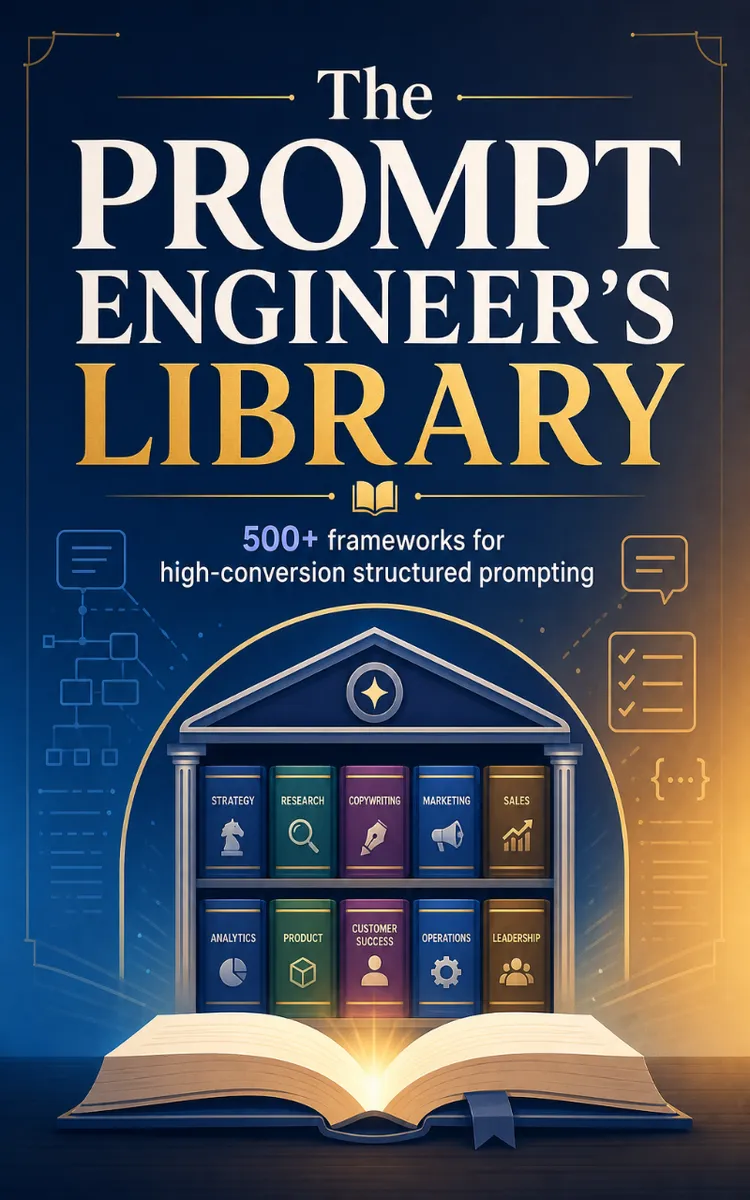
What's inside: 10 chapters
- 1. Conversion Foundations: Prompting for Outcomes
- 2. Offer Engineering: Value Props, Pricing Hooks, and Packages
- 3. Audience & Segmentation: Personas, Jobs-to-be-Done, and Objection Maps
- 4. Message Architecture: Hooks, Story, Proof, and CTA Systems
- 5. Landing Page Prompting: Sections, Layout Logic, and Conversion QA
- 6. Email & Sequence Engineering: Welcome, Nurture, and Win-Back Loops
- 7. Ad Creative & Social Copy: Angle Testing and Format Variants
- 8. Meta-Prompting: System Prompts, Role Design, and Output Contracts
- 9. Multi-Shot Learning: Few-Shot Examples, Self-Critique, and Iteration Loops
- 10. Measurement & Optimization: Testing Plans, Analytics Prompts, and Conversion QA
About this book
"The Prompt Engineer's Library" is a list book by NextGen PDF with 10 chapters and approximately 44,539 words. High-conversion prompt engineering frameworks and meta-prompting.
This book was created using Inkfluence AI, an AI-powered book generation platform that helps authors write, design, and publish complete books.
Frequently Asked Questions
What is "The Prompt Engineer's Library" about?
High-conversion prompt engineering frameworks and meta-prompting
How many chapters are in "The Prompt Engineer's Library"?
The book contains 10 chapters and approximately 44,539 words. Topics covered include Conversion Foundations: Prompting for Outcomes, Offer Engineering: Value Props, Pricing Hooks, and Packages, Audience & Segmentation: Personas, Jobs-to-be-Done, and Objection Maps, Message Architecture: Hooks, Story, Proof, and CTA Systems, and more.
Who wrote "The Prompt Engineer's Library"?
This book was written by NextGen PDF and created using Inkfluence AI, an AI book generation platform that helps authors write, design, and publish books.
Write your own list book with AI
Describe your idea and Inkfluence writes the whole thing. Free to start.
Start writingCreated with Inkfluence AI


