
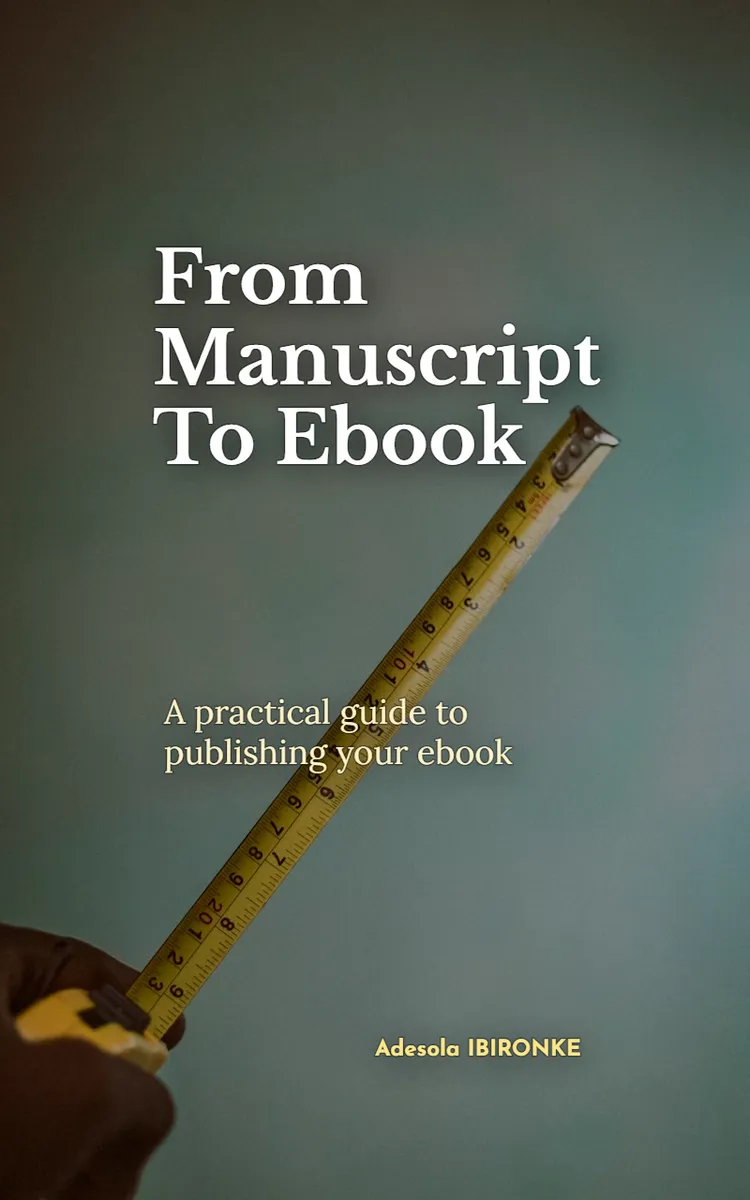
Read the first chapter
The whole of chapter one, free. About 9 min. Turn the pages with the arrows, your keyboard, or a swipe.
Chapter 1
Manuscript Audit and Ebook Plan
Why Your Manuscript Needs a Map Before It Becomes an Ebook
Which parts of your manuscript help readers move forward, and which parts make them stop, search, or wonder where they are? An ebook exposes those questions quickly. Readers tap through chapters on different screen sizes, return to the table of contents, and expect headings to guide them. A manuscript that reads well in a word processor may still need a clear structural plan before conversion.
The Manuscript-to-Map Audit solves that problem. It turns your finished manuscript into a practical ebook blueprint by checking its purpose, order, headings, sections, links, and reader actions. You do not need to rewrite every sentence first. You need to understand what each part does and where it belongs.
After completing the audit, you will have a chapter list, a heading plan, a list of missing or repeated sections, and a conversion-ready file structure. You will also know which issues require editing before formatting. That distinction matters: formatting can display a structure, but it cannot repair a confusing one. Ask yourself one useful question as you begin: Could a reader open any chapter and understand what they will gain from it within a few seconds? If the answer is no, your map needs work.
Your practical takeaway is simple: treat the manuscript as raw material for an ebook structure, not as a finished ebook file.
How the Manuscript-to-Map Audit Works
The audit uses five checks. Complete them in order because each check gives you information for the next one.
1. Define the reader’s result. Write one sentence that states what the ebook helps the reader do. For example: “After reading this ebook, a new freelance writer can turn a completed manuscript into a clean, usable ebook file.” This sentence gives every chapter a job. If a section does not support that result, mark it for removal, relocation, or revision.
2. Mark the manuscript’s parts. Open a copy of the manuscript and label each major element: front matter, chapter, section, exercise, example, resource, and back matter. Front matter means the pages before the main content, such as the title page, copyright page, dedication, and contents page. Back matter means the material after the main content, such as an author note, glossary, resources, or call to action. These labels help you separate reader orientation from instruction.
3. Check the order of ideas. For each chapter, write its main promise in a short phrase. Then compare the promises from beginning to end. A useful order often moves from purpose, to preparation, to action, to review. If Chapter 4 explains a task that Chapter 2 already assumes, move the explanation earlier or add a short reference. Readers should not need to hunt through the ebook for a missing step.
4. Build a heading hierarchy. A heading hierarchy shows which titles contain other titles. Use a chapter title as the top level, major sections beneath it, and smaller subsections beneath those. For example, “Prepare Your Manuscript” can contain “Remove Layout Formatting” and “Check Chapter Breaks.” Consistent levels help ebook software create navigation and help readers scan on a phone.
5. Record conversion needs. Make a list of elements that require special handling: tables, images, footnotes, hyperlinks, page references, callout boxes, and worksheets. Note what should happen to each one. A table may need a simpler layout. A page reference may need a chapter or heading reference instead. A worksheet may need a downloadable file or a clearly marked blank space.
Use a simple audit table while you work:
| Manuscript element | Current location | Reader purpose | Ebook action | |---|---|---|---| | Opening note | Before Chapter 1 | Set expectations | Keep as front matter | | Chapter 2 exercise | End of Chapter 2 | Apply the lesson | Keep, add clear heading | | “See page 47” | Chapter 3 | Direct the reader | Replace with a linked heading | | Wide comparison table | Chapter 5 | Compare options | Rebuild for a narrow screen |
The table forces a decision instead of leaving uncertain material in place. If you cannot explain an element’s reader purpose, pause before formatting it. A decorative box, repeated introduction, or long quotation may look acceptable in print but interrupt the flow of a digital book.
Talia, a 31-year-old freelance writer, applies the audit to a 42-page manuscript about preparing client articles for publication. She finds six main chapters, but Chapter 1 contains a checklist that readers need before they reach Chapter 4. She moves that checklist into an earlier preparation section and adds a short reference in Chapter 4. She also replaces “turn to page 18” with “open the Heading Checklist,” because ebook pages change across devices. Her map now describes the reader’s route instead of preserving the manuscript’s original page layout.
Before moving on, check your map aloud. Can you name the purpose of every chapter? Can you explain what the reader should do after each major section? If not, revise the map before you format the file.
Putting the Audit Into Practice
Talia starts with a duplicate of her manuscript so that the original stays untouched. She uses a word processor, a spreadsheet, and a folder for supporting files. Her goal is not to make the ebook attractive yet. Her goal is to make its structure dependable.
1. Create the working files. Talia names the original Client-Articles-Manuscript-Original and the copy Client-Articles-Manuscript-Audit. She creates a spreadsheet with these columns: item number, current heading, purpose, action, destination, and notes. This setup gives her a record of every structural decision.
2. Write the ebook promise. She writes: “This ebook helps freelance writers prepare a finished article for client review without losing the article’s structure or required links.” She compares each chapter against that sentence. A two-page section about her personal writing routine does not support the promise, so she marks it for removal rather than forcing it into the ebook.
3. List the current structure. Her manuscript contains six chapters, 18 major headings, three checklists, one sample article, and four references to printed page numbers. She enters each item into the spreadsheet. This count gives her a starting point and makes missing pieces easier to spot.
4. Test the chapter sequence. She writes the expected reader result beside each chapter: - Chapter 1: identify the article’s required parts - Chapter 2: clean the working document - Chapter 3: check headings and links - Chapter 4: review the article against the client brief - Chapter 5: prepare the final delivery package - Chapter 6: complete the final check
The order works because each result supports the next one. She notices that the sample article appears in Chapter 5 but helps explain Chapter 3’s link check. She keeps the full sample in Chapter 5 and adds a short pointer in Chapter 3.
5. Set heading levels. Talia applies one chapter title to each chapter, major headings to the main tasks, and smaller headings to individual checks. She avoids using bold text alone as a heading because ebook navigation tools may not recognize it. She also keeps heading wording consistent: each major heading begins with a clear action such as “Check,” “Remove,” “Prepare,” or “Review.”
6. Replace fixed-page directions. She changes “see page 12” to “see the section called ‘Check the Client Brief.’” Where possible, she plans a clickable link to that heading. A hyperlink is text or an object that opens another location when the reader selects it. This change prevents confusion when the same ebook displays different page counts on different devices.
7. Check special elements. Her sample article includes a wide three-column table. Talia records “rebuild as stacked entries” in the audit. On a narrow phone screen, the original table would shrink until readers could not read it. She also marks the four checklists for consistent formatting and confirms that each checklist appears immediately after the explanation that supports it.
8. Review the finished map. Talia now has six chapters, 18 major headings, three checklists, one sample article, and no fixed-page references. She expects the next stage to move faster because the structure no longer contains open decisions.
Quick checklist
• Make a working copy of the manuscript. - Write one clear result for the complete ebook. - List every chapter, heading, exercise, example, and resource. - Give every item a purpose and an action. - Test the order of chapter results. - Apply consistent heading levels. - Replace printed page references with headings or links. - Mark tables, images, footnotes, and worksheets for special handling. - Record every decision in a spreadsheet or audit table. - Confirm that each chapter leads naturally to the next task.
The expected outcome is not a perfectly styled document. It is a reliable map that tells you what belongs in the ebook, where it belongs, and what needs attention during conversion. If your map still contains labels such as “maybe keep” or “fix later,” resolve those decisions before you start applying ebook styles.
Common Audit Problems and Their Fixes
The manuscript still follows printed-page logic
A manuscript may say “turn to page 22,” “continue on the next page,” or “see the chart below.” Ebook readers do not share one fixed page layout. Font size, screen size, and reading settings change the page count.
Do this: Replace page-based directions with linked headings, chapter names, or clear phrases such as “Return to the Final Review checklist.”
Not this: Keep “see page 22” because the reference looked correct in the original word-processing file.
Check every cross-reference with a search for terms such as “page,” “above,” “below,” and “next page.” Each result needs a reader-friendly replacement.
Headings look different but do the same job
A manuscript may use bold text, all capitals, underlining, and different font sizes without a clear system. Readers may see the difference, but ebook navigation may not recognize the levels. This problem also creates an uneven table of contents.
Do this: Assign one consistent level to chapter titles, one to major sections, and one to smaller subsections. Keep the wording specific and parallel, such as “Check the Links,” “Check the Images,” and “Check the References.”
Not this: Create a new heading style for every section because the text appears visually different.
After setting the levels, review the planned table of contents. If a heading does not belong there, make it a smaller heading or convert it into ordinary text. The table of contents should help readers choose a destination, not display every minor label in the manuscript.
The map preserves the manuscript instead of serving the reader
Writers often keep repeated explanations, long introductions, or personal notes because those parts took time to write. Time spent writing does not make a section necessary. An ebook needs a clear path, and repeated material slows that path.
Do this: Compare each section with the ebook promise. Keep it, move it, combine it, or remove it. Record the reason so you do not reopen the same decision during formatting.
Not this: Keep every paragraph and hope that headings will hide the repetition.
Talia finds two introductions that explain the same client-review problem. She combines them into one opening and uses the saved space for a short “Before You Start” checklist. The result gives readers preparation they can use instead of another explanation.
A useful element has no clear ebook home
Worksheets, references, image captions, and appendices can sit awkwardly between chapters. If you leave them unassigned, the conversion stage may place them in the wrong order or style them inconsistently.
Do this: Decide whether each element belongs inside a chapter, in the front matter, in the back matter, or as a separate downloadable resource. State how the reader will reach it.
Not this: Leave the element at the end of the manuscript because it has not yet received a final location.
The audit succeeds when your manuscript stops acting like an unmarked pile of pages and starts acting like a connected set of reader destinations. You should be able to point to every chapter, heading, cross-reference, and special element and explain its purpose. Once that map is clear, ebook formatting becomes a controlled execution task rather than a series of guesses.
End of chapter one. 4 more chapters in the full book.
Swipe or use the arrows to turn the page
What's inside: 5 chapters
- 1. Manuscript Audit and Ebook Plan
- 2. Formatting for Ebook-Ready Structure
- 3. Editing for Kindle-Flow Readability
- 4. Images, Tables, and Hyperlinks Setup
- 5. Exporting to EPUB and Publishing
About this book
"From Manuscript To Ebook" is a how-to guide book by Adesola IBIRONKE with 5 chapters and approximately 8,852 words. Converting a manuscript into an ebook format.
This book was created using Inkfluence AI, an AI-powered book generation platform that helps authors write, design, and publish complete books. It was made with the AI Ebook Generator.
Frequently Asked Questions
What is "From Manuscript To Ebook" about?
Converting a manuscript into an ebook format
How many chapters are in "From Manuscript To Ebook"?
The book contains 5 chapters and approximately 8,852 words. Topics covered include Manuscript Audit and Ebook Plan, Formatting for Ebook-Ready Structure, Editing for Kindle-Flow Readability, Images, Tables, and Hyperlinks Setup, and more.
Who wrote "From Manuscript To Ebook"?
This book was written by Adesola IBIRONKE and created using Inkfluence AI, an AI book generation platform that helps authors write, design, and publish books.
How can I create a similar how-to guide book?
You can create your own how-to guide book using Inkfluence AI. Describe your idea, choose your style, and the AI writes the full book for you. It's free to start.
Write your own how-to guide book with AI
Describe your idea and Inkfluence writes the whole thing. Free to start.
Start writingCreated with Inkfluence AI


