
Read the first chapter
The whole of chapter one, free. About 10 min. Turn the pages with the arrows, your keyboard, or a swipe.
Chapter 1
The Faceless Content Engine Blueprint
You can tell when a faceless channel is “real” because it runs even when you’re not in the mood to create. The moment you stop relying on your face, your personality, or your voice recordings, you need something else to carry the weight: a repeatable workflow that spits out videos on schedule without breaking your privacy.
If you’ve tried to post faceless content before, you’ve probably hit the same wall: you can write a script, but your videos feel inconsistent; you can generate clips, but the style drifts; you can schedule posts, but you still end up scrambling because your process lives in your head. This chapter fixes that by giving you a privacy-first, systemized pipeline you can run every week - no face, no real-name pressure, no “I’ll figure it out later.”
By the end, you’ll be able to build your own Frictionless Creator Paradigm workflow: a set of rules, templates, and file structure that turns one idea into a finished short-form video (script → voiceover → visuals → edit → captions → publish) with consistent output and minimal risk.
The Frictionless Creator Paradigm: A privacy-first pipeline that replaces personality branding
Personality branding works because viewers recognize a person. Faceless branding works because viewers recognize a format: the same opening style, the same pacing, the same visual look, the same caption rhythm, the same topic delivery. Your job stops being “be entertaining on camera” and becomes “run a reliable production line.”
That’s why this chapter focuses on workflow, not vibes. Privacy-first means you set up your process so you don’t accidentally leak your identity through voice, screen recordings, metadata, or inconsistent accounts. Systemized means you stop improvising. You make decisions once, save templates, and reuse them until your channel looks like a factory output - not a one-off experiment.
Here’s the core idea: you build a “video recipe” that stays the same, while only the inputs change (topic, script, visuals). When you do this, you don’t burn out after three posts. You keep batching. You keep publishing. And you keep your privacy intact even when you scale.
Ask yourself this: when you finish a video today, do you know exactly how you’ll repeat the same process tomorrow? If the answer is “not yet,” you’re about to fix that.
The four components of a frictionless faceless workflow
Use these components like building blocks. Don’t skip steps just because you’ve used AI tools before - your consistency comes from the system, not from your last prompt.
1. Identity firewall (privacy rules + account setup) - Create a dedicated brand identity for the channel that never touches your real name, personal email, or personal voice recordings. Use separate login credentials and a separate upload folder on your computer. - Why: you reduce the chance of accidental leaks when you switch between personal and creator tasks.
2. Recipe folder structure (the “same files, every time” rule) - Set up a folder template on day one so every video uses the same naming style and location for scripts, audio, raw clips, and exports. - Why: when you batch, mess kills speed. A consistent folder structure turns “searching” into “clicking.”
3. Template stack (script + voice settings + visual prompt style + edit style) - Build templates you can reuse: a script format that matches your pacing, a voiceover configuration that sounds consistent, a visual prompt format that keeps your look stable, and an editing preset for captions and timing. - Why: your channel consistency creates viewer trust and makes your output faster.
4. Publish loop (schedule plan + QC checklist before you hit publish) - Publish using a repeatable schedule and run a quick quality check before posting. You track only a few signals early so you don’t get lost. - Why: posting is the finish line. Your workflow must include “release” as a step, not as an afterthought.
Take a breath and sanity-check: if you had to make 10 more videos next week, would you still know where every file goes and which settings you used? That’s the difference between “trying” and “running a channel.”
Privacy-first rules that actually matter (not theory)
Privacy-first can sound abstract. So here are rules you can enforce immediately.
1. Never upload personal media you don’t need - If a tool asks for an image or video input and you’re tempted to use your own footage, stop. Use stock-style visuals or AI-generated clips instead. - Why: your own recordings often carry metadata, backgrounds, and identifiable details.
2. Use AI voice from scratch, not your voice - Don’t record your voice “just to test.” Pick an AI voice model and commit to it. - Why: the moment you record your voice, you create a new privacy risk and you also create inconsistency if you later switch voices.
3. Avoid screen recordings that show your name - If you ever record tutorials for other reasons, don’t use those clips inside your channel videos. Even accidental UI text can reveal your identity. - Why: viewers don’t need to “find” your name; it only takes one visible detail.
The output standard (your channel must look like it’s made by one system)
You need an output standard you can measure by sight, not by feelings. For shorts, your standard can be simple:
• The first 1-2 seconds follow the same structure (hook line + quick visual match). - Captions appear with a consistent font size and position. - Background visuals match the topic style (no random vibes). - Audio stays consistent (no sudden pitch shifts or silence gaps).
Your goal is not perfection. Your goal is repeatability.
Practical takeaway: Build your workflow like a recipe card. Keep the recipe stable, swap the ingredients, and enforce privacy rules so nothing personal sneaks into your system.
Putting the Frictionless Creator Paradigm into practice: build your pipeline from scratch
Let’s make this real with a case study: Talia, 24, part-time barista and aspiring creator. She wants to run a faceless short-form channel but she refuses to show her face or record her voice. She also doesn’t have time to “reinvent” her process every time she posts.
Talia’s solution starts with a single working setup she repeats weekly.
Step-by-step build: from idea to scheduled short
1. Create a channel workspace (one place for everything) - Make a folder called something like TaliaChannel_PrivacyFirst. - Inside it, create these subfolders: - 01_Scripts - 02_Voiceover - 03_Visuals_Raw - 04_Visuals_Edited - 05_Edit_Project - 06_Exports_Scheduled - Expected outcome: when you batch 10 videos, you can find any file in seconds.
2. Write scripts using a “sound-first” format - Use a script layout that includes: Hook line (first sentence), Beat lines (one idea per sentence), and a closing line that pushes the viewer to watch the next video or follow. - Keep sentences short and write like you speak. You’ll paste this into your voice tool and your editor captions will match better. - Expected outcome: your voiceover sounds natural and your captions don’t fight your pacing.
3. Generate voiceover with fixed settings - Pick one AI voice model and one voice style you like. Lock it in for the first 30 days. - When you test, adjust three things only: clarity (how crisp the words sound), stability (how consistent the tone stays), and style (how expressive it gets). - Expected outcome: your channel doesn’t sound like different people made each video.
4. Create visuals using a prompt template that preserves style - Use the same visual “language” every time: consistent color grading, consistent motion style (for example, subtle camera moves), and consistent scene types (for example, motion backgrounds + infographic overlays). - Don’t write a brand-new prompt from scratch for every clip. Start from a template and swap only the topic keywords. - Expected outcome: your shorts feel cohesive, even when the topic changes.
5. Edit with a caption preset and a timing rule - Add captions automatically, then tweak them once so they fit your chosen font and placement. - Use a timing rule: captions should appear as the spoken words start, and you should remove dead air (long silent gaps). - Expected outcome: viewers can read without frustration, and your retention stays steadier.
6. Run a 2-minute quality check before scheduling - Check: hook visibility, audio clarity, caption alignment, and whether visuals match the narration. - Expected outcome: you catch obvious mistakes before they go live (and you stop re-editing under pressure).
7. Schedule using a batch release plan - Pick a posting cadence you can maintain for at least 4 weeks. If you can’t do daily, don’t force it. - Batch your exports into 06_Exports_Scheduled and schedule them in one sitting. - Expected outcome: your calendar stays filled even when life happens.
Talia’s first batch: 7 shorts in one day
Talia decides on a simple niche lane to start: “quick history + surprising facts,” but she plans the workflow so the niche doesn’t matter later. She just needs repeatability.
She does this on Saturday:
1. Writes 7 scripts using the same format. 2. Generates 7 voiceovers using the same voice settings. 3. Produces 7 sets of visuals using the same prompt template style. 4. Edits all 7 videos with the same caption preset. 5. Exports all 7 videos and schedules them for the next 7 days.
Expected outcome: by Monday morning, she already published. She didn’t wait for “perfect.” She built momentum with a system.
Quick checklist (do this before you create your first publish-ready video)
• Set up a dedicated folder structure for scripts, audio, raw visuals, edit projects, and exports. - Pick one AI voice and lock settings for your first 30 days. - Write scripts in a sound-first format with short sentences. - Use one visual prompt template and only swap topic keywords. - Use one caption preset and keep caption placement consistent. - Run a fast quality check: hook, audio, captions, visual match. - Export and schedule using a batch plan so you don’t scramble later.
Practical takeaway: Your workflow should feel boring. If it feels like chaos every time, you don’t have the system yet - you have tool usage.
Common mistakes and edge cases that break privacy-first workflows
Even if you follow the steps above, a few issues pop up fast. Here are the ones that cost creators the most time and risk.
Mistyped identity (accidental leak through accounts or files) If you mix personal tools with your creator tools - like uploading scripts from your personal drive, using a personal email for uploads, or reusing old projects that include your real name - you risk leaks and confusion.
Do this: Use a dedicated workspace folder and dedicated channel login credentials. Keep your creator exports inside 06_Exports_Scheduled only. Not this: Switch between personal and creator folders mid-batch because “it’s faster.”
Prompt drift (visual style changes every video) If you generate visuals with prompts that vary wildly, your channel starts looking inconsistent. Viewers may not articulate it, but they feel it. You also lose speed because each video becomes a new editing puzzle.
Do this: Create one prompt template for your background motion + overlay style, then only replace the topic keywords. Not this: Write a brand-new prompt from scratch for every clip “to make it fresh.”
Caption mismatch (retention drops because captions lag or fight the audio) Captions that show too late, too early, or in a different rhythm than the voiceover make viewers work too hard. That kills watch time.
Do this: Edit captions once to lock the placement and style, then keep using the same caption preset. Not this: Change caption fonts, sizes, and position every video because you “like experimenting.”
Practical takeaway: Consistency is a privacy tool too. It reduces the urge to improvise, and improvising increases mistakes.
The frictionless win condition: your pipeline runs even when motivation drops
When your workflow works, you don’t “find time to create.” You run the pipeline. Talia doesn’t need to think about what to do next after she opens her folder. She follows the same structure, uses the same voice setup, runs the same visual prompt template, and edits with the same caption preset. That’s how faceless content stops feeling fragile.
Your next move is simple: pick one niche lane, build your first “video recipe,” and test your whole pipeline end-to-end with one short. If the output looks consistent and your privacy stays clean, you’ll be ready to scale the next layer: scripting for retention and voiceover engineering that doesn’t sound robotic.
End of chapter one. 8 more chapters and about 16,864 words in the full book.
Swipe or use the arrows to turn the page


What's inside: 9 chapters
- 1. The Faceless Content Engine Blueprint
- 2. Niche Selection and RPM Monetization Math
- 3. AI Scripting Factory for Ear Retention
- 4. Voiceover Engineering with ElevenLabs Settings
- 5. Generative Video Prompts for Visual Consistency
- 6. Editing for Retention: Captions and Kinetic Type
- 7. Batch Production Line for 30 Days
- 8. Scheduling and Multi-Platform Distribution Optimization
- 9. Launch Checklist and Performance Iteration System
About this book
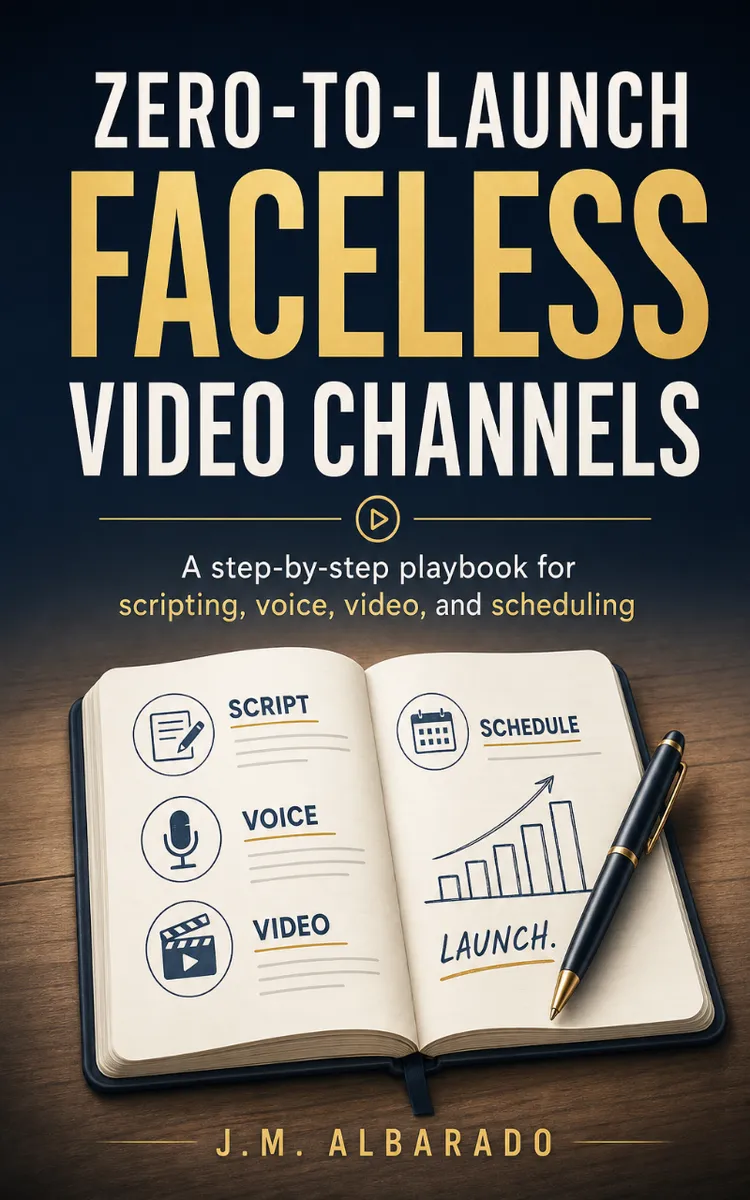
"Zero-To-Launch Faceless Video Channels" is a how-to guide book by J.M. Albarado with 9 chapters and approximately 16,864 words. Building faceless AI video channels with scripts, voiceover, generation, and scheduling.
This book was created using Inkfluence AI, an AI-powered book generation platform that helps authors write, design, and publish complete books. It was made with the AI Ebook Generator.
Frequently Asked Questions
What is "Zero-To-Launch Faceless Video Channels" about?
Building faceless AI video channels with scripts, voiceover, generation, and scheduling
How many chapters are in "Zero-To-Launch Faceless Video Channels"?
The book contains 9 chapters and approximately 16,864 words. Topics covered include The Faceless Content Engine Blueprint, Niche Selection and RPM Monetization Math, AI Scripting Factory for Ear Retention, Voiceover Engineering with ElevenLabs Settings, and more.
Who wrote "Zero-To-Launch Faceless Video Channels"?
This book was written by J.M. Albarado and created using Inkfluence AI, an AI book generation platform that helps authors write, design, and publish books.
How can I create a similar how-to guide book?
You can create your own how-to guide book using Inkfluence AI. Describe your idea, choose your style, and the AI writes the full book for you. It's free to start.
Write your own how-to guide book with AI
Describe your idea and Inkfluence writes the whole thing. Free to start.
Start writingCreated with Inkfluence AI


