
Read the first chapter
The whole of chapter one, free. About 10 min. Turn the pages with the arrows, your keyboard, or a swipe.
Chapter 1
From HR Backlog to Talent Engine
1) Stop Feeding the Backlog: Turn Hiring Admin Into a Talent Flywheel (and Watch It Run)
An inbox full of resumes doesn’t just slow you down - it quietly trains your team to accept delays. Every week you spend sorting unqualified applications manually, you also delay the one thing your business actually needs: the next qualified hire. That’s the real cost of the HR backlog in small-to-midsize businesses - work piles up, decision-making gets sloppier, and onboarding tasks stack behind recruiting.
This chapter tackles a specific shift: moving from administrative overload to strategic talent management using enterprise AI as a force multiplier for SMB recruiting. You will leave with a practical way to redesign your hiring workflow so it doesn’t depend on one person’s time. You’ll also learn how to structure your process around an operating loop - so “recruiting work” turns into an ongoing system that improves every cycle.
We’ll use one consistent blueprint: The Talent Flywheel Model. It focuses your work on four connected parts - signal, selection, onboarding, and feedback - so your team stops treating recruiting like a one-off scramble and starts running it like a repeatable engine. You’ll also see how to use enterprise AI safely, with guardrails for privacy and bias, so your improvements don’t create new risks.
Book context you can anchor to: The AI-Enhanced HR Playbook: Streamlining applicant tracking, generating hyper-accurate job descriptions, and building internal training modules safely using enterprise AI tools. This chapter sets the workflow foundation that the later chapters plug into - resume triage, job description generation, onboarding plans, and training modules all work better when your process already runs as a flywheel.
---
2) The Talent Flywheel Model: How Enterprise AI Turns Admin Into Talent Flow
The Talent Flywheel Model works because it treats hiring as a loop, not a queue. Most teams run recruiting like this: post job → collect resumes → manually screen → schedule interviews → hire → forget what happened. That “forgetting” wastes learning. Enterprise AI helps you capture and apply learning faster - but only if you wire it into your workflow.
Here are the four parts of the flywheel, written as actions your team can run:
1) Signal (Bring the right data in fast) Start by turning job requirements into clear screening signals. You do this before you ever look at resumes. The “signal” part also includes setting up your intake so you collect consistent applicant details (for example: required work authorization question, required location, and a structured set of experience fields you can compare across candidates). Why this matters: AI can only help with what you feed it. If your intake data stays messy, you’ll get messy outputs and you’ll keep doing manual cleanup.
2) Selection (Choose with consistency, not exhaustion) Use enterprise AI to draft consistent first-pass evaluations against the job’s requirements. You still make final decisions, but AI reduces the “read every resume slowly” burden. You can ask the tool to summarize each candidate’s fit and generate a recommended next step (interview, keep for later, or reject). Why this matters: selection is where time disappears. AI gives you a short, repeatable view of each candidate so your team spends time on decisions, not sorting.
3) Onboarding (Convert hiring wins into performance-ready plans) When you hire, you generate a role-specific onboarding plan from the same job blueprint you used for selection. This includes a 30-60-90 day structure and practical milestones tied to what the role actually needs. Why this matters: onboarding delays create “hidden backlog.” If new hires don’t ramp fast, you lose productivity and you start recruiting again because the role still isn’t working.
4) Feedback (Close the loop so the next cycle gets better) Track what happened: which interview notes led to hires, where candidates struggled in onboarding, and which resume signals predicted success. Feed that back into your job blueprint and your screening prompts. Why this matters: without feedback, you repeat the same mistakes. With feedback, your next hiring cycle gets faster and more accurate.
Concrete SMB example (assigned persona): Rosa, 41, HR Manager at a 120-person logistics firm. Rosa runs recruiting for multiple driver-adjacent roles plus office support. She doesn’t have a full HRIS team or a big ops department to build complex systems. What she does have is a real problem: her team spends mornings reading resumes that don’t match basic requirements (license availability, schedule constraints, warehouse experience depth). Rosa uses the flywheel to stop repeating that manual pass every week. She standardizes intake questions (signal), uses enterprise AI for first-pass evaluations (selection), generates onboarding plans from the same blueprint (onboarding), and then updates the signals based on what new hires say during ramp (feedback).
Practical takeaway: Your goal isn’t “use AI.” Your goal is to redesign recruiting so every AI output improves the next cycle - and every human decision stays focused on the work that needs judgment.
---
3) Putting the Flywheel Into Practice: Build Your AI-Enhanced Hiring Workflow (Safely)
Before you touch AI tools, set up your workflow like you would set up a checklist for a warehouse: clear inputs, clear outputs, and a place to record results. Then you can safely add enterprise AI without turning your process into guesswork.
Step-by-step: run the flywheel in one hiring cycle
1) Create a Role Blueprint document you can reuse Write the job’s must-haves and nice-to-haves in plain language. Include “screen-out” criteria (for example: “must have X shift availability,” “must complete certification within Y days,” “must have warehouse pick/pack experience in a similar environment”). Expected outcome: you reduce debate during screening because everyone reads the same blueprint.
2) Define your intake fields (Signal inputs) Update your application form or email intake so you capture consistent answers. Keep it short. Example fields: location, shift availability, years in relevant work, tools/systems used (if applicable), and one short “tell us your most relevant experience” prompt. Expected outcome: you give AI clean comparisons instead of forcing it to infer from messy resume text.
3) Set up a selection output template (Selection outputs) Decide exactly what the AI should produce for each candidate so your team can move fast. For example: “Fit summary,” “Top evidence,” “Risks/gaps,” and “Recommended next step.” Expected outcome: your team stops rewriting AI output and starts reviewing it.
4) Generate onboarding plans from the same blueprint (Onboarding step) When you move someone to offer stage, generate a 30-60-90 day plan tied to the role blueprint. Include role-specific training tasks and measurable milestones. Expected outcome: you reduce onboarding chaos and you align new hires with what selection actually tested.
5) Capture feedback and update the blueprint (Feedback step) After the first two weeks and again at 60 days, collect short notes from the hiring manager: what surprised you, what candidates over/underestimated, and what skills mattered most. Update your blueprint and screening criteria based on those notes. Expected outcome: your next cycle’s signal quality improves without adding more admin work.
Quick checklist (run this before you start AI triage) - Write your Role Blueprint with must-haves, nice-to-haves, and screen-out criteria. - Confirm your intake form captures consistent fields aligned to that blueprint. - Decide the exact AI Selection output format your team will review. - Define how you’ll generate a 30-60-90 day onboarding plan from the blueprint. - Set a date to capture hiring manager feedback and update the blueprint.
A prompt you can use immediately for “Signal → Selection” Use enterprise AI to produce the selection output your team will review - not a free-form essay.
`text You are assisting an HR manager screening applicants for a role.
Role Blueprint (paste): - Must-haves: - Nice-to-haves: - Screen-out criteria: - Key responsibilities:
Applicant data (paste candidate resume text + application answers):
Return ONLY this format: 1) Fit summary (3-5 bullets) 2) Evidence (quote short phrases from the applicant that support your claims) 3) Risks / gaps (map each gap to a specific must-have or nice-to-have) 4) Recommended next step: Interview / Keep for later / Reject 5) One-line reason for your recommendation (tie it back to the blueprint) `
Ask yourself: Can your hiring manager skim the output in under five minutes and still make a confident call?
Practical takeaway: When you standardize inputs and outputs first, enterprise AI stops feeling like an experiment and starts acting like a tool your team can trust.
---
4) A Real Hiring Cycle With Rosa: From Backlog to Flywheel Results
Here’s how this plays out in Rosa’s logistics environment without adding a heavy implementation project. The goal: reduce manual resume sorting while improving selection consistency and onboarding readiness.
Scenario setup (what Rosa changes) Rosa focuses on one role first: a warehouse operations support position. Her backlog comes from high-volume applicants who don’t meet schedule availability and hands-on warehouse experience expectations.
Step-by-step cycle
1) Rosa turns the job into a Role Blueprint that screens hard where it must She writes must-haves in plain language and includes explicit screen-out criteria. For example: “must work scheduled weekends,” “must have recent pick/pack experience,” “must be able to complete required onboarding training within the first month.” Expected outcome: her team stops debating whether “close enough” counts.
2) She edits the application intake to collect the signals she actually needs She adds two required questions to the application: shift availability and recent warehouse experience. She also adds one short prompt: “Describe your most recent pick/pack or warehouse task and what you used to track it.” Expected outcome: she reduces the number of resumes where AI has to guess.
3) She runs selection with enterprise AI using a fixed output template For each applicant, she feeds the resume text plus the structured answers into the AI prompt and saves the output into the applicant tracking workflow for review. Expected outcome: reviewers spend time on the “Fit summary + Evidence + Risks” instead of reading every resume line-by-line.
4) She generates onboarding plans from the same blueprint After choosing finalists, she generates a 30-60-90 day onboarding plan that matches the must-haves she tested during selection. She then shares it with the hiring manager and the trainer. Expected outcome: the first two weeks stop turning into a scavenger hunt of “who trains what.”
5) At 60 days, Rosa collects feedback and updates the blueprint She asks the hiring manager for three bullets: which must-haves predicted success, which gaps appeared late, and which training tasks took longer than expected. She revises the blueprint and updates the screening criteria for the next cycle. Expected outcome: next month’s intake gets screened more accurately because Rosa corrected the signals.
Quick checklist (what to document so the flywheel keeps spinning) - Save the Role Blueprint version used for this cycle. - Save the selection output format and the reviewer’s decision for each candidate. - Save the onboarding plan and actual “what took longer” notes from the hiring manager. - Record the blueprint updates you make for the next cycle.
Practical takeaway: Rosa doesn’t need perfect AI. She needs a consistent loop: better signals, faster selection, clearer onboarding, and feedback that improves the next run.
---
5) What to Watch For: Common Flywheel Failures and Fixes
The flywheel breaks when teams treat AI outputs as decisions, or when they feed the wrong inputs into the system. Watch for these failure modes early and fix them fast.
Garbage in, confident output If your intake questions stay vague, enterprise AI will “sound right” while guessing. That produces confident but wrong recommendations.
Do this: Make every must-have measurable in your Role Blueprint and mirror those in your intake fields. Then require the AI to map risks/gaps directly back to must-haves or nice-to-haves in the output template. Not this: Ask AI for “overall fit” without forcing it to tie evidence to specific criteria.
Takeaway prompt: If you removed the resume and kept only your intake fields, would AI still produce a grounded evaluation?
---
You skip the feedback step Teams often run selection and onboarding, then never update the blueprint. That freezes your process. Your backlog returns because your signals never improve.
Do this: Schedule a fixed feedback window (for example: after week two and after day sixty) and update the blueprint version for the next role posting. Not this: Wait until the end of the quarter to “see what worked.” You lose the chance to improve the next cycle while the details still matter.
Takeaway prompt: What signal did you learn you should trust more (or less) after onboarding?
---
You forget human-in-the-loop checks Even with the best prompt, AI can miss context or misread resume language. If you skip review, you turn your flywheel into a fast mistake machine.
Do this: Require reviewers to check the “Evidence” section and verify that each quote supports the claim. Then confirm final decisions match your screen-out criteria. Not this: Accept the recommended next step without checking the mapped risks/gaps against the blueprint.
Takeaway prompt: Can a reviewer explain “why we rejected this candidate” using only the blueprint and the evidence AI provided?
---
Closing Thought: Make Recruiting a System, Not a Sprint
When you run The Talent Flywheel Model, you stop treating hiring as a daily scramble and you start building a repeatable loop where enterprise AI reduces admin load and your team keeps control of judgment. If you get the flywheel right - clear signals, consistent selection outputs, blueprint-based onboarding, and feedback that updates the next cycle - you’ll feel it quickly: fewer wasted reads, faster decisions, and onboarding that actually matches what you selected for.
Next, you’ll build on this foundation by tightening the selection step - so resume triage and ATS handling become part of the same learning loop, not a separate pile of work.
End of chapter one. 8 more chapters and about 18,399 words in the full book.
Swipe or use the arrows to turn the page


What's inside: 9 chapters
- 1. From HR Backlog to Talent Engine
- 2. Role Blueprint Prompts for Job Ads
- 3. ATS-Safe Resume Triage Workflow
- 4. Onboarding Engine 30-60-90 Plans
- 5. Micro-Learning Training Modules From Docs
- 6. Enterprise AI Guardrails Checklist
- 7. Catching AI Blind Spots Before Decisions
- 8. Plug-and-Play HR Prompt Library
- 9. 90-Minute Weekly People Pulse Routine
About this book
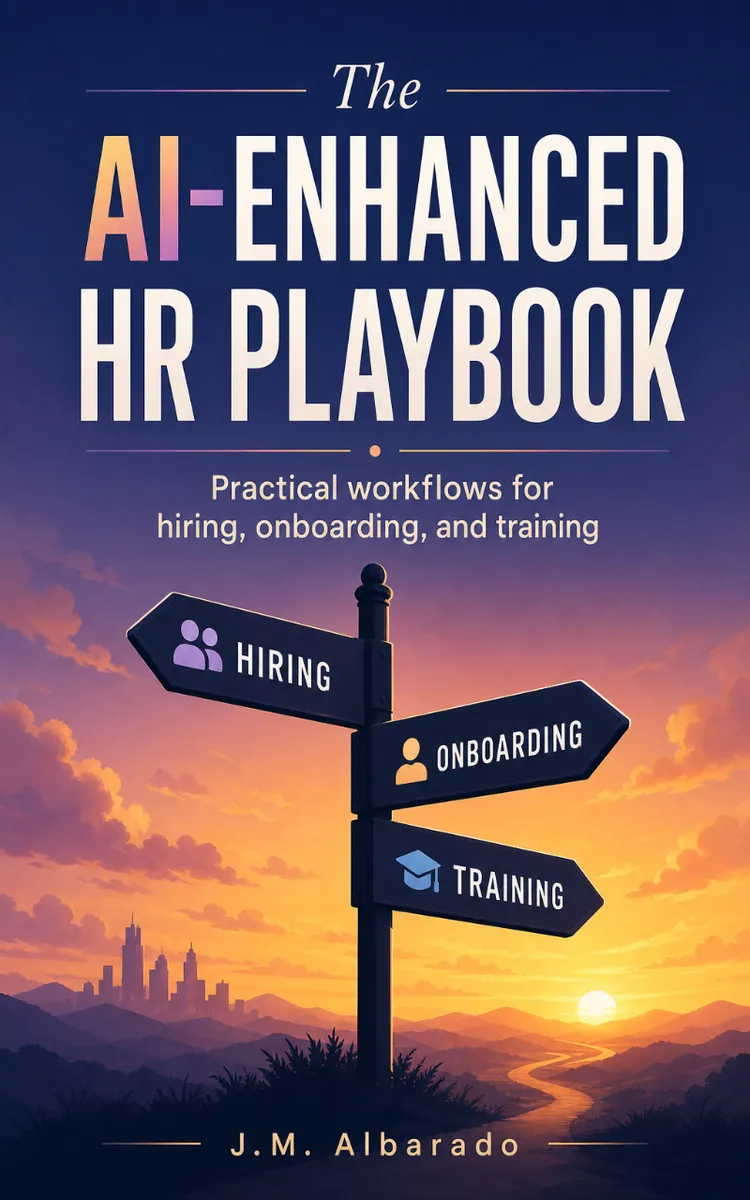
"The AI-Enhanced HR Playbook" is a how-to guide book by J.M. Albarado with 9 chapters and approximately 18,399 words. Using enterprise AI to streamline HR hiring and onboarding.
This book was created using Inkfluence AI, an AI-powered book generation platform that helps authors write, design, and publish complete books. It was made with the AI Ebook Generator.
Frequently Asked Questions
What is "The AI-Enhanced HR Playbook" about?
Using enterprise AI to streamline HR hiring and onboarding
How many chapters are in "The AI-Enhanced HR Playbook"?
The book contains 9 chapters and approximately 18,399 words. Topics covered include From HR Backlog to Talent Engine, Role Blueprint Prompts for Job Ads, ATS-Safe Resume Triage Workflow, Onboarding Engine 30-60-90 Plans, and more.
Who wrote "The AI-Enhanced HR Playbook"?
This book was written by J.M. Albarado and created using Inkfluence AI, an AI book generation platform that helps authors write, design, and publish books.
How can I create a similar how-to guide book?
You can create your own how-to guide book using Inkfluence AI. Describe your idea, choose your style, and the AI writes the full book for you. It's free to start.
Write your own how-to guide book with AI
Describe your idea and Inkfluence writes the whole thing. Free to start.
Start writingCreated with Inkfluence AI


