
Read the first chapter
The whole of chapter one, free. About 14 min. Turn the pages with the arrows, your keyboard, or a swipe.
Chapter 1
What an AI Office Reset Is
The “AI Office Reset” for Admin, Messages, and Workflows (Without the Chaos)
If your office feels like it’s running on vibes, it’s usually because admin tasks and messages don’t have a repeatable home. One day you’re catching up on emails. Another day you’re rewriting the same estimate language. Then a new task pops up and suddenly you’re building a workflow from scratch - again. That’s exhausting, and it’s also why your week feels unpredictable.
An AI Office Reset is a simple cleanup move: you use AI to draft and organize the parts of your work that keep repeating - emails, text replies, forms, SOP drafts, and “what do I do next?” steps. The goal isn’t to automate everything. It’s to reduce the mental load so you can stay professional without spending your whole day typing.
By the end of this chapter, you’ll have a clear “reset pattern” you can reuse: pick the task, give AI the right details, get a draft, then lock it into your real process (your tone, your steps, your policies). No hype. Just a calmer office.
Your Reset Pattern: Draft Admin + Messages + Next Steps with AI
Before you start: open a notes app (or a blank document). You’ll use it to paste one task and one AI draft, then clean it up into something you can actually send or follow.
Your Turn (10-15 minutes total):
• Pick one real admin task that happens at least once a week. Choose something small enough you can finish in one sitting - like “reply to missed call follow-up” or “send appointment confirmation.”
• Copy one example from your life:
• One email you already sent (even if it wasn’t perfect), or
• One message you wish you could send faster, or
• A rough sentence you typed at midnight because you forgot to reply.
• Collect the details AI needs (write them as bullet points in your notes):
• Business name
• What the customer asked / what you need to do
• Any required info (date/time, address, invoice number, job type)
• Your policy (deposit required? reschedule rules? service area?)
• Your tone (friendly, firm, casual, professional - more on this later)
• Use the prompt below. Paste your task details into it.
• Read the AI draft like a second set of eyes. Mark anything that’s wrong, missing, or too “robot.”
• Rewrite just the first two lines and one specific call-to-action (what you want them to do next). That small edit is where your professionalism shows up.
• Save the final message (or steps) in a “Reset Library” note so you can reuse it.
Worked example (missed call follow-up text)
Your details (you wrote):
• Business: BrightClean Home Services
• Customer: Sam requested a quote yesterday, but we missed the call
• Job: move-out cleaning (2-bedroom)
• Policy: we book after a quick confirm + address
• Tone: friendly, quick, no pressure
• Need from customer: best time today for a 5-minute call + address
Prompt you’d send to AI (example):
“Write a short text message follow-up to a customer. Business: BrightClean Home Services. Context: We missed a call after Sam requested a quote for a 2-bedroom move-out cleaning. Tone: friendly and quick, no pressure. Include: (1) thanks for reaching out, (2) ask for the best time today for a 5-minute call, (3) request the property address, (4) confirm we’ll use that to finish the quote. Keep it under 900 characters.”
AI draft (example):
“Hi Sam - thanks for reaching out to BrightClean! We missed your call. What’s the best time today for a quick 5-minute call? Also, can you send the property address (and any access notes, if you have them)? Once we have that, we’ll finalize your move-out cleaning quote. ”
What good looks like (checklist):
• The message includes the exact next step you want (ex: “Send address” + “Best time today”)
• Your policy is respected (no promises you can’t keep)
• The tone sounds like you (not stiff, not overly salesy)
• You can copy/paste it again without starting over
• You saved it in your Reset Library with a clear label (ex: “Missed call follow-up - quote”)
Turning One Reset into a Repeatable Workflow (Variations You Can Copy)
Once you see the reset pattern working for one message, you can adapt it for different office situations. The trick is to change the “inputs” you give AI, not the whole process.
Here are a few practical variations you can use right away:
• Variation 1: Email draft + “send-ready” version
• Use this when you need a longer message (quotes, scheduling, complaints).
• Change your prompt to ask for: a polite subject line + the message + a short closing line.
• Example input to add: “Include our reschedule policy: we need 24 hours notice.”
• Variation 2: SOP draft from your brain (then you tighten it)
• Use this when you want the “do this, then this” steps written down.
• Ask AI to draft a checklist-style SOP from your notes, then you remove anything that doesn’t match your real process.
• Example input to add: “We use Google Calendar and QuickBooks. Start with checking Calendar availability.”
• Variation 3: Customer-friendly version + internal version
• Use this when you need two outputs: one to send, one for your team/your future self.
• Ask AI for an external message and a separate internal note with what happened and what to do next.
• Example input to add: “Internal version should include who owns the next step and what info we still need.”
Apply It (pick one variation and run it once):
• Choose the same task you used above.
• Decide which variation fits best (email draft, SOP draft, or two versions).
• Run the prompt again with the updated instruction.
• Save both outputs in your Reset Library and label them clearly.
Reset Library label ideas (so it’s easy later):
• “Text - missed call follow-up (quote)”
• “Email - appointment confirmation (policy included)”
• “SOP draft - end-of-day invoice check”
• “Internal note - customer complaint triage”
Self-Check: Are You Resetting Admin or Just Collecting Drafts?
AI drafts are only helpful if they reduce your workload tomorrow. So let’s measure what’s actually happening in your office.
Reflect (answer these in your notes):
1) What admin or message task did you reset this session?
__________________________________________________
__________________________________________________
__________________________________________________
• Success looks like: you picked a task that repeats weekly (or more)
• Success looks like: you can name it in one line (ex: “Missed call follow-up text”)
2) Did the final output include a clear “next step” for the customer or for you?
__________________________________________________
__________________________________________________
__________________________________________________
• Success looks like: the message tells the customer exactly what to reply with
• Success looks like: you can point to one sentence that creates action
3) Did you keep your real policies intact (reschedule, deposit, service area, etc.)?
__________________________________________________
__________________________________________________
__________________________________________________
• Success looks like: nothing conflicts with your written policy
• Success looks like: you didn’t add details you can’t support
4) How much time did this save compared to your usual method? (Be honest.)
__________________________________________________
__________________________________________________
__________________________________________________
• Success looks like: you reduced the “blank page” time (even if editing took a few minutes)
• Success looks like: you could reuse the result without starting over
5) Where did you store the finished version so you can reuse it next time?
__________________________________________________
__________________________________________________
__________________________________________________
• Success looks like: it’s in one place you’ll check later (Reset Library)
• Success looks like: the label helps you find it in under 10 seconds
Quick privacy reminder (because this matters): when you paste customer info into AI, don’t include sensitive details you don’t need. Use placeholders like “[customer first name]” and “[address]” if possible, and always fact-check anything that could affect pricing, availability, or legal terms.
A Simple Closing Thought (That Actually Helps)
An AI Office Reset isn’t about getting “more AI.” It’s about getting your admin and messages back into your control. One well-built follow-up message, one saved draft, one clear next step - those small resets stack up fast.
Next, you’ll start learning what AI can and can’t do, so your drafts stay accurate and you don’t waste time correcting the same mistakes over and over.
What an AI Office Reset Is and How This Workbook Helps You Finish It
An AI Office Reset is a focused cleanup of the repeating admin work that eats your time: messages, simple SOPs, templates, and the tiny next steps that block progress. It uses AI as a drafting tool so you don’t start from a blank page, then turns those drafts into reliable pieces you can actually use - saved where your team will find them. You’ll learn how to give AI the right details, tighten the output to match your real policies and tone, and store one reusable version so it actually saves time next week.
This workbook keeps the process practical and repeatable. You’ll move from “it feels chaotic” to a short list of reusable templates, a daily checklist you can follow, and a weekly reset routine that keeps things from sliding back into chaos. The aim is simple: fewer surprises, clearer next steps, and less time rewriting the same messages at 2 a.m. Key takeaway: finish one small repeatable task now - draft it with AI, edit two lines so it sounds like you, and save it where you’ll use it again.
Core components of an AI Office Reset:
• Pick one repeating admin task and map how long it really takes.
• Use a simple prompt to get a draft from an AI writing assistant.
• Edit just enough (two lines + one call-to-action) so it fits your voice and policies.
• Save the finished message in a labeled Reset Library.
• Use the template once in real life, then repeat for the next task.
You’ve got this - start small, finish fast, and the savings stack up.
Start Here: Your 15-Minute AI Office Reset
Materials needed: notes app or paper, an AI writing assistant, one real email or text you often send.
Time required: 15 minutes.
Your Turn (15 minutes)
• Pick one repeating admin task that frustrates you (missed call follow-up, appointment confirmation, invoice reminder). Keep it to something you can finish in one sitting.
• Time Drain Map (3 minutes): Write down how you usually handle it and how long each step takes (find the message, draft it, edit, send). Total the minutes.
• Create one reusable message template (7 minutes): Paste the short details into an AI tool, ask for a short draft, then edit just the first two lines and the call-to-action so it sounds like you.
• Save it in a Reset Library folder with a clear label (example: “Text - missed call follow-up - quote”).
• Use it once this week. Send the message and note if you had to change anything.
Your quick wins: you’ll immediately cut the “blank page” time and have one message ready to reuse. Here’s how to make it easier: keep your prompt simple, use placeholders like [customer name], and save both the external message and an internal note about next steps.
What You’ll Have by the End (Results Roadmap)
Checklist: mark each item as you complete it.
• Business task audit - find the repeating tasks that steal time.
• Daily admin checklist - short list to run each morning.
• Weekly office reset routine - a 20-40 minute ritual to keep templates current.
• Customer email templates - 5 common, send-ready emails.
• Text and follow-up templates - 5 quick-reply and follow-up messages.
• First SOP - a short step-by-step for a common office task.
• Repeatable checklists - for jobs, invoices, and on-boarding.
• 30-day AI office action plan - what to build and when.
• Prompt library - your go-to prompt formulas and labeled examples.
• Brand voice worksheet - a short guide so messages always sound like you.
Use this page as a quick inventory you can tick off. Treat each item as “done” only when it’s saved in your Reset Library and used at least once.
Before You Use AI in Your Business (Safety & Disclaimer)
Keep this simple and careful. AI can help with drafting, but you’re responsible for what you send and promise.
Do not paste:
• Passwords, full credit card numbers, Social Security numbers, private customer data, sensitive employee data, or confidential business records into AI tools.
Always verify:
• Prices, dates, policies, legal language, payroll, tax, or any financial or compliance facts before using AI output.
Remember:
• AI drafts are starting points, not final authority.
• This workbook is educational and not legal, tax, HR, or professional advice.
• You must review and approve drafts before sending. Use placeholders like [address] or [invoice number] where possible.
This keeps customers safe and keeps your business out of trouble - practical, not scary.
What You Need Before You Begin (Starter Setup)
Keep it minimal and non-technical.
Essential tools:
• An AI writing assistant you can open in a browser or app (ChatGPT, Claude, Gemini, etc.).
• A notes app, Google Doc, Word doc, or a paper notebook.
• A folder (digital or physical) labeled “Reset Library” for templates.
• A folder labeled “SOPs.”
• A folder labeled “Checklists.”
• A copy of your real business policies (reschedule rules, deposit policy, service area).
• A few real emails, texts, or admin tasks you handle frequently.
If you have these, you can finish the quick start and keep going. If you don’t know which AI to use, pick one and test a simple prompt - you’ll figure out what fits your workflow.
Template and Worksheet Index
Use this table to find the main tools in the workbook and when to use them.
Resource / Where to Find It / Best Used For
• Time Drain Map / Front section / Spotting the tasks that waste time
• Safe Draft Workflow / Early templates / Drafting and sanitizing AI output
• Prompt Formula / Prompt chapter / Getting consistent results from AI
• Business Task Audit / Audit chapter / Choosing what to build first
• Daily Admin Checklist / Checklist chapter / Morning office routine
• Email Reply Template / Templates chapter / Common customer emails
• Text Follow-Up Templates / Templates chapter / Quick customer replies
• SOP Template / SOP chapter / Turning steps into repeatable processes
• Weekly Office Reset Checklist / Weekly chapter / Keeping templates current
• Brand Voice Worksheet / Voice exercise / Making messages sound like you
• 30-Day Action Plan / Final chapter / Step-by-step build plan
Keep this page near the back so you can quickly jump to any tool while working.
Examples by Business Type (Practical Uses You Can Steal)
Contractor
• Estimate follow-up text asking for access details.
• Appointment confirmation with prep instructions.
• Invoice reminder with clear payment link and late policy.
Cleaning business
• Missed call follow-up for a move-out cleaning quote.
• Appointment confirmation with arrival window.
• Review request text with direct link.
Salon or beauty service
• Booking confirmation with pre-appointment care tips.
• Missed appointment reschedule message.
• Retail upsell follow-up (product restock notice).
Consultant or coach
• New client intake email with next steps and forms.
• Session reminder with Zoom link and prep questions.
• Invoice and next-session scheduling message.
Retail or local shop
• Order ready-for-pickup text with pickup window.
• Low-stock or preorder customer message.
• Refund or exchange instruction email.
Home service business (HVAC, plumbing, electrical)
• Emergency call triage text with expected arrival window.
• Estimate follow-up with permit or access questions.
• Routine maintenance reminder and scheduling link.
Each example includes 2-3 quick uses that match common small-business workflows. Copy the idea, paste into your prompt, and edit two lines so it sounds like you.
Common AI Office Reset Mistakes and Better Options
Mistake / Better Option
• Trying to automate everything at once / Start with 2-3 weekly tasks and complete them
• Saving templates but never using them / Use each new template once in the week you create it
• Letting AI invent policies / Keep your written policies as the source of truth
• Writing prompts without enough context / Always include the customer, job details, and desired next step
• Making SOPs too long / Keep SOPs to the essential “do this, then this” steps; add details only as needed
• Not scheduling the weekly reset / Block 30-40 minutes weekly and treat it like payroll - non-negotiable
• Not creating a clear “done” standard / Define what “send-ready” looks like: edited first two lines, clear CTA, saved in Reset Library
Swap a broad aim for a specific action - small fixes prevent big headaches.
What an AI Office Reset Is and Why These Support Pages Matter
An AI Office Reset is a short, focused process that turns the admin tasks you repeat weekly into ready-to-use templates, simple SOPs, and a small routine that keeps everything from slipping back into chaos. It treats AI as a drafting tool - not a replacement for your judgement - and focuses on finishing one thing so you actually save time next week. Finish one message, one checklist, or one SOP and you’ve made real progress that stacks over time. You’ve got this - small, repeatable wins add up fast.
Key components of the support pages you’re adding now are practical and placement-focused: where to start (quick-start), what you’ll finish (results roadmap), how to stay safe with customer data (safety page), what tools to have ready (starter setup), where to find every worksheet (index), practical examples by business type, common mistakes and better options, and a completion certificate to mark that you finished. These pages make the workbook feel finished, easier to use, and ready to sell or hand to a new team member.
Key takeaway: add simple, easy-to-find support pages so people start fast, stay safe, and finish usable work.
Core steps for the added pages:
• Start fast with a 15-minute reset that’s action-first.
• Show a one-page results roadmap readers can use as a checklist.
• Keep safety clear and practical so users don’t paste sensitive data.
• Provide a minimal starter setup so anyone can begin without technical friction.
• Add an index, business-specific examples, common mistakes, and a certificate for polish.
End of chapter one. 12 more chapters in the full book.
Swipe or use the arrows to turn the page
What's inside: 13 chapters
- 1. What an AI Office Reset Is
- 2. Fix the Overwhelm in Your Office
- 3. Know What AI Can’t Do
- 4. Write Prompts That Get Results
- 5. Complete Your Business Task Audit
- 6. Use a Daily Admin Checklist
- 7. Email Templates for Real Requests
- 8. Text and Follow-Up Templates
- 9. Create Your First Simple SOP
- 10. Build Repeatable Checklists
- 11. Run Your Weekly Office Reset
- 12. Your 30-Day AI Office Action Plan
- 13. Bonus Materials & Practical Prompts
About this book
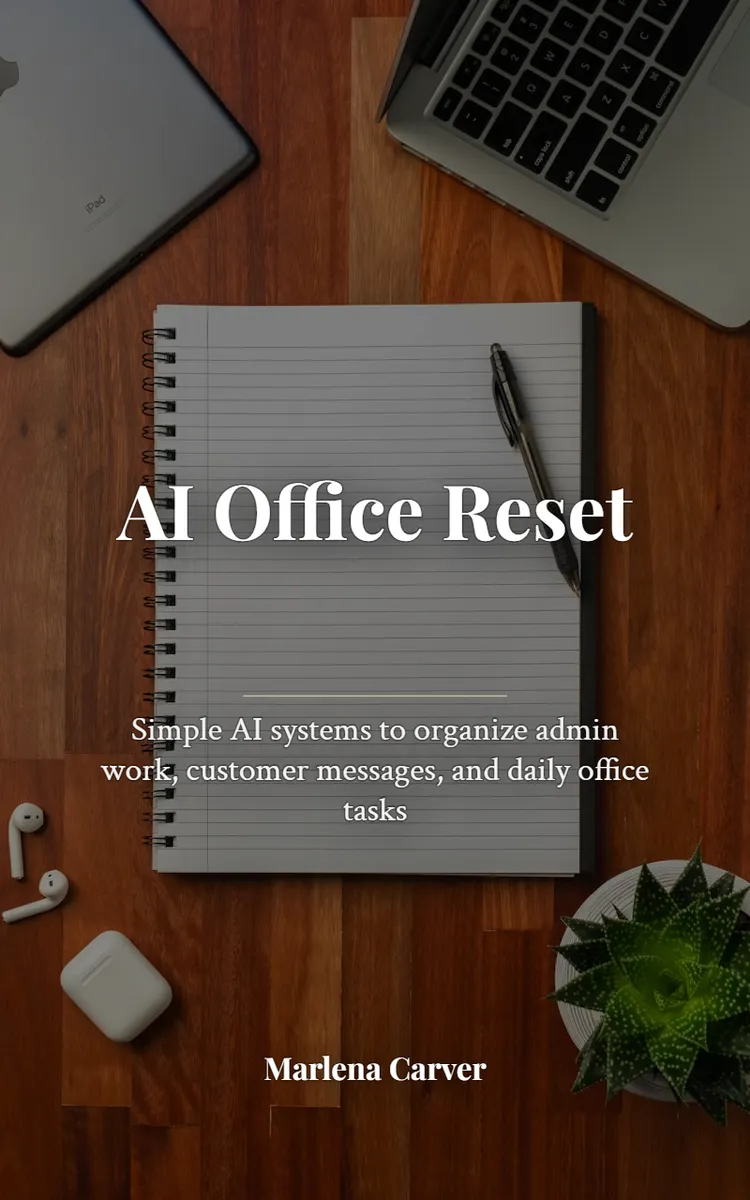
"AI Office Reset Workbook" is a workbook by Marlena Carver with 13 chapters and approximately 18,423 words. Using AI to streamline admin, emails, SOPs, and weekly routines.
This book was created using Inkfluence AI, an AI-powered book generation platform that helps authors write, design, and publish complete books. It was made with the Workbook Generator.
Frequently Asked Questions
What is "AI Office Reset Workbook" about?
Using AI to streamline admin, emails, SOPs, and weekly routines
How many chapters are in "AI Office Reset Workbook"?
The book contains 13 chapters and approximately 18,423 words. Topics covered include What an AI Office Reset Is, Fix the Overwhelm in Your Office, Know What AI Can’t Do, Write Prompts That Get Results, and more.
Who wrote "AI Office Reset Workbook"?
This book was written by Marlena Carver and created using Inkfluence AI, an AI book generation platform that helps authors write, design, and publish books.
How can I create a similar workbook?
You can create your own workbook using Inkfluence AI. Describe your idea, choose your style, and the AI writes the full book for you. It's free to start.
Write your own workbook with AI
Describe your idea and Inkfluence writes the whole thing. Free to start.
Start writingCreated with Inkfluence AI


