
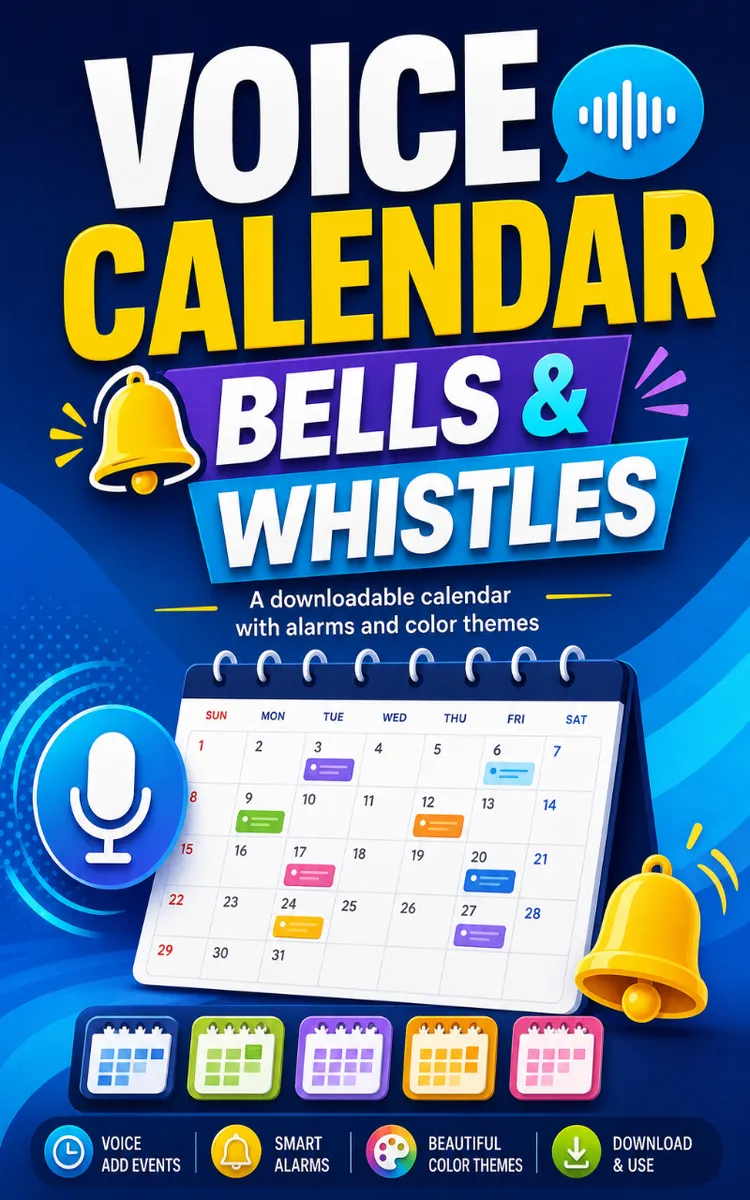
Voice Calendar Bells & Whistles
Created with Inkfluence AI
Downloadable voice-enabled calendar with appointment alarms and abstract colors
Table of Contents
- 1. Set Your First Voice Appointment Alarm
- 2. Use Abstract Color Blocks for Focus
- 3. Schedule Recurring Reminders Without Forgetting
- 4. Fix Misheard Voice Commands Fast
- 5. Build a Week Snapshot You’ll Actually Use
Preview: Set Your First Voice Appointment Alarm
A short excerpt from “Set Your First Voice Appointment Alarm”. The full book contains 5 chapters and 6,286 words.
Stop Losing Appointments: Set a Voice Alarm That Hits Right Now
Your calendar can look “fine” and still fail you. One missed call, one “I’ll be there in 10,” and suddenly you’re scrambling - again. The real pain isn’t forgetting the event; it’s forgetting it at the exact moment you needed to act.
This chapter gives you a Bell-First Setup Sprint worksheet (printable right in the ebook) so you can create a voice-made appointment and set an immediate alarm in minutes - so your calendar feels like it clicks instead of sits there.
---
The 2-Minute Payoff: Make the Alarm Sound Before You Even Finish
Here’s the quick win: don’t start by typing details. Start by telling your voice-enabled calendar what the appointment is, then immediately add an alarm that goes off right away.
Try this pattern (say it exactly, then swap the words):
“Add appointment: [appointment]. Alarm: now.”
If your voice calendar supports “remind me” phrasing, use that too. The goal is simple: get a sound immediately so you know the system is listening and the alarm is wired correctly.
And if you’re thinking, “Cool, but what about real life?” - good question. Talia, a 34-year-old project coordinator, told me she used to lose track during the busiest part of her day: handoffs, vendor calls, quick check-ins. She didn’t need “more reminders.” She needed one reminder that fired instantly so she felt the rhythm of the schedule again. After switching to alarm-first confirmation, she said she stopped second-guessing whether she set things correctly. (No fancy language - just less stress.)
---
Why “Alarm-First” Works: The Bell-First Setup Sprint
Most people set appointments like they’re filing paperwork. They add the title, the time, maybe a note… and only later do they wonder if they’ll actually remember. That’s backward. Your brain doesn’t run on “someday reminders.” It runs on timing cues.
With the Bell-First Setup Sprint, you build the appointment around one thing: a bell you can hear right now.
Talia’s setup looked like this: she’d be mid-task, hear the bell, and then instantly confirm the time details while the appointment was already “alive” on her screen. That tiny loop matters. In a real-world productivity study reported by the American Psychological Association, people who use external cues (like alarms and prompts) are more consistent with time-based tasks than those who rely on memory alone. The takeaway is practical: external reminders work best when they’re immediate and undeniable, not hidden behind “later tonight” anxiety.
Want a cleaner proof that you can feel? Here’s a simple test you can run today:
- Set an appointment without an immediate alarm.
- Then set another appointment with an immediate alarm.
After a few minutes, ask yourself one question: Which one felt “real” in your head?
That “realness” is the whole point. The bell turns the calendar from a list into a live signal.
The Bell-First Setup Sprint has one rule: you don’t “trust” the appointment until you hear the bell. Then you fine-tune everything else.
Bell-First Setup Sprint (core idea):
- Say the appointment.
- Trigger the alarm immediately.
- Only then confirm time, location, and any extra details.
When you do it in that order, you stop playing “did I set it right?” and start getting reliable prompts.
---
5-Minute Challenge: Create Your First Voice Appointment With an Immediate Alarm
You don’t need new tools for this. You just need your calendar app and your voice. Set a timer for 5 minutes and follow the checklist - out loud if you can.
Your Bell-First Setup Sprint checklist
Minute 1: Pick one appointment you’ll actually notice.
Use something near-term like “lunch with Alex” or “install call” or “gym check-in.” Keep it simple.
Minute 2: Create it by voice, then force an immediate alarm.
Say:
- “Add appointment: [appointment]. Alarm: now.”
If “now” isn’t accepted, use “right now” or “in one minute” (but keep it fast - under 2 minutes).
Minute 3: Confirm the alarm fired.
You should hear a sound (or see a pop-up) almost immediately. If nothing happens, don’t keep adding details - redo the alarm phrase until you get the bell.
Minute 4: Add one detail while the appointment is fresh.
Example: “Add location: [address/area]” or “Add note: bring invoice.”
Keep it to one detail so you don’t bog down.
Minute 5: Make sure you can spot it quickly.
Look at the appointment entry and confirm it shows the bell/alarm you set. If it’s using abstract color, make sure you can visually recognize it (even just by one glance).
If you want a printable micro-worksheet, copy this into Notes:
- Appointment: ____
- Time: ____
- Voice command used: ____
- Alarm phrase: ____
- Did the bell fire? (Y/N): ____
- One extra detail: ____
That’s it....
About this book
"Voice Calendar Bells & Whistles" is a lead magnet book by Lilly Marrs with 5 chapters and approximately 6,286 words. Downloadable voice-enabled calendar with appointment alarms and abstract colors.
This book was created using Inkfluence AI, an AI-powered book generation platform that helps authors write, design, and publish complete books. It was made with the AI Lead Magnet Generator.
Frequently Asked Questions
What is "Voice Calendar Bells & Whistles" about?
Downloadable voice-enabled calendar with appointment alarms and abstract colors
How many chapters are in "Voice Calendar Bells & Whistles"?
The book contains 5 chapters and approximately 6,286 words. Topics covered include Set Your First Voice Appointment Alarm, Use Abstract Color Blocks for Focus, Schedule Recurring Reminders Without Forgetting, Fix Misheard Voice Commands Fast, and more.
Who wrote "Voice Calendar Bells & Whistles"?
This book was written by Lilly Marrs and created using Inkfluence AI, an AI book generation platform that helps authors write, design, and publish books.
How can I create a similar lead magnet book?
You can create your own lead magnet book using Inkfluence AI. Describe your idea, choose your style, and the AI writes the full book for you. It's free to start.
Write your own lead magnet book with AI
Describe your idea and Inkfluence writes the whole thing. Free to start.
Start writingCreated with Inkfluence AI


