
How to Turn Notes or Voice Recordings Into a Full Ebook (Step-by-Step Guide)
Transform scattered notes, voice memos, and unorganized ideas into a complete, polished ebook. Learn the repeatable process for turning raw material into a published digital product.
Quick Answer
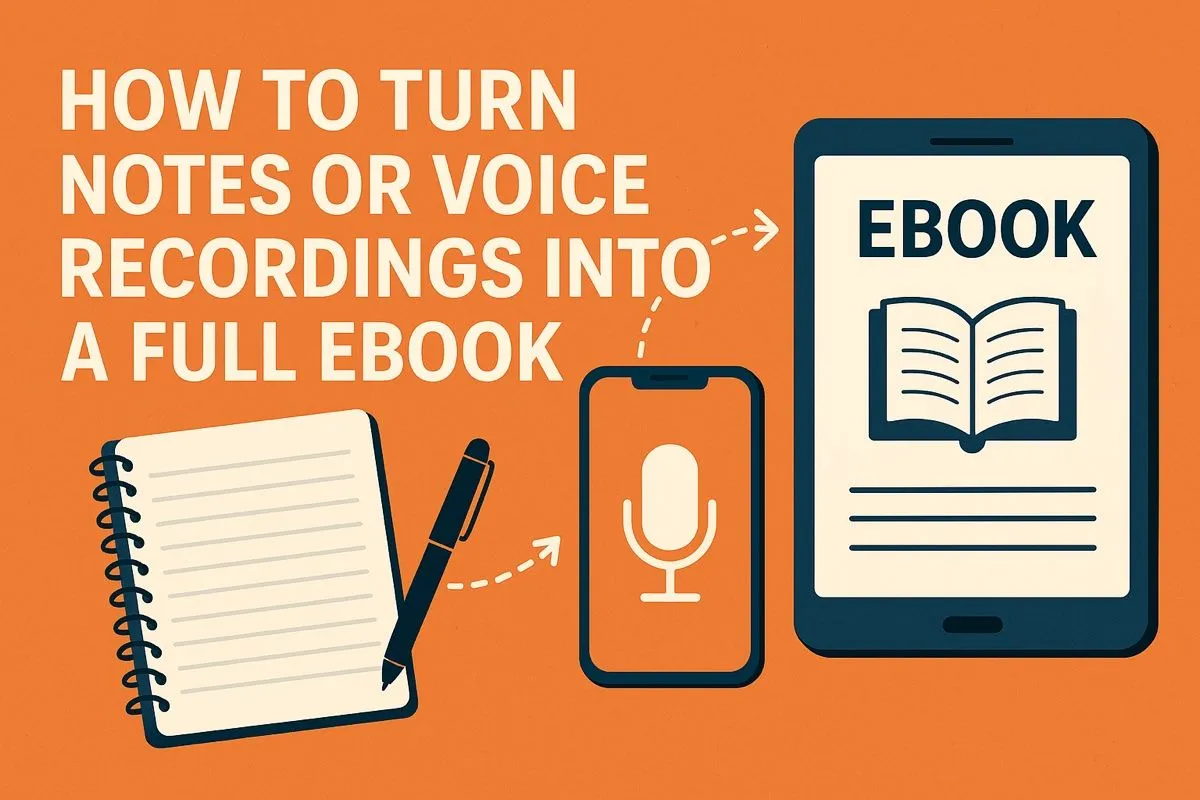
To turn notes or voice recordings into an ebook, start with a central transformation message, sort fragments into natural themes (these become chapters), then use an AI ebook generator to restructure raw material into a formatted, chaptered draft with headings, flow, and PDF/EPUB export. The entire process takes minutes instead of weeks of manual rewriting.
Start With a Central Message, Not a Title
When people try to turn scattered content into an ebook, the first mistake they make is forcing a title too early. A title comes last, not first. What you actually need is a central message.
Think of this central message as the "gravity" that pulls all your existing notes toward one connected direction. For example, scattered voice notes about productivity, routines, burnout, and focus could all orbit the central message of "How to rebuild discipline after a tough season." Suddenly, everything starts to make sense.
Ask yourself a simple question: "What is the single transformation my reader experiences by the end of this ebook?"
Once you have that transformation in mind, your scattered notes stop being random. They become puzzle pieces.
Sort Your Existing Notes Into Natural Themes
Next, gather everything you have: your phone notes, screenshots, jotted ideas, half-written paragraphs, and especially your voice recordings. Don't analyze them yet. Don't agonize over quality. Just bring them into one place.
Most people are shocked at how much material they already have. What used to feel like scraps suddenly looks like a rough draft waiting to be shaped.
Once everything is collected, read or listen through it once. Your goal isn't to structure anything yet; it's simply to notice patterns. You'll almost always see your content naturally falling into recurring themes: mindset, tools, practical tips, personal stories, a case study, a philosophy you repeat often.
These themes will later become the chapters.
One of the simplest ways to accelerate this step is using transcription. Turning voice notes into text makes them searchable and easier to sort. Students use the same approach to turn voice notes into revision guides for exam preparation. Once everything is in text form, highlight the parts that matter, move them into clusters, and label each cluster with a simple working title.
If you prefer speaking rather than typing, tools like Inkfluence AI let you record directly inside the editor and automatically transcribe your audio into structured text. This saves hours of manual note sorting and keeps everything in one place instead of scattered across apps. For more context on structuring ebooks efficiently, see our guide on creating ebooks in minutes.
This gives you the first rough skeleton of your book.
Shape Your Themes Into a Clear Ebook Outline
This is the moment your scattered content begins to take the form of an ebook. The clusters you created from your notes are now the foundation for your outline.
A strong outline is the single most important part of ebook creation. Without one, people get stuck in endless rewriting. With a strong outline, each chapter flows naturally into the next.
A simple structure that works for almost any topic looks like this:
- Introduction - why this topic matters, who it's for, what they'll learn
- Chapters 1-5 - each one focused on a single theme or idea
- Conclusion - the transformation, the next steps, or a call to action
Within this structure, drop each cluster of notes into its appropriate chapter. You're not writing yet; you're simply assigning content to the part of the book where it naturally fits. The outline should feel loose, flexible, and editable. This is where you decide the reading journey: where your reader begins, what they learn along the way, and how you close the loop.
An outline is the map. Without it, you wander. With it, your writing becomes faster, clearer, and more enjoyable.
Turn Your Notes Into Draft Paragraphs
Once your notes are in chapter clusters, it's time to expand them into actual narrative content.
Start with one chapter. Pick a cluster inside that chapter and rewrite it in a conversational, coherent way. Take the rough sentences from your notes (even if they feel messy) and turn them into clean paragraphs.
This process is a lot easier than starting from a blank page because you're not inventing ideas; you're shaping the ones you already have. You can move slowly and refine the tone as you go, or you can free-write quickly and polish later. Both approaches work.
Many creators find that this is the part where their voice really shows up. Ideas written in scattered form begin to sound like a real book. Sections gain flow. Chapters start to feel meaningful. It's where the project stops being theoretical and starts becoming tangible.
If you're using Inkfluence AI, you can select a cluster of notes, highlight it, and use the built-in AI Writing Assistant to turn your points into clean paragraphs. It keeps your tone consistent and prevents the "blank page problem." Other AI-powered writing tools can help too, but having everything in one editor saves time switching between apps.
Enhance Your Content With Stories, Examples, and Practical Insights
Ebooks aren't textbooks. Readers connect with stories, even short ones. Injecting a few personal examples, client anecdotes, or real scenarios brings your writing to life and makes your message more relatable.
If you have voice recordings, this is where they become priceless. Spoken ideas often carry more emotion, energy, and personality than typed notes. You might find sentences or metaphors you'd never think of otherwise. Drop those into the relevant chapters and let them spark additional insights.
It's also useful to separate abstract advice from practical steps. Abstract concepts inspire, but practical examples create the "aha" moments. Your notes probably contain both. Take the time to strategically place each in the chapter where it fits best.
Refine the Flow, Not the Grammar
Once your chapters have substance, resist the temptation to polish every sentence. Early editing slows you down. What matters now is making sure the book flows logically.
Read the book straight through, focusing only on:
- Does each chapter naturally lead into the next?
- Are there parts where the reader might get stuck or confused?
- Is there unnecessary repetition from your original notes?
- Does every chapter reinforce the central transformation?
You're shaping the story arc, not copyediting. Save grammar polishing for later.
At this stage, many creators realize they've accidentally written far more than they expected. When notes expand into paragraphs, the word count grows quickly. If anything feels too long, break it into two smaller chapters. If something feels shallow, revisit your voice memos; they often contain deeper insights you forgot about.
Give Your Ebook Depth With a Strong Introduction and Conclusion
Now that the body of your ebook is written, it's time to craft the beginning and the end, arguably the two most important sections.
A strong introduction should do three things:
- Show the reader you understand their problem.
- Promise a transformation or outcome.
- Explain how the book will get them there.
People don't read ebooks for information alone; they read them for clarity, direction, and confidence. Your introduction is where you make that connection.
The conclusion should bring everything together, summarizing the journey and giving your reader one final push toward applying what they learned. A good conclusion doesn't simply restate the content; it reinforces the transformation and often hints at possible next steps.
Design the Layout and Cover Without Getting Lost in Tools
Formatting is where many creators freeze. Traditional tools like Google Docs or Word quickly become frustrating when you try to handle long documents, images, headings, and exports to multiple formats.
Modern tools make this easier. A good ebook creation tool should let you:
- Edit your content in a clean writing environment
- Organize chapters easily
- Generate covers without needing Photoshop
- Export in PDF, EPUB, and DOCX
- Add AI-generated sections if you need them
- Use templates that don't look cheap or generic
You shouldn't be fighting with formatting. You should be focusing on your content.
Once your text is ready, apply a consistent style. Choose your fonts, set your spacing, drop in a simple or bold cover depending on your niche, and review the layout once more. Your tools should do the rest. For a detailed breakdown of design best practices, explore our fastest ebook creation workflows.
The goal is to keep the technical part simple so your creative energy goes into the writing.
Export and Refine Your Final Ebook
When everything feels coherent, export your ebook into your desired formats. PDF works well for lead magnets and downloads. EPUB is perfect for Kindle or iBooks. DOCX is useful if you're delivering editable templates or want to publish through platforms that require that format.
Once exported, do one final read-through. Look for clarity, consistency, and flow. Most of the hard work is already done; this pass is just about making sure the final reader experience feels smooth.
At this point, celebrate. You started with scattered notes and unstructured voice recordings. Now you have a complete, polished ebook ready to publish, sell, or share.
Final Thoughts
Turning notes or voice recordings into an ebook isn't just possible; it's one of the most efficient ways to create long-form content today. You don't need perfect writing skills or months of free time. What you need is a clear message, a simple structure, and a workflow that transforms rough ideas into polished chapters.
Your scattered thoughts hold more value than you realize. Your notes already contain the seeds of your ebook. Your voice recordings already hold the energy and authenticity your readers will connect with. The process is simply about gathering, shaping, and refining the content you already have.
Once you know how to turn raw material into structured chapters, ebook writing stops being a mountain and becomes a series of small, achievable steps.
And for many creators, this becomes the first of many ebooks; because when you see how easy it is to turn your everyday ideas into something polished and helpful, it opens the door to an entirely new kind of creative output.
Whether your ideas live in voice memos, scattered notes, or half-written drafts, Inkfluence AI can take them and turn them into structured chapters, formatted layouts, and export-ready ebooks.
Ready to transform your notes into a professional ebook? Try Inkfluence AI's instant chapter preview and see how quickly your scattered ideas can become a structured book.
Further Reading
For more insights on organizing your ideas into ebooks, check out our Medium article on organizing existing content.

Founder, Inkfluence AI
Sam is the founder of Inkfluence AI. He built the platform to make book creation accessible to everyone - from first-time authors to seasoned publishers.
Helpful links
Ready to Create Your Own Ebook?
Start writing with AI-powered tools, professional templates, and multi-format export.
Get Started FreeRelated Articles
 Guides
 Selling AI Coloring Books on Amazon KDP: The 2026 Rules, Specs, and Math
Are AI coloring books allowed on KDP? Yes, with disclosure. The part nobody covers: the AI workflow that passes review, style consistency across 30 pages, the interior specs that cause rejections, and the royalty ladder that decides your price.
 Guides
 How to Make an Adult Coloring Book in 2026: From Idea to Printed Pages
The modern walkthrough: what makes line work read as "adult", the three ways to create pages (draw, convert, generate), how to assemble a real book instead of a stack of pages, and the fork between KDP paperbacks, Etsy printables, and printing at home.
 Guides
 Consistent Characters in AI Children's Books: Why They Drift, and Every Method That Fixes It (2026)
The fox on page 3 never matches the fox on page 7, until you understand why. The four methods for character consistency in AI illustration, compared honestly, plus the page-7 test to run before trusting any tool's claim.
Get ebook tips in your inbox
Join creators getting weekly strategies for writing, marketing, and selling ebooks.