
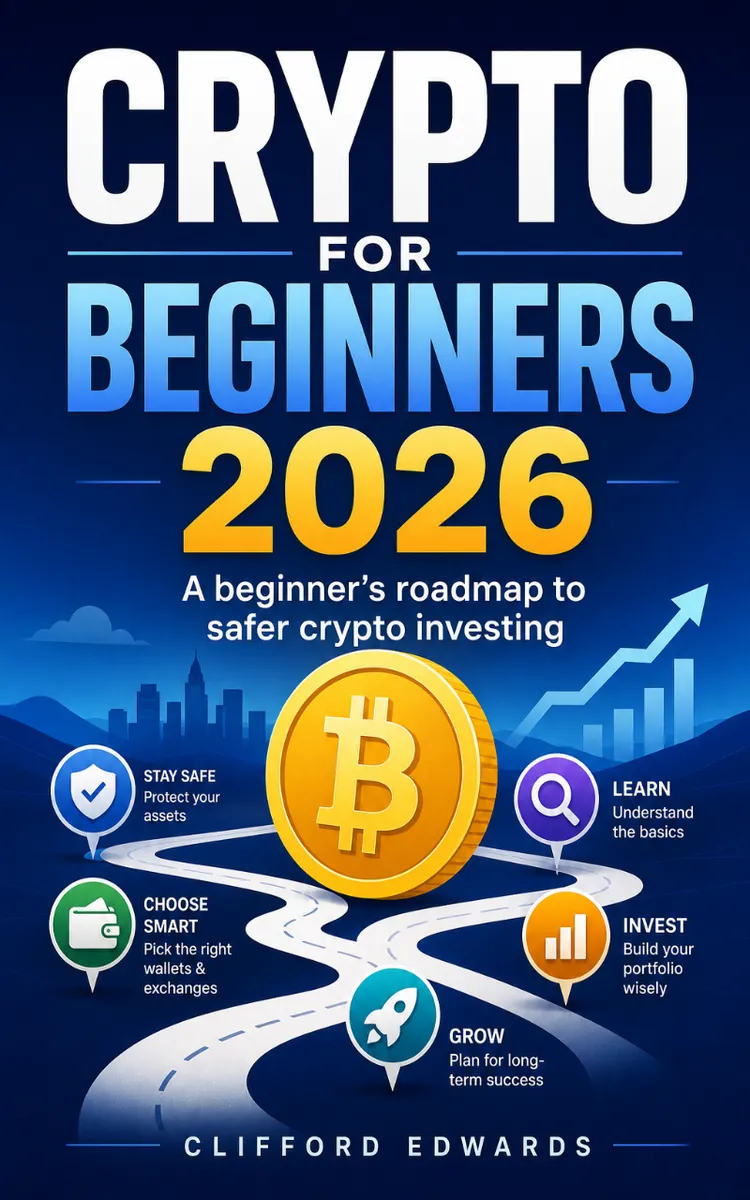

Read the first chapter
The whole of chapter one, free. About 8 min. Turn the pages with the arrows, your keyboard, or a swipe.
Chapter 1
Crypto Basics and Key Terms
A single wrong tap can turn “I bought crypto” into “I sent it to the wrong place.” I have seen people copy a wallet address, paste it into an exchange, and then realize the address belonged to a different network. The screen looked the same, the numbers looked the same, but the transfer never arrived. That is why you need crypto vocabulary that actually matches what you do in real life, not just words you hear online.
In this chapter, you will learn the four building blocks that show up every time you buy, store, and move crypto: wallets, exchanges, tokens, and blockchains. You will also learn the key terms that help you avoid mismatches, like “network,” “address,” and “token.” By the end, you will be able to look at a wallet screen and an exchange screen and explain what each one is doing, where your crypto lives, and what can go wrong.
We will use one running example: Lena, 24, a retail analyst who wants to start investing without turning her life into a full-time tech project. She does not need fancy theory. She needs a clear map of the parts, so she can make correct clicks the first time.
Why This Matters: The Crypto Map Primer for vocab that prevents costly mistakes
Think of crypto like a system of mailboxes and delivery routes. A wallet holds your “mailbox keys” (the secret information that lets you spend). An exchange acts like a storefront and counter where you can trade. A token represents a specific asset on a blockchain. A blockchain is the shared ledger that records transfers for that network.
When you understand these roles, you stop guessing when something does not match. For example, you might see “USDC” on an exchange and then later see “USDC” inside a wallet. That still does not guarantee it is the same thing, because the same token name can exist on different networks. If you send on the wrong network, you can lock yourself out of the transfer or lose time trying to recover it. Your goal is to make the “where” and the “network” match every time.
Here is the Crypto Map Primer: whenever you buy or move crypto, you should be able to answer three questions quickly. First, “Which wallet am I sending from or to?” Second, “Which network or chain is this on?” Third, “Which token am I moving?” If you can answer those three, you can follow the right buttons on an exchange and the right fields in a wallet.
Lena’s situation shows why this matters. She tracks retail trends for work and wants to invest a small, steady amount each month. She does not want to learn by breaking things. So she labels her process: she checks the network before every transfer, she saves her wallet address carefully, and she verifies the token symbol before she clicks “Withdraw.” That habit comes directly from understanding how the pieces fit.
A quick policy note before you start: crypto transfers usually cannot get reversed. Exchanges can help sometimes, but you should not assume support will fix a wrong-network transfer. Treat every send like you are shipping something valuable and fragile.
How It Works: Wallets, exchanges, tokens, and blockchains (with steps you can follow)
You can treat the whole system as four connected parts. The wallet stores your keys. The exchange provides trading and on/off ramps. The token represents the asset. The blockchain records the transfer so the network can verify it.
Use this rule set every time you move crypto, even if you feel confident:
1. Pick the destination wallet type (wallet as the “keys,” not as an app icon). A crypto wallet app (or hardware wallet) holds the keys needed to spend. Addresses come from the wallet. Lena uses a software wallet app because it fits her phone-first setup.
2. Confirm the network (the “route”). “Network” means the blockchain route you choose, like one chain versus another. Wallets and exchanges often support multiple networks for the same token symbol. Lena checks the network dropdown on the exchange withdrawal page before she copies anything.
3. Match the token symbol (the “item”). Tokens have symbols like BTC, ETH, or USDC, but the token exists within a specific network. Lena selects the token on the exchange withdrawal page that matches what she sees in her wallet.
4. Copy the correct address and verify the last characters (the “label”). Exchanges and wallets show a long address string. You should paste it carefully and double-check the end of the address matches what your wallet displayed. Lena uses the same verification every time: she compares the last 6-8 characters before she confirms.
Here is a concrete example using Lena’s plan. She wants to move a small amount of ETH from an exchange into her wallet so she can control it. On the exchange, she selects ETH as the token. She chooses “Withdraw,” selects the network (for ETH you will usually see one main network option, but the page still shows it), and then she pastes her wallet’s ETH address. After she confirms, the blockchain records the transaction and the wallet balance updates when the network includes it.
Once you see the parts this way, the vocabulary stops being fuzzy. “Address” identifies where the transfer goes. “Network” decides which ledger verifies the transfer. “Token” identifies the asset on that ledger. “Blockchain” is the shared record that makes the transfer real.
Important scope/caution: You only need to understand enough to make correct moves. You do not need to memorize cryptography. Focus on the practical checks: wallet destination, network, token, and address verification.
Putting It Into Practice: Lena’s first safe transfer using the Crypto Map Primer
Let’s run a realistic scenario. Lena deposits money into an exchange, buys a token, and sends it to her wallet. She uses a small amount first so she can verify the process.
1. Create or open your wallet and find your receiving address. Lena opens her wallet app, chooses “Receive,” and selects the token she plans to receive (for example, ETH). The wallet shows an address string and sometimes a network option. She copies the address exactly as shown.
2. On the exchange, start the withdrawal for the exact same token. Lena goes to the exchange dashboard, clicks “Withdraw,” and selects ETH. The exchange shows a network selection. She chooses the network that matches what her wallet uses for ETH on that receive screen.
3. Paste the wallet address and verify the last characters. Lena pastes the address and then compares the last 6-8 characters with the end of the address displayed in her wallet. She does not skip this step, even for small amounts.
4. Enter an amount small enough to test, not so small it fails due to fees. Lena starts with an amount that covers typical withdrawal fees on the exchange. She checks the fee shown on the withdrawal page and makes sure her test amount leaves enough to complete the withdrawal.
5. Confirm and track the transaction status. After she submits, the exchange shows a transaction status (often “pending” first). Lena copies the transaction ID (transaction hash) if available. She watches until the wallet balance updates.
6. Verify the token and network inside the wallet. When the transfer arrives, Lena checks that her wallet shows the token under the expected network. She does this because token names can look identical across networks, and she wants the match to be exact.
Expected outcome: Lena’s wallet balance increases by the received amount after the network confirms the transfer, and she sees ETH under the correct network. If the wallet never shows the token, she knows to stop and investigate network mismatch first.
Quick checklist Lena follows every time: - Confirm the token symbol on the exchange withdrawal page matches the token she selected in her wallet. - Confirm the network/chain selection matches between exchange and wallet. - Copy the receiving address from the wallet and paste it into the exchange withdrawal form. - Verify the last 6-8 characters of the address before confirming. - Start with a test transfer when you are new, then scale up.
Direct responsibility statement: You must verify addresses and networks yourself. Exchanges do not have a “smart guess” that fixes mismatches, and wallets cannot magically detect every wrong-network scenario. Your checks prevent the problem before it happens.
What to Watch For: Mistakes that break transfers (and how to fix them fast)
Even with good intentions, beginners run into the same few edge cases. These are the ones that matter because they directly connect to wallets, exchanges, tokens, and blockchains.
Wrong network for the same token name This happens when you send “USDC” (or another token) on one network while your wallet expects it on a different network. The address may look correct, but the network route differs. The transfer can stall, or you may not see the funds in your wallet. - Do this: On both the exchange and the wallet receive screen, select the same network before you withdraw or copy the address. - Not this: Assume “USDC is USDC” because the symbol matches. Always match the network/chain selection.
Copy-paste errors in the address A single missing or extra character can send funds somewhere else (or to an invalid destination). Most screens make addresses hard to read, so copy errors slip in. - Do this: Verify the last 6-8 characters after you paste. If the end characters do not match, correct it before you submit. - Not this: Click confirm quickly because “it looks the same” after pasting.
Sending the right token to the wrong wallet type Some wallets and exchange systems use different address formats depending on network or wallet setup. If you mix formats, your transfer can fail or arrive in a way you cannot access easily. - Do this: Use the wallet’s “Receive” button for the exact token and network you plan to use, then copy that address. - Not this: Use an old address you saved months ago without checking the token and network again. Wallets can show different routes for different assets.
One last caution that saves beginners time: if something looks off, pause before you send more. Lena’s rule is simple - she stops, checks network first, then checks token symbol, then checks address. That order matters because network mismatch causes the most “invisible” failures.
Once you build this habit, crypto starts to feel less like a mystery and more like a checklist. You are not chasing hype. You are operating a system with clear parts: wallet keys, exchange withdrawals, token choices, and the blockchain route that records it all. And that is the foundation you need before you learn deeper topics like how to buy, set limits, and manage risk.
End of chapter one. 7 more chapters and about 13,852 words in the full book.
Swipe or use the arrows to turn the page


What's inside: 8 chapters
- 1. Crypto Basics and Key Terms
- 2. Choosing a Safe Crypto Exchange
- 3. Setting Up a Non-Custodial Wallet
- 4. Buying Your First Crypto Order
- 5. Using DCA for Steady Investing
- 6. Reading Charts Without Getting Lost
- 7. Diversification and Risk Management
- 8. Avoiding Scams and Handling Taxes
About this book
"Crypto For Beginners 2026" is a finance book by Clifford Edwards with 8 chapters and approximately 13,852 words. Intro to cryptocurrency basics, wallets, exchanges, and investing.
This book was created using Inkfluence AI, an AI-powered book generation platform that helps authors write, design, and publish complete books. It was made with the AI Ebook Generator.
Frequently Asked Questions
What is "Crypto For Beginners 2026" about?
Intro to cryptocurrency basics, wallets, exchanges, and investing
How many chapters are in "Crypto For Beginners 2026"?
The book contains 8 chapters and approximately 13,852 words. Topics covered include Crypto Basics and Key Terms, Choosing a Safe Crypto Exchange, Setting Up a Non-Custodial Wallet, Buying Your First Crypto Order, and more.
Who wrote "Crypto For Beginners 2026"?
This book was written by Clifford Edwards and created using Inkfluence AI, an AI book generation platform that helps authors write, design, and publish books.
How can I create a similar finance book?
You can create your own finance book using Inkfluence AI. Describe your idea, choose your style, and the AI writes the full book for you. It's free to start.
Write your own finance book with AI
Describe your idea and Inkfluence writes the whole thing. Free to start.
Start writingCreated with Inkfluence AI


