
AI Agents Explained Simply
Created with Inkfluence AI
Understanding AI agents and how they work
Table of Contents
- 1. What AI Agents Are (Simple)
- 2. Agent Roles, Tools, and Memory
- 3. Planning and Task Execution Steps
- 4. Safety, Limits, and Trust Checks
- 5. Build Your First Real Agent Workflow
Preview: What AI Agents Are (Simple)
A short excerpt from “What AI Agents Are (Simple)”. The full book contains 5 chapters and 9,658 words.
Why AI Agents Matter More Than “Just Chatting”
Have you ever wished your software could do the next step for you - not just talk about it? Like, you ask for help, and it actually checks your schedule, drafts the message, and marks the task done. That “do the next step” feeling is exactly what AI agents aim for.
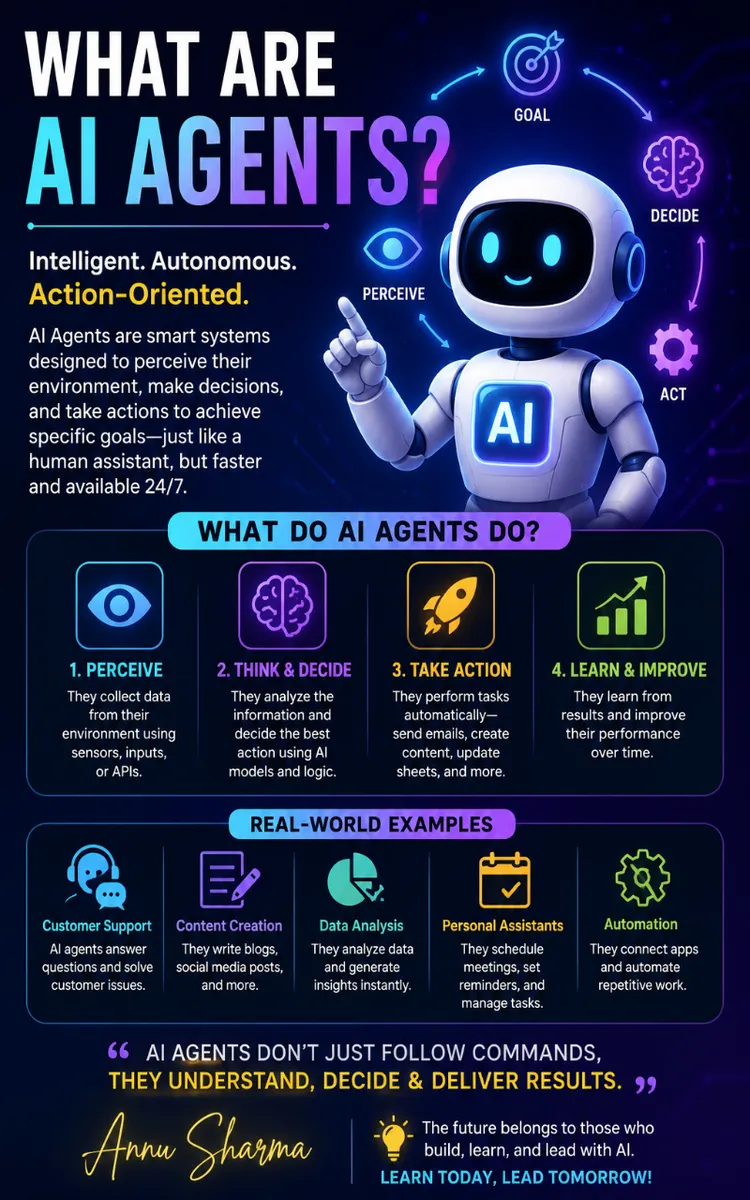
In plain English, an AI agent is software that follows a goal, makes a plan, takes actions in tools (like email, a spreadsheet, a website, or a form), and keeps going until it reaches a result - or it stops and asks for help. It doesn’t only answer questions. It acts.
People often mix up AI agents with chatbots. A chatbot mainly chats: it replies to what you type. An agent goes further: it uses information, chooses actions, and updates what it did. That difference matters in daily work because you stop repeating the same steps - copying, checking, filing, and coordinating - and you get faster, more consistent outcomes.
After you learn this chapter, you will be able to explain AI agents in one sentence, spot the difference between an agent and a chatbot, and start mapping a simple “agent task” you can try right away. You will also know what to watch for so you don’t accidentally build something that only talks instead of doing.
The Core Idea: Agents vs. Chatbots (with The Agent-Loop Starter Map)
Let’s anchor this with a simple definition you can reuse. An AI agent has three jobs running together: (1) it reads the goal, (2) it decides what to do next, and (3) it performs actions and checks results. A chatbot mainly does job (1) and (2) in a limited way - mostly it answers your questions without taking real actions.
A helpful way to understand how agents work is The Agent-Loop Starter Map. Think of it like a loop you can picture on a sticky note. The loop repeats until the job finishes.
1. Goal intake (State the target)
- You write the goal in clear, measurable terms. Example: “Send a customer reply within 2 hours that confirms the order and asks for a delivery preference.”
- Why it matters: vague goals produce vague results. You need something you can check.
2. Plan (Pick the next actions)
- The agent breaks the job into steps, like “find the order,” “draft the email,” “check the tone,” “send.”
- Why it matters: planning turns one big request into doable actions.
3. Action (Use tools to do work)
- The agent performs actions in real tools: reads a spreadsheet row, pulls customer details, creates a draft email, or fills a form.
- Why it matters: without actions, you only get chat.
4. Check (Verify the result)
- The agent checks what happened: “Did the email send?” “Did the draft include the delivery preference question?”
- Why it matters: checking prevents silent failures and wrong outputs.
5. Repeat or stop (Continue until done, then exit)
- If the check fails, the agent tries again or asks you for missing info. If the result passes, it stops.
- Why it matters: you need a clear end point so work doesn’t loop forever.
Now let’s make the difference concrete. Nina, 22, is building her first workflow for her college club. She gets many “What time is the meeting?” messages. She wants something that responds and updates the schedule when the plan changes.
- With a chatbot, Nina can type a question and get a reply text back. It won’t update her calendar automatically.
- With an AI agent, Nina can set a goal like: “When someone asks the meeting time, reply with the right time and update the calendar if the meeting time changes.” The agent can read the latest meeting info from her calendar tool, draft the reply, and - if needed - make the calendar change.
Ask yourself: When you send a request to your tool, do you want a message back, or do you want a result done in your systems? That answer tells you whether you need an agent or a chatbot.
Practical takeaway / reflection prompt: Write one sentence that starts with “I want the software to…” and includes an action (send, update, file, schedule). If it only includes “reply” or “explain,” you’re describing chatbot behavior. If it includes real actions, you’re thinking like an agent.
Putting It Into Practice: A Simple Agent Task for Nina’s Workflow
Let’s walk through a realistic scenario you can copy. Nina wants to handle meeting questions for her club without manually checking the latest time every day.
Here’s the exact task she sets up for an agent using The Agent-Loop Starter Map. She keeps it small so she can see what’s happening.
Numbered steps Nina follows:
1. Write the goal in a checkable way
- Nina sets: “For every incoming message that asks about meeting time, do two things: (1) reply with the correct time, and (2) log the question in a spreadsheet.”
- Expected outcome: after each message, she can open the spreadsheet and see a new row.
2....
About this book
"AI Agents Explained Simply" is a how-to guide book by shreevaishnohomes PvtLtd with 5 chapters and approximately 9,658 words. Understanding AI agents and how they work.
This book was created using Inkfluence AI, an AI-powered book generation platform that helps authors write, design, and publish complete books. It was made with the AI Ebook Generator.
Frequently Asked Questions
What is "AI Agents Explained Simply" about?
Understanding AI agents and how they work
How many chapters are in "AI Agents Explained Simply"?
The book contains 5 chapters and approximately 9,658 words. Topics covered include What AI Agents Are (Simple), Agent Roles, Tools, and Memory, Planning and Task Execution Steps, Safety, Limits, and Trust Checks, and more.
Who wrote "AI Agents Explained Simply"?
This book was written by shreevaishnohomes PvtLtd and created using Inkfluence AI, an AI book generation platform that helps authors write, design, and publish books.
How can I create a similar how-to guide book?
You can create your own how-to guide book using Inkfluence AI. Describe your idea, choose your style, and the AI writes the full book for you. It's free to start.
Write your own how-to guide book with AI
Describe your idea and Inkfluence writes the whole thing. Free to start.
Start writingCreated with Inkfluence AI


