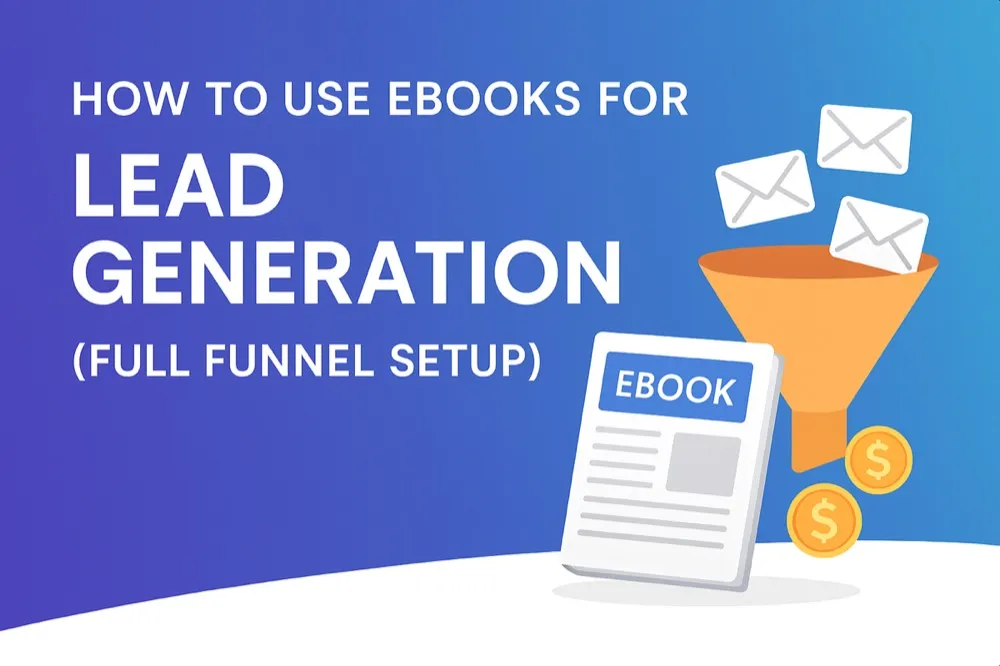
How to Use Ebooks for Lead Generation in 2026 (Full Funnel Setup)
Build an evergreen lead funnel with ebooks that attract, nurture, and convert subscribers into customers. Learn the full-stack strategy covering topic selection, landing pages, automation, and repurposing.
Quick Answer
Ebooks are one of the highest-performing lead generation assets because they filter for high-intent prospects willing to invest time. The most effective ebook lead funnel combines a transformation-focused topic, an optimised landing page, email automation, and content repurposing. Use Inkfluence AI to create your lead magnet ebook in minutes, then build the funnel around it.
Ebooks quietly remain one of the highest-performing lead generation assets on the internet. While social posts disappear within hours and paid ads get pricier every quarter, a well-positioned ebook keeps capturing search demand, referral traffic, and newsletter subscribers month after month.
In 2026, ebooks are no longer static PDFs. They act as mini products, onboarding experiences, and trust-building engines that guide a reader from curious visitor to buying customer. With Inkfluence AI's publishing toolkit, teams can prototype a full ebook funnel in a weekend.
Why Ebooks Work So Well for Lead Generation
Ebooks meet prospects at the exact moment they need clarity. Someone who downloads a multi-page resource is signaling intent: they have a problem and they want a trustworthy roadmap. Compared to lighter lead magnets, ebooks consistently produce higher-quality leads because they filter for people who are willing to invest time.
They also reinforce brand ownership. Instead of relying on algorithmic feeds, you build an email list you control. That list becomes the backbone for launches, community updates, and cross-sells. To go deeper on production workflows, pair this guide with the ebook creation blueprint, the AI writing playbook, the lead magnet creator guide, and our comprehensive guide on how to create a lead magnet that converts.
Step 1: Choose a Topic That Maps to Revenue
The most common mistake is writing about what feels interesting rather than what primes readers for your paid offer. Reverse-engineer the topic from your signature product or service:
- List the promises your core offer fulfills.
- Break those promises into earlier milestones a prospect would search for.
- Interview recent customers to learn what they Googled before purchasing.
If you sell a course about scaling an agency, the ebook might cover the first 30 days of client acquisition. If you run a SaaS platform like Inkfluence AI, the ebook could showcase how to publish faster (and naturally reference features throughout).
Need help refining an idea? Pair this article with our ebook creation workflow to map transformation-based topics in minutes.
Further Reading
Learn how to organize your existing knowledge into ebooks in this Medium piece on ebook organization.
Step 2: Structure the Ebook Around a Clear Transformation
The highest converting ebooks deliver a noticeable shift - confusion to clarity, theory to checklist, or idea to action. Keep sections concise and end each chapter with a micro-win (worksheet, checklist, script). Tools such as Inkfluence AI automatically format those sections so they feel like a premium playbook rather than a text dump, complete with PDF, EPUB, and DOCX exports.
Recommended outline:
- Promise-driven introduction
- Diagnostic or assessment to segment readers
- 3–5 decisive steps with screenshots or examples
- Case study or story highlighting the transformation
- Bridge into your core offer or community
Step 3: Design a Landing Page That Converts
A great ebook is useless if the landing page underperforms. Anchor your hero copy to a tangible outcome, showcase a mockup of the interior pages, and keep the form frictionless (usually name + email is enough). Include social proof or mini testimonials below the fold. You can repurpose assets directly from your ebook pages since Inkfluence AI exports polished spreads.
Bonus tip: embed a teaser video or animated flipbook preview to increase perceived value and average opt-in rates. For more landing page inspiration, dive into our ebook marketing strategy roundup.
Step 4: Deliver Smoothly and Invite the Next Step
The delivery email kicks off the actual funnel. Within minutes of signup, subscribers should receive:
- A clear download link (hosted on Inkfluence storage or your CDN)
- A reminder of what to expect next (weekly tips, workshop invites, etc.)
- A light CTA toward your primary action - joining your community, scheduling a demo, or trying the Creator plan
Keep the tone personal and concise. Readers who feel welcomed are far more likely to engage in the automation sequence. Add a short Loom or audio note that recaps how to get the most from the guide.
Step 5: Automate a Full-Funnel Nurture Sequence
Only a small percentage of leads will convert immediately. Build a 5–7 email workflow that mirrors your buyer journey:
- Day 0: Delivery email with quick-win CTA.
- Day 2: Deeper dive into a core chapter with an implementation tip.
- Day 4: Case study or testimonial proving real-world results.
- Day 6: Educational video or audio clip (repurpose ebook content as a voice-generated lesson).
- Day 8: Soft invitation to your main product, focused on transformation not features.
- Day 11: FAQ, objection handling, or behind-the-scenes walkthrough.
- Day 14: Reminder or limited-time bonus.
Segment leads who click high-intent links and send them personalized follow-ups or sales-assist sequences. Need CTA inspiration? Study the frameworks inside How to Create an Ebook That Sells.
Step 6: Repurpose the Ebook Into a Content Engine
Evergreen ebooks make it easy to spin up weeks of SEO-optimized content. Convert each chapter into standalone blog posts (linking back to the main download), publish pull quotes across LinkedIn, and record short reels summarizing frameworks. Interlink everything to build topical authority - Google and AI search engines reward clusters of focused, internally linked assets.
Example repurposing ideas:
- Turn the strategy chapter into a pillar post targeting “ebook lead generation funnel”.
- Publish a webinar or podcast episode and embed the opt-in inside the show notes.
- Create a downloadable checklist and link it inside the ebook plus on the conversion-focused content.
Step 7: Layer Paid and Organic Traffic
With the ebook live, fuel the funnel with multiple acquisition channels:
- Run retargeting ads that highlight a stat or mini case study from the guide.
- Publish SEO posts that target long-tail queries like “ebook funnel template” and link back to the download.
- Partner with newsletters or communities in your niche and offer a co-branded version of the ebook.
For even more promo ideas, revisit the 15 ebook marketing strategies article - we break down paid, earned, and owned tactics along with performance benchmarks.
Step 8: Measure, Optimise, and Improve the Funnel
Track the funnel like a product launch. Key metrics include landing page conversion rate, ebook download-to-open rate, email click-through, and downstream purchases. Use the analytics panel inside Inkfluence AI to monitor which chapters readers highlight or export most frequently, then update the ebook quarterly to keep it fresh.
When a particular topic outperforms, double down: create advanced editions, paid toolkits, or cohort-based workshops. Rotate fresh ads and social creatives that point back to the same evergreen ebook to reduce CAC.
Tech Stack Checklist for 2026
- Inkfluence AI for ideation, chapter drafting, PDF/EPUB/DOCX exports, and instant cover design.
- Email service provider (ConvertKit, Klaviyo, Beehiiv) for automation.
- Landing page builder (Webflow, Framer, or a native Inkfluence landing page) for the opt-in experience.
- Analytics + attribution (GA4, Amplitude, Triple Whale) for funnel visibility.
- Payment + upsell (Stripe, LemonSqueezy, Gumroad) if your ebook flows into a paid toolkit.
Example Funnel Timeline
Week 1: Draft the outline, generate chapters inside Inkfluence, and run a quick voice-over using the audiobook exporter.
Week 2: Design the landing page, create the cover mockups, and upload PDF + EPUB + DOCX outputs to your CDN.
Week 3: Write the automation emails, record a short welcome video, and schedule cross-promotion posts.
Week 4: Launch, gather data, and ship a “version 1.1” update to keep the asset fresh.
Putting It All Together
An ebook-led funnel works because it respects the buyer journey: educate, demonstrate, invite, and convert. With modern tooling you can ideate, draft, design, launch, and automate inside a single weekend sprint.
Ready to build your own? Use our Lead Magnet Generator to create a complete PDF guide with AI-written content - no blank page paralysis. If you want the landing page first, start with the Lead Magnet Creator. Or spin up a free project in Inkfluence AI, import this playbook as a template, and ship your lead magnet faster than the competition. When you're ready for unlimited exports, audiobook narration, and collaboration tools, upgrade to the Creator or Premium plan.

Inkfluence AI Team
Tips, tutorials, and strategies from the Inkfluence AI team to help you write, publish, and sell ebooks faster.
Helpful links
Ready to Create Your Own Ebook?
Start writing with AI-powered tools, professional templates, and multi-format export.
Get Started FreeRelated Articles
 Marketing
 How to Market an Ebook in 2026: Complete Strategy (Before and After Launch)
A practical ebook marketing playbook for 2026 covering pre-launch prep, launch week tactics, Amazon KDP SEO, social media promotion, email list building, content repurposing, and long-term sales strategies.
 Marketing
 Ebook Marketing for Beginners: How to Sell Your First 100 Copies in 2026
A practical ebook marketing guide for first-time authors. Learn how to promote your ebook using free and paid strategies that work in 2026.
 Marketing
 Ebook Marketing Strategy 2026: The Complete Guide to Selling More Books
Learn proven ebook marketing strategies for 2026. From pre-launch planning to Amazon KDP optimization, email funnels, and paid ads. Step-by-step guide for authors.
Get ebook tips in your inbox
Join creators getting weekly strategies for writing, marketing, and selling ebooks.