
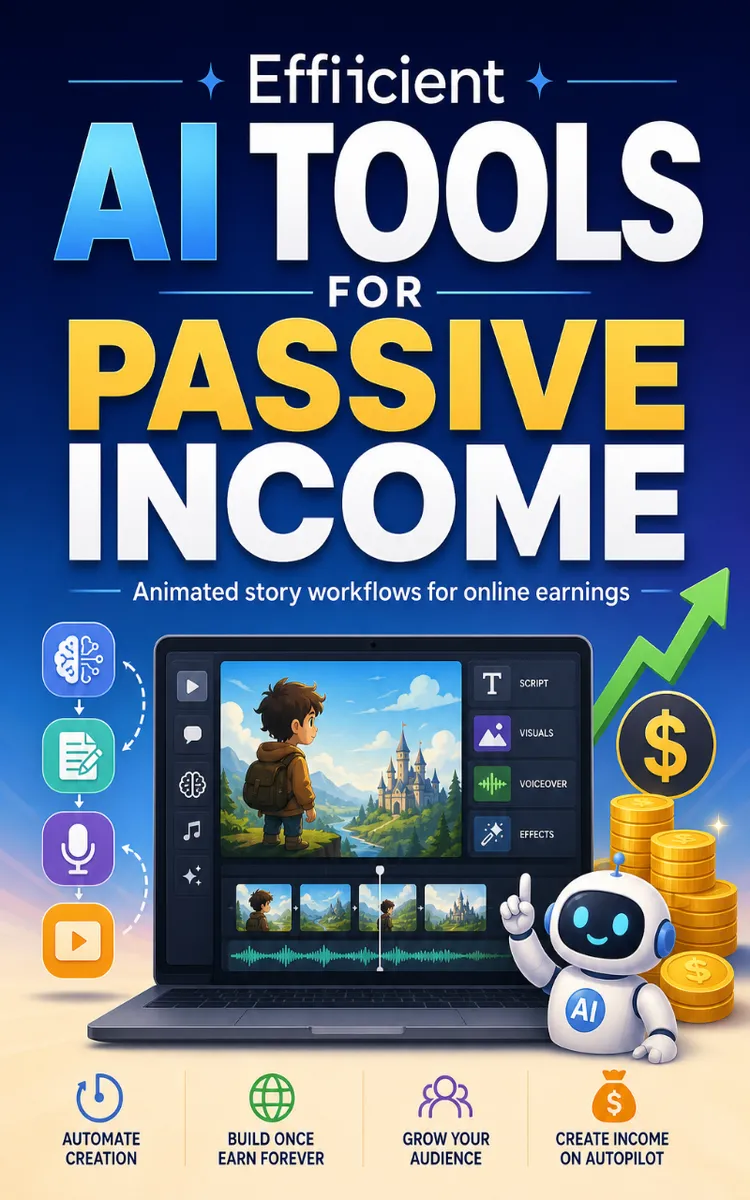
Efficient AI Tools For Passive Income
Created with Inkfluence AI
Selecting AI tools and generating animated stories for passive income
Table of Contents
- 1. AI-Driven Passive Income Blueprint (Animated Story Pipeline)
- 2. Rapid Story Generation: Prompts, Outlines, and Scriptwriting AI
- 3. Voiceovers That Convert: Text-to-Speech for Storytelling
- 4. Character & Scene Creation: AI Art for Animated Story Assets
- 5. Animation at Scale: Tools for Motion, Lip-Sync, and Style
- 6. Editing & Post-Production Automation
- 7. Publishing Systems: SEO, Thumbnails, and Content Distribution
- 8. Monetization Models for Animated Stories (Passive Income Focus)
- 9. Automation & Workflow Orchestration: Batch Production Without Burnout
- 10. Quality, Compliance, and Long-Term Optimization
Preview: AI-Driven Passive Income Blueprint (Animated Story Pipeline)
A short excerpt from “AI-Driven Passive Income Blueprint (Animated Story Pipeline)”. The full book contains 10 chapters and 9,976 words.
Overview
A scroll-stopping animated story is just a pipeline with receipts: idea → script → assets → animation → publishing → distribution. This chapter gives you a repeatable workflow to turn AI outputs into videos you can actually monetize, with tool choices that save hours instead of adding “one more step.” You’ll get 5 concrete items that lock the process down-from idea prompts to export settings-so every story has the same backbone.
Quick comprehension check: if you can’t explain your next step in one sentence (“I’m turning the script into a voice + scenes next”), your pipeline isn’t repeatable yet.
---
The Breakdown
#1: Build a “Story Skeleton” Before You Generate Anything
Problem: Most people feed AI random ideas and end up with scripts that don’t map cleanly to visuals. Then they waste 30-90 minutes reworking scenes because the script has too many beats for the animation style they picked. The result: inconsistent pacing, mismatched voice timing, and videos that feel “off” even when the text looks good.
Solution: Create a 60-90 second story skeleton first. Use this fixed layout: Hook (0-5s) → Setup (5-15s) → 3 key moments (15-55s) → Payoff (55-70s) → CTA (70-90s). Then write 1 sentence per segment (not a full script). Only after that, ask your AI for a script that must follow your segment word counts (example: Hook ≤ 20 words, CTA ≤ 12 words).
Result: Your animation workload becomes predictable-each segment turns into a scene, and each scene has a target time window.
Takeaway prompt: Can you point to your Hook, Setup, and CTA segments right now-without rewriting?
---
#2: Use a Script-to-Scene Template (So AI Output Lands in the Right File)
Problem: “Generate a script” sounds simple, but AI often delivers paragraphs that don’t break into scenes. When you later try to animate, you’ll either squeeze multiple lines into one frame or split the script mid-sentence, which kills voice sync. That’s how timelines drift and edits multiply.
Solution: Ask for a script using a strict scene table format. Example template you can paste into your AI prompt:
| Scene | Time (sec) | On-screen text (max words) | Voiceover (1-2 lines) | Visual prompt |
|---|---|---|---|---|
| 1 | 0-5 | 6-10 | 1 line | “close-up, bold title card, flat illustration” |
Then enforce rules: max 12 words per on-screen text, no scene longer than 20 seconds, and every scene has a visual prompt. When the output comes back, copy it into a “ScenePlan” doc so your next tool reads from the same structure.
Result: Your animation step becomes copy/paste instead of reformatting, and voice timing stays aligned.
Takeaway prompt: Do your scenes have a time range and a visual prompt already-or are you still guessing later?
---
#3: Generate Assets in Batches with Style Lock (Character, Colors, Camera)
Problem: If you generate images one by one with different prompts, you’ll get random character proportions, shifting art style, and inconsistent lighting. Viewers notice this fast, especially on short-form videos where cuts happen every 2-4 seconds. You also lose time because you’re constantly fixing “almost right” assets.
Solution: Lock your style before generating anything. Pick a single reference style and reuse it in every asset prompt. Example style lock checklist:
- Character: 1 consistent avatar (same outfit + face angle)
- Palette: 3-5 colors (e.g., navy, teal, cream, red accent)
- Camera: same framing (e.g., “medium shot, slight zoom”)
- Background: consistent texture (e.g., flat gradient)
Then generate assets in batches by type: (1) character variations (front/side), (2) props/icons, (3) backgrounds, (4) text title cards. Tools that help you stay consistent include Canva (brand colors + templates) and image tools that support style reference (use whatever you already have, but keep the style prompt identical except for the subject).
Result: Your scenes look like they belong to the same series, which boosts retention and makes repeat uploads faster.
Takeaway prompt: If you paused your video for one frame, would the character and colors match the previous frame without “guesswork”?
---
#4: Animate with One Timeline Rule (Voiceover-First, Then Motion)
Problem: Motion-first animation makes it hard to sync because AI voice and text timing rarely match your movement beats. You’ll end up trimming audio, redoing captions, and exporting multiple versions. In practice, this is the #1 time sink between “script is ready” and “video is posted.”
Solution: Set a single timeline rule: voiceover determines scene duration. Steps:
1. Create voiceover from your scene voice lines (define voice speed, e.g., 1.0x).
2. In your editor/animation tool, set each scene to the voice line length.
3....
About this book
"Efficient AI Tools For Passive Income" is a list book book by Fable & Flame with 10 chapters and approximately 9,976 words. Selecting AI tools and generating animated stories for passive income.
This book was created using Inkfluence AI, an AI-powered book generation platform that helps authors write, design, and publish complete books.
Frequently Asked Questions
What is "Efficient AI Tools For Passive Income" about?
Selecting AI tools and generating animated stories for passive income
How many chapters are in "Efficient AI Tools For Passive Income"?
The book contains 10 chapters and approximately 9,976 words. Topics covered include AI-Driven Passive Income Blueprint (Animated Story Pipeline), Rapid Story Generation: Prompts, Outlines, and Scriptwriting AI, Voiceovers That Convert: Text-to-Speech for Storytelling, Character & Scene Creation: AI Art for Animated Story Assets, and more.
Who wrote "Efficient AI Tools For Passive Income"?
This book was written by Fable & Flame and created using Inkfluence AI, an AI book generation platform that helps authors write, design, and publish books.
Write your own list book book with AI
Describe your idea and Inkfluence writes the whole thing. Free to start.
Start writingCreated with Inkfluence AI


